

Background
On March 11, 2026, Replit released Agent 4. One of the biggest changes in that release was multi-artifact support: a single project can now hold several artifacts (for example, a web app, a mobile app, and a pitch deck) that share the same database, backend, secrets, and deployment. Before March 11, 2026, each project was built around a single app with a different file layout. That older structure doesn’t have the separation the backend needs to host more than one artifact. Because of those differences, projects created before March 11, 2026, need a one-time structural update before Agent can add a second artifact to them. Projects created on or after that date already use the new layout and don’t need this step.What the update does
When you ask Agent to add a second artifact to an older project (for example, adding a mobile app to an existing web app), Agent reorganizes your project into the new multi-artifact layout first. Your URL, collaborators, secrets, database, and domains are all preserved. Only the internal structure changes.How it works
Request a new artifact in an older project
Ask Agent for something like, “Create a pitch slide deck for my website.”
Review and approve
Agent pauses before making any changes and shows you a proposal in chat. For up to two eligible projects, you’ll also see a one-time $5 credit offer to get you started with the project update. Click Update project to continue, or Not now to skip.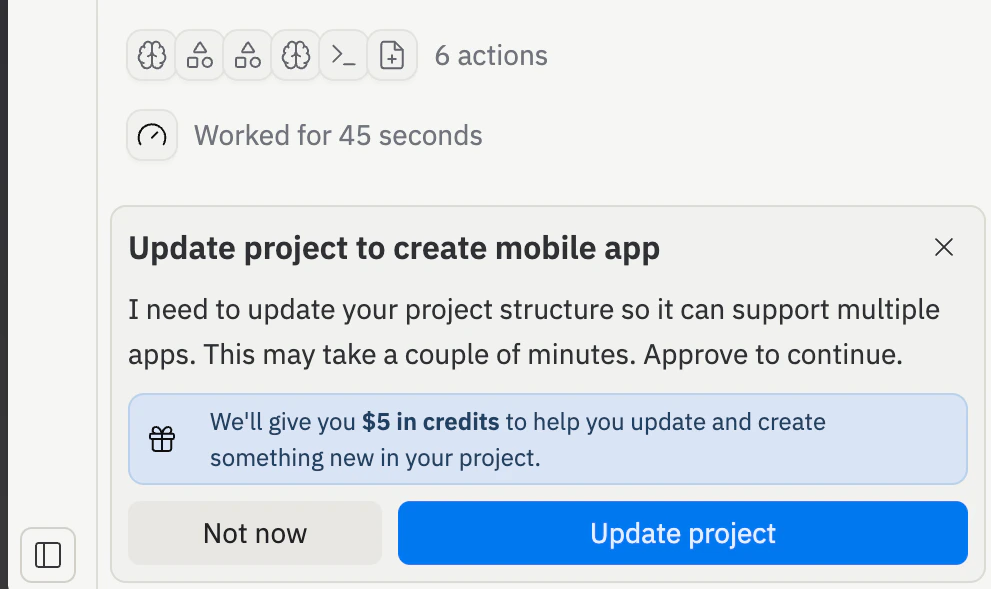
Wait for the restructure
Agent reorganizes your project into the new structure in a task — you can follow along in the task list. Your original app is backed up before anything changes, so you won’t lose any previous work if something goes wrong.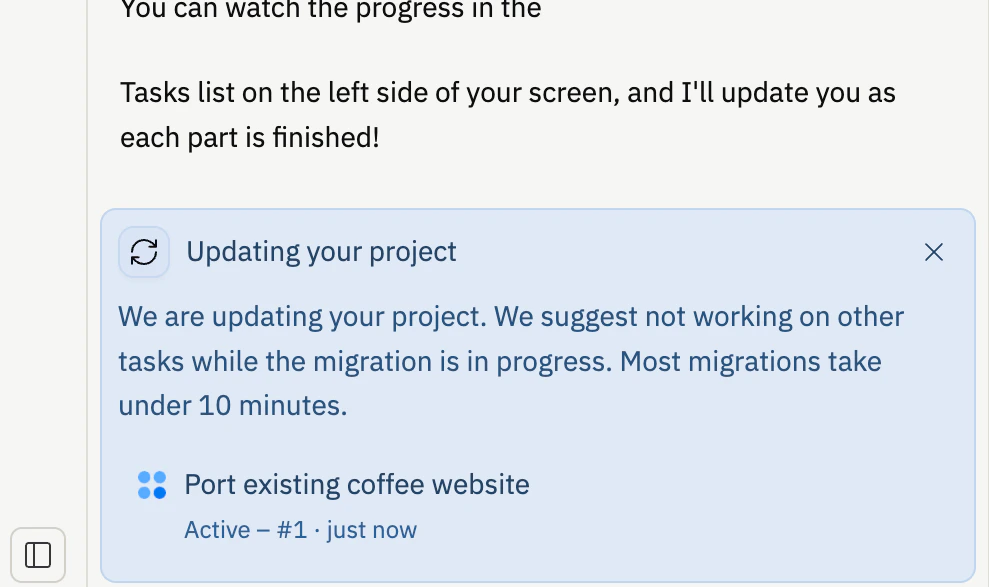
Eligibility
Not every project can be updated at this time. Your project must be one of these types:- Web App (fullstack JavaScript)
- Design-to-app mockups
- Mobile App (Expo)
.replit, you’ll see this message:
This project cannot be migrated automatically: workflow config does not match expected.To fix it, revert your port or workflow customizations to the defaults and try again.
Frequently asked questions
Why does my project need an update at all?
Why does my project need an update at all?
Projects created before March 11, 2026 (when Agent 4 launched) used a single-app layout. The newer shared workspace layout is what lets a web app, mobile app, and admin dashboard live together and share the same database and backend. The update is a one-time step to get onto that layout.
What if I don't want to update?
What if I don't want to update?
Click Not now. Agent keeps building in the existing single-artifact layout. You can revisit the offer later if your needs change.
Can I update more than once?
Can I update more than once?
No. Once your project is on the new structure, no further updates are needed. Future artifacts are added directly without another update step.
My project isn't eligible. What are my options?
My project isn't eligible. What are my options?
Create a separate project for the new artifact, or start a fresh project that supports multiple artifacts from day one.