

Open Settings
- Select your account menu in the lower-left corner of Replit.
- Select Settings.
The available tabs depend on your Workspace type, plan, and role. Admin-only
options appear only when you have permission to manage them.
Workspace settings
Use the Workspace section to manage the currently selected Workspace:- Workspace settings (or Workspace overview, depending on your permissions): Update the Workspace image or name and view its ID. Workspace admins can also manage delegated controls in Workspace settings.
- Workspace collaborators: Invite people and manage Workspace access.
- Integrations: Manage services and resources connected to the Workspace.
- Customization: Configure workspace-wide custom instructions, skills, and Memory for Agent. See Agent customization for setup and permissions.
- Security: Review the security controls that apply to the Workspace. See Security overview.
- Groups: Organize members and apply group permissions. See Groups and permissions.
If your Enterprise Workspace still shows Design systems or Slides templates, those legacy settings are deprecated. For workspace-wide instructions and skills, use Agent customization.
Manage delegated controls
As a Workspace admin, open Settings → Workspace settings to manage supported controls that your account admin has delegated.- Change editable controls for your Workspace.
- Controls labeled Set by account policy are locked at the Workspace level.
- Ask an account admin to change a locked policy or configure a Workspace exception.
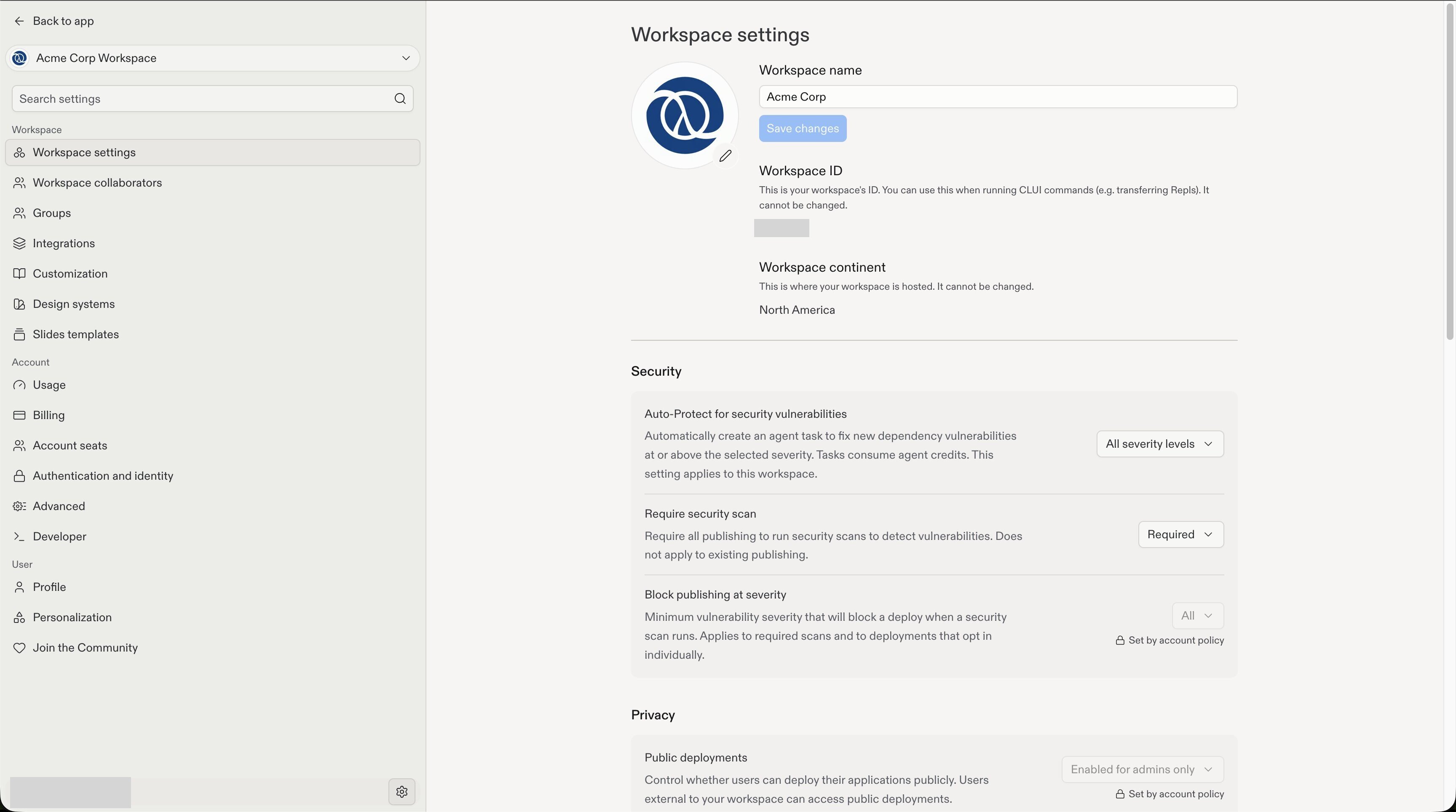
Workspace admins can change delegated controls, while account policies remain locked.
Screenshots show example values, not recommended defaults. Available controls
depend on your role and the settings your account admin delegates.
Account settings
Use the Account section for settings that can apply across Workspaces:- Usage, Billing, and Account seats: Review usage and billing information and manage seats when your role allows it.
- Advanced: Set account policies, configure Workspace exceptions, and delegate supported settings. See Advanced settings for detailed procedures and Model controls for Agent model-provider policies.
- Developer: Manage Admin API keys and review request history. See Admin API before creating or rotating a key.
Account policies and Workspace exceptions
As an account admin, open Settings → Advanced to manage supported settings in one of three ways:- Account-wide policy: Apply a shared rule across Workspaces.
- Workspace exception: Choose a different value for a specific Workspace.
- Workspace managed: Let each Workspace’s admins choose the value.
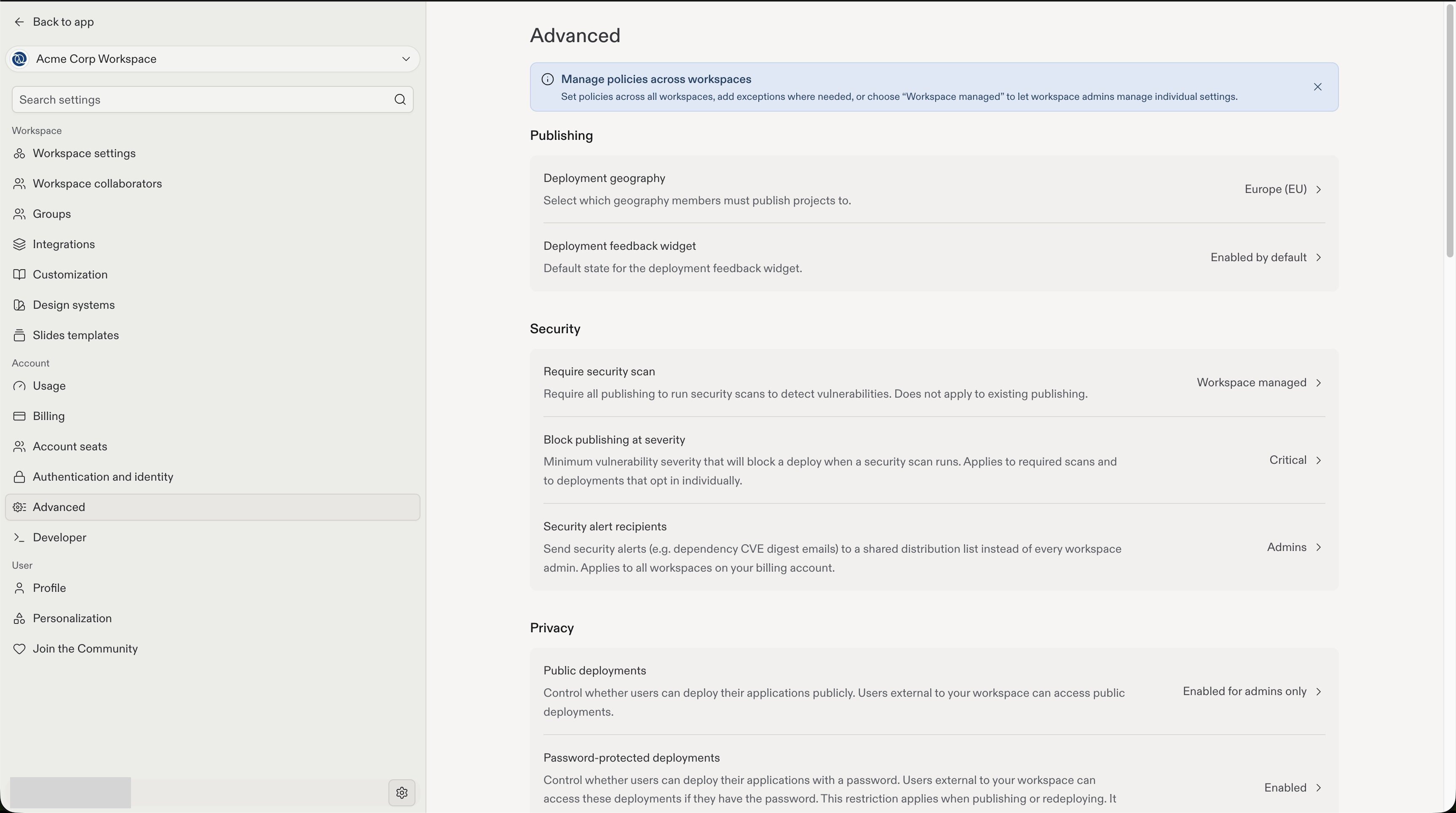
Advanced settings shows account-wide policies and settings delegated to Workspace admins.
Delegate a setting to Workspace admins
The Workspace managed option delegates a setting to Workspace admins. They can then choose its value in Workspace settings. Delegation applies to individual supported settings, not every control.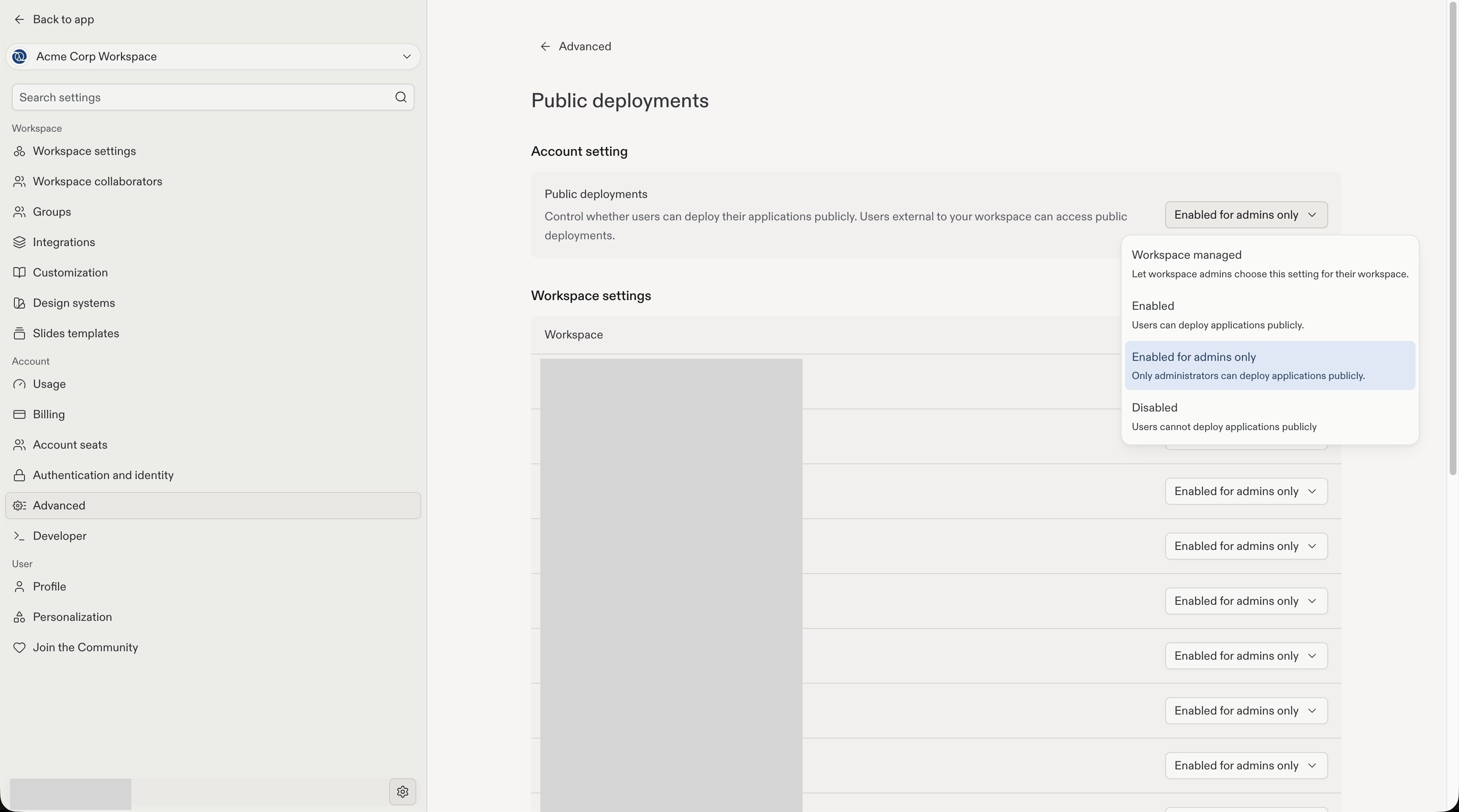
Workspace managed lets Workspace admins choose a supported setting instead of applying a fixed account-level value.
User settings
Use the User section for your own Profile and Personalization preferences. The same section also links to the Replit Community.Related guides
Team Workspaces
Create a Team Workspace, invite members, and manage access.
Model controls
Configure the Agent model providers and models available to each Workspace.
Agent customization
Manage workspace-wide custom instructions and skills for Agent.
Privacy and deployment settings
Review the publishing privacy and deployment settings available to Enterprise admins.