

Before you start
Project Analytics requires:- A published website. Analytics supports website artifacts. It does not collect events from mobile apps or other artifact types.
- A supported Deployment. Project Analytics supports Autoscale, Reserved VM, and Static Deployments.
- A paid plan for advanced analytics. Custom events and analytics queries with Agent are available on paid plans.
- Analytics enabled on your next release. Replit collects events after you turn on Enable analytics and publish or republish your app.
Open Project Analytics
- Open your project in the Project Editor.
- Select Tools.
- Under Replit Cloud, select Growth.
The Growth pane stays locked until you publish your app. Before that, it
prompts you to Go to Publishing.
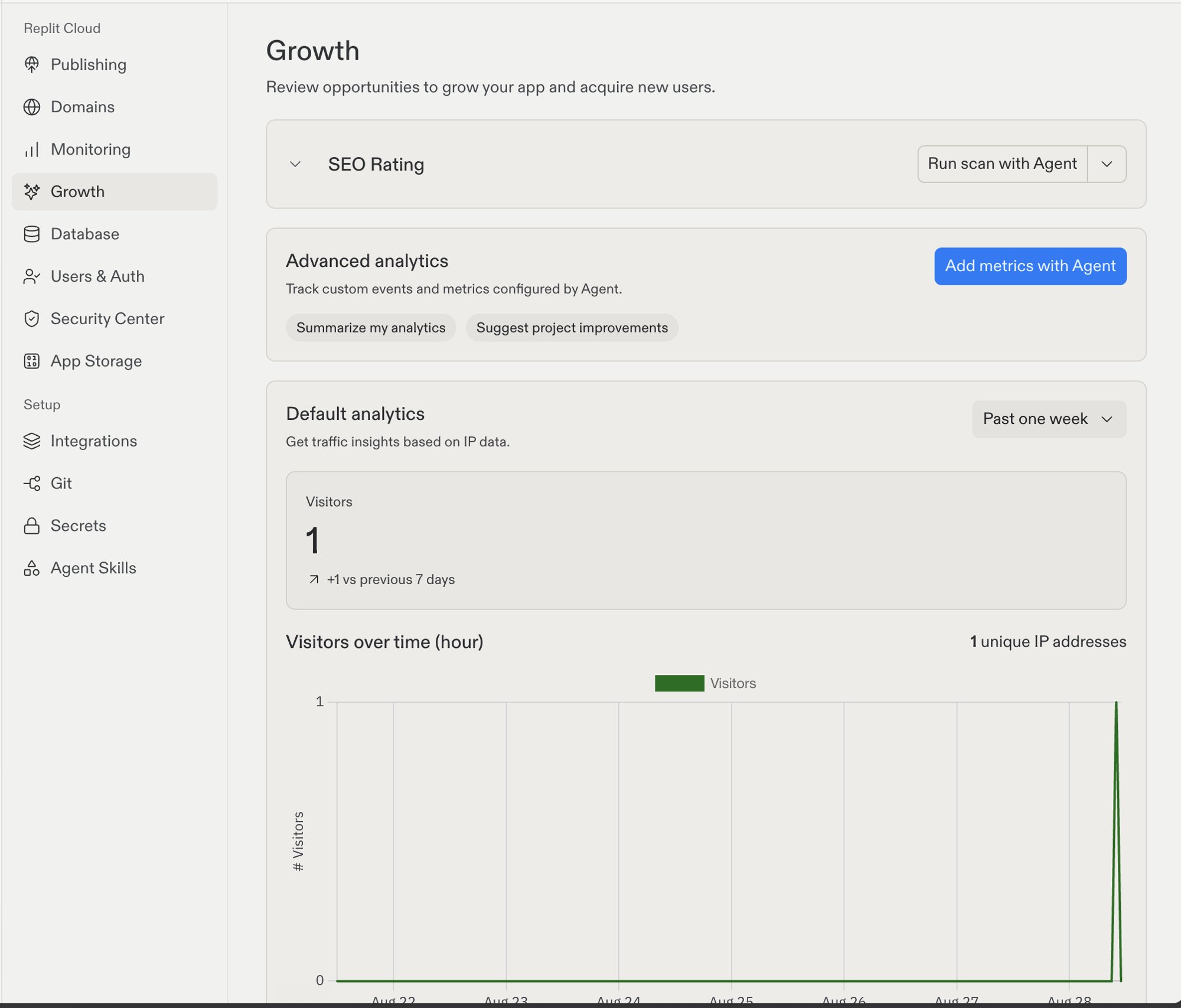
The Growth pane shows SEO tools, advanced analytics actions, and default visitor metrics
Review default analytics
Default analytics uses IP traffic data to show these metrics:- Visitors: The approximate number of unique visitors during the selected period.
- Visitors over time (hour) or Visitors over time (day): How visitor activity changes during the selected period.
- Top Pages: The pages that receive the most traffic.
- Top Referrers: The websites that send traffic to your app.
- Top Countries: The approximate countries of your visitors.
- Top Browsers: The browsers that people use.
- Top Devices: The device types that people use.
Visitor counts are approximate. They use network and browser data, and one
person can appear as more than one visitor across devices or calendar months.
Add custom events with Agent
Custom events measure actions that matter to your app. Examples include completed sign-ups, selected plans, submitted forms, and completed purchases.1
Add metrics with Agent
Open Growth. In Advanced analytics, select Add metrics with
Agent. Tell Agent which actions you want to measure. Agent adds event
tracking at the relevant points in your app.
2
Enable analytics and publish
Open Publishing and start a new publish or republish. Under Suggested
add-ons, turn on Enable analytics. Then publish your app. Replit
starts collecting page views and custom events from this release.
Ask Agent about your analytics
After your app collects data, use the chips in Advanced analytics:- Summarize my analytics: Agent summarizes your project’s analytics from the past seven days.
- Suggest project improvements: Agent reviews your analytics and recommends what to improve in your project.
Next steps
- SEO Rating: Review the search readiness of your published app.
- SEO Agent: Find and fix technical SEO problems with Agent.
- Monitoring: Review uptime, request performance, logs, and resource use.
- After you publish: Learn how to maintain and improve your live app.