

What is a Remix
A Remix is a new Replit App you create from an app that you currently have access to. When you remix a public app or template, you get your own copy to interact with and iteratively improve. Changes you make in your Remix don’t affect the original app. Your Remix credits its source: it shows a Remixed from link back to the original, and the original’s build prompt appears on its cover page.What your Remix includes
A Remix is a complete, working copy, with a clean separation from the original:- All files and configuration copy over, so the app runs exactly as the source did.
- The source’s checkpoint history comes along, labeled as history from the source app. You can roll back to any of those checkpoints; the conversation that produced them stays with the original.
- A brand-new Agent. Your Remix starts with a fresh Agent and no inherited chat history.
- Secret names, not values. If the app uses secrets (such as API keys), your Remix lists them so you know what to fill in, with empty values. Values copy only when you remix your own app.
- A fresh database. Your Remix never connects to the original’s database. If the original offers it, a Copy data from original App option copies the data itself; your changes still never touch the source.
- A fresh sign-in setup for apps that use Replit Auth.
How to remix an app
1
Open the app's cover page
Find an app you want to remix, such as one from the community. Its cover page shows a live preview and sharing options.
2
Remix the app
Select Remix this App to start creating your own version.
3
Complete the app details
In the Remix App dialog, give your copy a name and an optional description, then select Remix App. You can edit these details later.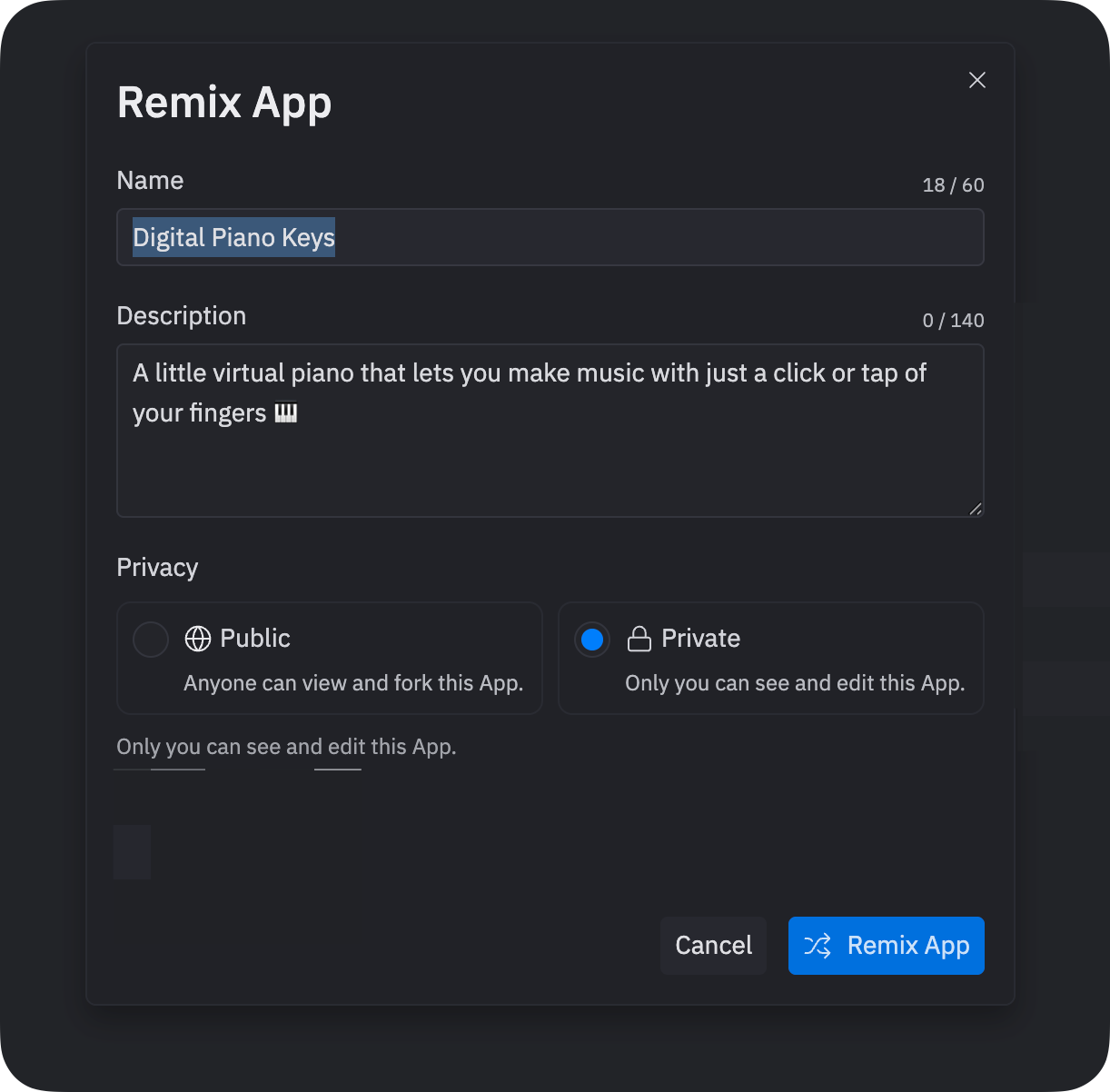
4
Explore your copy
Your copy opens in your workspace and starts automatically. Navigate to the Preview tab to see it running.
Try it
Create a Remix of the Supercar showcase template, one of the featured templates from Start from a template:
Build on your Remix
Once your Remix opens in the workspace, use Agent to modify and extend it. Enter a prompt in the Agent tab describing the feature you want to add. To undo Agent’s changes, select Rollback to here in the Checkpoint created after the change. Learn more about Checkpoints and Rollbacks.Remix or build from a prompt?
Both paths end in the same place: an app of your own that Agent helps you evolve. They start differently:
If an app close to what you want already exists, remix it: Agent’s first turn works on a real, working app instead of starting from a blank slate. Build from a prompt when your idea doesn’t resemble anything you can find.
Next steps
- Explore more remixes: Browse the community to find apps to remix and learn from
- Build from scratch: Try creating your own app with Agent to compare the experience
- Publish for remixing: Share your enhanced version so others can build on your work