

Model controls are available exclusively to account admins on Enterprise accounts. Contact our sales team at sales@replit.com to enable it for your organization.
Use Intelligent Model Routing
Intelligent Model Routing is the default Agent experience for Enterprise Workspaces. With Auto mode turned on, Replit chooses the mode and model that best fit each task while balancing quality and cost. Routing selects from the pool of models authorized by the account and Workspace policies. Providers and models outside that pool are not eligible for selection. Builders can keep Auto mode on or turn it off to select an authorized model manually.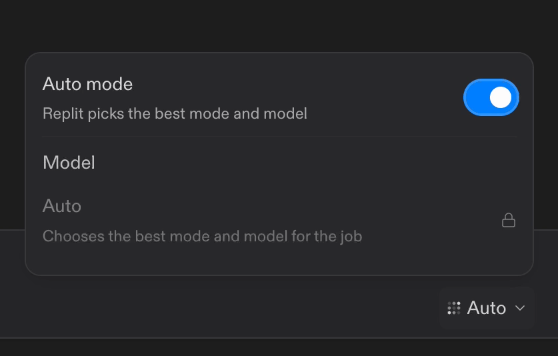
Turn on Auto mode to route tasks among models authorized for the Workspace.
Open Agent model settings
Go to Advanced in Settings, then expand Agent modes and model providers.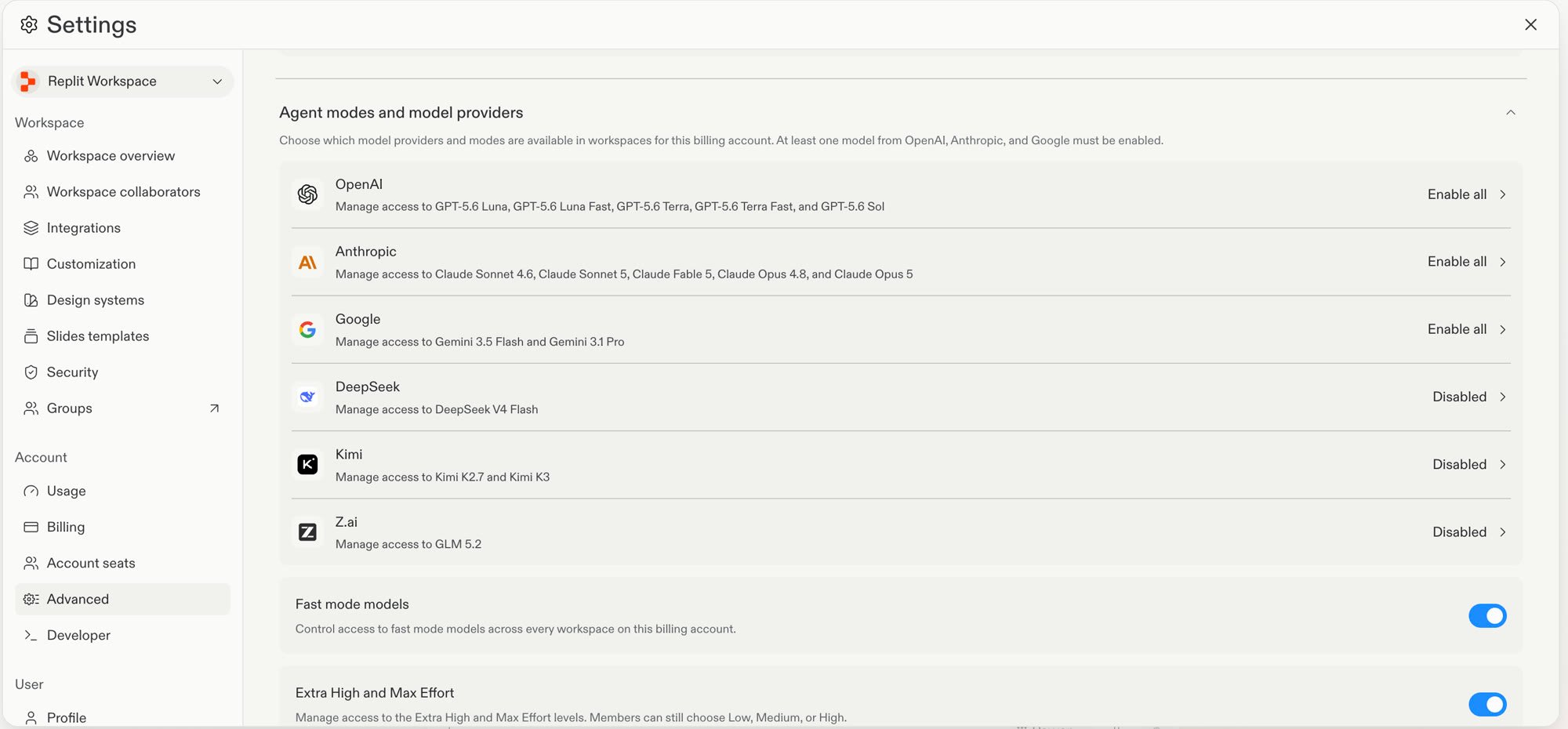
Model provider policies and the separate Fast mode models control in Advanced settings.
Set a provider policy
1
Select the model provider that you want to manage.
2
Under Account policy, select one option:
At least one model from OpenAI, Anthropic, and Google must remain enabled. You can disable other providers.
3
Select Update.
Set a Workspace policy
Use Enable selected when different Workspaces need different model access.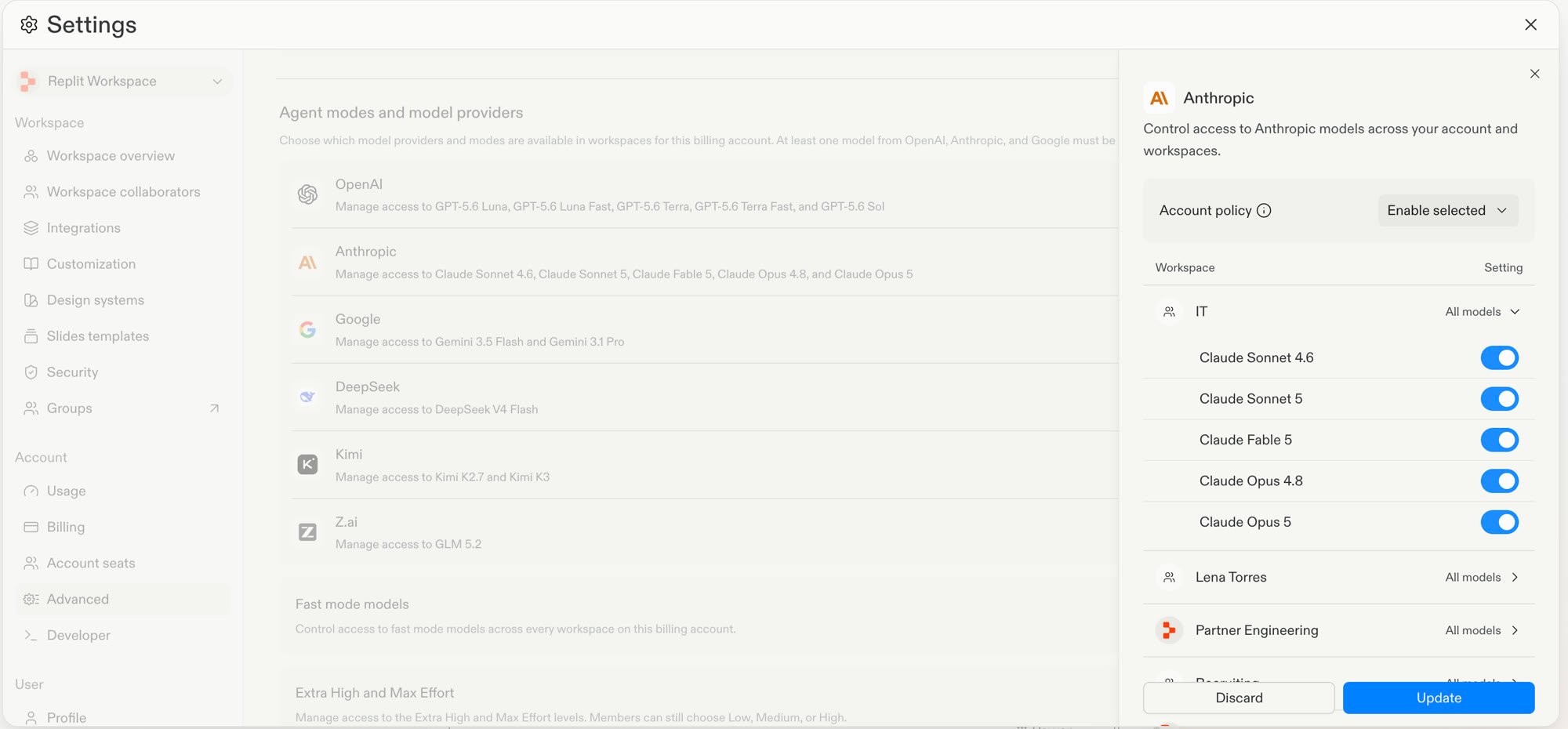
The Anthropic provider policy set to Enable selected, with model access configured by Workspace.
- Open the provider settings.
- Set the Account policy to Enable selected.
- In the Workspace list, select the Setting dropdown for a Workspace.
- Turn each model on or off for that Workspace.
- Select Update.
Limitations
- Model policies apply to Workspaces. You cannot set a different policy for a user group in the same Workspace.
- Intelligent Model Routing does not override account or Workspace policies. It cannot select a disabled provider or model.
- The Fast mode models toggle in Agent modes and model providers controls access to fast model variants across every Workspace on the account. Provider policies and Intelligent Model Routing do not change that setting.
Next steps
- Read Workspace Settings for an overview of Enterprise policy controls.
- Read Model selector to learn how builders select an available model.
- Read Privacy and deployment settings to configure publishing and access controls.