

New to dependency security? See Security
concepts for definitions of CVE, SBOM, exposure,
Fix with Agent, Republish, and Auto-Protect.
Choose a security scan
Compare security scan levels to see what Levels 1, 2, and 3 check. Choose the scan that matches the type of review you need: Both paths report findings in Security Center. Agent security scans are available to paid Replit builders.Automatic dependency scans
Automatic dependency scans check project packages against public vulnerability records. These scans are free and run automatically. When a new Common Vulnerabilities and Exposures (CVE) entry is disclosed, Replit checks it against your project’s dependencies and surfaces matches in the Security pane without requiring a manual rescan. Dependency scanning supports Node.js/npm, Python, Go, Rust, PHP, and Ruby. Automatic dependency fixing is currently focused on Node.js/npm.
Auto-Protect
Auto-Protect extends automatic dependency scanning. When Replit detects a matching vulnerability, Agent prepares and tests a patch and emails you a direct link. The patch remains pending in the Security pane for your review. After you apply it, republish the app so the production version includes the fix. Auto-Protect covers dependency CVEs only. Use an Agent security scan to review application code. Both Auto-Protect settings are off by default:1
Enable patch preparation
A Workspace admin goes to Advanced in Settings, then
selects the minimum severity (low, medium, high, or critical) at which
Replit should prepare remediations.
2
Enable security emails
Go to Personalization in Settings, scroll to Email Notifications, and
select the minimum severity at which you want to receive notifications.
Agent-prepared remediations are billed like other Agent work, including when
Auto-Protect prepares them proactively.
Review findings
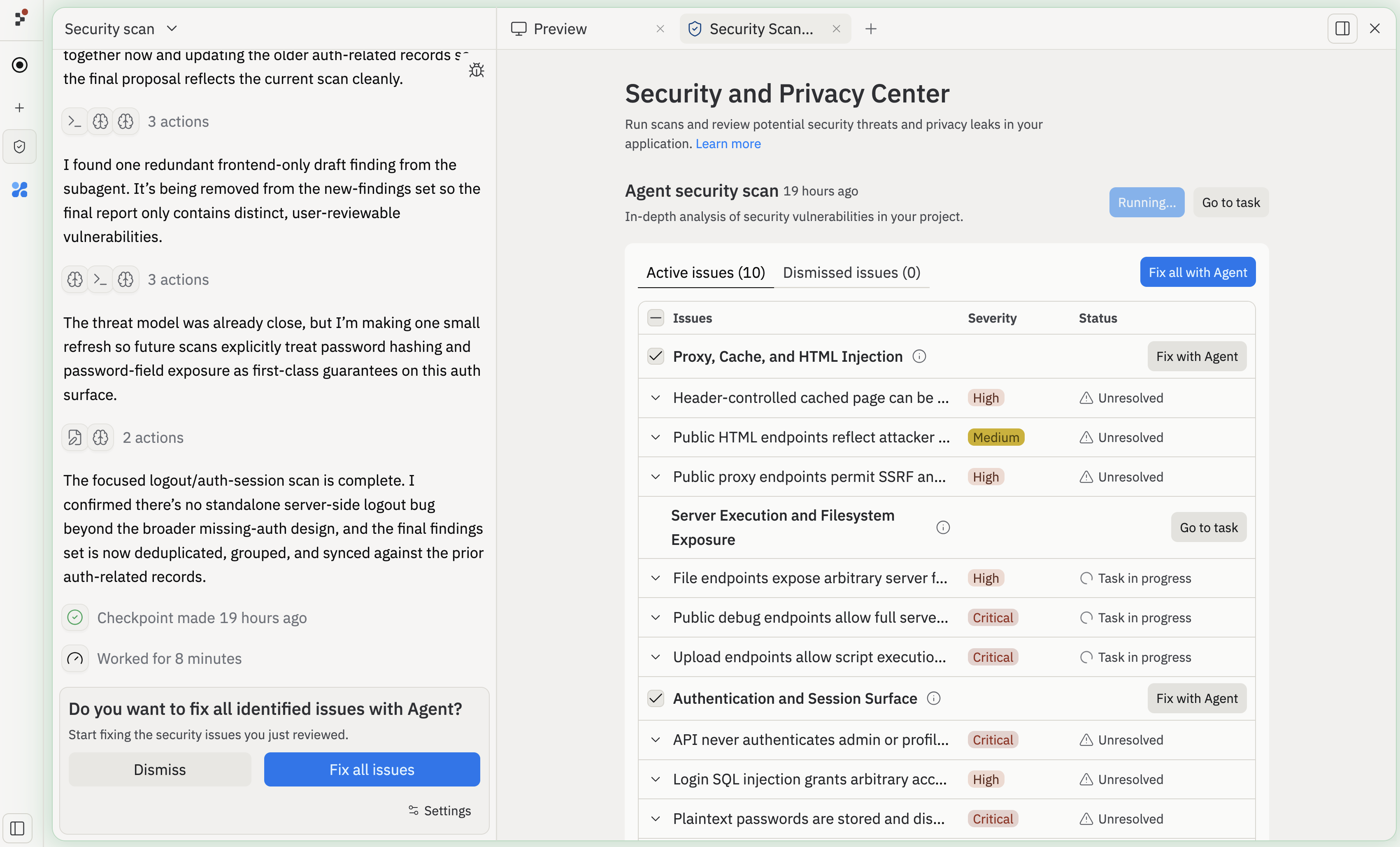
Security results appear in the Security pane and are grouped by severity:
Review each finding before accepting, revising, or dismissing it. Send accepted issues to Agent for remediation, then rerun the relevant scan after applying fixes.
Security checks during development and publishing
Security scan while you build
As you build with Agent, Replit automatically reviews the files Agent changes for common insecure patterns and hardcoded secrets. This is an early, lightweight check in the Agent workflow rather than a full codebase review. Its results do not appear as a separate report in the Security pane.Publish checks
Replit also runs a security scan before publishing. The Block publishing of critical vulnerabilities setting determines what happens when the scan finds a critical issue:- On: Publishing is blocked until the issue is resolved or dismissed.
- Off: Publishing proceeds, and the finding remains available for review.
Next steps
- Follow the Agent security scan workflow.
- Learn how to run black-box pen tests with Level 3.
- Learn more about Publishing.
- Read How Replit secures AI-generated code.