

 capabilities.
Transform your ideas into custom images, illustrations, and graphics that perfectly match your project’s needs. Whether you’re building a website, mobile app, or any creative project, Agent generates images that bring your vision to life.
capabilities.
Transform your ideas into custom images, illustrations, and graphics that perfectly match your project’s needs. Whether you’re building a website, mobile app, or any creative project, Agent generates images that bring your vision to life.
Features
Build visually compelling applications with Agent’s image generation. This eliminates the need for stock photos, external design tools, or hiring designers for basic visual content. Whether you’re creating a portfolio website, building a game, or designing a mobile app interface, image generation provides custom visuals tailored to your project. Agent can perform the following image generation actions:- Custom image creation: Generate images based on detailed descriptions and specifications
- Style adaptation: Create images in various artistic styles, from realistic to cartoon-like
- Transparent backgrounds: Generate images as transparent PNGs, or remove the background from an existing image — ideal for logos, icons, stickers, and product cutouts
- Project integration: Seamlessly add generated images directly to your app’s codebase
- Iterative refinement: Modify and improve images based on your feedback
Usage
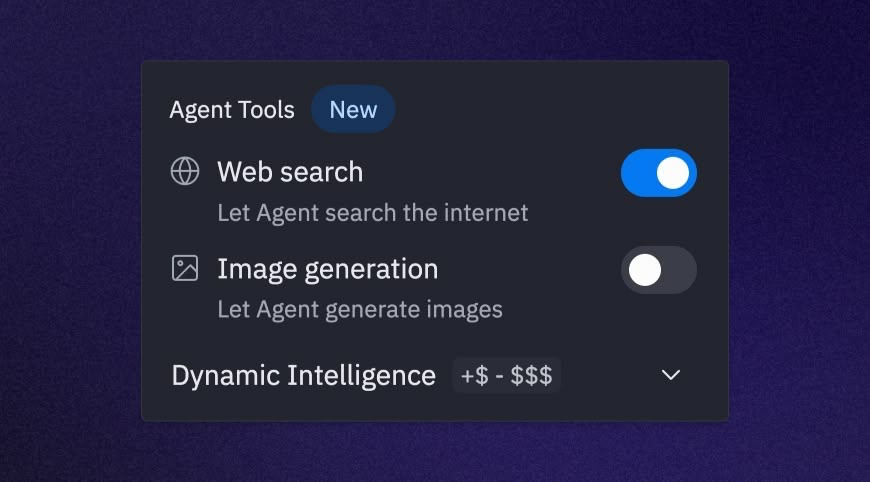
Image generation is built into Agent — there’s nothing to toggle on. Open any Replit App with Agent enabled and ask Agent to create the visual content you need. Agent automatically determines when to generate images based on your requests, creating custom images that match your specifications.When Agent uses image generation
Agent triggers image generation when you request visual content for your projects:Best practices for image generation
Follow these guidelines to get the best results from Agent’s image generation: Be specific and descriptive- Include details about style, colors, composition, and mood
- Specify dimensions or aspect ratios when relevant
- Mention the intended use (icon, background, illustration, etc.)
- Ask for a transparent background when you need a logo, icon, sticker, or cutout to sit over other content
- Start with a basic description and refine based on results
- Ask Agent to modify specific aspects of generated images
- Request variations to explore different creative directions
- Maintain visual consistency across your app
- Specify style preferences that match your brand or design system
- Ask for images that complement your existing visual elements
Example prompts
Try these example prompts to get started with image generation:Project integration
Agent seamlessly integrates generated images into your codebase:- Automatic file creation: Generated images are saved directly to your project files
- Code updates: Agent updates your code to reference the new image files
- Asset organization: Images are placed in logical directories within your project structure
Replit’s image generation is powered by Google’s Imagen
4, a state-of-the-art text-to-image
model that excels at creating high-quality, photorealistic images with fine
details and improved text rendering capabilities.