

What’s new
- Intelligent model routing
- Find your first customers with Growth Skills
- Intelligent model routing for Enterprise
- Customize connectors
Agent
Intelligent model routing
Intelligent model routing automatically selects the model and effort level that best fit your task, balancing quality and cost. In Power or Max, select Auto to let Replit route each part of your work as its complexity changes. You can also select a specific model and effort level when you want more control.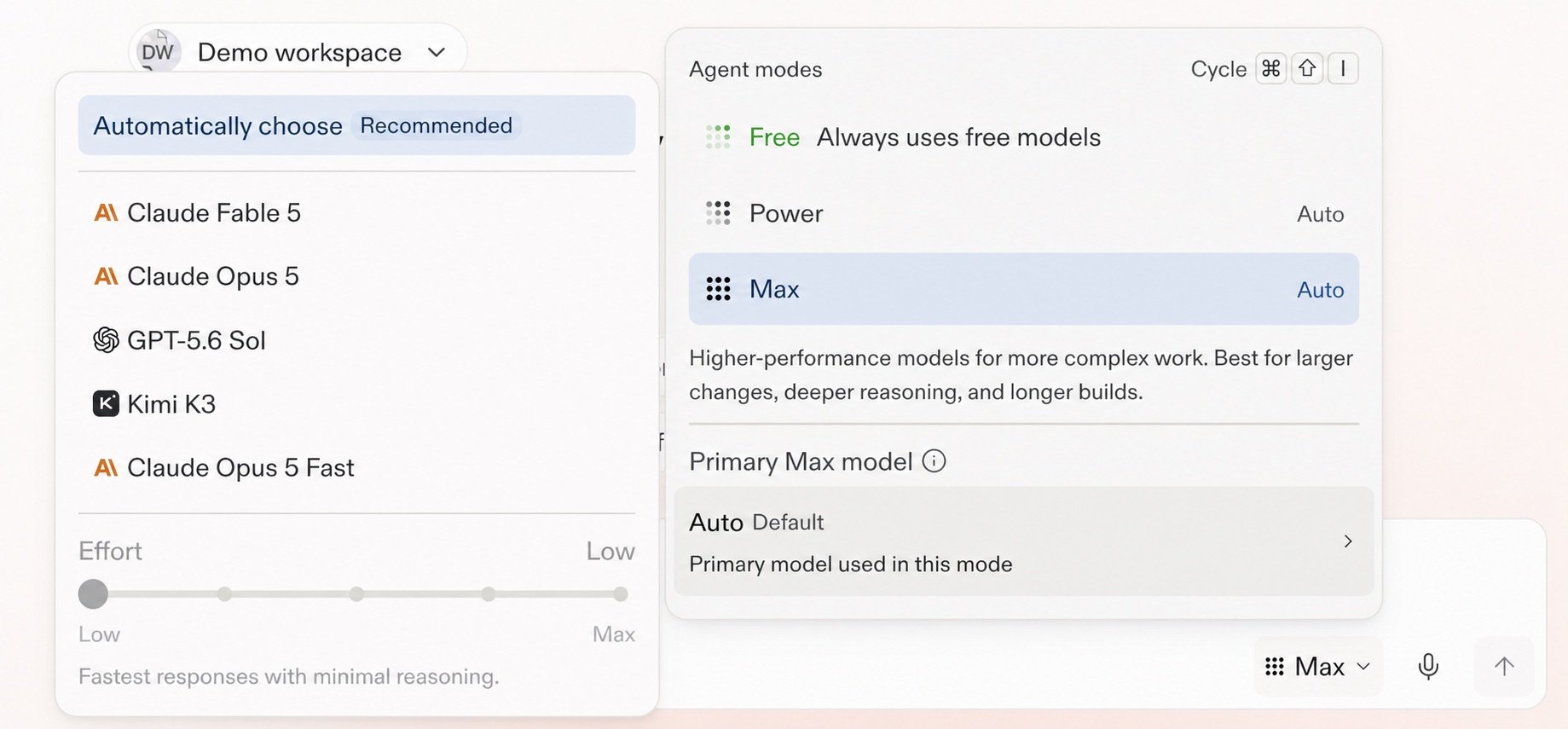
Select Auto or choose a model and effort level in Agent settings.
Find your first customers with Growth Skills
Run Growth Skills with Agent to find your app’s first customers. Available partner integrations include Apollo, Clay, SideShift, RevenueCat, Stripe, and PostHog.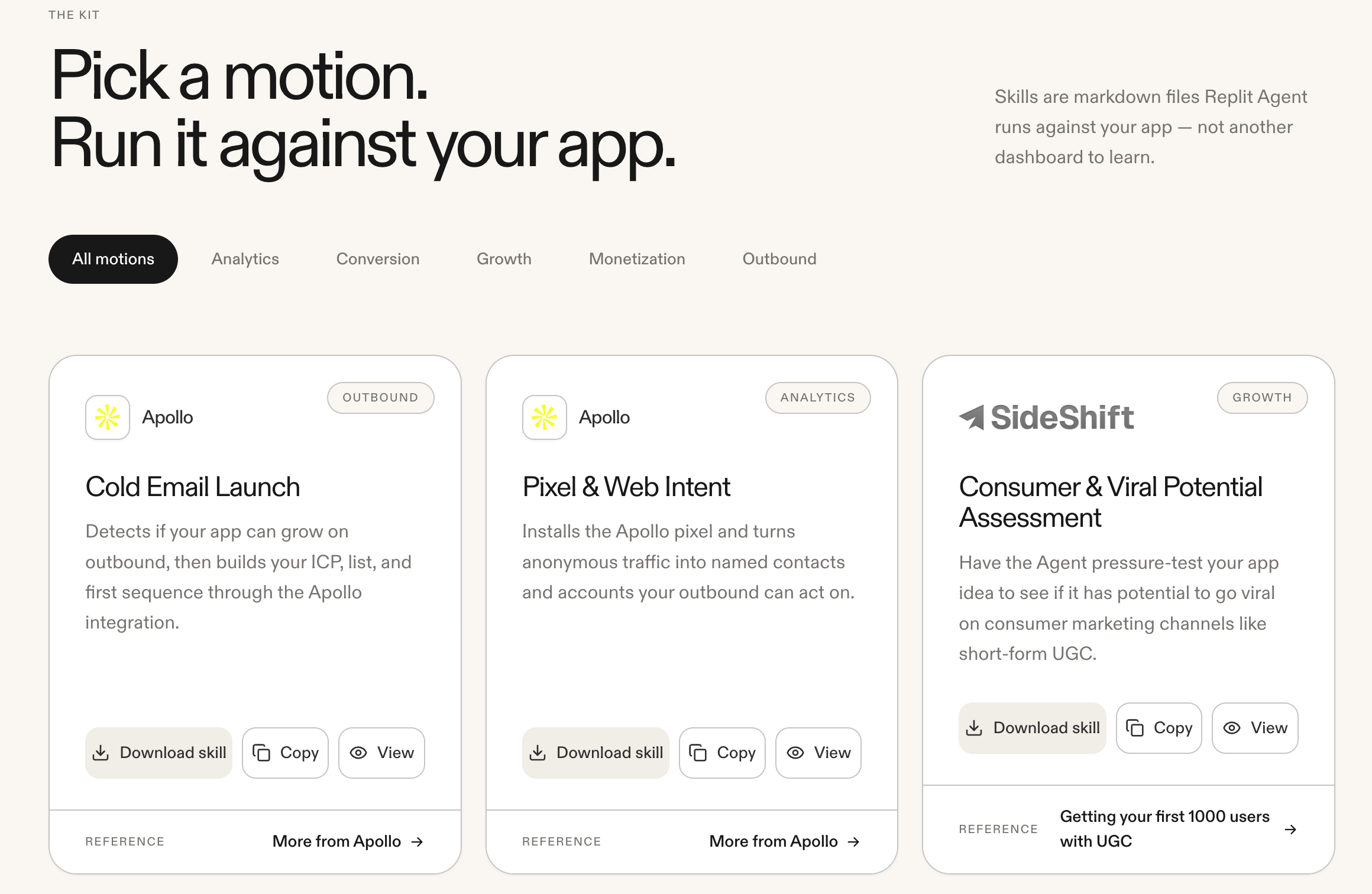
Browse Growth Skills and run a motion against your app.
Intelligent model routing for Enterprise
Intelligent Model Routing is now the default Agent mode for Enterprise Workspaces. With Auto mode turned on, Replit chooses the best mode and an allowed model for each task. Account admins can control model availability for each Workspace, and you can turn off Auto mode to select an enabled model. The Enterprise Agent mode menu now uses Power and Max and no longer includes Lite.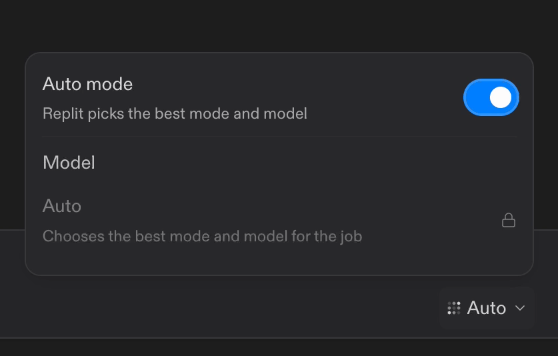
Turn on Auto mode to let Replit pick the best mode and model for each task.
Integrations
Customize connectors
Enterprise organizations can now use custom OAuth configurations for connectors. For example, configure Gmail with your own Client ID, Client Secret, and scopes instead of Replit’s defaults.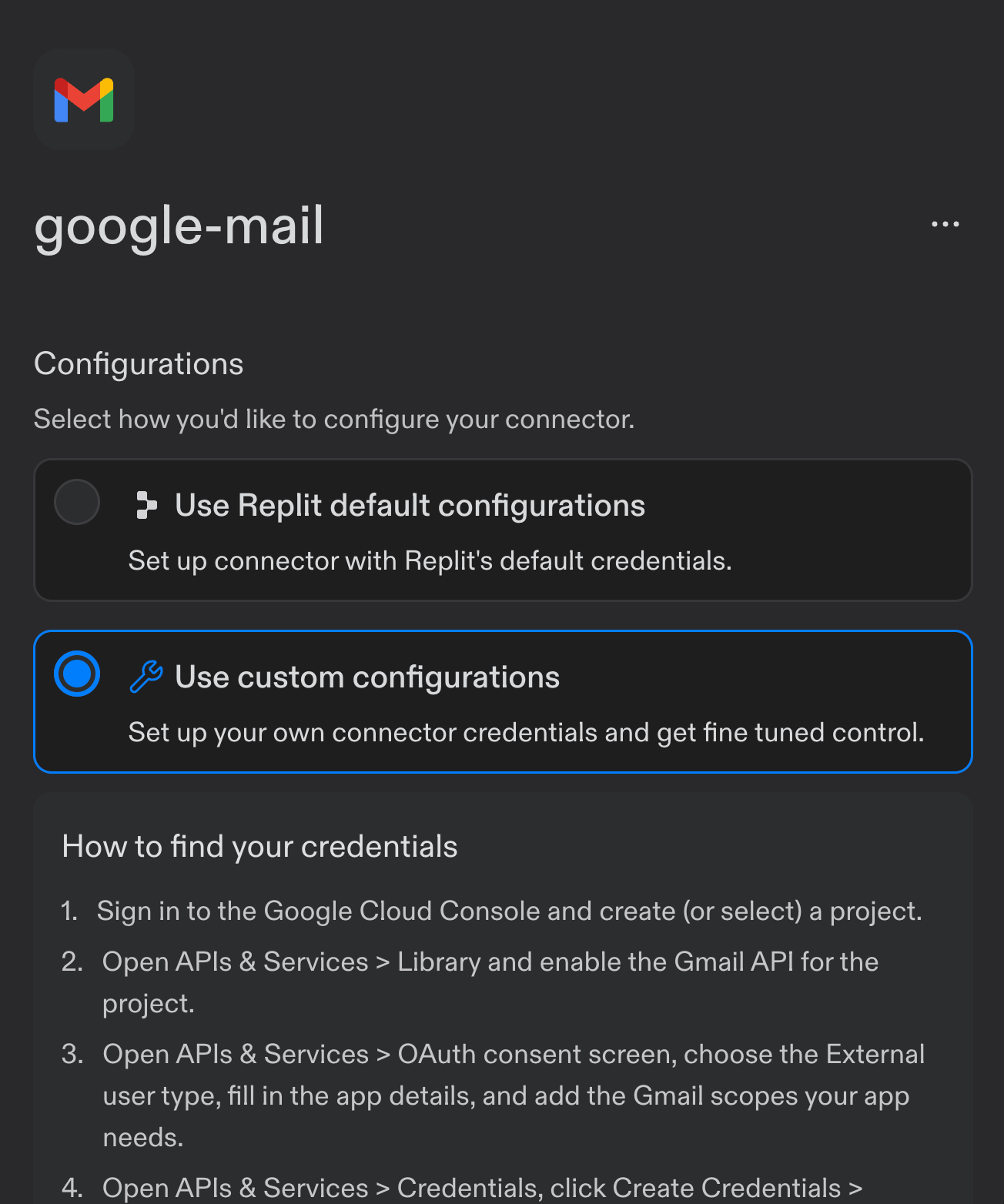
Select Use custom configurations for the Gmail connector.