

Find and connect a service
From your Workspace home, go to Integrations in Settings, then select All integrations. Search for a service or browse the available categories.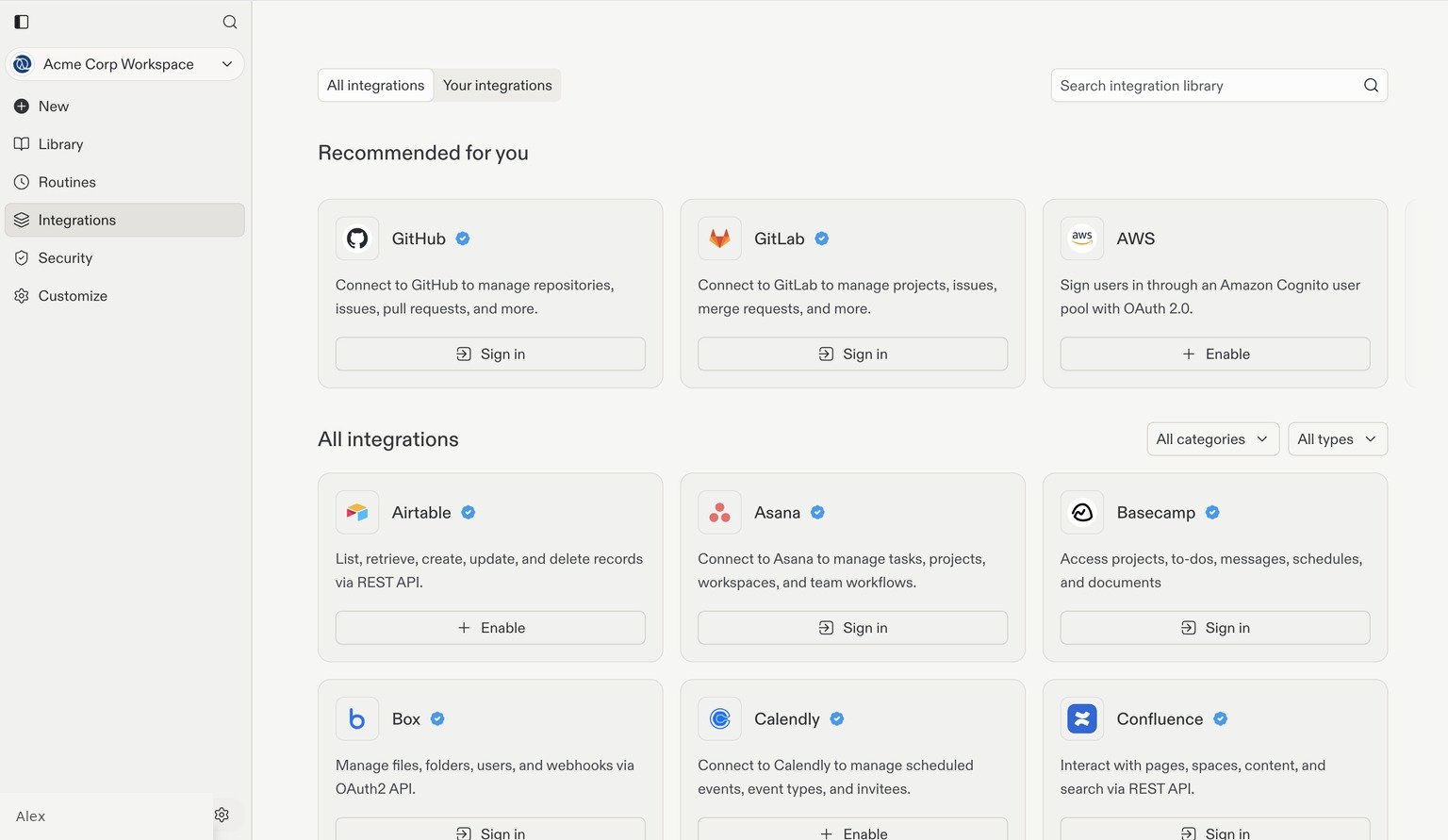
Browse integrations such as GitHub, GitLab, Airtable, and Asana. Account details are examples.
Example: connect Slack
1
Find Slack
Search for Slack in All integrations and select Sign in on its card.
2
Continue to Slack
Review the connection dialog, then select Continue to Slack.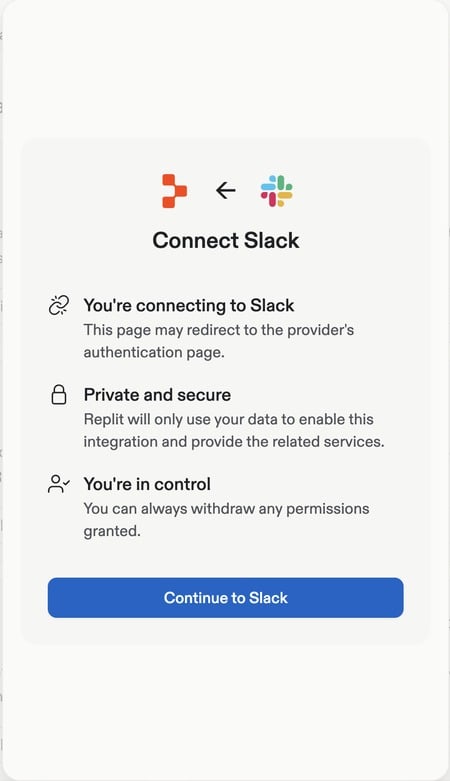
3
Authorize the connection
Complete the provider’s sign-in and authorization flow. Check that you are connecting the intended Slack workspace and review the requested permissions before approving.
4
Review and use the connection
Return to Your integrations to check the connection status and scope. You can then ask Replit to use Slack for a task, for example: “Find the latest project updates in our team’s Slack channel.”
Review connected services
Open Your integrations to see each connection’s Default permission, Scope, Connected apps, and Connection status. Review who owns the connection and which apps use it before making it part of your team’s workflow.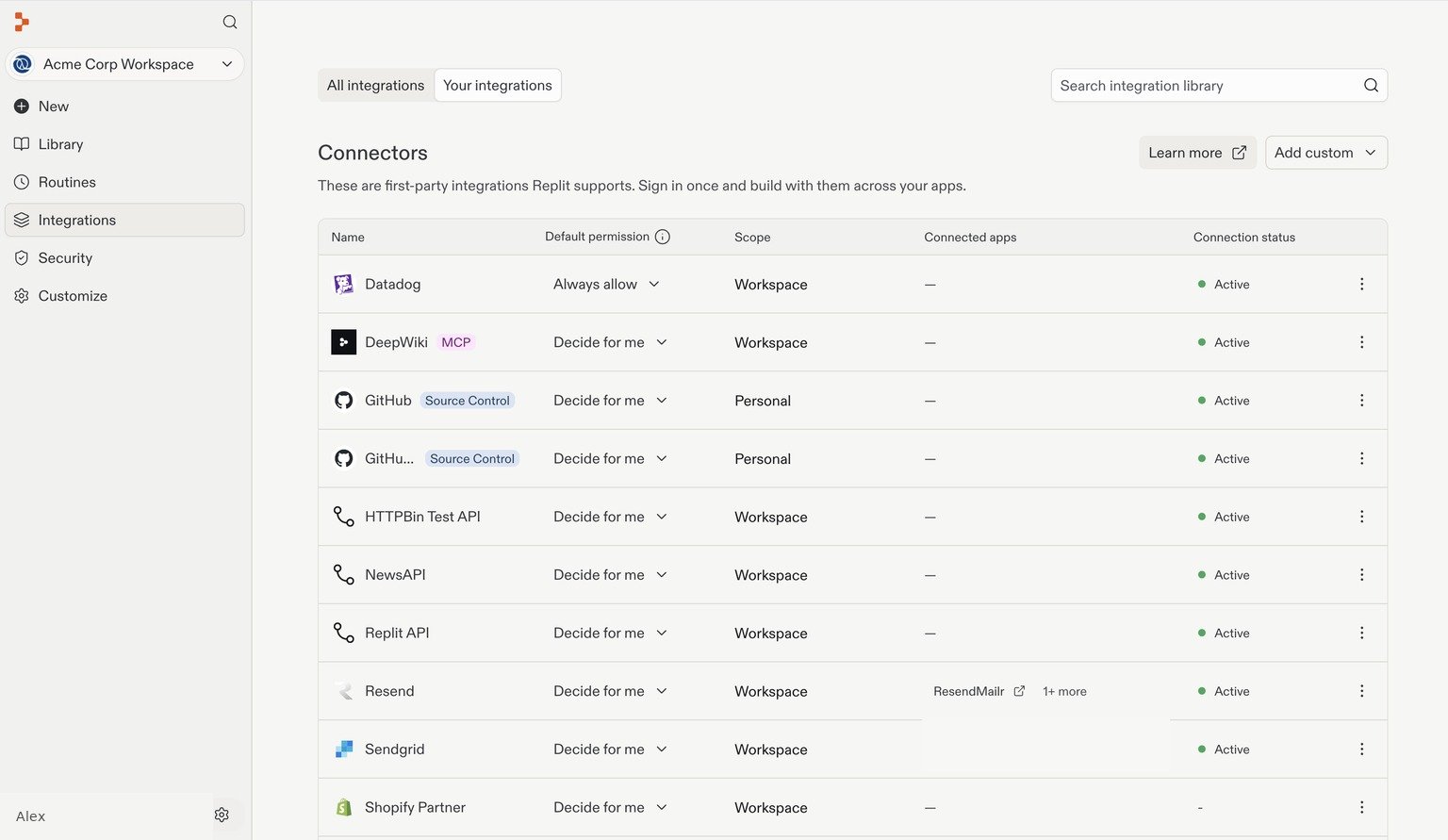
Connected services with personal account details and connected-app names removed.
Add a custom integration
Select Add custom in Your integrations.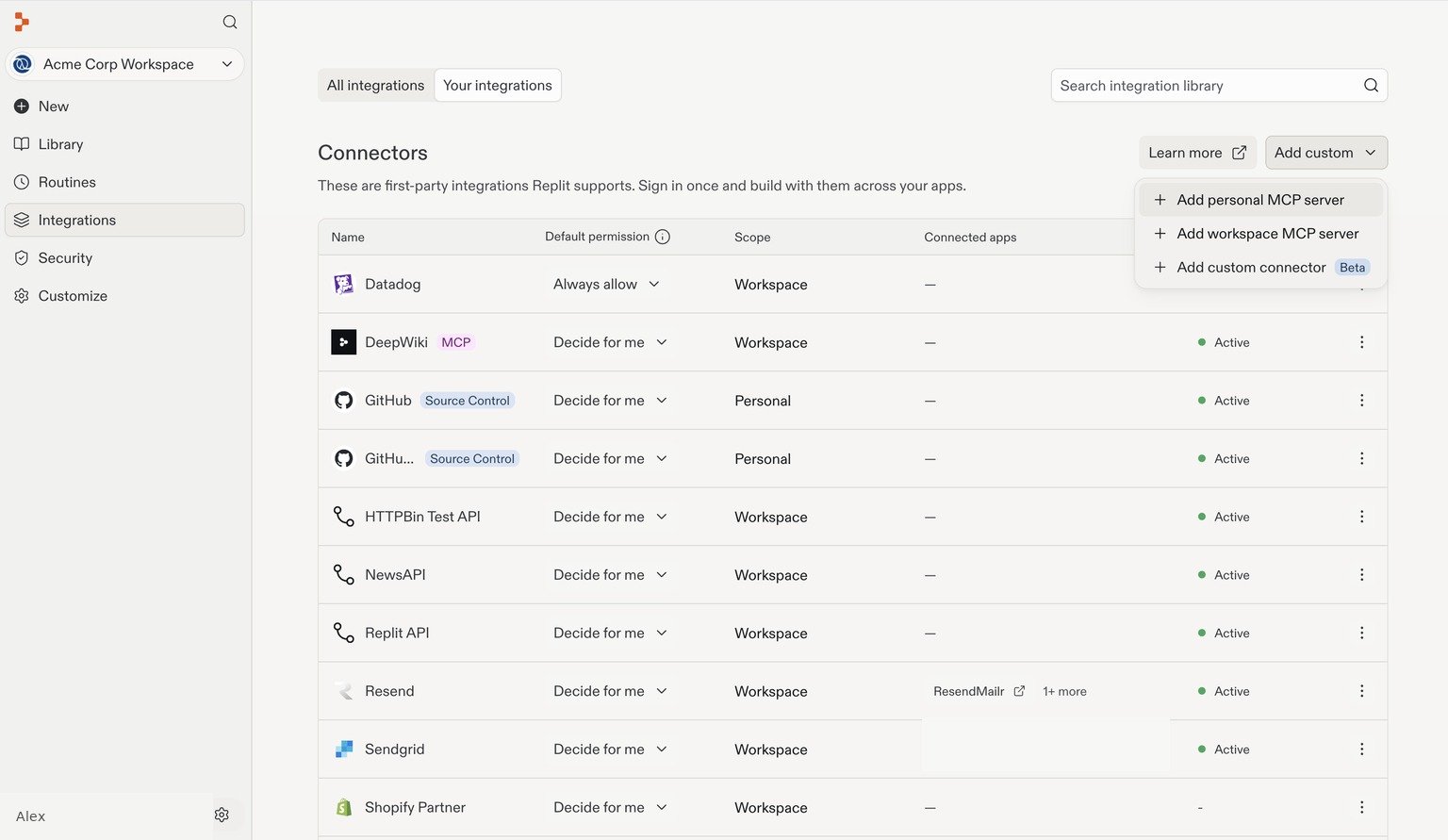
MCP servers
MCP (Model Context Protocol) is an open standard that lets Replit use tools and data exposed by an external server.- Add personal MCP server: Add a connection for your own use.
- Add workspace MCP server: As a Workspace admin, make a server available to the Workspace. Depending on its configuration, members use a shared connection or sign in individually.
Custom API connectors
Select Add custom connector to configure an integration with a service’s API. This is a separate route from MCP: an API connector connects to the service’s API, while an MCP server exposes tools through the MCP protocol. Use the API documentation from the service you are connecting and follow the configuration dialog. For example, a custom connector could give Replit access to an internal inventory API that isn’t in the library. See the Integrations overview for the supported integration types.Connect your data warehouse and analytics platforms
You can also connect Replit to your organization’s data platforms to build dashboards, reporting tools, and data-backed applications.- Databricks: Connect to your Databricks workspace using user-to-machine authentication or a service principal.
- Snowflake: Configure the connector with your Snowflake and Replit administrators, then sign in to build with warehouse data.
- Microsoft Fabric: Build data apps backed by Power BI semantic models and publish them into your Fabric environment. This workflow reads semantic-model data rather than providing a general-purpose warehouse connection.
Administration and availability
What’s available depends on your plan:- Core and Pro: Connector management is available in collaborative workspaces. The account admin sets up and manages connections for that workspace; builders can use them in apps within that workspace.
- Enterprise: Organization-wide connector management with advanced controls, including custom OAuth clients, API key access controls, and bring-your-own keys.
Key capabilities
- Centralized management: Admin sets up a service once; builders use it across apps in that workspace.
- Visibility and audit: See which apps and members use which services.
- Per-app consent and revocation: Revoke or rotate access without code changes.
- Role-based access controls: Scoped, least-privilege permissions and access controls on API keys.
- Bring your own OAuth: Use organization-owned OAuth clients with custom scopes.
- Bring your own OpenAI key: Use your own OpenAI API key instead of Replit’s default.
How it works
1
Admin sets up a service
Admin sets up a service once using the credentials.
2
Admin approves access
Admin approves which groups can use the connector (Enterprise) or makes it available to the collaborative workspace (Core/Pro).
3
Builders use the connector
Members build with that service by asking Replit in apps within the workspace or org.
4
Admin monitors usage
Admins can monitor which members and apps use which services.
Security and governance
- Credentials and tokens are managed by the platform, not stored in individual apps.
- Centralized revocation and rotation without code changes.
- Enterprise: scoped access with least-privilege permissions and optional custom OAuth configuration.
Setup and management
Connector and connection scope
Connector management is workspace-wide on Core and Pro, and organization-wide on Enterprise. Either way, each connection has its own owner and its own access scope. The Scope column on the Integrations page uses these values:- Personal: One member owns the connection.
- Workspace: The workspace owns the connection. Workspace access controls can further limit who can use it.
- Workspace / Personal: The integration has both workspace-owned and member-owned connections.
- Project: The connection is tied to one project.
- Replit-managed: Replit provides the integration without a workspace-owned or member-owned connection.
Configure Enterprise connector access
Start in All integrations to connect a listed service, or use Your integrations → Add custom for a custom integration. Enterprise also supports organization-owned OAuth clients with custom scopes where available.Configure access (Enterprise)
- After enabling a connector, select Manage.
- Grant access to specific groups as needed.
Modify connectors
- After enabling a connector, select Manage.
- Deleting a connector removes it for all builders in that workspace (Core/Pro) or organization (Enterprise).
- On Enterprise, you can edit scopes for custom OAuth connectors.
Plan comparison
Bring your own OpenAI key (Enterprise)
Enterprise customers can use Connectors to bring their own OpenAI API key instead of Replit’s default AI infrastructure. This lets you use existing OpenAI agreements and manage AI usage through your own account.What’s next
Connector management is expanding to support:- Webhook events for event-driven workflows
- Deeper admin experience with permissions, assignments, and analytics
Related documentation
- Workspaces: Understand Personal and Team Workspaces
- Connectors overview: Learn about all integration types
- Warehouse connectors: Connect to BigQuery, Databricks, Snowflake, Segment, Amplitude, and Hex
Continue Enterprise setup
Groups and permissions
Organize collaborators into groups and configure their access.