

Open Usage
Go to Usage in Settings. The overview shows your Replit AI usage, remaining balance, spend, and active users. Use the period selector at the top to choose the time range you want to review.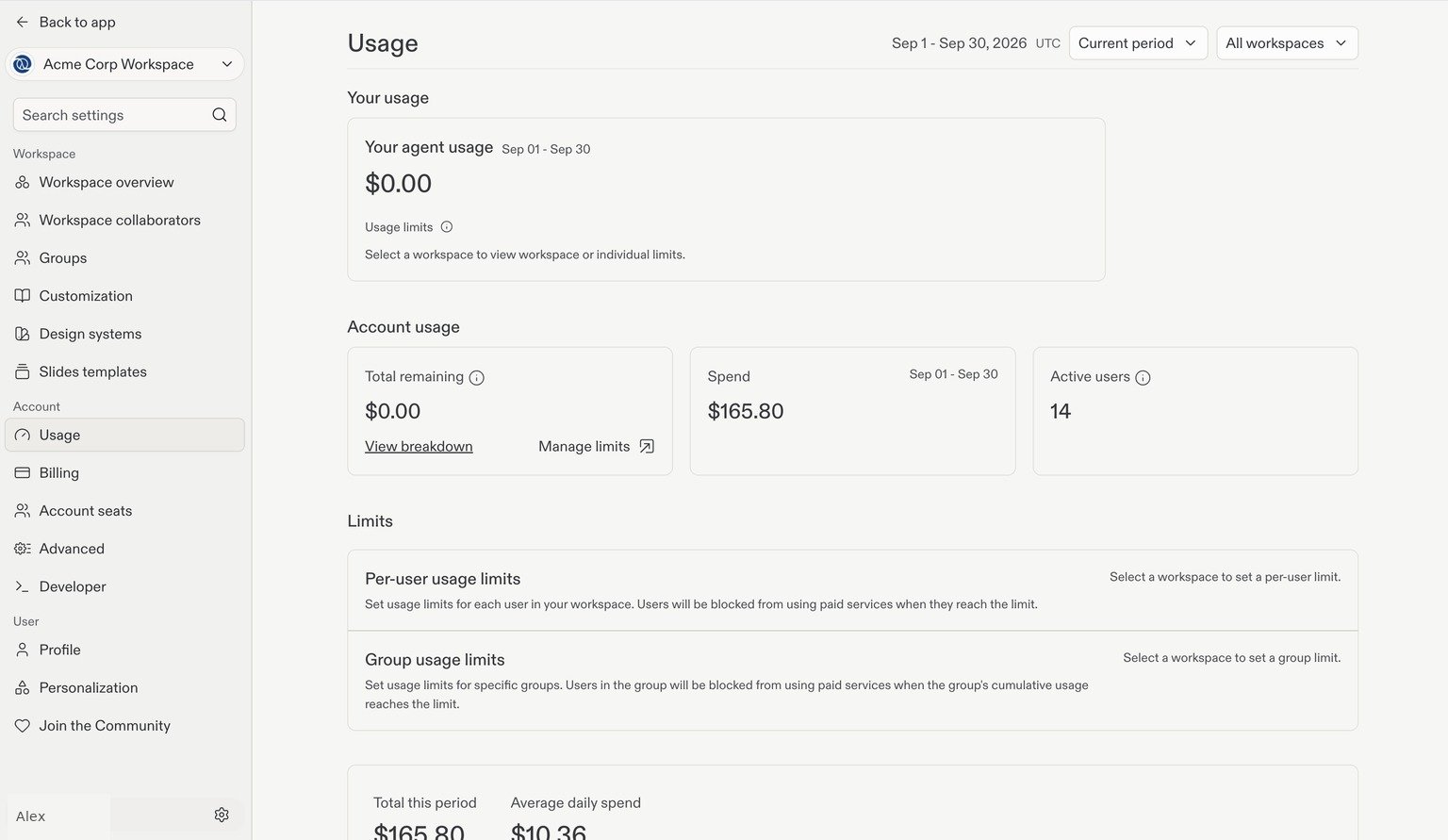
The Usage overview. Account details are examples; amounts shown are not plan prices or spending recommendations.
View one Workspace or all Workspaces
Use the Workspace dropdown beside the period selector to choose All workspaces or a specific Workspace. This lets you review consumption across your account or focus on one team’s usage.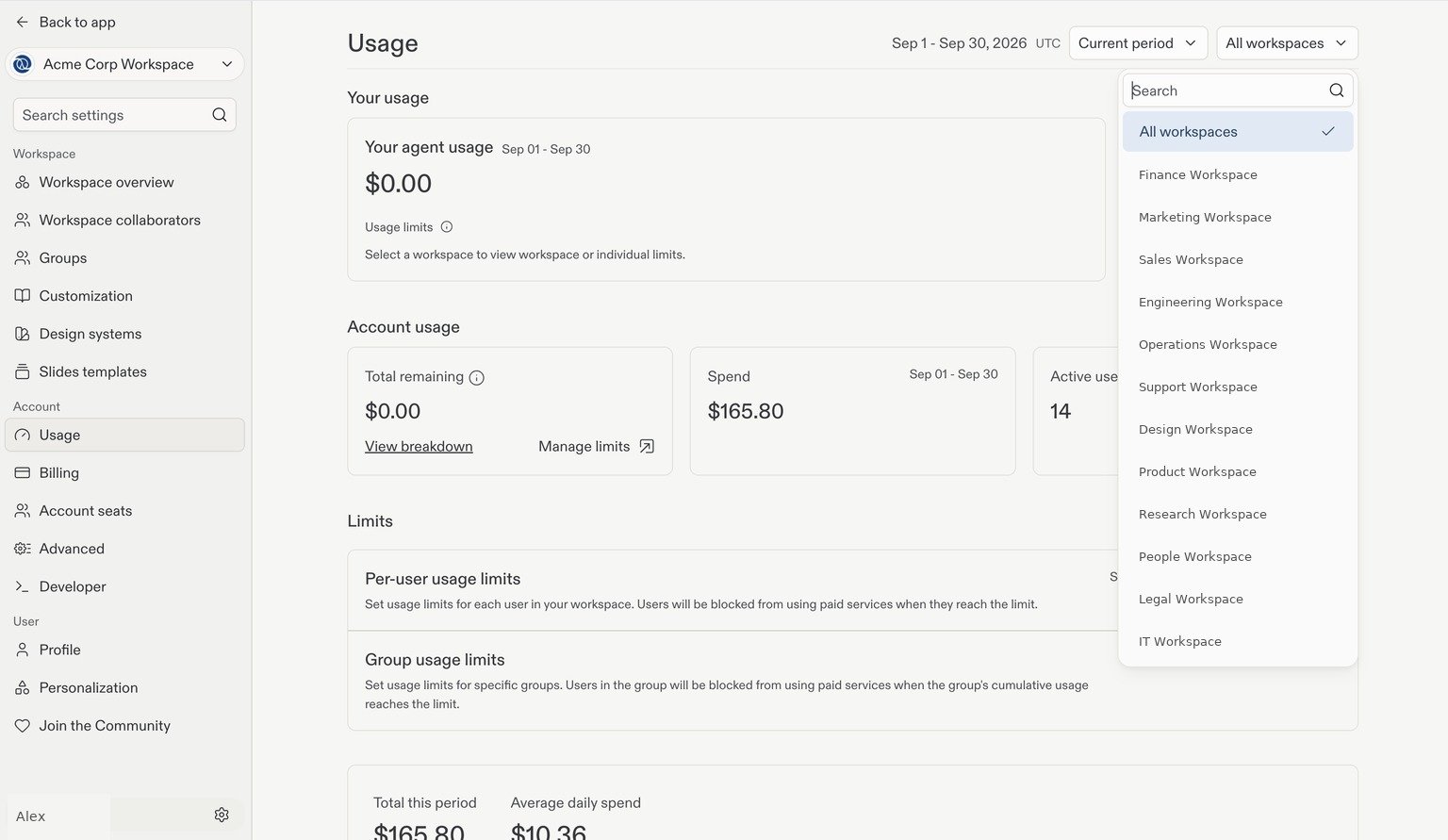
Filter usage by Workspace. Workspace names have been replaced with examples.
Track consumption over time
Scroll to the spending chart to see your Total this period, Average daily spend, and daily consumption. The chart separates categories such as AI, project hosting, project traffic and data, and storage.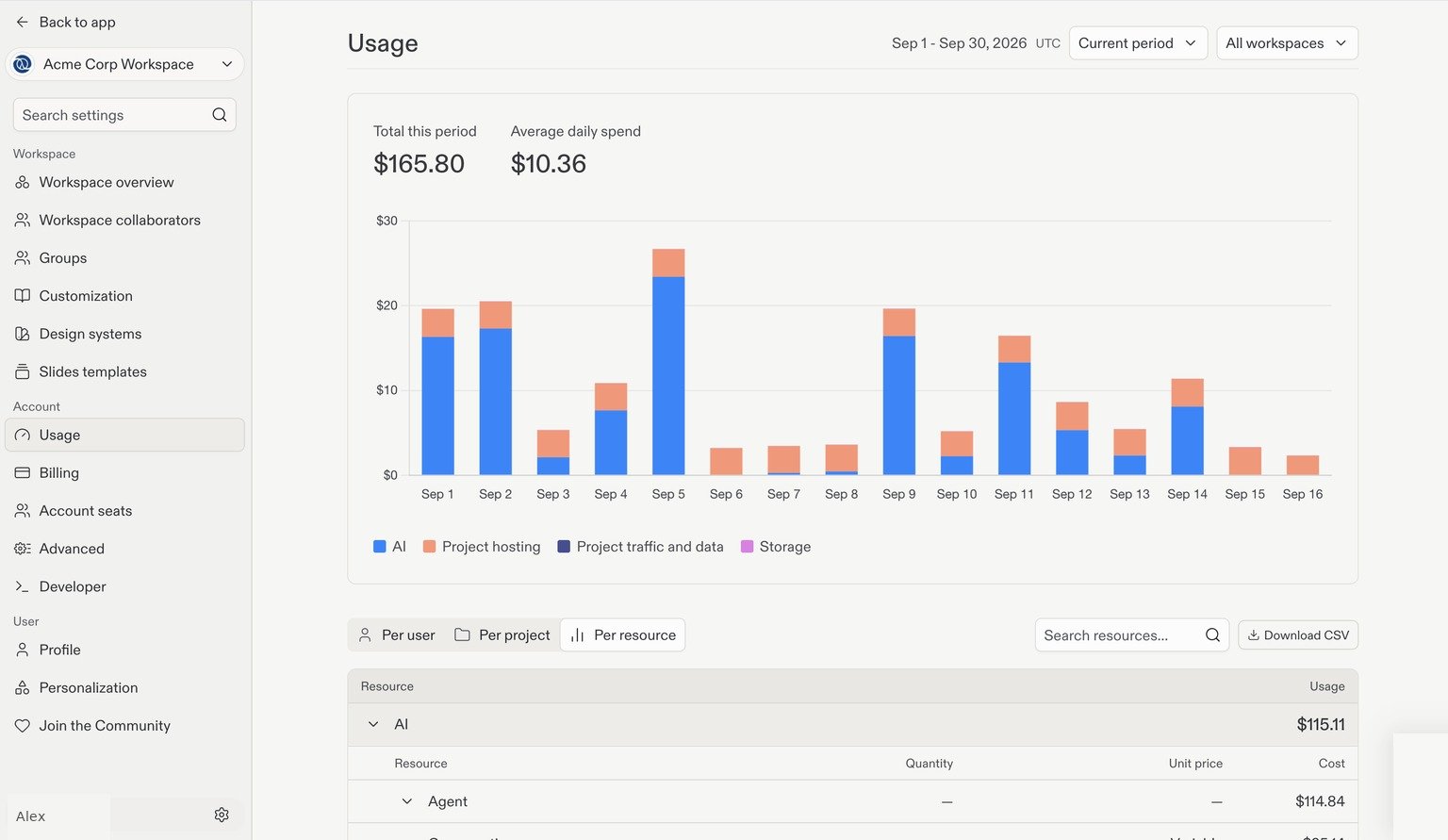
Break down usage
Below the chart, switch between Per user, Per project, and Per resource:Per user
Select Per user to view the collaborator breakdown. Use search to find a person and the row’s expand control to inspect available details.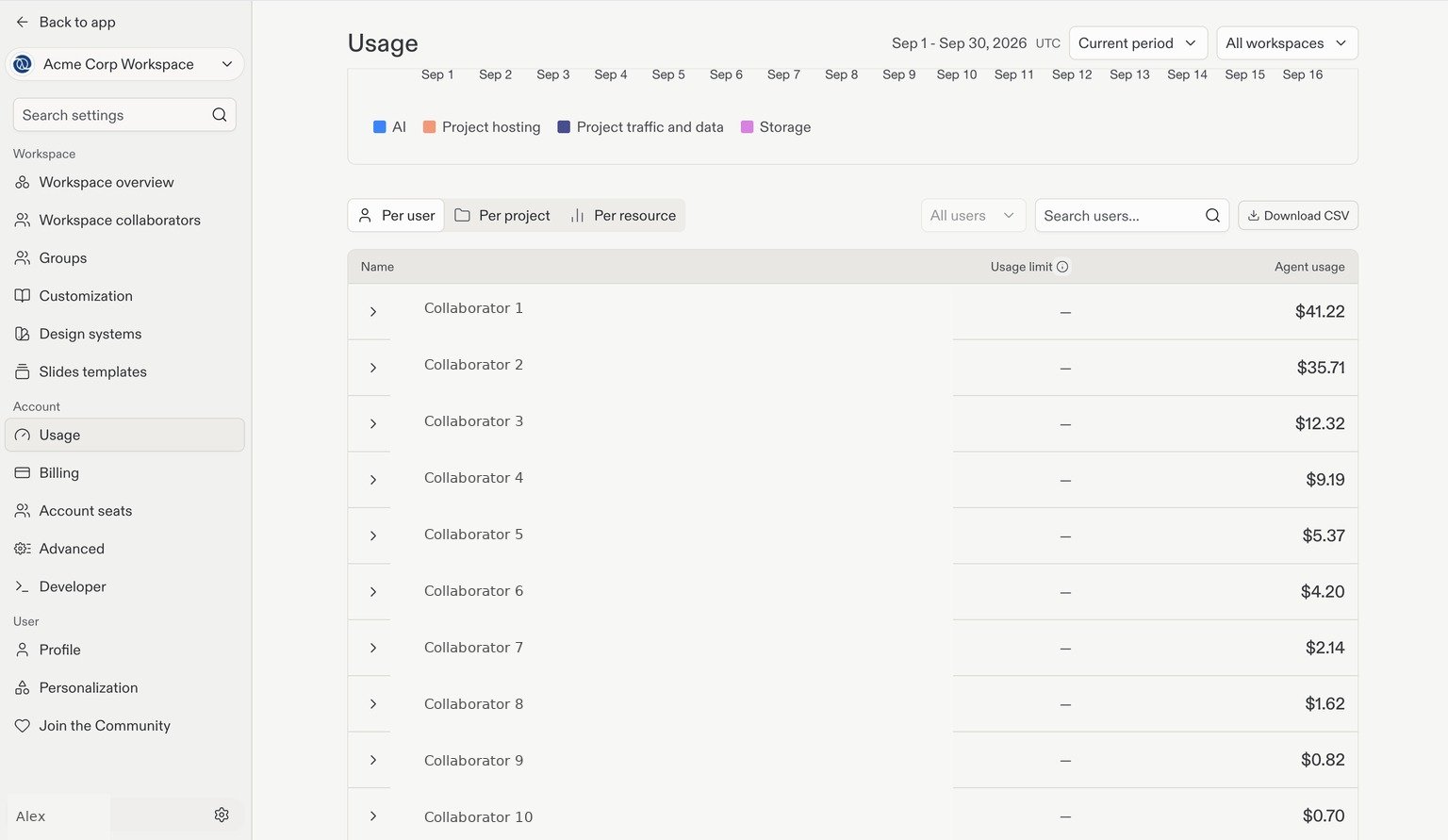
Per-user usage. Names are examples and usernames are hidden.
Per project and per resource
Select Per project to review project-level consumption. Select Per resource to inspect categories such as Replit AI and project hosting. Expand a resource category to see its available cost breakdown.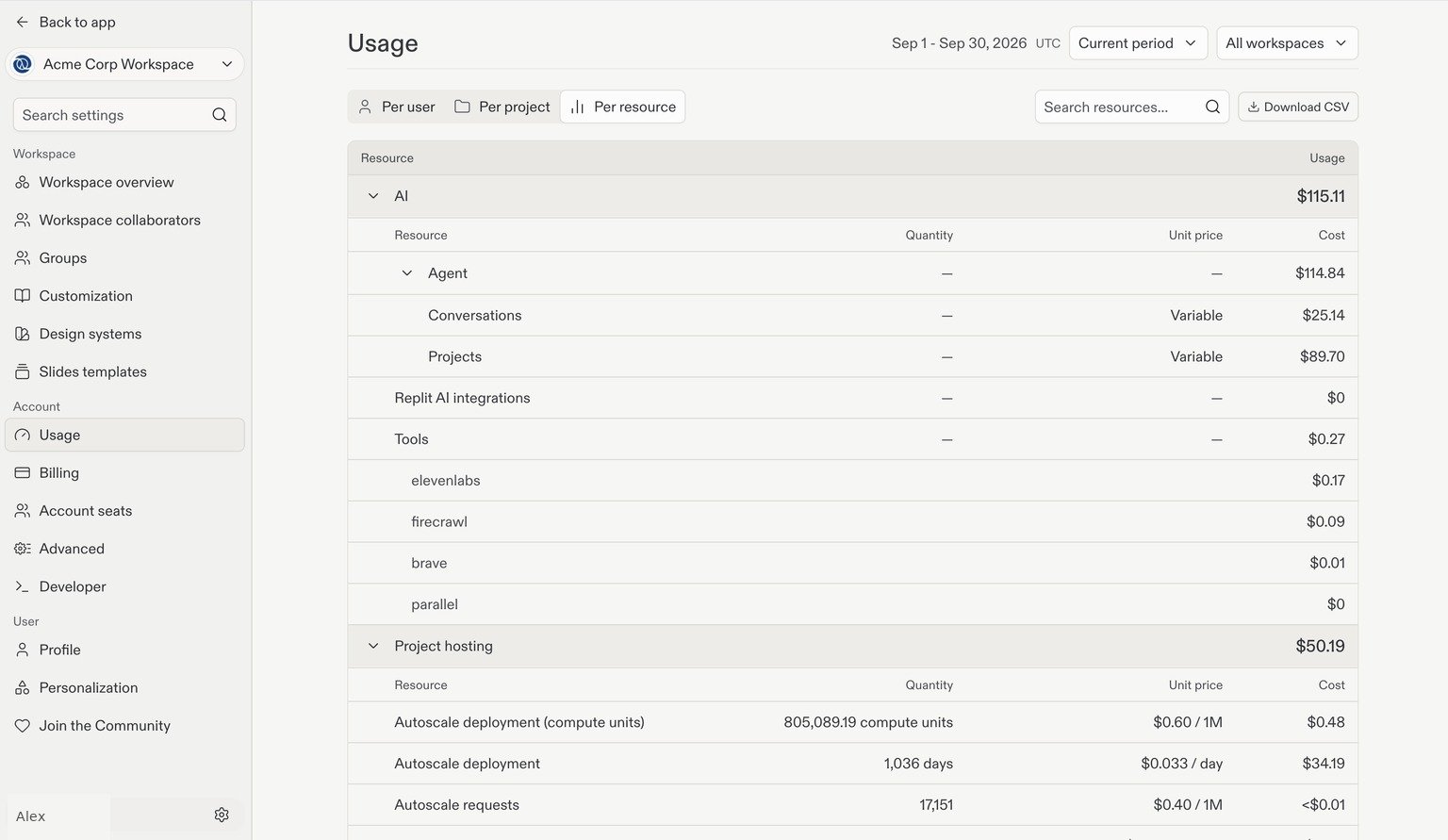
Review audit logs
Audit logs record security-relevant actions in your Enterprise organization, helping you investigate who did what and when. Only account admins can view audit logs and configure streaming. Go to Advanced in Settings, then select Identity & Governance and locate Audit logs. If audit logs are not enabled, select Enable audit logs first. Once enabled, select View audit logs to open the audit log portal, where you can view, filter, and export events.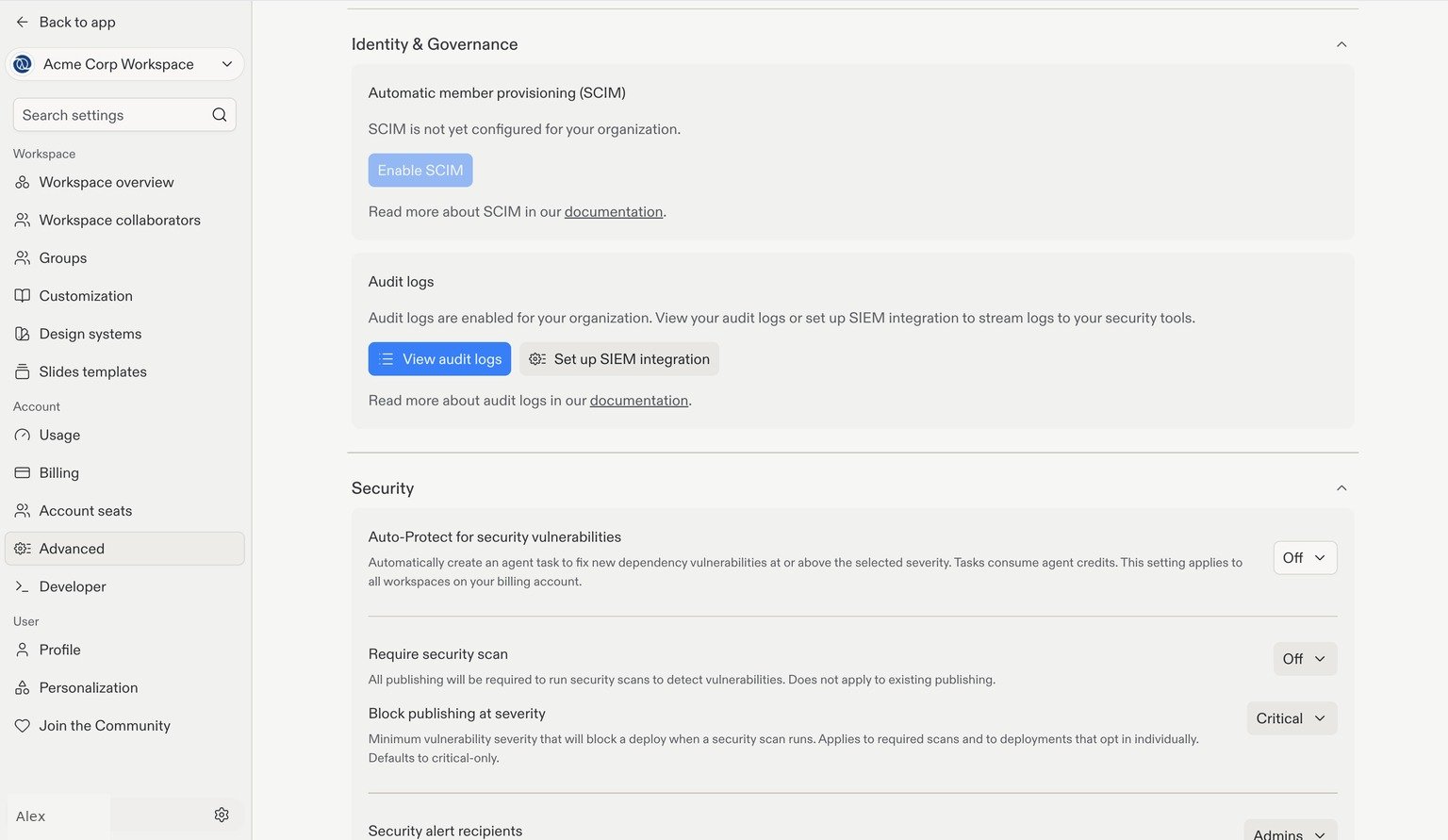
The Audit logs card in Advanced settings, below SCIM. SCIM does not need to be enabled to use audit logs.
Next step
Standardization
Share reusable workflows, working conventions, and design guidance.