

Full BYOC is in private preview. BYOC for Published Apps and Image Exports
are in early access for enterprise customers. Availability and onboarding
vary by cloud, configuration, and customer. Contact the Replit enterprise team
to confirm supported capabilities for your organization.
Compare deployment options
The architecture diagrams below illustrate the deployment options, not a cloud-by-cloud availability matrix. Confirm supported clouds, regions, and services before planning an implementation.
Full BYOC
Full BYOC brings the Replit platform and published app hosting into your own cloud tenant. The platform includes compute, storage, the file system, integrations, and the Agent harness. Replit groups infrastructure into isolated units called cells. With Full BYOC, these cells run in your cloud. Your security team can govern which internal resources the Agent harness reaches and apply controls to outbound connections.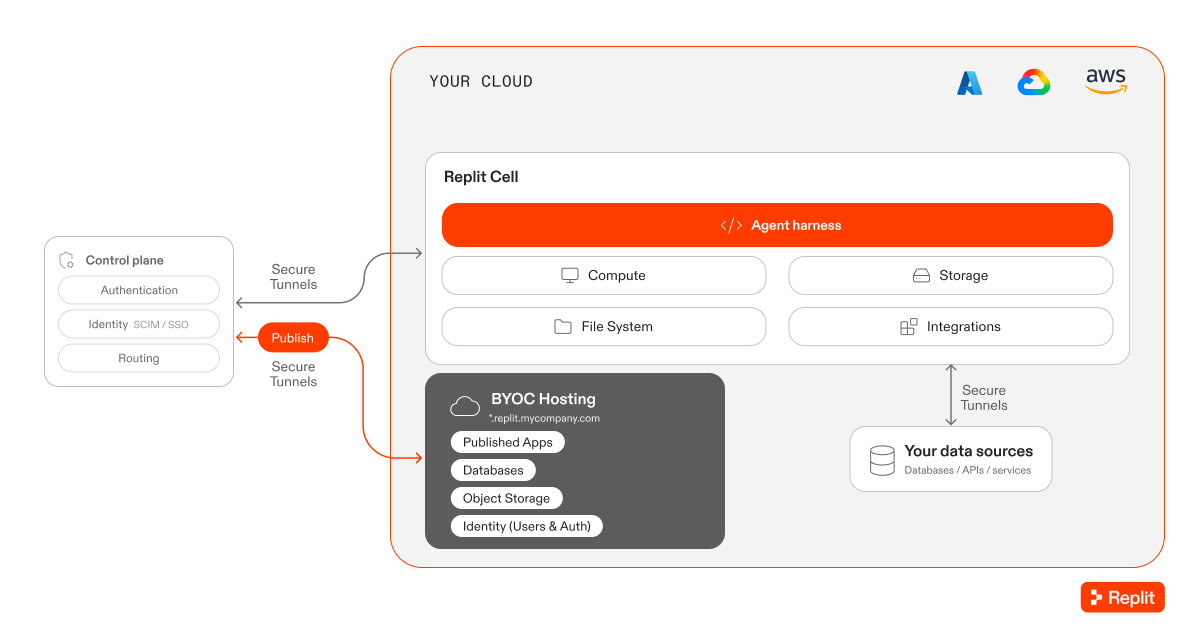
Full BYOC places the Replit cell and published app hosting in your cloud tenant. The control plane remains outside the tenant.
BYOC for Published Apps
BYOC for Published Apps hosts published Replit projects in your cloud tenant. Development and previews remain on Replit-managed infrastructure. Admins configure the publishing destination for each Workspace. Builders continue to select Publish in Replit. Replit manages the publishing and hosting infrastructure in the configured destination.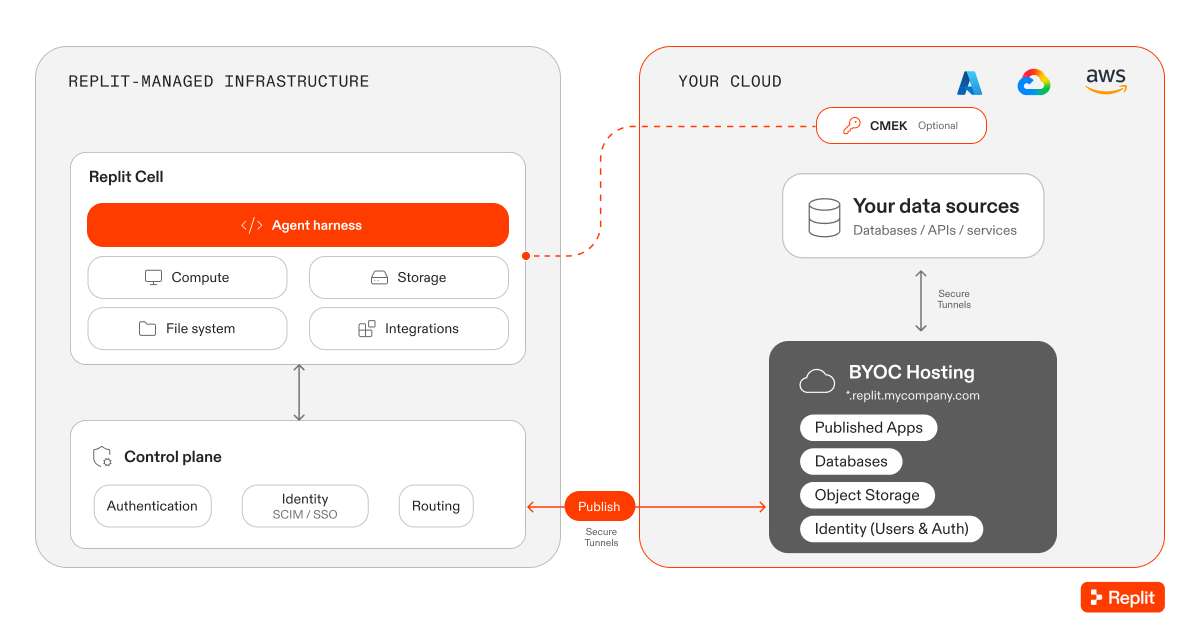
BYOC for Published Apps keeps the Replit platform on Replit-managed infrastructure and places published app hosting in your tenant.
Customer-managed encryption keys (CMEK) require an agreement that includes
full physical isolation of the Replit cell. The diagram does not imply CMEK,
every depicted service, or every cloud is included in all early-access configurations.
Image Exports
Image Exports lets your infrastructure team deploy and operate Replit-built apps using your own tools and processes. For projects configured to use Image Exports, selecting Publish produces deployment artifacts:- A Docker image containing the app.
- A Terraform file for infrastructure configuration.
- A software bill of materials (SBOM) for dependency review.
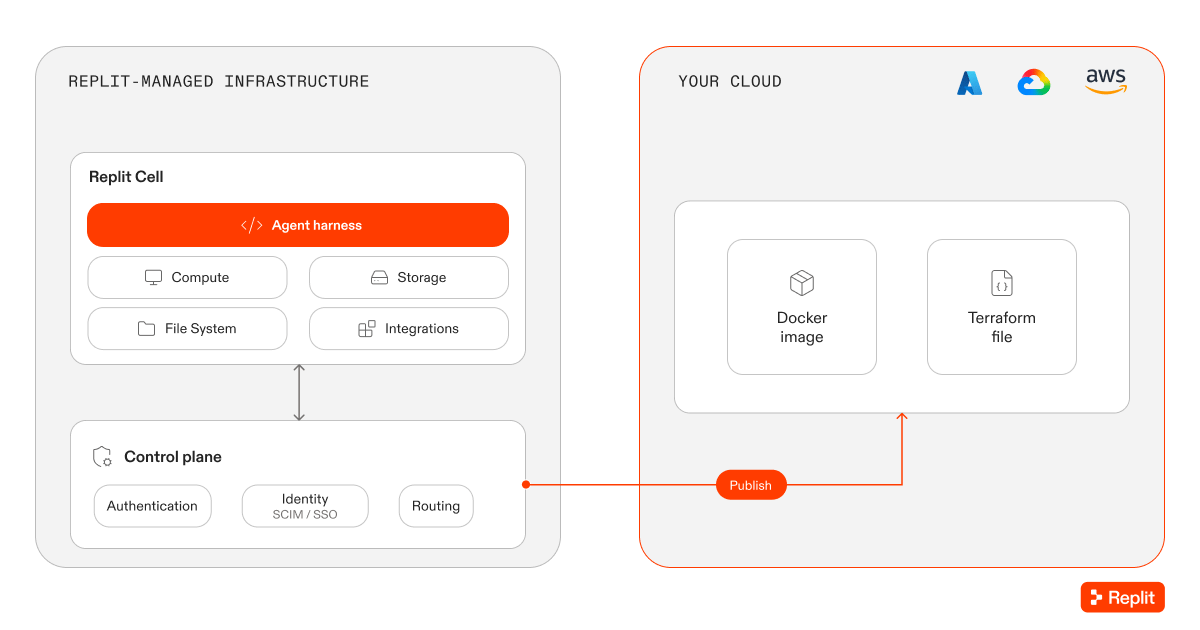
Image Exports delivers deployment artifacts to your team rather than having Replit operate the published app.
Request access
Contact the Replit enterprise team to discuss the right option and onboarding scope. Prepare the following information:- Your preferred cloud provider, region, and tenant.
- Whether you need development, published apps, or both in your cloud.
- The private data sources, networking, and access controls your apps require.
- Your cloud, security, and infrastructure owners.
- Whether Replit or your team should operate the published apps.
Related resources
- Bring Your Own Cloud to Replit: Read the announcement and architecture overview.
- Publishing overview: Learn how publishing works in Replit.
- Who can access your app: Control app access separately from where the app runs.