

1
Choose the target
Open the project with the artifact you want to restyle.
2
Apply the system
From the canvas: select the target frame, open its ⋯ menu, and choose Apply design system. Or ask for it in the composer (an Agent rebuild): “apply my design system to this app.”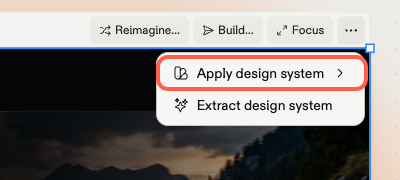
3
Confirm the rebuild
Applying a system to existing work is a real rebuild — you’ll see a time and credits warning before it starts. That’s expected: Agent is re-generating the artifact’s styling layer, not swapping a stylesheet.
4
Review the result
Check key screens against the system. Continued edits keep using the system — if you spot drift back to old styling, flag it in the chat.