Choose release settings, publish your app, verify the live version, and monitor it after launch.
You have probably built and tested your app in Preview, and now you want other people to use it. The preview URL is private by default, temporary, and intended for development—it is not the link to distribute publicly. Sharing a private preview URL does not grant access to your app. When you open it, a banner points you to publishing for secure sharing.
Publishing creates a production deployment: a stable, shareable version of your app that runs at its own URL. The development preview is where you build and test; the production deployment is the version your visitors use. Because they are separate, you can continue working without changing the live app until you publish again.Publishing is more than making the preview public. Replit packages the app, provisions the resources it needs, checks the release, and routes a domain to the resulting deployment.
Before opening Publishing, use Preview to test the main user journey, check the layout at the screen sizes you support, and fix any errors reported by Agent. Publishing makes the current version available to other people, so avoid including secrets or private test data in the app.
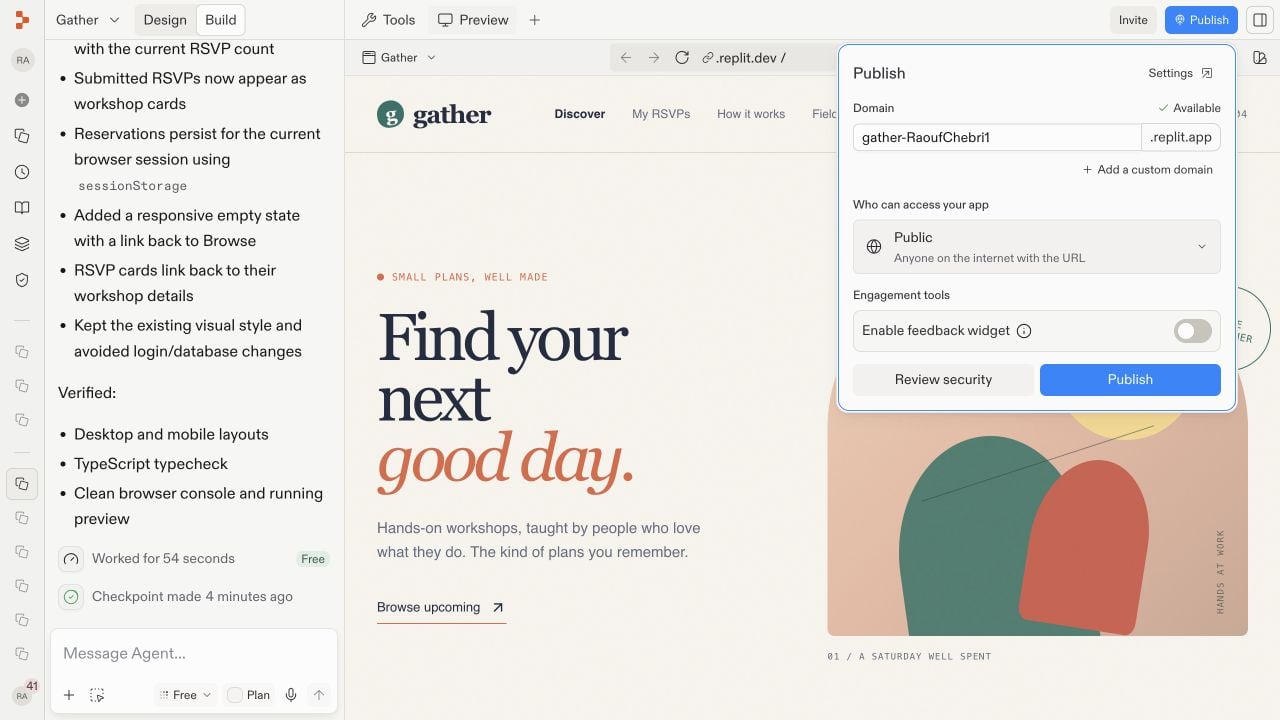
While working in Build, select Publish in the upper-right corner of the Project Editor to open the quick-publish dialog.
Open Publish from Build to review the domain and access settings.
For the detailed publishing settings, select Tools in the pane header, then Publishing under Replit Cloud.
The remaining steps use this pane, including the Sharing and Suggested add-ons screenshot below.
You can also ask Agent in the prompt box: Publish this app. Agent can prepare the release or direct you to the required confirmation.
2
Choose the domain and access settings
A domain is the address visitors use to reach your deployment. Review the generated .replit.app domain and change its available name if needed. Then choose an access level, which determines who is allowed to open the app:
Public makes the app available to anyone with the link.
Password protected requires visitors to enter a shared password.
Workspace only limits access to members of your workspace.
Invite only limits access to the people or groups you select.
For details on each option, see App access.Choose the access level in the Sharing section of the Publishing pane.
3
Review security and publish
Under Suggested add-ons, select Run scan beside Deep security scan if you want to review security before publishing. Review Block publishing of critical vulnerabilities and the optional monitoring, analytics, and feedback-widget settings.
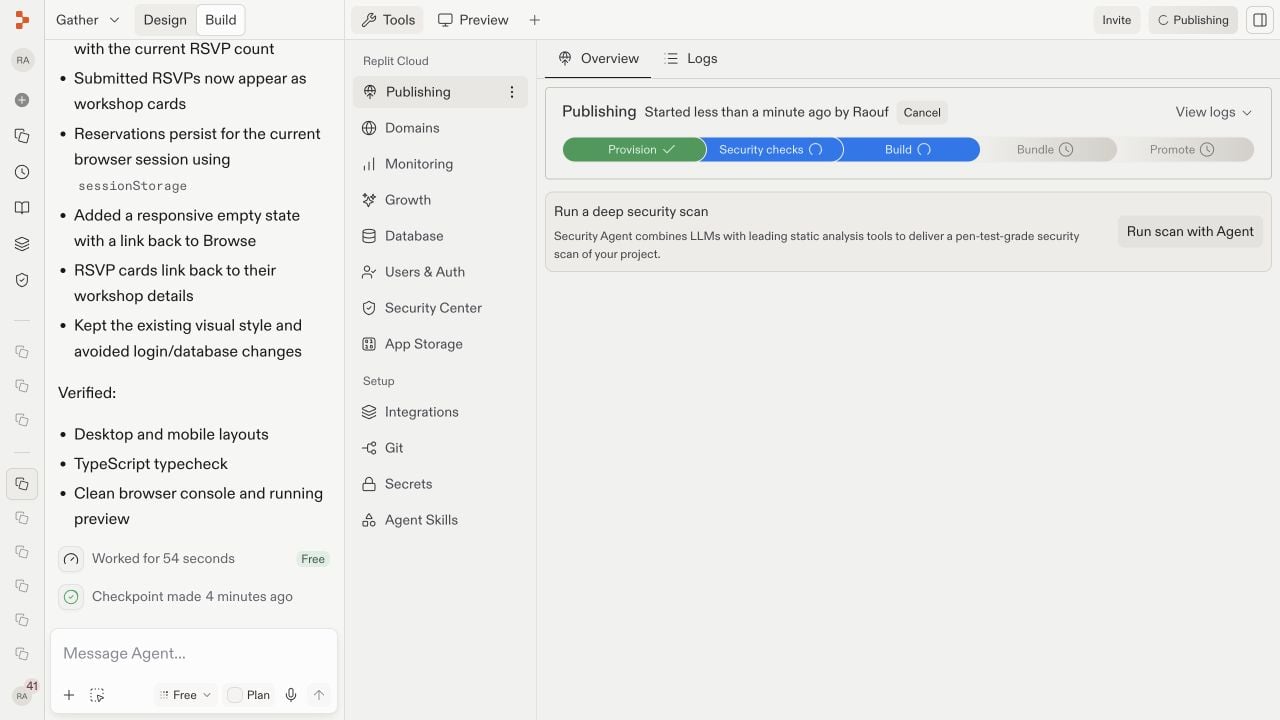
When the domain, access, and security settings are ready, select Publish in the Publishing pane.Replit provisions the deployment, runs security checks, builds and bundles the app, and promotes the release. Provisioning prepares its cloud resources; building and bundling turn the project into a production-ready package; promoting makes that package the live version. Keep the project open while the stages complete.
4
Open and verify the live app
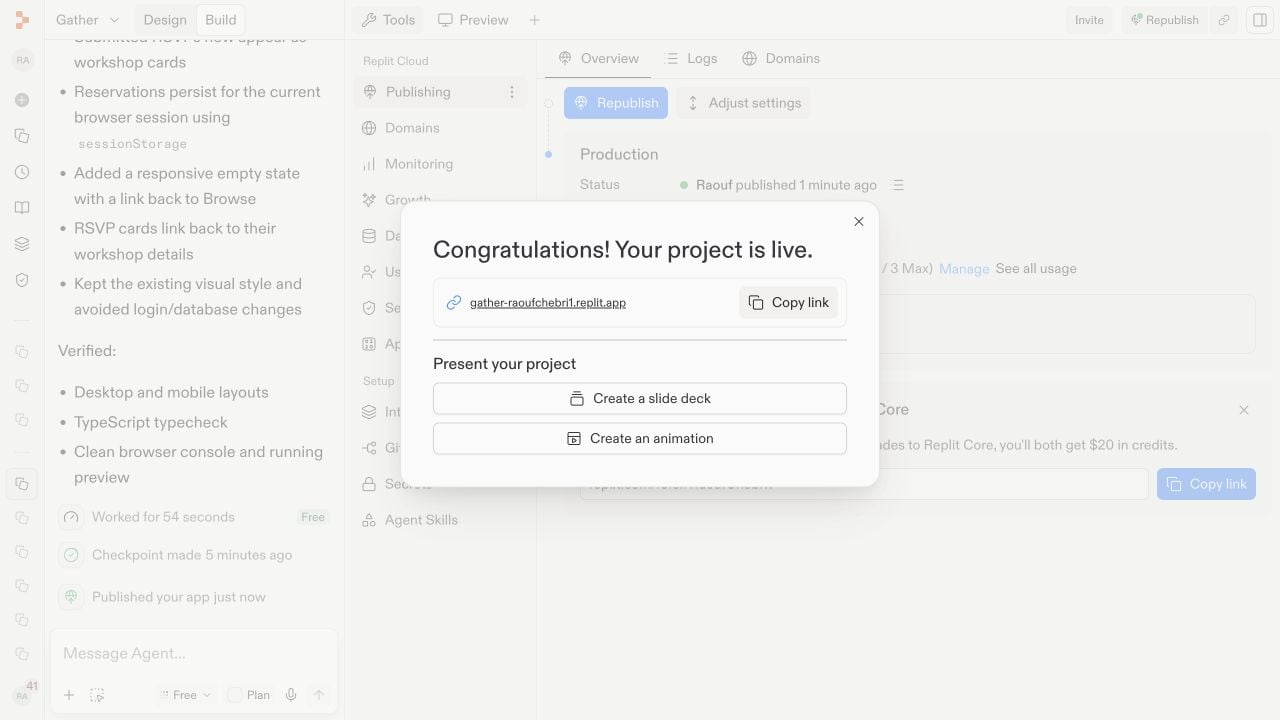
When publishing finishes, Replit shows the deployment status and public URL. Open the URL and test the live app — not only the development preview — to confirm that its pages and most important actions work as expected.
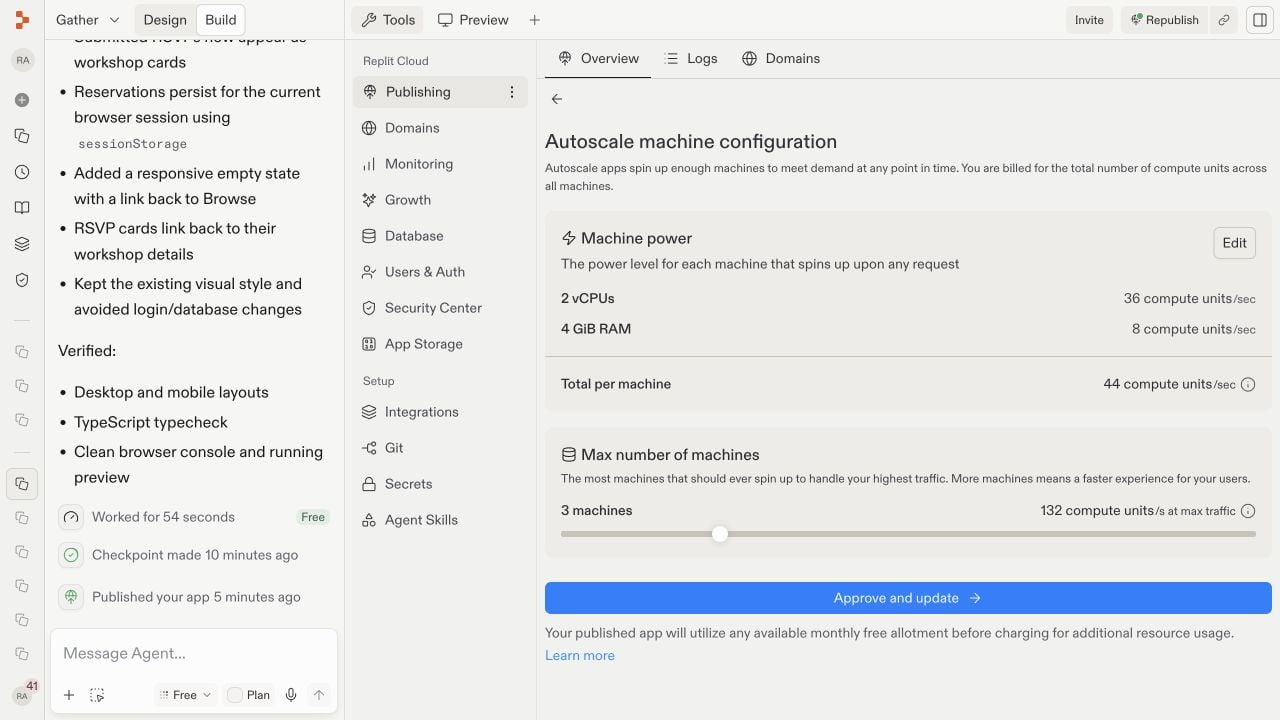
After publishing, the project has two related parts: the editable project where you continue building and the production deployment currently serving visitors. Open Tools to inspect and manage that production environment.The Publishing pane is the deployment overview. It shows whether the latest release succeeded, who can access it, where it runs, how it is hosted, which resources it can use, and which domains point to it.The deployment type describes how Replit runs the app. Autoscale starts more machines as traffic changes. Reserved VM keeps a machine continuously available. Static serves files that need no running backend, while Scheduled runs a program on a timetable. See Deployment types to compare them.Machine power is the CPU and memory available to each instance. The maximum machine count limits how far Autoscale can expand. See Machine configuration. More resources can improve capacity and increase usage costs.Deployment geography controls the region where the app runs. A region closer to most visitors can reduce latency. See Project geography.Depending on your app and plan, Adjust settings or Manage exposes these controls along with production secrets and related deployment options.These are optional production controls. You do not need to change them to share a typical app, and some changes can affect availability or usage costs.
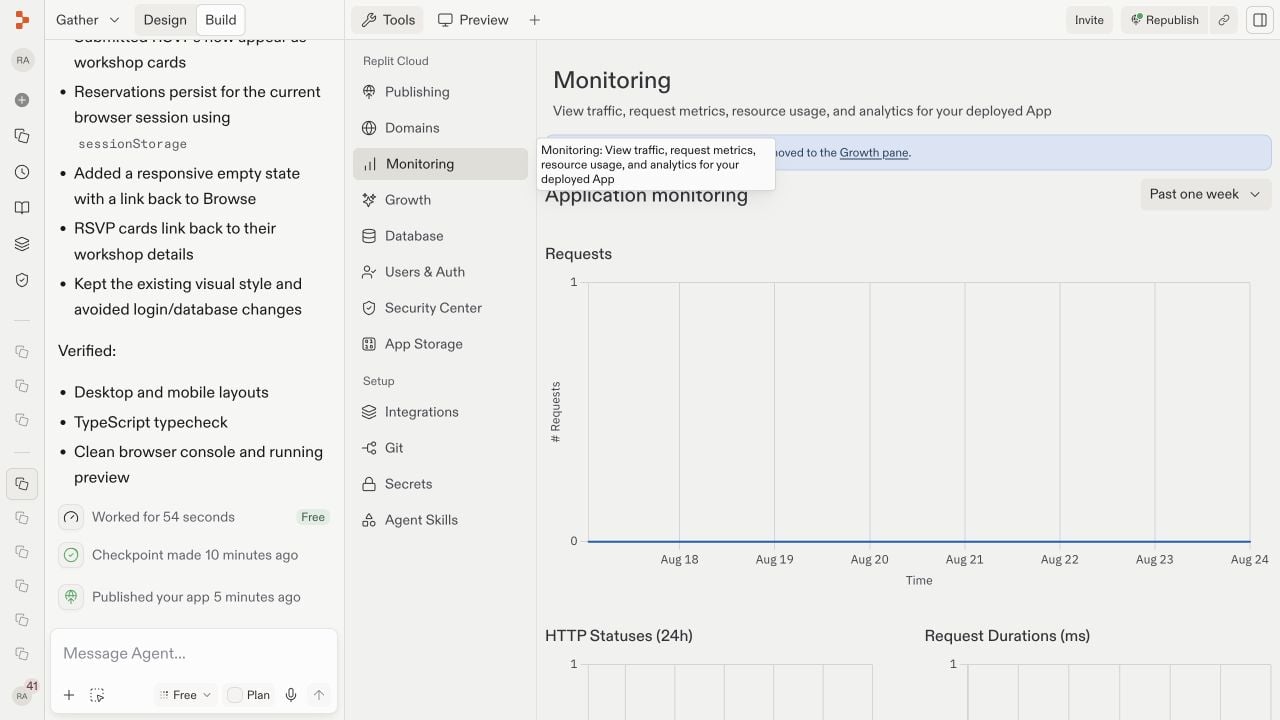
Monitoring answers a production question: Is the app healthy and responding well? Open Monitoring under Replit Cloud in the Tools pane. It shows requests, HTTP statuses, response durations, CPU utilization, and memory utilization. Status codes reveal failed requests, while durations reveal slow responses. CPU and memory charts help identify resource limits. New releases may show little data until the live app receives traffic. For the full tour, see Monitoring your app.
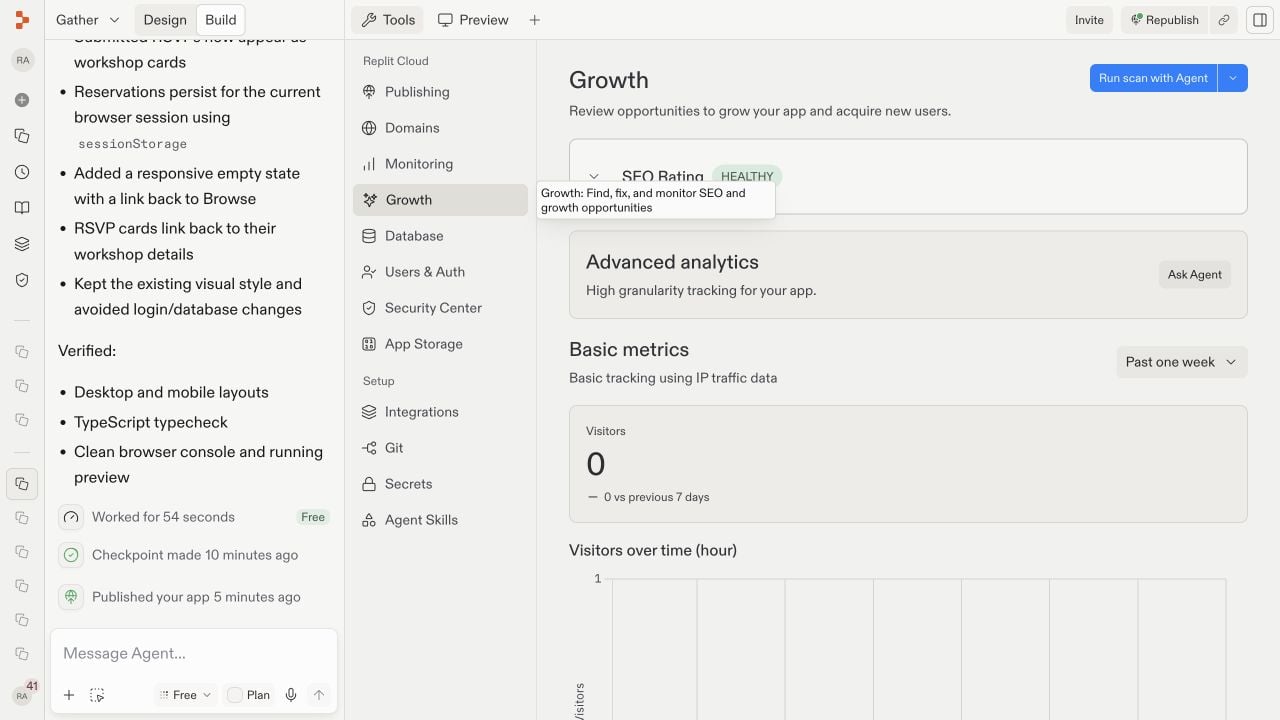
Growth answers a different question: Are people finding and using the app? Open Growth under Replit Cloud in the Tools pane. Basic metrics include visitors, top pages, referrers, countries, browsers, and devices. These show where an audience comes from and what attracts attention. The SEO rating measures how well published pages are prepared for search engines. Builders on a paid plan can use SEO Agent to scan for improvements. Analytics populate after the published app receives traffic.
Changes in the Project Editor do not automatically replace the live release. This separation lets you prepare and test a change without disrupting visitors. Test your changes in Preview, then select Republish when you are ready. Republishing creates a new production release at the same URL, so you do not need to send visitors a new link.After republishing, open the public URL again and verify the changed behavior. If a release fails, use the publishing status and logs to identify the failing stage before trying again.