

Enabling feedback
When publishing a new app, toggle on the Enable Feedback setting in the publish dialog. If your app has already been published, you can enable feedback by republishing:- Open the Publishing tool
- Select Advanced Settings
- Toggle on Enable Feedback
- Republish your app
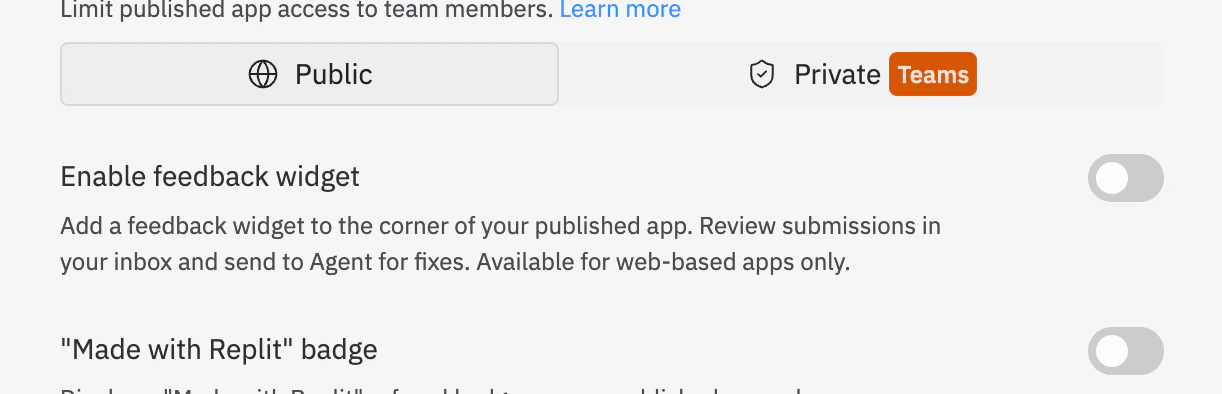
Enable Feedback toggle in publish dialog
Submitting feedback
When feedback is enabled on a published app, visitors can submit feedback directly from the app. Users can:- Sign in to leave feedback
- Leave text feedback describing their experience or suggestions
- Select elements to illustrate issues or features
- Upload files to provide additional context
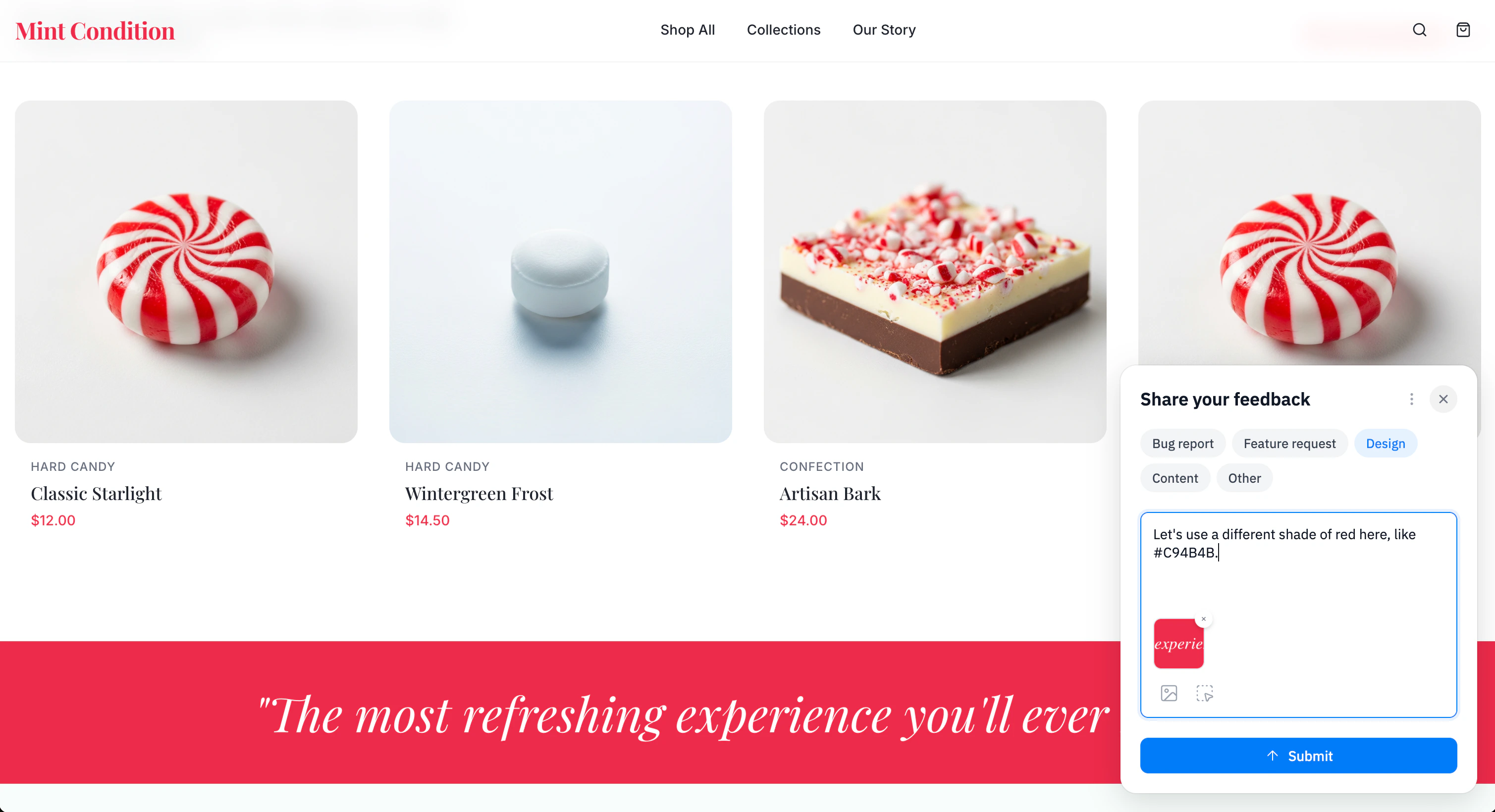
End-user feedback form
Managing feedback in your Inbox
All feedback submitted by visitors appears in your Inbox, accessible from inside the Project Editor. From the Inbox, you can:- Add to Chat: Send feedback to your chat with Agent, to add context before submitting
- Send to Agent: Immediately send feedback to Agent and start work right away
- Resolve: Mark feedback as resolved once it has been addressed
- Delete: Remove feedback that’s no longer needed
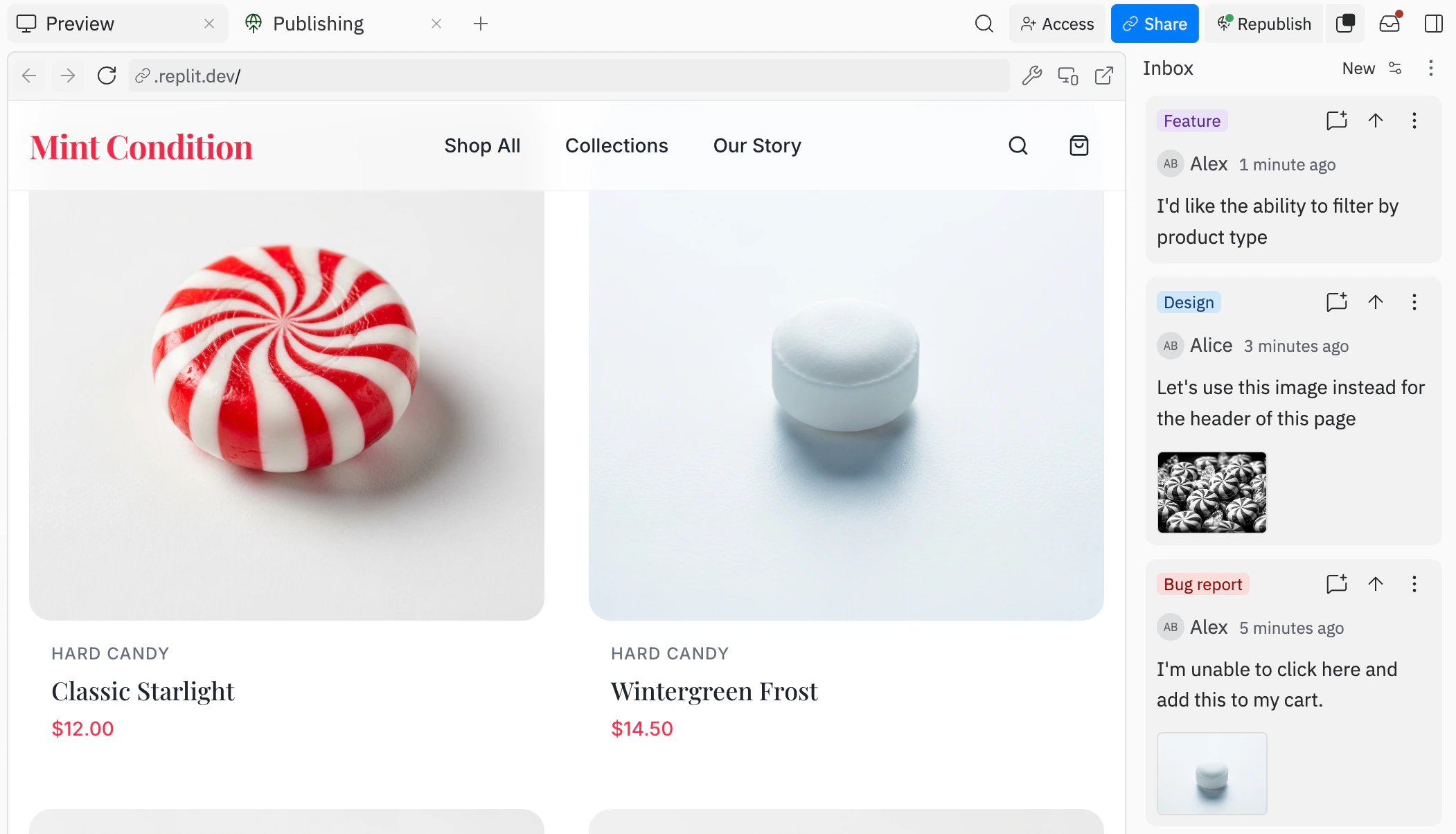
Inbox interface showing feedback
Republishing with updated feedback settings
After your app is published, you can enable or disable the feedback widget at any time by republishing with updated settings:- Open the Overview tab on the Publishing tool
- Select Advanced Settings
- Toggle Enable Feedback on or off
- Republish your app to apply the changes
Next steps
To learn more about publishing your apps, see the following resources:- Publishing overview: Learn about different deployment types
- Published App Monitoring: View logs and monitor your published app