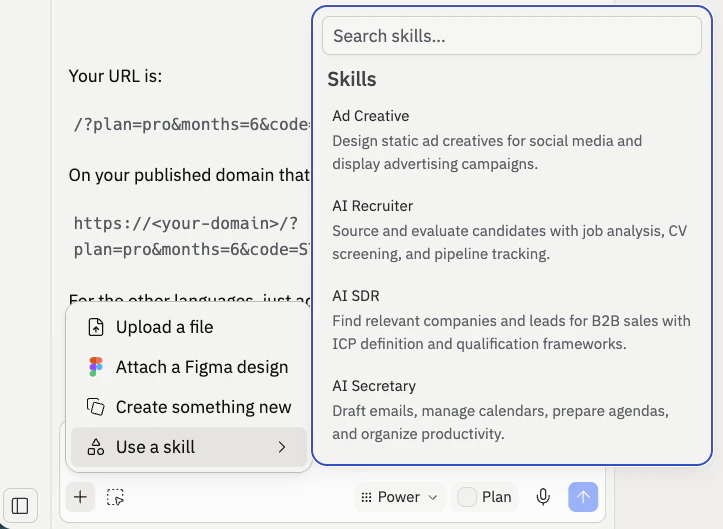
Why skills matter
Every time you build with Agent, you create useful context - solutions to problems, design decisions, framework preferences. But that context disappears when the chat ends. Skills preserve it. A GSAP animation skill teaches Agent how to use a specific library correctly. A design system skill ensures it applies your exact colors and spacing rules. A bug fix skill captures a solution so Agent doesn’t repeat the same mistake. Tasks that were previously inconsistent become reliable. Skills are also an open standard. They work with any agent - not just Replit Agent - so you can carry them between tools.Core primitives
Before diving into skills, it helps to understand the pieces that make up agentic development:| Primitive | What it does |
|---|---|
| Agents | AI that takes action for you - Replit Agent, Claude Code, and others |
| Skills | Markdown files that teach agents how to do things (context-efficient, loaded on demand) |
| MCP servers | External processes that expose tools and connect to services (context-heavy, loaded upfront) |
| Permissions | Controls what runs and when to ask for approval |
/.agents/skills directory. Each skill has a name and description - only the description loads into Agent’s context until the skill is actually invoked, which keeps things lightweight.
Applying skills in a project
Skills become useful the moment you add them to a project. There are three ways to do that.Install from the Skills pane
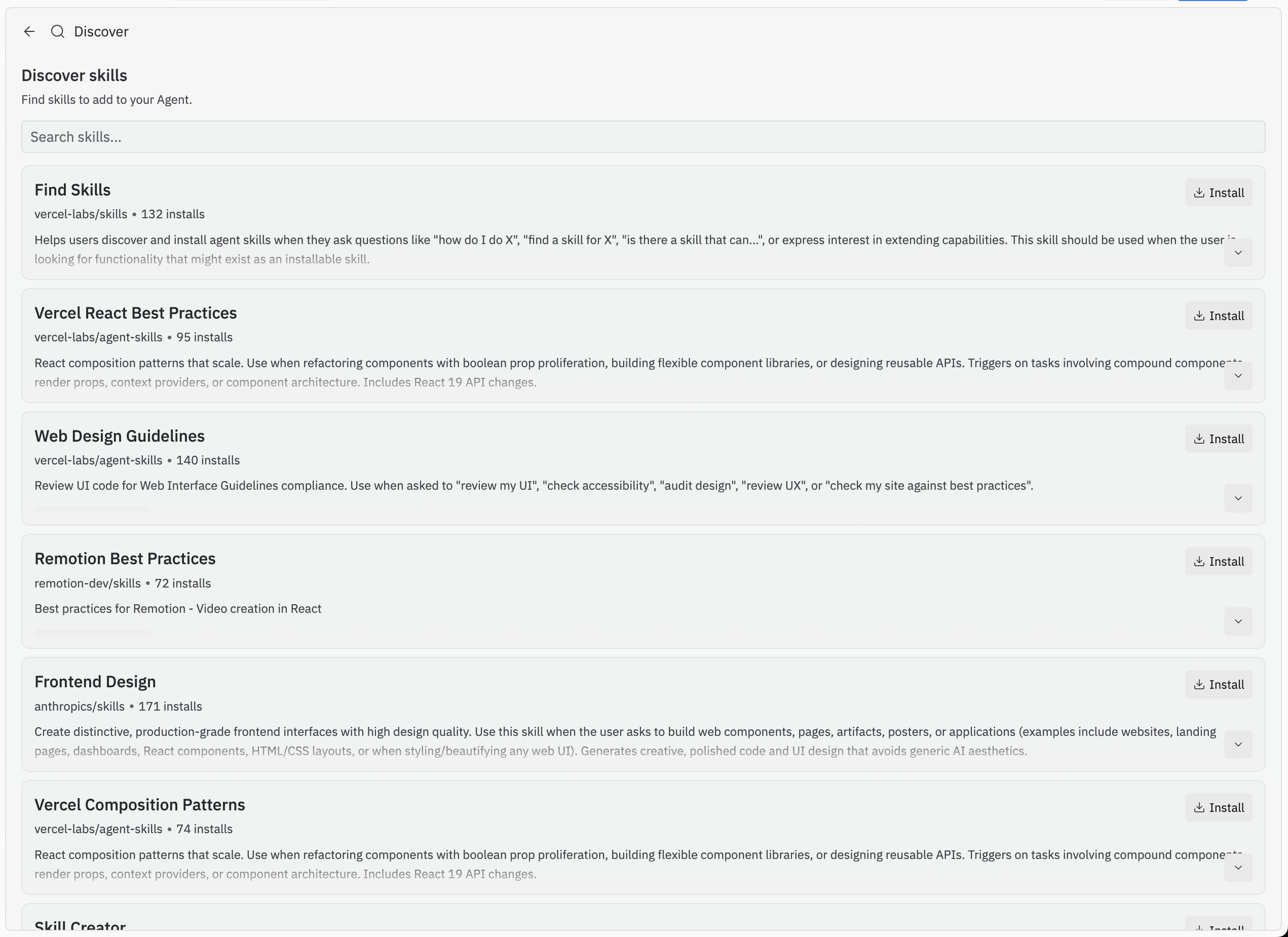
Open the Skills pane in your Replit Workspace to browse and install community-contributed skills. Select a skill and it’s added to your project’s/.agents/skills directory automatically.
For example, when building a portfolio site with advanced animations, you might install:
- GSAP React - Teaches Agent scroll-triggered animations, text reveals, and SVG path drawing
- Tailwind design system - Gives Agent knowledge of Tailwind CSS patterns for typography, spacing, and view transitions
- Find skills - Teaches Agent how to discover and install new skills on your behalf
Create skills through conversation
The most natural way to create a skill is through conversation with Agent. After solving a problem together or researching a new library, ask Agent to capture what it learned: Agent uses the full conversation context to write a detailed skill file. This works particularly well after debugging sessions where you’ve built up shared understanding of a problem.Write custom skills
For advanced use cases, write skills directly following the Agent Skills specification. Toggle Show Hidden Files in the file sidebar, open/.agents/skills/, and create a new Markdown file. This gives you complete control over what Agent knows and how it behaves.
Proactive vs. reactive skills
This is a framework for thinking about when and how to create skills. Understanding both patterns makes you more effective.Proactive skills
Proactive skills are ones you add before you start building. You research the libraries or patterns you want to use, find or create skills for them, and then start prompting. Real example: Before building a portfolio site with handwritten SVG animations, you research animation libraries and find GSAP. You install a GSAP React skill, then prompt Agent to build the animations. Agent has the specialized knowledge it needs from the start - it understands the library’s API, best practices, and common patterns. Without the skill, it might produce something generic or incorrect. This pattern works well when:- You’re using a library that’s popular but has nuanced patterns Agent may not nail on its own
- You want consistent design choices across the project (typography, spacing, animation style)
- You’re starting a project and already know the technical direction
Reactive skills
Reactive skills are ones you create after solving a problem. You encounter an issue, debug it with Agent, fix it, and then capture the solution so it doesn’t happen again. Real example: While building a canvas for a mobile app, you notice jagged edges on images that get worse when zooming in. Debugging with Agent reveals this is minification aliasing - a rendering issue where images look worse as they shrink, counterintuitively. After implementing a fix, you ask Agent to create a skill: Agent uses the conversation history to write a project-specific skill. Next time the issue comes up, you can point Agent to the skill instead of debugging from scratch. This pattern works well when:- You’ve fixed a non-obvious bug and want to prevent it from recurring
- You’ve learned something about your app’s architecture during a debugging session
- You want to encode a solution that took significant effort to discover
Being selective with skills
Think of skills like directions you’d give a friend to find your apartment. A targeted list of instructions works. A binder full of documentation doesn’t - nobody has time to read that, and the important details get lost. The same applies to Agent. If you add too many skills, Agent can get confused. Be deliberate about which skills you enable for a given project, and remove ones you no longer need.Skills work best when they capture specific, repeatable patterns rather than general guidance. Focus on concrete workflows, established conventions, and proven solutions.
Security considerations
Skills from the Replit Skills pane are audited for safety. But skills can be installed from anywhere—they come from an open source repository where anyone can contribute. Since skills are instructions that Agent follows, a malicious skill could tell Agent to exfiltrate sensitive data from your project. Before installing any skill from an external source:- Open the file - Skills are just markdown. Read the contents in
/.agents/skills/before using them. - Check the source - Verify the skill comes from a trusted repository or author.
- Review what it instructs - Make sure the skill doesn’t reference suspicious external URLs or request sensitive information.
Skills vs. MCP servers
These are the two main ways to extend agents in 2026, and they serve different purposes. Skills are context-efficient. Only a brief description loads until the skill is invoked. Use skills for:- Workflows and conventions (“how to deploy,” “code review checklist”)
- Reference materials (API patterns, style guides, design systems)
- Reusable prompts and specialized knowledge (animation libraries, framework patterns)
- Connecting to external services (Notion, Linear, Figma)
- Actions that need API access
- Tools that do things, not just instruct
Next steps
- Read the Agent Skills reference for technical details on skill structure and management
- Browse community skills at skills.sh
- Review the Agent Skills specification to write your own
- Learn more about Agent and how it builds applications
- Explore MCP servers on Replit for connecting Agent to external services