Hand PixelGames to real testers with TestFlight, before it’s public on the App Store.
TestFlight is Apple’s own app for testing apps before they’re public. Testers install
TestFlight, then get PixelGames through it. It distributes a build you’ve already
uploaded.
You can start the moment the upload finishes. Apple emails you an invite for your own build,
select View in TestFlight to install PixelGames on your phone, the same step covered in
upload your app.PixelGames now runs as its own app, so you can test push notifications, in-app purchases,
Sign in with Apple, and anything else that needs a real installed app.
To let other people try PixelGames, without them near your computer, add them as testers in
App Store Connect.
1
Create a tester group
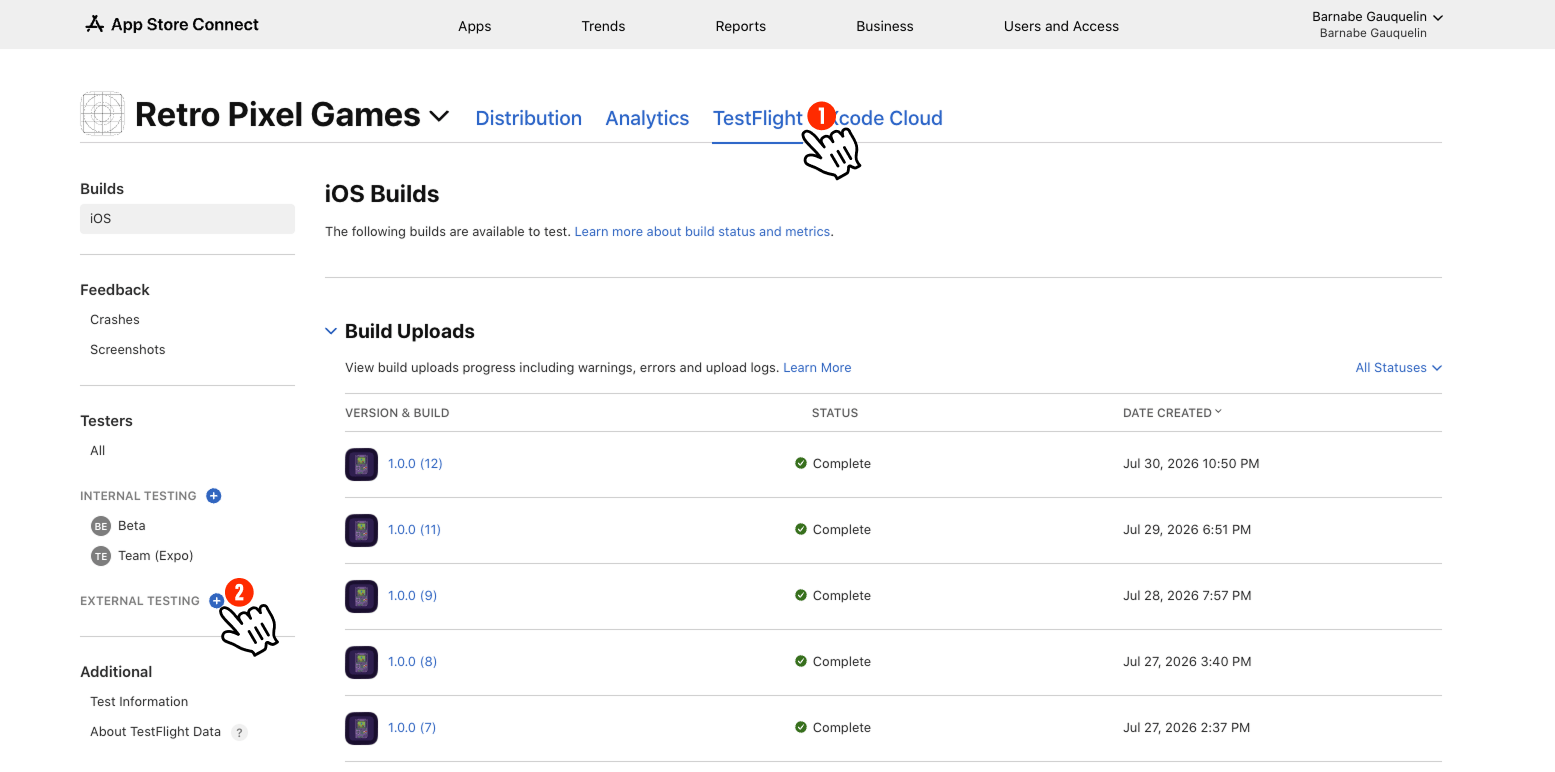
In App Store Connect, open PixelGames and select the TestFlight tab. In the sidebar,
select + next to External Testing.
The TestFlight tab, with the + next to External Testing in the sidebar.
2
Name the group
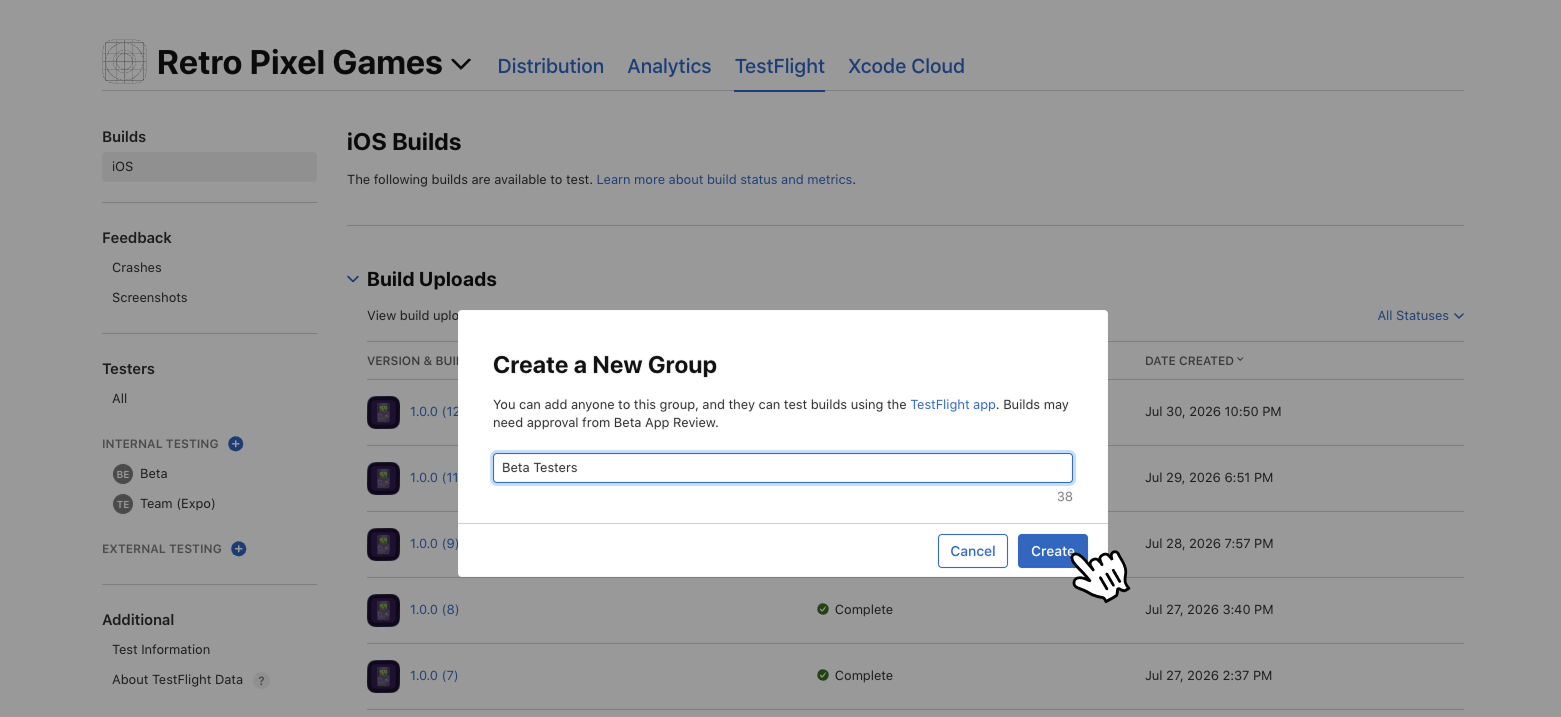
Give it a name you’ll recognize later, like Beta Testers, then select Create.
Naming the new external tester group.
3
Add a build, then invite testers
On the group page, select Add Builds to choose the build testers receive, then
Invite Testers to add them by email. They each get an invite.
The new group's page, with Add Builds and Invite Testers to complete.
4
Testers install TestFlight, then PixelGames
Testers install the free TestFlight app from the App Store, accept your invite, and
install PixelGames through it. Updates show up the same way.
External groups go through Apple’s Beta App Review before testers can install, usually about a
day for the first build. Testers you add under Internal Testing can install right away.