What is RevenueCat

In PixelGames, Snake, Racer, and Pinball are marked coming soon. RevenueCat lets your app sell a subscription that unlocks them, without wiring up Apple and Google’s purchase systems directly, ask Agent to add a subscription, connect RevenueCat, and it handles the rest.
Apple and Google both require using their own in-app purchase system for digital content like this, and both take a cut of the sale. You can’t route around it with an external payment link.

Before you start

  • A Replit project with your project set up as a mobile app.
  • A RevenueCat account, just an email and password, no bank account needed yet.

Get started

1

Ask Agent to add a subscription

2

Connect your RevenueCat account

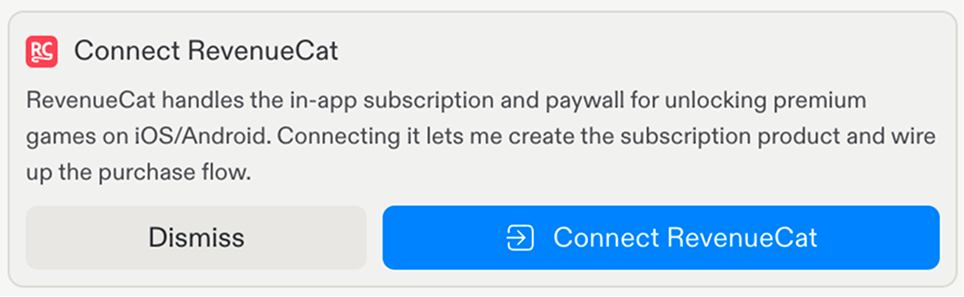
Agent prompts you to connect RevenueCat, select Connect RevenueCat to begin.
Replit's Connect RevenueCat setup modal

Replit asking to connect RevenueCat after detecting the feature.

3

Authorize Replit

On RevenueCat’s authorization page, grant Read & Write access.
4

Agent builds the subscription

Agent creates the RevenueCat project, configures the product and entitlement, and wires up the purchase flow in your app.

Test subscriptions

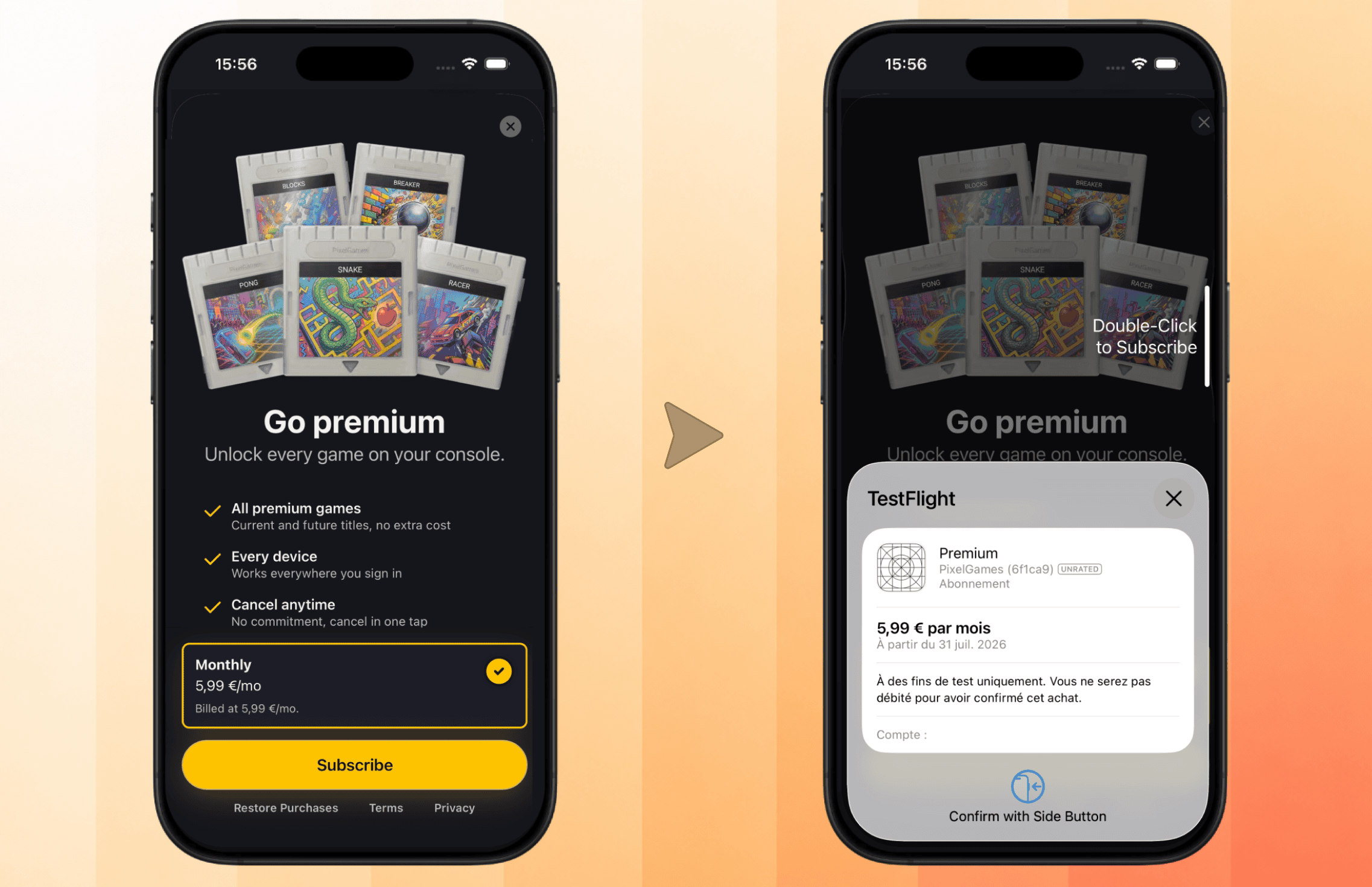
Replit previews use RevenueCat’s test mode. Testing a purchase in Expo Go shows a test purchase dialog, no real charges. Once Apple approves your app for the App Store, purchases use real money, so double check the price before submitting.
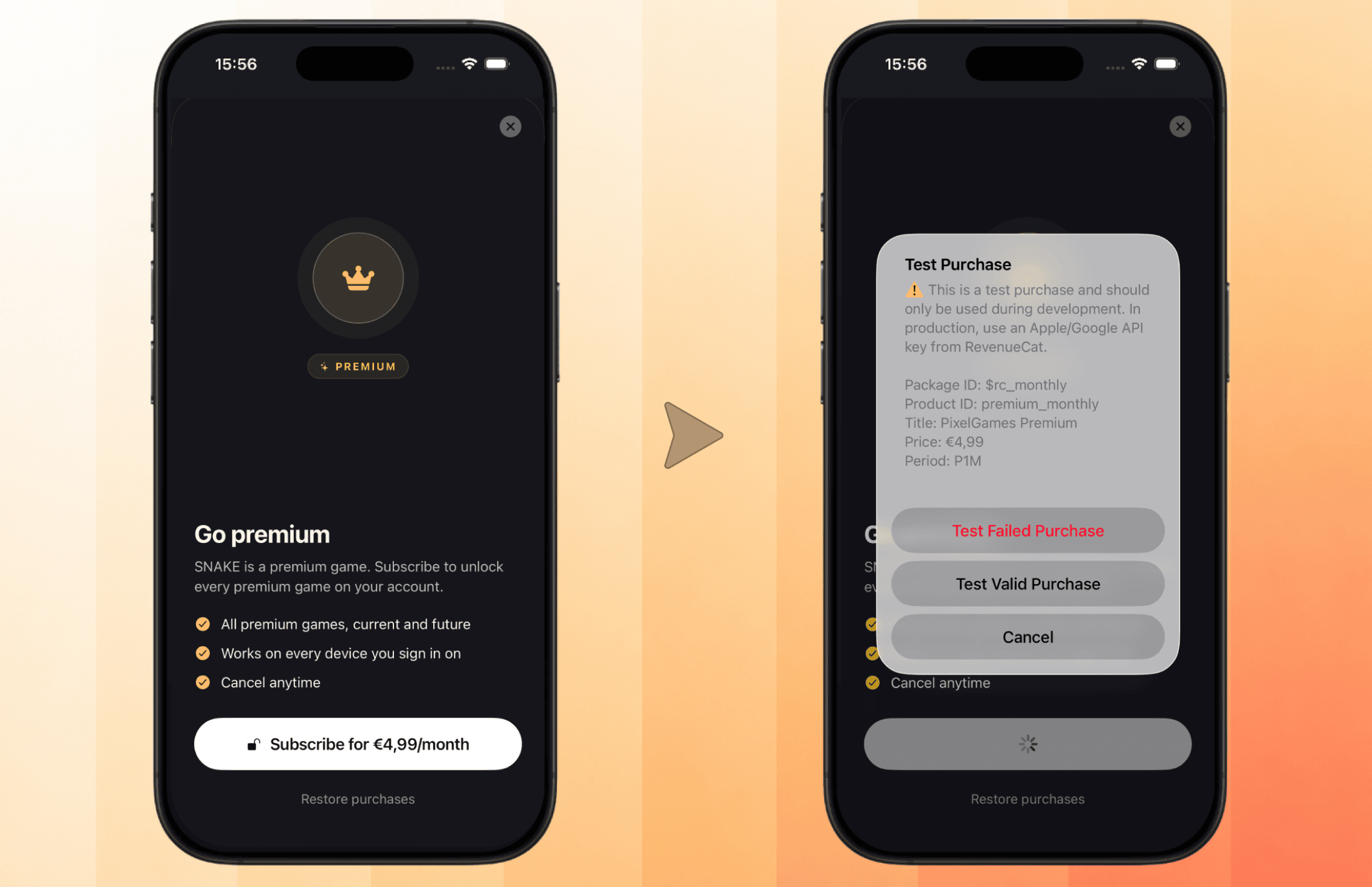
PixelGames paywall screen next to RevenueCat's test purchase dialog

The paywall in PixelGames, and the test purchase dialog shown in Expo Go.

The test purchase dialog above isn’t what players actually see. Expo Go is a shared app previewing every Expo project, so it can’t resolve your app’s real RevenueCat identity, it shows a generic test flow instead. Once you have a real build or your app is published, the paywall itself is RevenueCat’s own screen, served remotely rather than hardcoded in your app.

Customize the paywall

Because the paywall is served remotely, you can change its design without a new build, two ways: Ask Agent Or edit it manually
1

Open the paywall editor

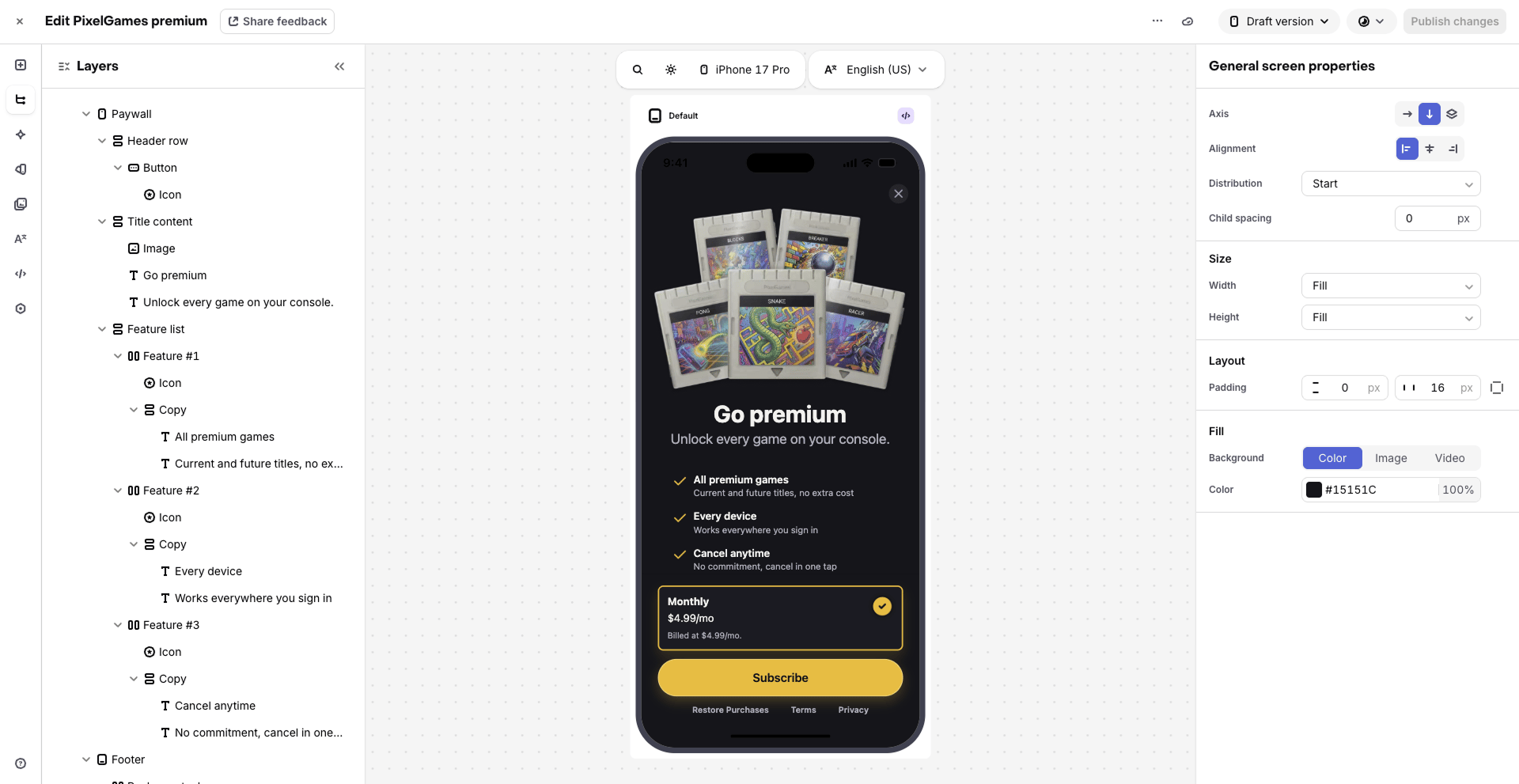
In your RevenueCat dashboard, go to Paywalls and create or edit one with their visual editor: colors, background image, title text, button style, whatever fits your app’s look.
RevenueCat's paywall editor showing the PixelGames premium paywall layout and properties

RevenueCat's visual paywall editor.

2

Attach it to your offering

Connect the paywall to your current offering.
3

Changes go out remotely

The new design appears next time the paywall opens, on TestFlight or after publishing, no App Store update required.
PixelGames paywall on TestFlight next to the real TestFlight purchase confirmation sheet

The customized paywall live on TestFlight, with the real system purchase confirmation.

This is what players actually see, a real purchase confirmation instead of Expo Go’s test dialog, and your customized design instead of the default layout.

Sync to App Store Connect

Syncing allows you to create or modify an in-app subscription or product directly from RevenueCat or Replit Agent. Before you can connect App Store Connect, three things need to be in place:
  • Enroll in the Apple Developer Program, if you haven’t already. It has an annual membership fee.
  • Submit your app to the App Store, see upload your app if you haven’t yet, RevenueCat needs an app record to sync products against.
  • Connect a bank account and sign Apple’s Paid Apps Agreement, both done inside App Store Connect, Apple won’t process any payout without them.
1

Start the sync from Replit

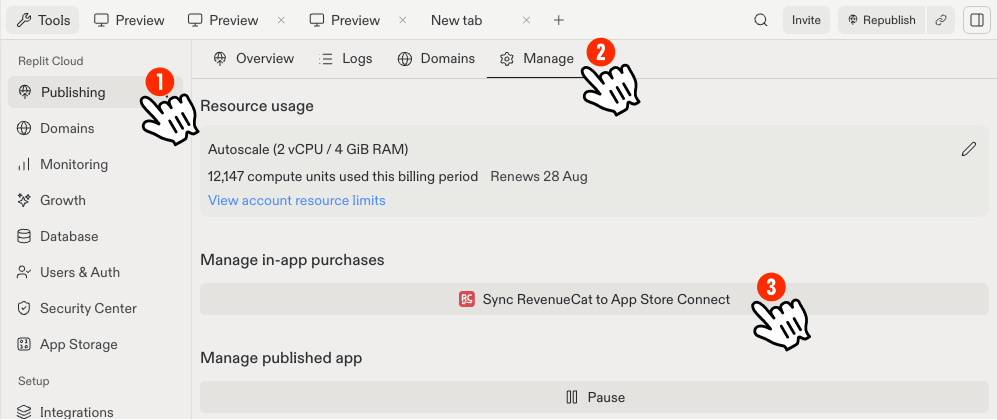
In Replit, open Publishing → Manage, and select Sync RevenueCat to App Store Connect. This button appears once your app is submitted to TestFlight.
Replit Publishing pane with Manage tab open and Sync RevenueCat to App Store Connect button

Starting the sync from Replit's Publishing pane.

2

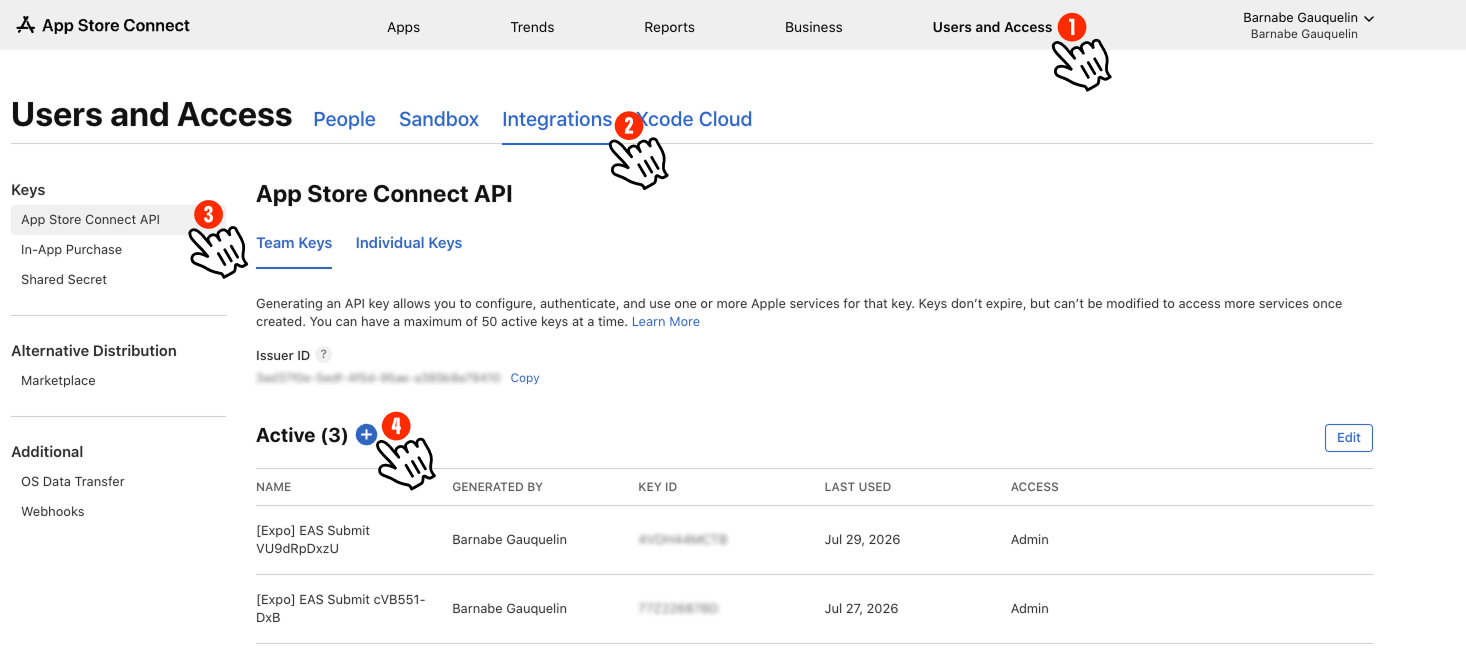
Open the App Store Connect API page

In App Store Connect, go to Users and Access → Integrations → App Store Connect API (open it directly) and select the + to add a new key.
App Store Connect Users and Access page, Integrations tab, App Store Connect API section

Navigating to App Store Connect API keys.

3

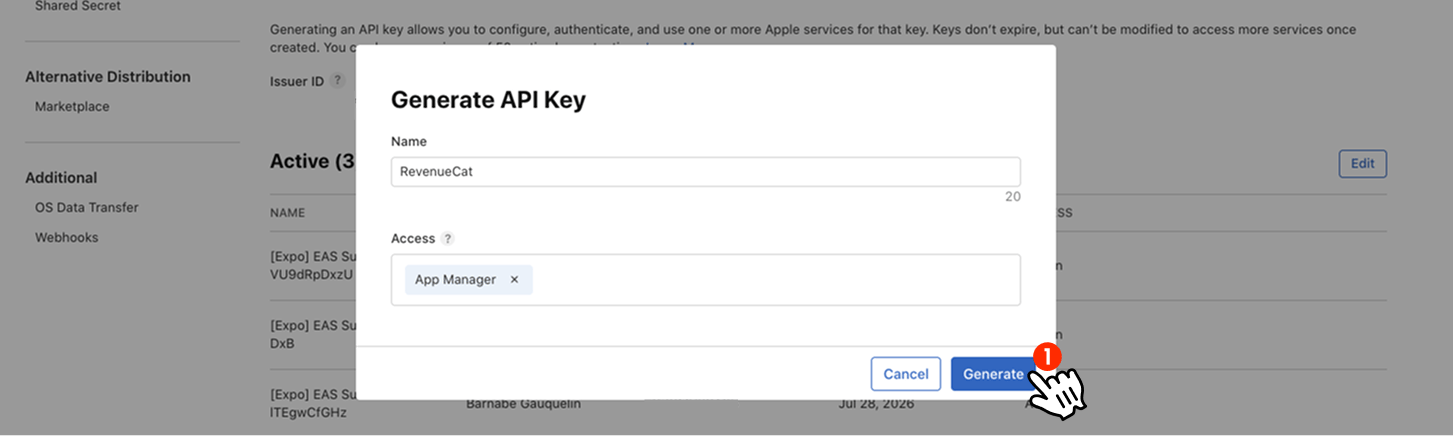
Generate the key

Name it (for example “RevenueCat”), set Access to App Manager, and select Generate.
Generate API Key modal with name field and App Manager access selected

Generating an App Store Connect API key for RevenueCat.

4

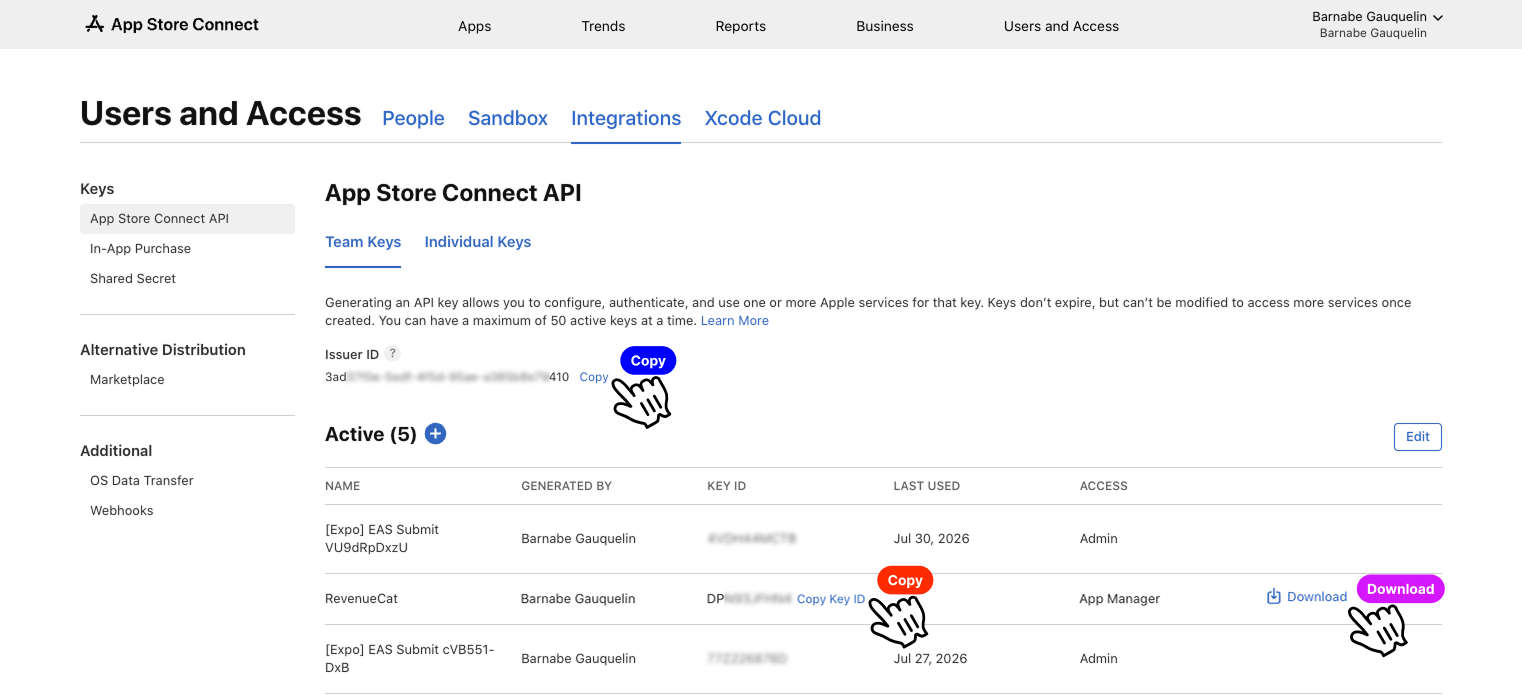
Copy the key details

Copy the Key ID and download the key file.
App Store Connect API keys list with the new RevenueCat key, Copy and Download actions

Copying the Key ID and downloading the App Store Connect API key.

5

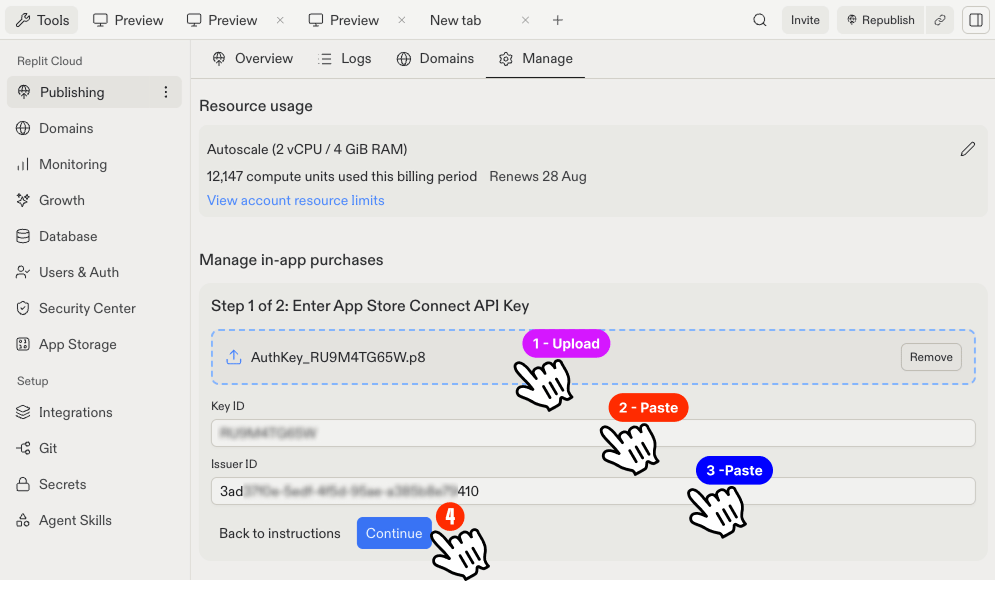
Add it to Replit

Back in Replit’s sync modal (Step 1 of 2), upload the key file, paste the Key ID and Issuer ID, then select Continue.
Replit modal Step 1 of 2, uploading the App Store Connect API key and pasting its details

Entering the App Store Connect API key in Replit.

6

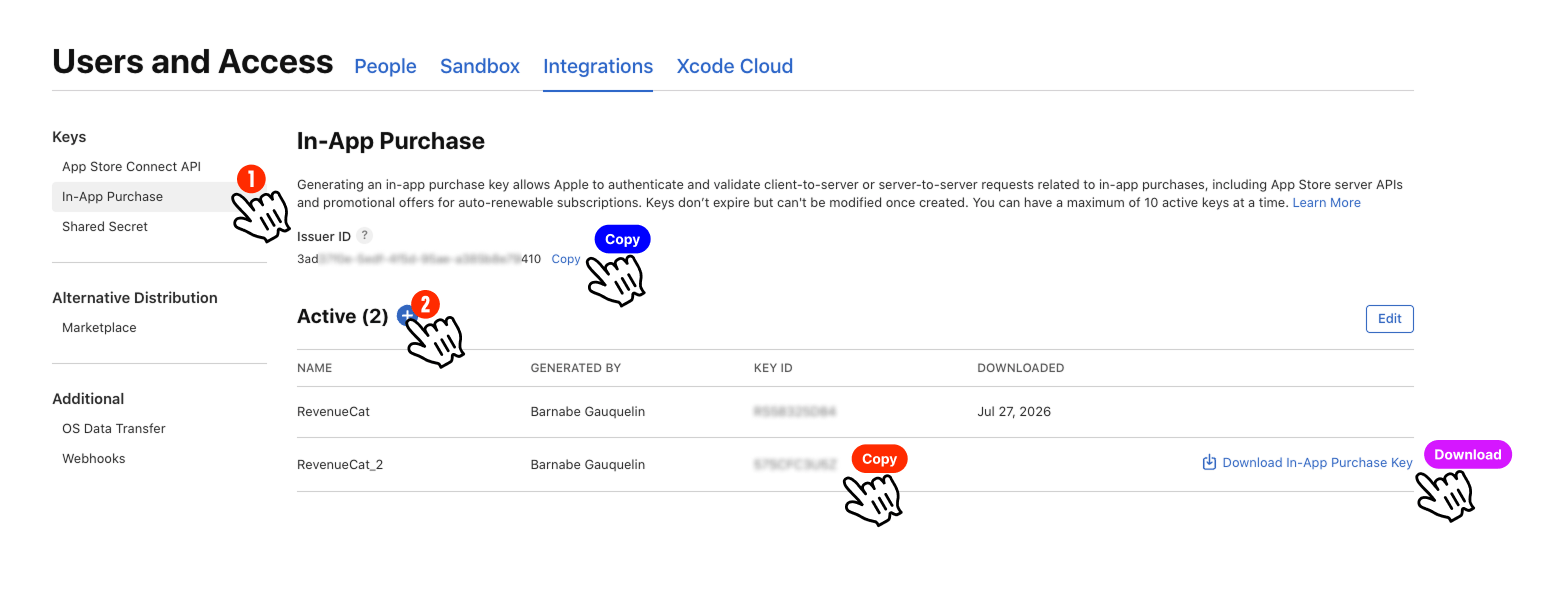
Repeat for the In-App Purchase key

Same place in App Store Connect, the In-App Purchase tab this time (open it directly), generate another key and copy its details.
App Store Connect In-App Purchase key list with Download and Copy actions

Generating and copying an In-App Purchase API key.

7

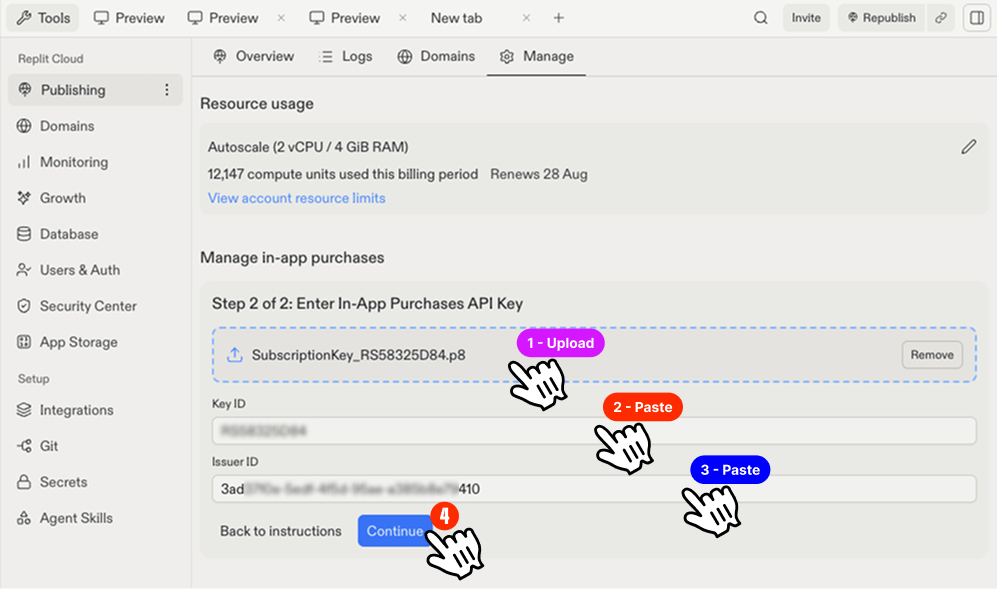
Add it to Replit

Back in Replit’s sync modal (Step 2 of 2), upload this key file too, paste its Key ID and Issuer ID, then select Continue.
Replit modal Step 2 of 2, uploading the In-App Purchase API key and pasting its details

Entering the In-App Purchase API key in Replit.

8

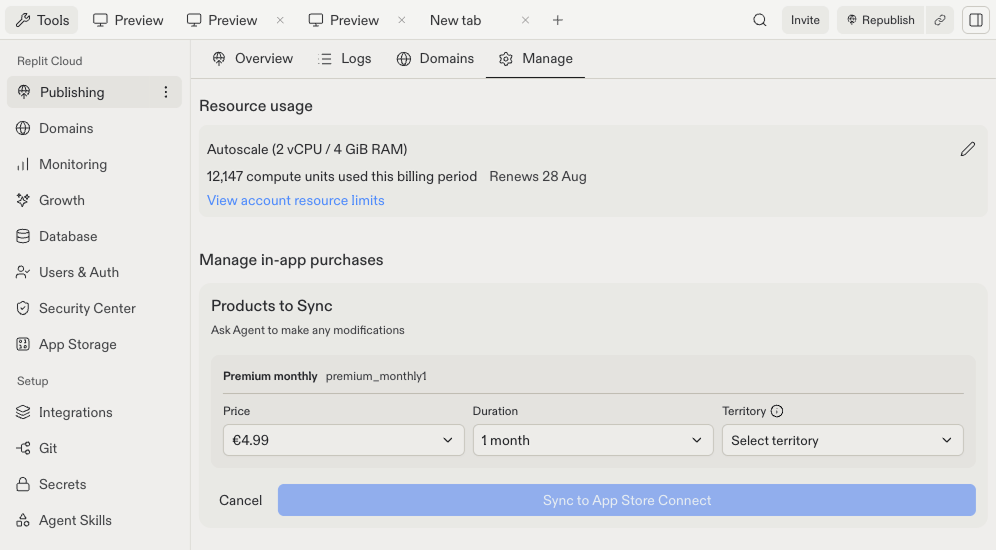
Confirm and sync

Once synced, you can manually change your product’s price anytime from the same Publishing → Manage pane in Replit.
Replit Products to Sync screen with the premium monthly subscription ready to sync

Confirming the products before syncing to App Store Connect.

Troubleshooting

  • Purchase succeeds but nothing unlocks: check the entitlement in RevenueCat is mapped to the right product ID.
  • Works in test, not after publishing: confirm the products are synced to App Store Connect and Apple’s Paid Apps Agreement is signed.

Frequently asked questions

No. Only an email and password to create the account. A bank account is connected separately, through Apple or Google, once you’re ready to receive payouts.
No. Replit previews use RevenueCat’s test mode, purchases are simulated. Real charges only start once Apple approves your app for the App Store.
Pricing, entitlements, and the paywall itself. Ask Agent to make any change, it updates both the RevenueCat configuration and your app’s code.

What’s next

Collect reviews and ratings

Ask happy players to rate PixelGames.