

Why this matters
Every iPhone already has alerts, share sheets, switches, and menus built in, and players use them in every other app they own. When your app uses those same native components, players already know how they work before they’ve even tapped one, that’s what makes it feel like a real iPhone app. Below are example prompts for native components you can add to your app: alerts, action sheets, switches, and more.Native alerts
This renders a realUIAlertController alert, the same style as the popups iOS itself uses.
Reach for an alert when there’s one clear decision to confirm.

The native Quit game alert in PixelGames.
Native action sheets
An action sheet is the sibling of an alert, use it when there are a few distinct options to choose from, rather than a single yes/no decision. Android gets its own native equivalent, Agent picks the right one per platform automatically.
The native action sheet for changing a PixelGames profile photo.
Native switches
The same on/off switch used throughout the iOS Settings app, instantly recognizable, so players don’t have to figure out a custom toggle design.
Native switches for sound effects and haptics in PixelGames' Settings.
SF Symbols
SF Symbols is Apple’s built-in icon set. Symbols automatically match the surrounding text size, weight, and dark mode, something a custom icon set has to be built to do manually.
SF Symbols used for the sound effects and vibration icons in Settings.
SF Symbols is iOS-only. Ask Agent to pick a matching icon set for Android, the icons won’t be
pixel-identical between platforms, and that’s expected.
Native share sheet
Opens the same system share sheet as Photos or Safari, so it lists whatever apps the player already has installed.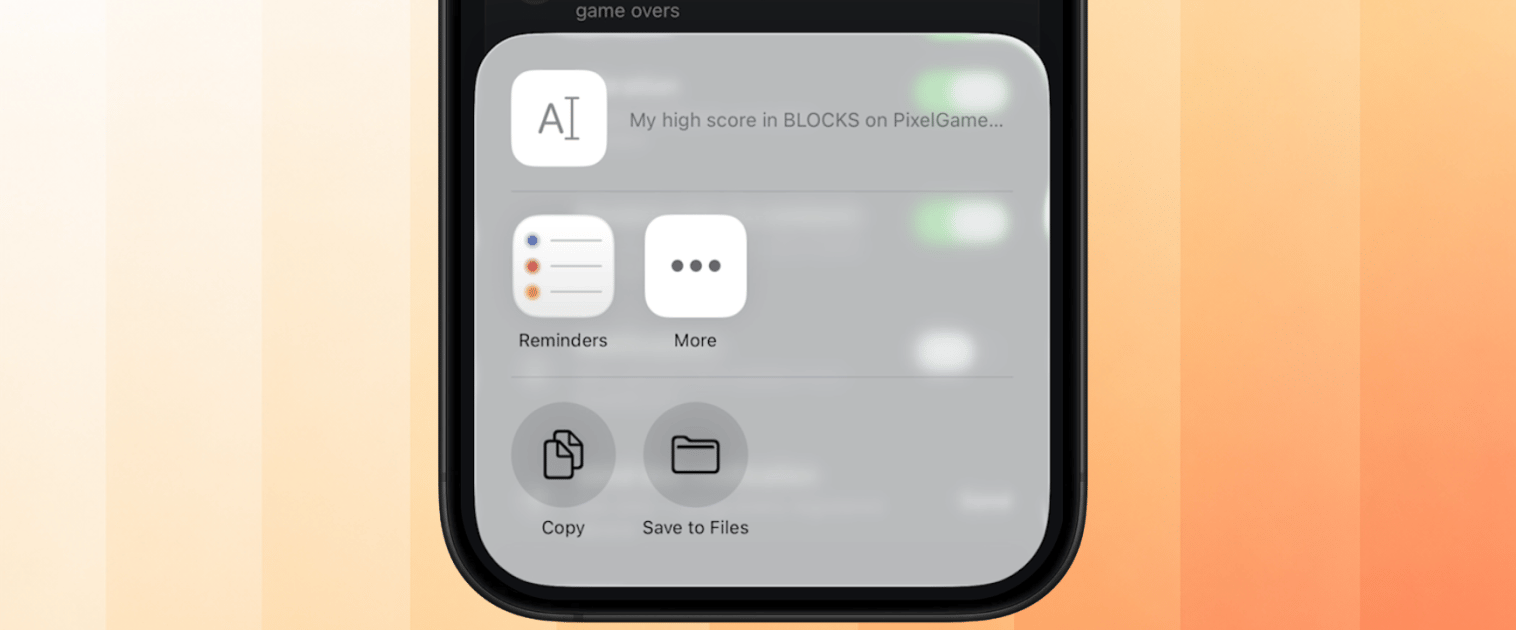
Sharing a PixelGames high score through the native share sheet.
Troubleshooting
- Alert or action sheet shows a custom modal instead: confirm Agent used the native API rather than a JS-rendered lookalike, they can look similar but behave differently.
- Icons look wrong on Android: expected for SF Symbols specifically, they’re iOS-only. Ask Agent what fallback icon set it used.
- Share sheet doesn’t include an app you expected: that’s controlled by the OS and the installed apps on the test device, not something PixelGames can add to directly.
What’s next
Access contacts
Pair the share sheet with invite links.
Preview and test on your phone
Confirm native components render correctly on-device.