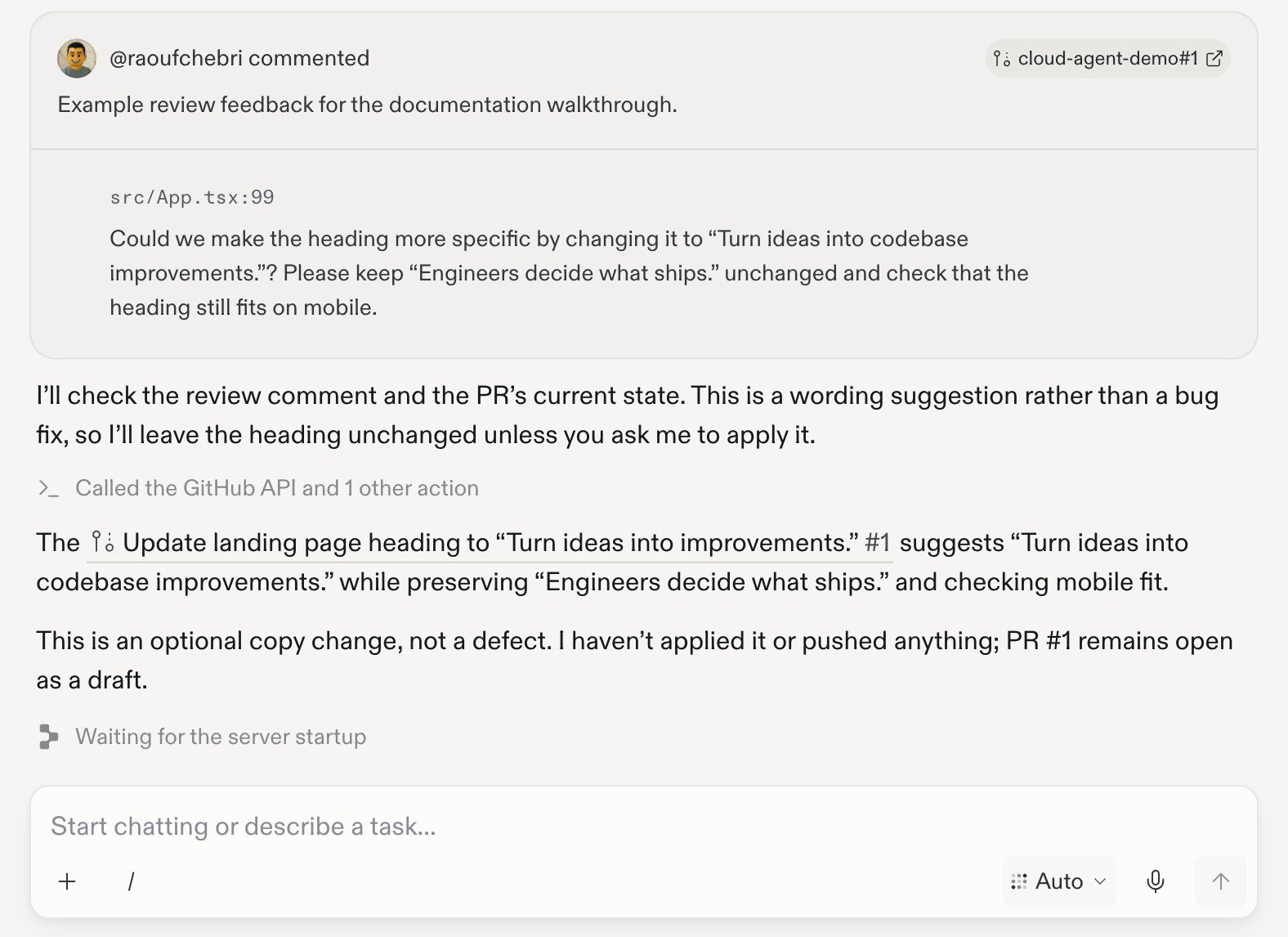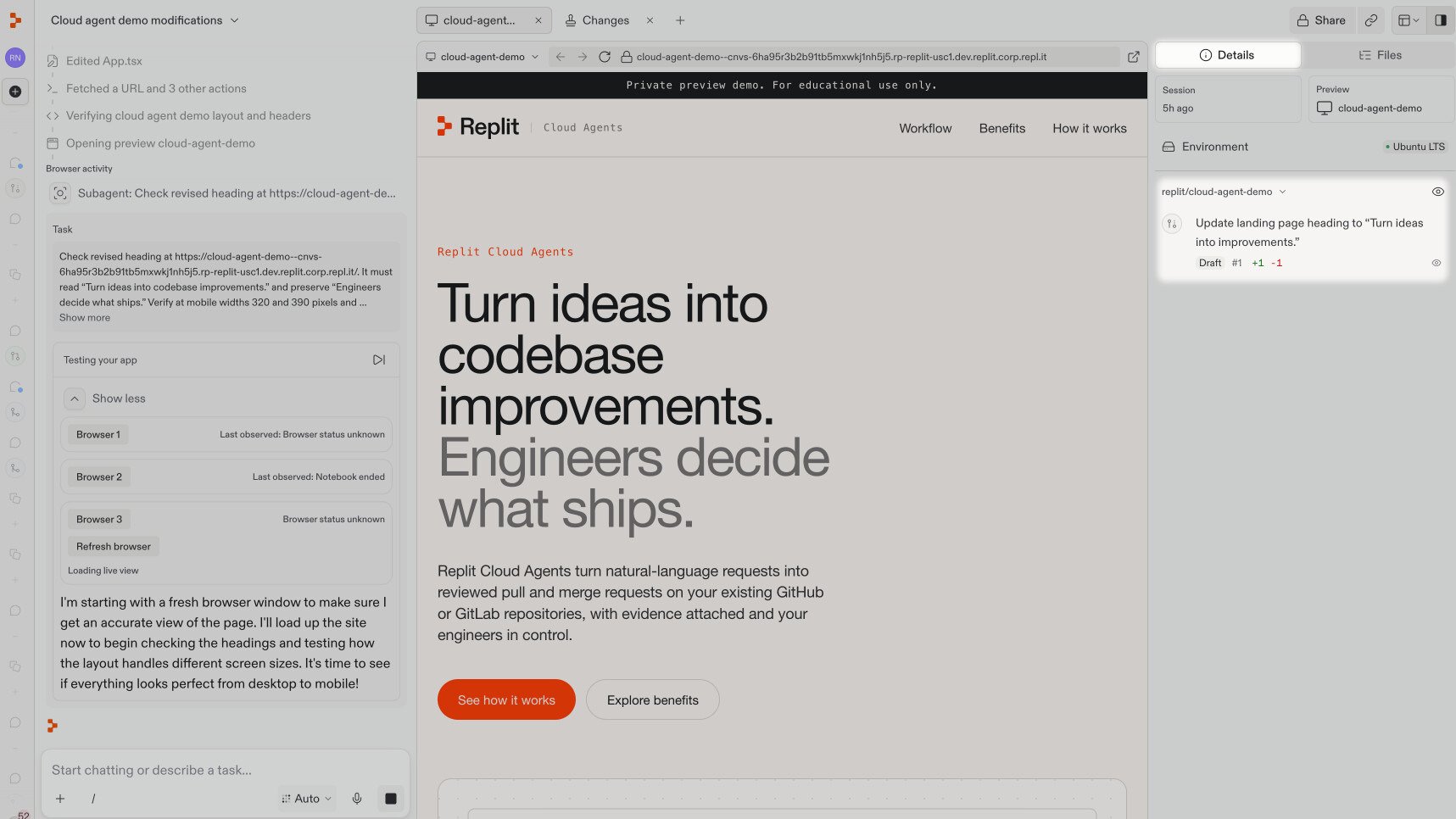
You’ve changed the landing page heading and opened a pull request. Now, let’s respond to feedback on that contribution. Continue in the same chat and work on the same pull request. With the Git provider integration configured for your workspace and the pull request linked to your chat, review feedback can appear in Replit. Enable Watch pull request on the linked request to let Replit assess new feedback and make appropriate fixes automatically. If automatic responses aren’t available, you can ask Replit to address the feedback yourself. The pull request you opened with Replit is linked to this chat. You can find it in the Details sidebar, below the environment. The linked pull request appears in the chat's Details sidebar, below the environment.

Address review feedback

1

Read the feedback

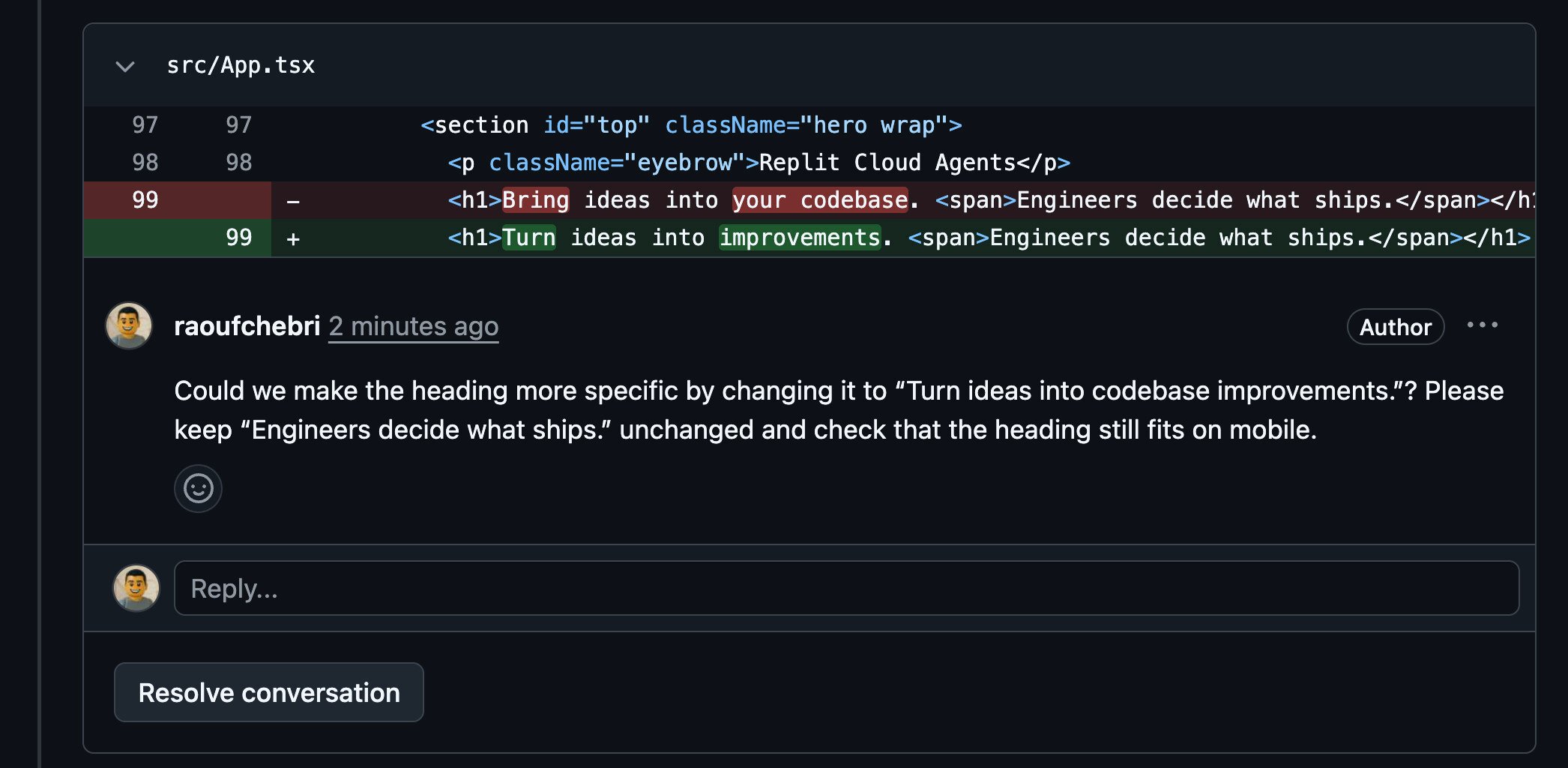
A review lets someone ask questions or suggest improvements before your change is merged. In this example, the comment asks for a more specific heading and a mobile layout check.Review feedback asks for the heading Turn ideas into codebase improvements, while keeping the remaining text unchanged and checking mobile layout.Feedback on a linked pull request can also appear directly in your Replit chat. Replit assesses the comment and may make a correction or ask for your decision. In this example, it identifies an optional wording change and waits for confirmation.The review comment appears in Replit chat, where Replit explains that it has not applied or pushed the optional wording change.
2

Review Replit's response

Review what Replit changed, its reply to the comment, and the test results. Try the updated preview and check anything Replit couldn’t verify.If Replit asks for your decision, respond in the same chat. Not every review comment requires a code change.New commits on the same branch update the existing pull request. You don’t need to open another one.Your reviewer can check the revision and continue the conversation. Resolve the thread when the feedback is addressed, following your team’s review process. Updating a request does not merge or deploy it.

Alternatively, ask Replit

If you haven’t installed the Git provider app or the feedback hasn’t reached your chat, share the pull request link and ask: Next: Work with a team of agents when you have independent tasks to tackle together.