Give background environment builds approved access to your repositories with a GitHub App installation or GitLab group grant, separate from personal access.
Connect your Git provider so Replit can access repositories for shared environment builds. This walkthrough uses GitHub; you can also connect a GitLab group.An environment build runs without your personal chat session, so it needs a workspace connection rather than your Personal account connection. You must be a workspace administrator to configure shared access. Members can view it and manage their own personal sign-in.
This early-access workflow may not be available in every workspace.
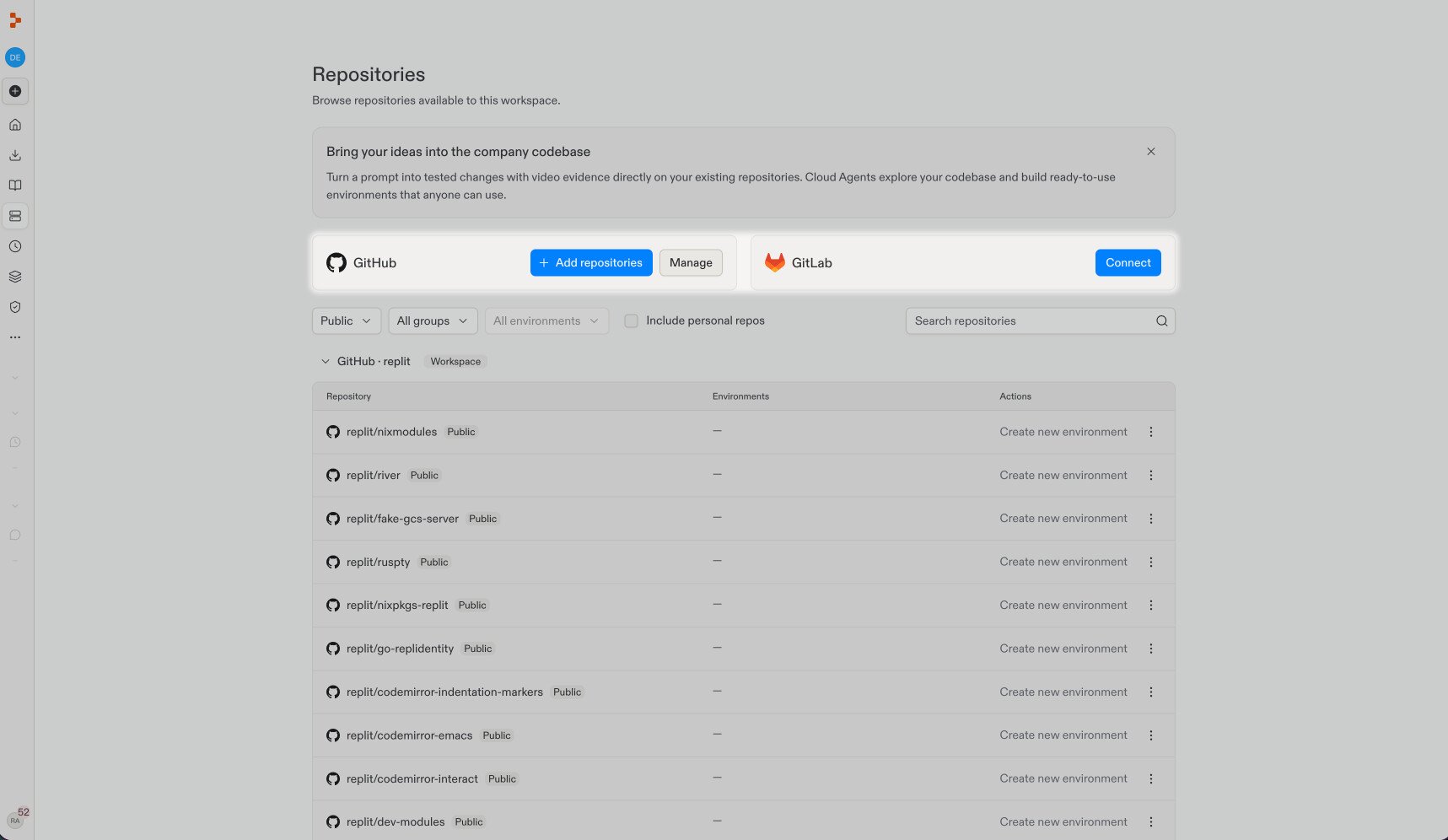
Open Repositories and select Manage on the GitHub card. If you aren’t connected yet, select Connect and sign in first.
2
Configure shared access
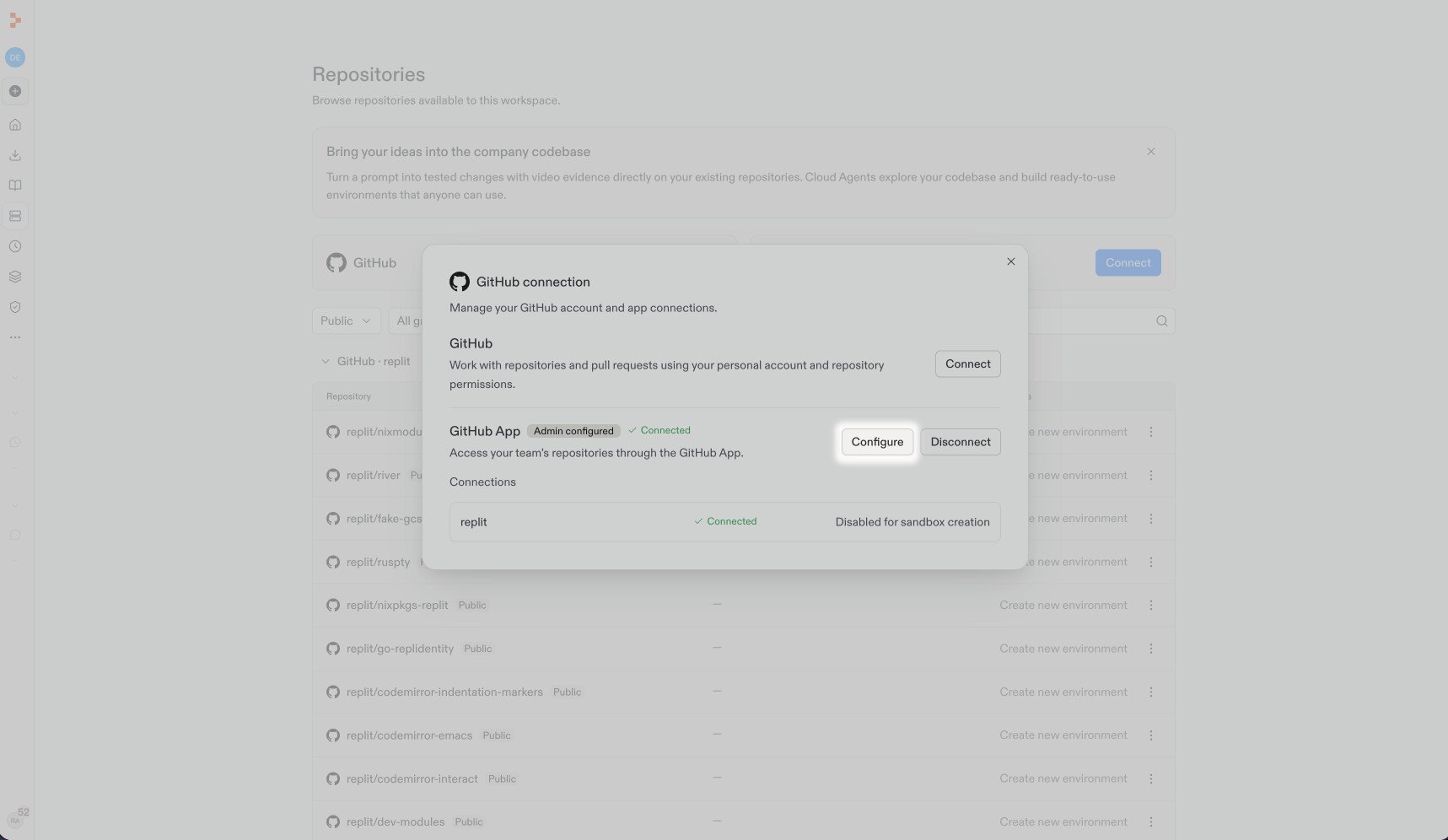
Select Configure beside GitHub App.
3
Add your organization
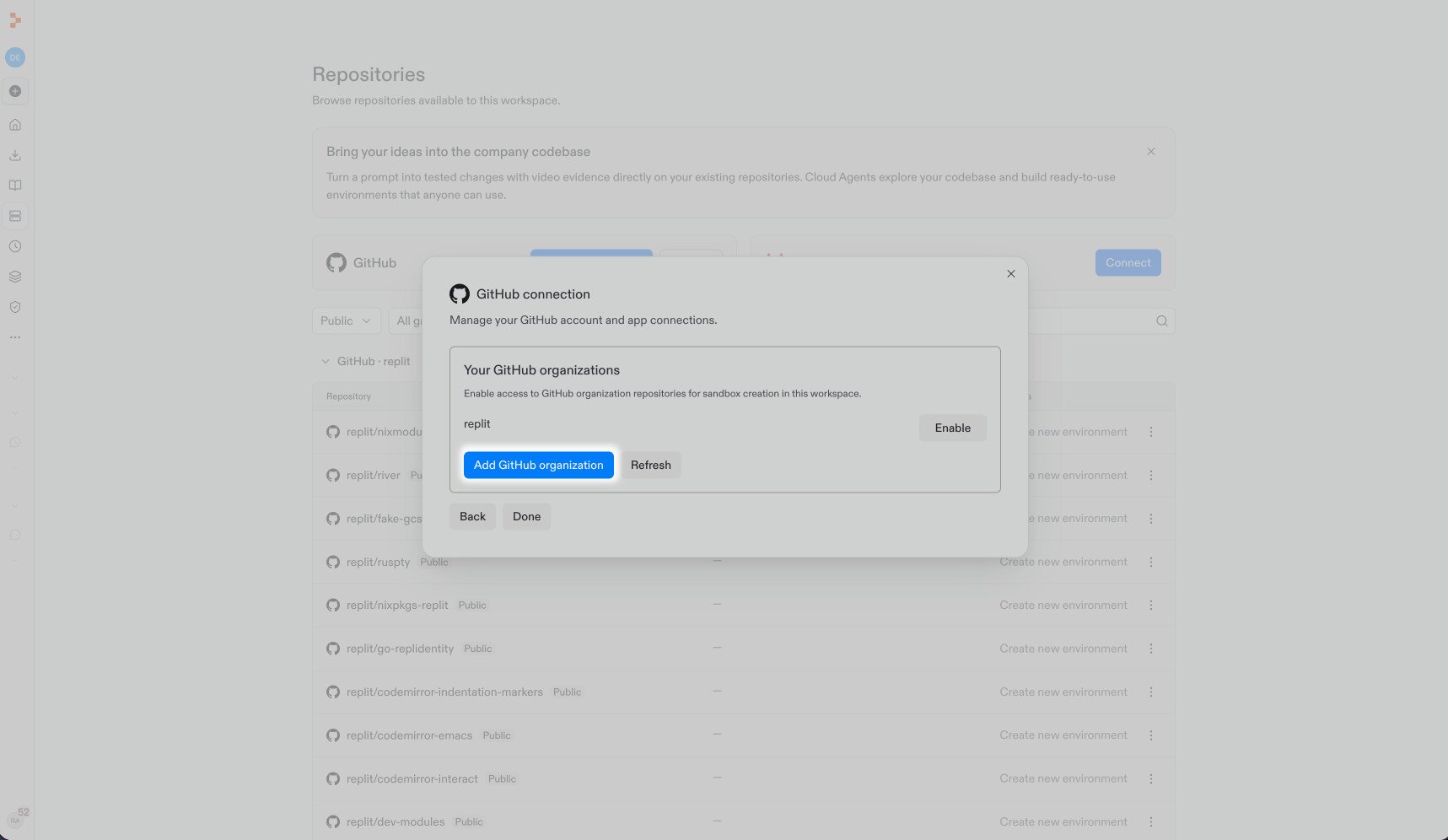
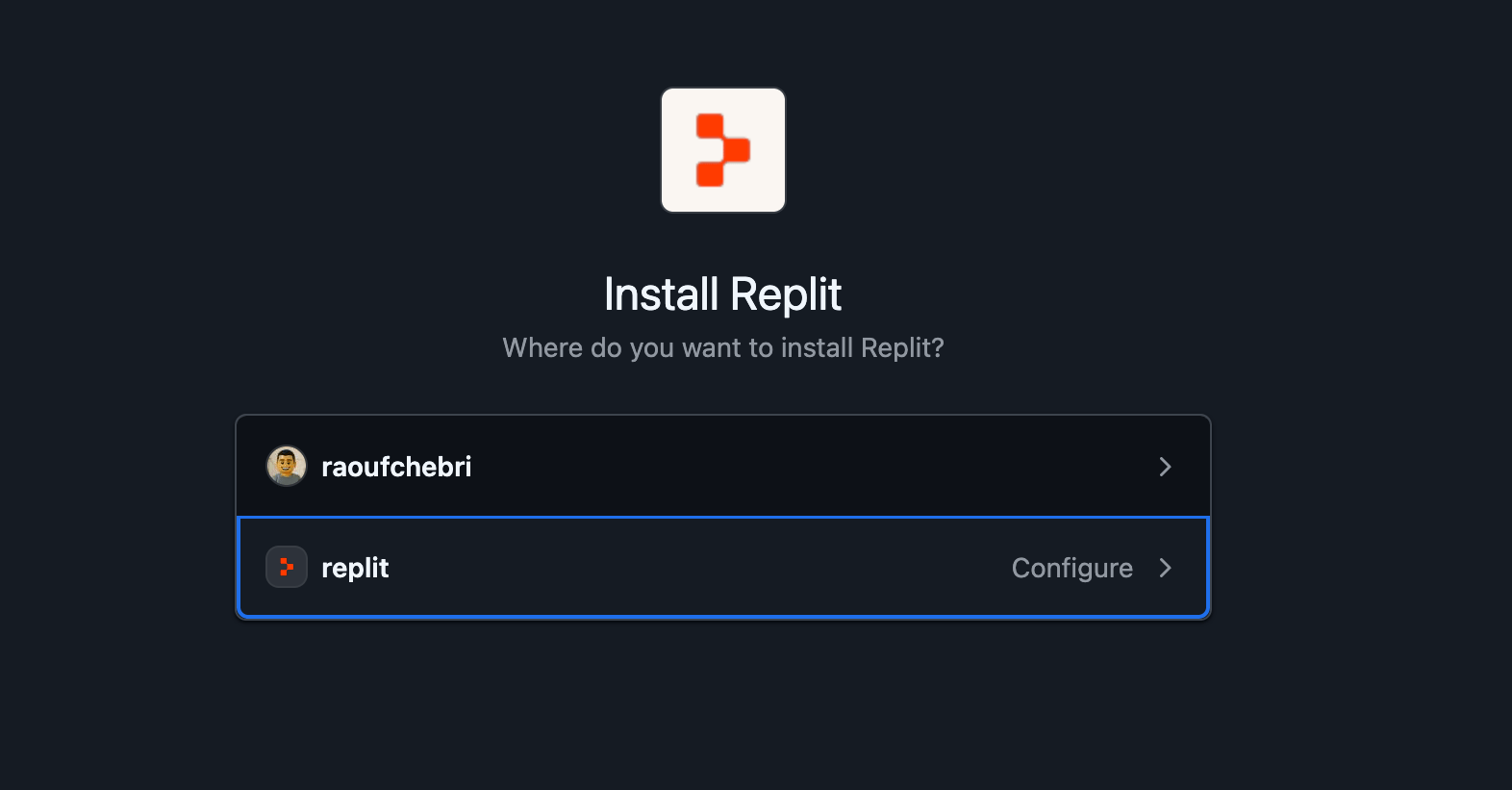
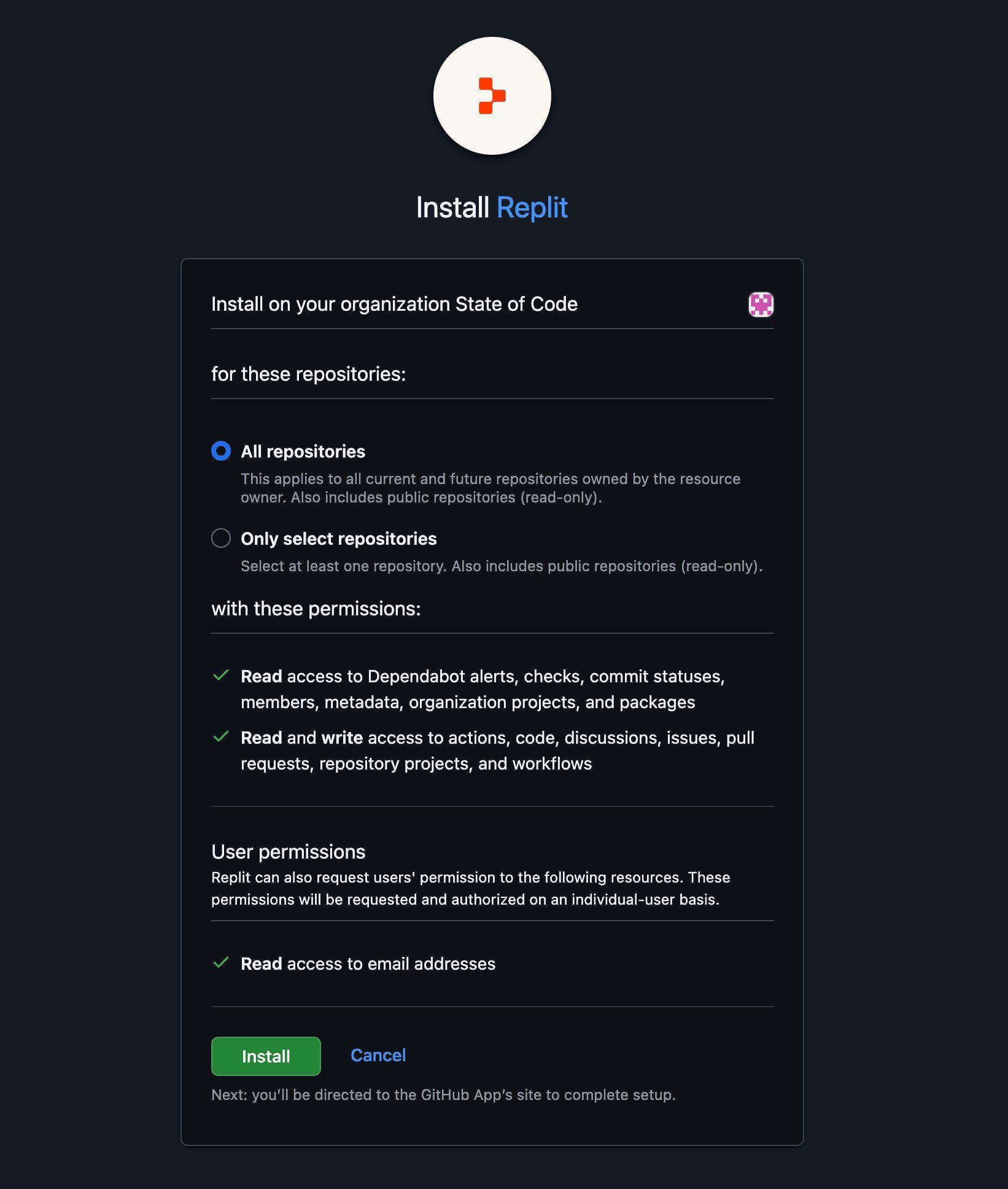
Select Add GitHub organization to open GitHub’s installation page.Choose the organization where you want to install Replit. For an existing installation, select Configure.
4
Choose repository access
Choose All repositories or Only select repositories, review the requested permissions, and select Install. For an existing installation, select Update access instead. Your GitHub administrator may need to approve it.
5
Confirm the connection
Return to Replit and select Refresh if needed. Enable the organization for sandbox creation. Installation alone does not enable this access: in the example above, the organization still shows Enable.Confirm the organization is enabled before building your environment.
GitHub manages the installation’s repository permissions. Review those settings with your GitHub administrator if a repository is missing.
In Repositories > Manage > Configure, choose Disconnect for the saved GitHub workspace grant or GitLab group. This removes that workspace’s access through the grant, not your personal sign-in or the provider-side GitHub App installation.Builds and projects that rely on the grant lose repository access. Disconnecting a GitLab group also removes its Replit service account, memberships, and webhooks, and revokes existing build tokens.To keep a GitLab group connected but remove individual projects, use Edit instead. Removing projects revokes their workspace access and may invalidate existing build tokens.
Return to Create a reusable environment. If checkout fails, check the workspace connection and its repository permissions. Never put a personal token in a build step, source file, or image.For other development resources, see chat secrets or an external secrets manager for chat-only versus reusable access, and machine identities for provider trust. Neither replaces a workspace connection.
Was this page helpful?
Assistant
Responses are generated using AI and may contain mistakes.