

Connect your account and choose a repository
1
Connect your Git account
Open Repositories, choose GitHub or GitLab, and follow the prompts to connect your account. Review the requested access before approving it.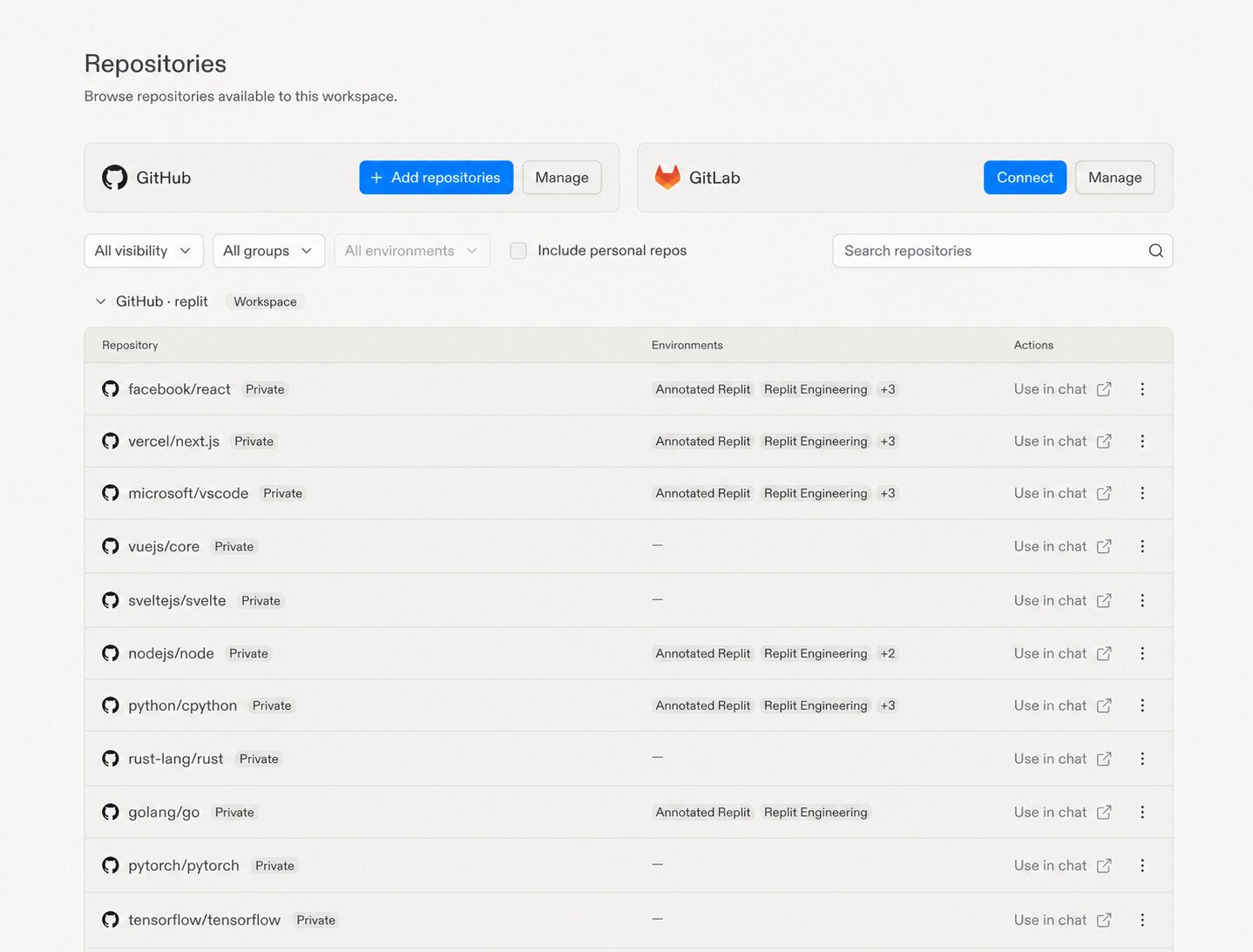
2
Choose your repository
Find your repository in the list and select Use in chat to start getting the app running with Replit.If you can’t find it, check that your connected account has access. See Manage repository access for help.
What happens next
When you share a repository and ask Replit to work on it, Replit prepares or reuses a sandbox and brings in a development copy of the code.- Repository instructions: Files such as
AGENTS.mdandCLAUDE.mdcome with the repository and help Replit follow your team’s conventions. - Skills: Skills stored in the repository come with it too. Replit reads relevant
SKILL.mdinstructions when needed for the task. - Development setup: When you ask to run the app, Replit prepares the tools and dependencies and starts a preview. A working setup can later be saved as a reusable environment.