Connect external secrets managers to your development environment using Replit’s open-source OIDC modules, short-lived credentials, and provider policies.
Choose your provider below and give Replit its configuration to connect your secrets manager and save it to your reusable environment. Replace the example identifiers with your development resources and configure the provider’s trust and permissions first.
The modules configure short-lived provider credentials; they do not automatically load secrets into your app.
Prerequisites: Register https://sts.replit.com as an AWS OIDC provider with audience sts.amazonaws.com, and create the role above.
Restrict its trust to your Replit workspace and grant read access to the required secrets.
See the detailed AWS instructions.Ask Agent to retrieve the secrets your app needs from the connected provider and configure your app to use them. Tell Agent where to look, such as a specific project, vault, or secret path.
Prerequisites: Create a machine identity with JWT authentication using Replit’s JWKS, audience infisical, and your workspace’s org_id.
Give it read access to the intended project’s development environment and paths.
See the detailed Infisical instructions.Ask Agent to retrieve the secrets your app needs from the connected provider and configure your app to use them. Tell Agent where to look, such as a specific project, vault, or secret path.
Prerequisites: Create a managed identity or app registration trusting https://sts.replit.com, with audience api://AzureADTokenExchange and subject //replit.com/customer/<customer-id>/org/<org-id>.
Grant it read access to the development Key Vault secrets.
See the detailed Azure instructions.Ask Agent to retrieve the secrets your app needs from the connected provider and configure your app to use them. Tell Agent where to look, such as a specific project, vault, or secret path.
Prerequisites: Create a JWT role trusting Replit, bound to your workspace’s org_id and the Vault hostname as its audience.
Give it read access to the intended secret paths, and ensure the Vault server is reachable from the environment.
See the detailed Vault instructions.Ask Agent to retrieve the secrets your app needs from the connected provider and configure your app to use them. Tell Agent where to look, such as a specific project, vault, or secret path.
Prerequisites: Create a Google workload identity provider trusting https://sts.replit.com, restricted to your Replit workspace.
Its allowed audience must match //iam.googleapis.com/<provider-resource-name>, using the full resource name passed to --workload-identity-provider.
Allow it to impersonate the service account above, and grant that account Secret Manager access.
See the detailed Google instructions.Ask Agent to retrieve the secrets your app needs from the connected provider and configure your app to use them. Tell Agent where to look, such as a specific project, vault, or secret path.
For non-interactive app commands, ask Agent to load ~/.config/replit-oidc/env.sh and follow the runtime instructions in the linked provider README.
CLI authentication does not guarantee SDK authentication or credential refresh. Vault and Infisical CLI helpers do not supply credentials to unrelated SDK processes.
Need a secret for only this chat?
Ask Agent to add a secret by name, without typing its value in your message. For example:
This app needs DEVELOPMENT_API_KEY. Ask me to add it securely for this chat.
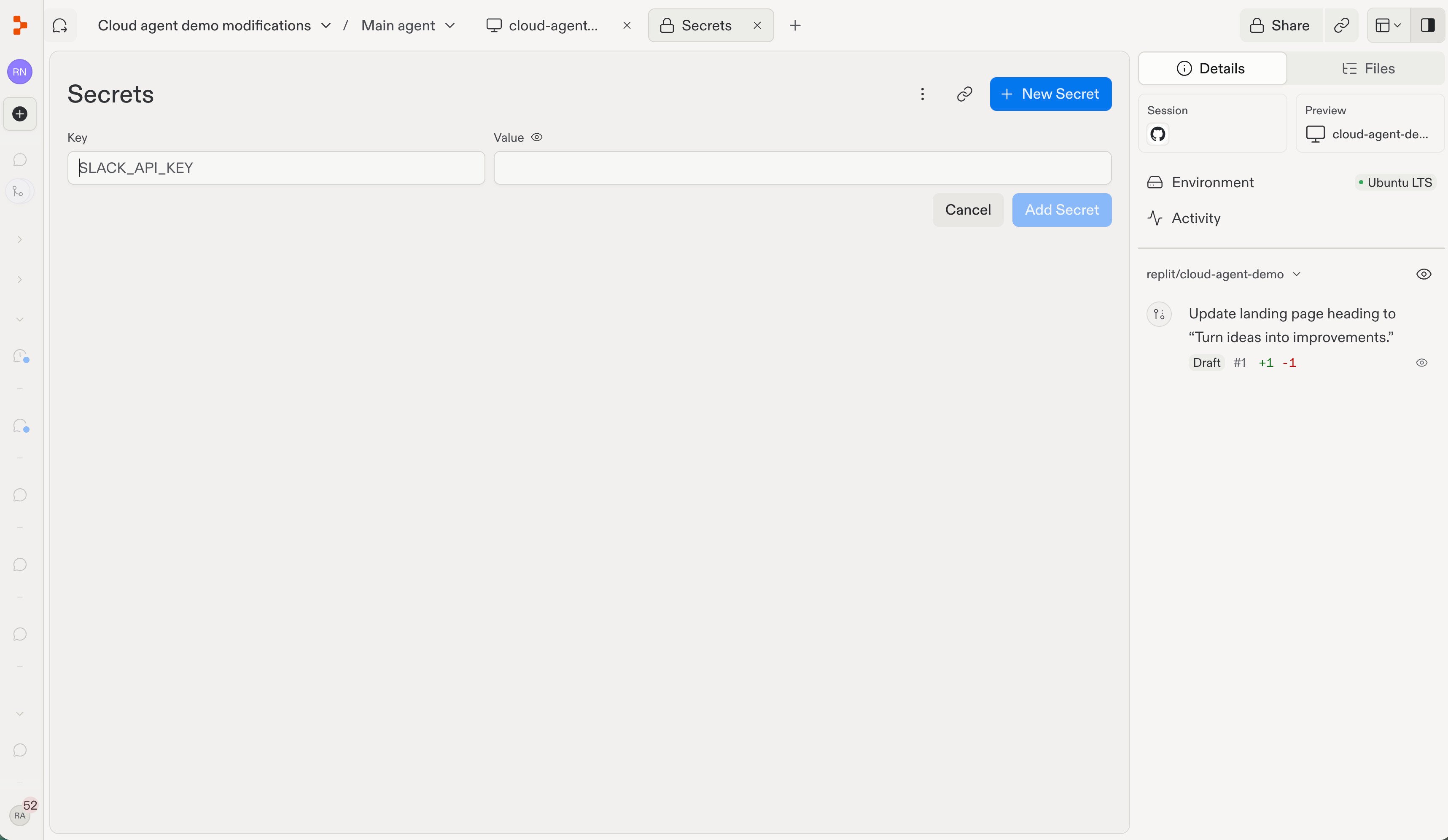
Agent can open a secure elicitation form for you to enter the value. The secret is stored securely and scoped to the private chat, rather than placed in your prompt or committed to Git. Use a development credential with only the permissions required; confirm the variable name and scope shown by the form before submitting. Do not assume a chat-scoped secret is available in a different chat or in a reusable environment build.Alternatively, select + in the editor tab bar, then Secrets.Select New Secret, enter the Key and Value, and select Add Secret. Enter credentials in the form, never in chat.
Was this page helpful?
Assistant
Responses are generated using AI and may contain mistakes.