

Manage your Memories
1
Select Customization in Settings
Go to Customization in Settings.
2
Open the Memory tab
There, you can opt in to Memory, turn it off later, choose whether to share
with collaborators, and view or update the Memory file. Memories are
private by default, and collaborator sharing is off by default.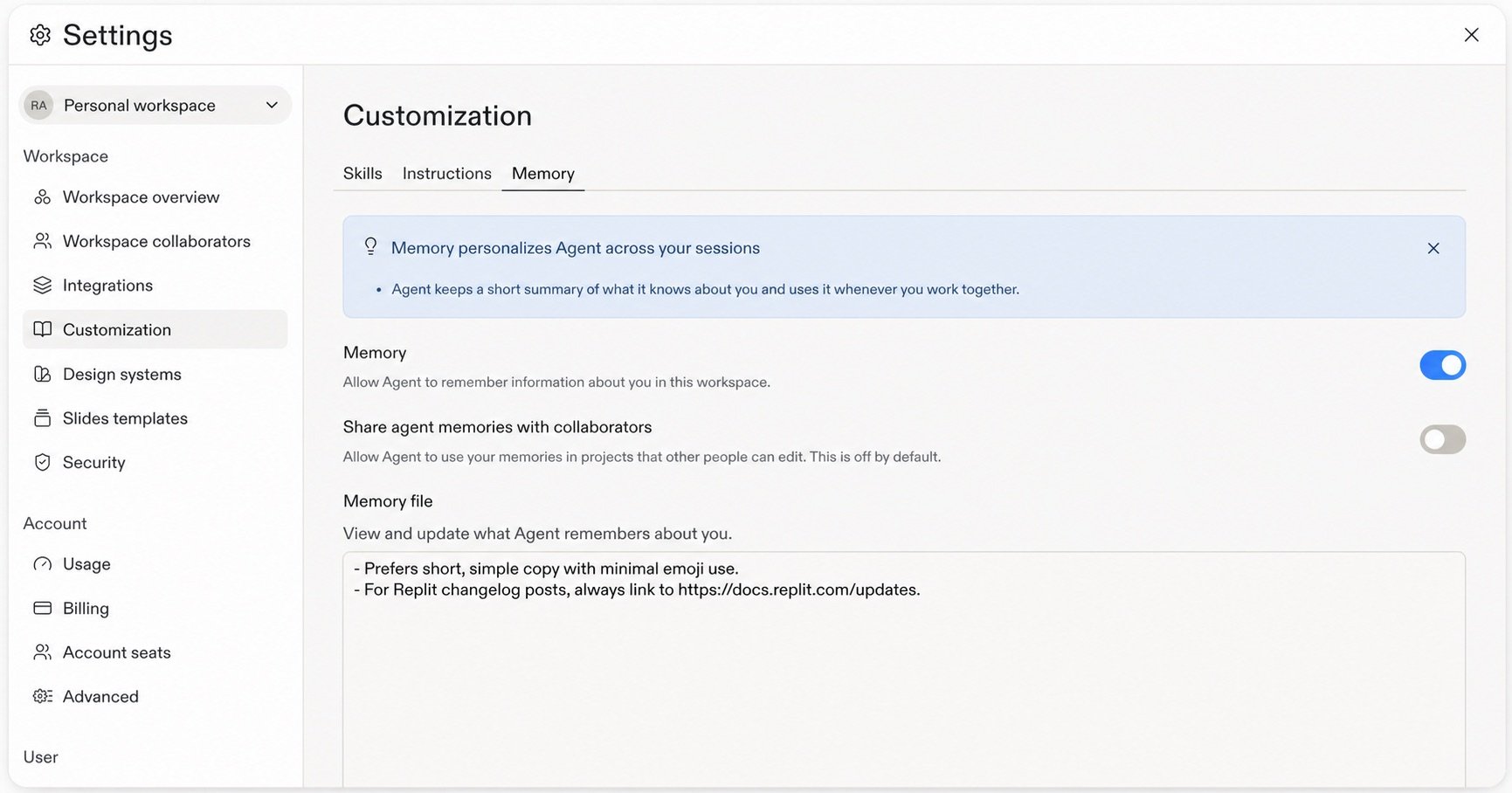
Memories do not retain personal or sensitive information. Replit handles
Memory securely because it is derived from workspace activity.
FAQ
What can Memories retain?
What can Memories retain?
Memories retain useful context, not executable instructions. User memory can
capture durable workspace preferences and working style. Project memory can
capture conventions, gotchas, and fixes. Custom memory is context you define
with its own access and visibility settings. Your explicit request and
Custom Instructions take priority
over memory.
Does Replit retain personal information?
Does Replit retain personal information?
Memories do not retain personal information. User memory can retain useful
workspace preferences and working style, but not sensitive traits,
third-party personal data, credentials, or project-confidential facts.
Where do Memories apply?
Where do Memories apply?
User memory belongs to one builder and workspace. Project memory stays with
one Project and is retrieved when relevant. Custom memory follows the access
and visibility settings defined for it. By default, Replit does not use your
Memory in Projects that other collaborators can edit unless you turn on
sharing with collaborators.
Can I view, edit, or turn off Memories?
Can I view, edit, or turn off Memories?
Yes. Go to Customization in Settings, then select Memory to opt in to Memory,
disable it later, and use the Memory file to view and update what Replit
remembers.