

How do I add context?
Select the plus menu in the prompt box to upload a file, import existing work, use a Skill or design system, or add an integration.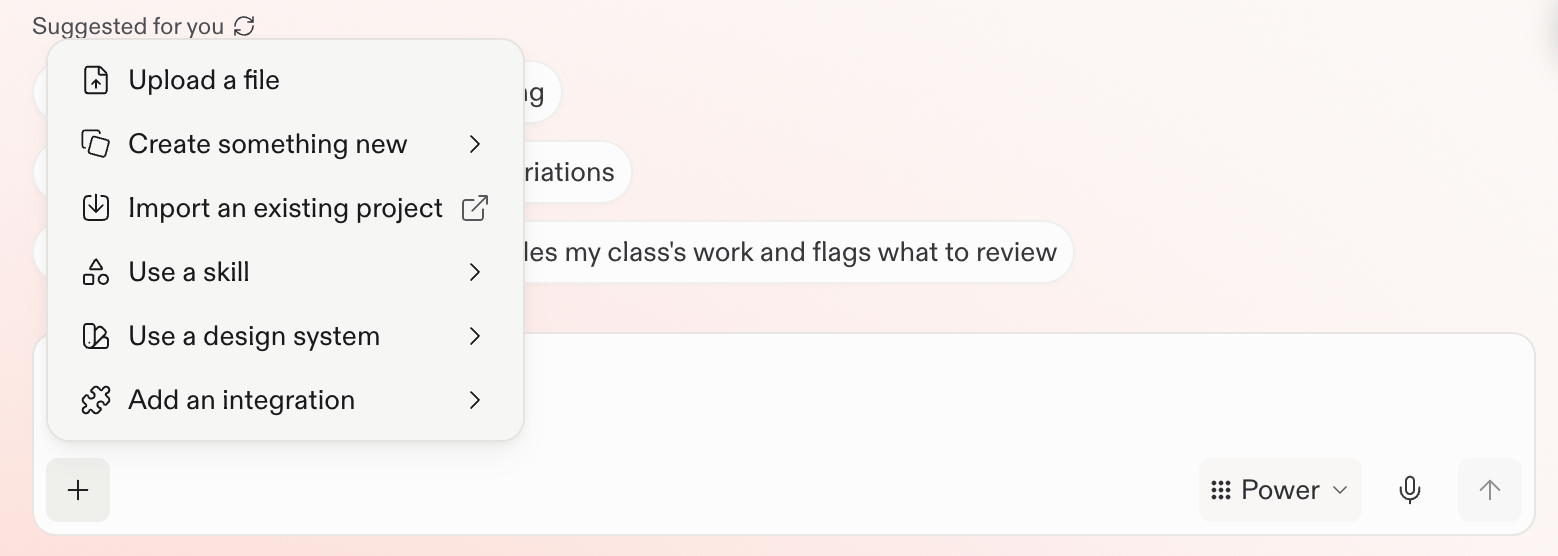
Choose context for the task
You can add files, screenshots and images, web sources and research, and connected tools. Choose the sources that help with the current task:- Files, screenshots, and images: Add documents, spreadsheets, exports, screenshots, or visual references that contain useful evidence or requirements.
- Web sources and research: Ask Replit to search the web when current information or outside perspectives would improve the result.
- Integrations: Connect the tools you need, then name the services, channels, records, or other information Replit should consider.
- Design context: Attach a Figma frame when layout, hierarchy, or visual direction matters.
- Existing work: Import a Project when you want to continue building from code, a design, or work created elsewhere. Importing a Project is different from attaching a file as evidence.
Choose a context source
Upload and use files
Ask questions about an uploaded file or use it as evidence.
Explore →
Work with Figma
Use a specific frame when the visual direction matters.
Explore →
Integrate your tools
Connect services that hold relevant information or support actions.
Explore →
Import an existing Project
Continue building from existing code, a design, or other project work.
Explore →