

Economy Mode is no longer available. Power Mode replaces it at the same price.
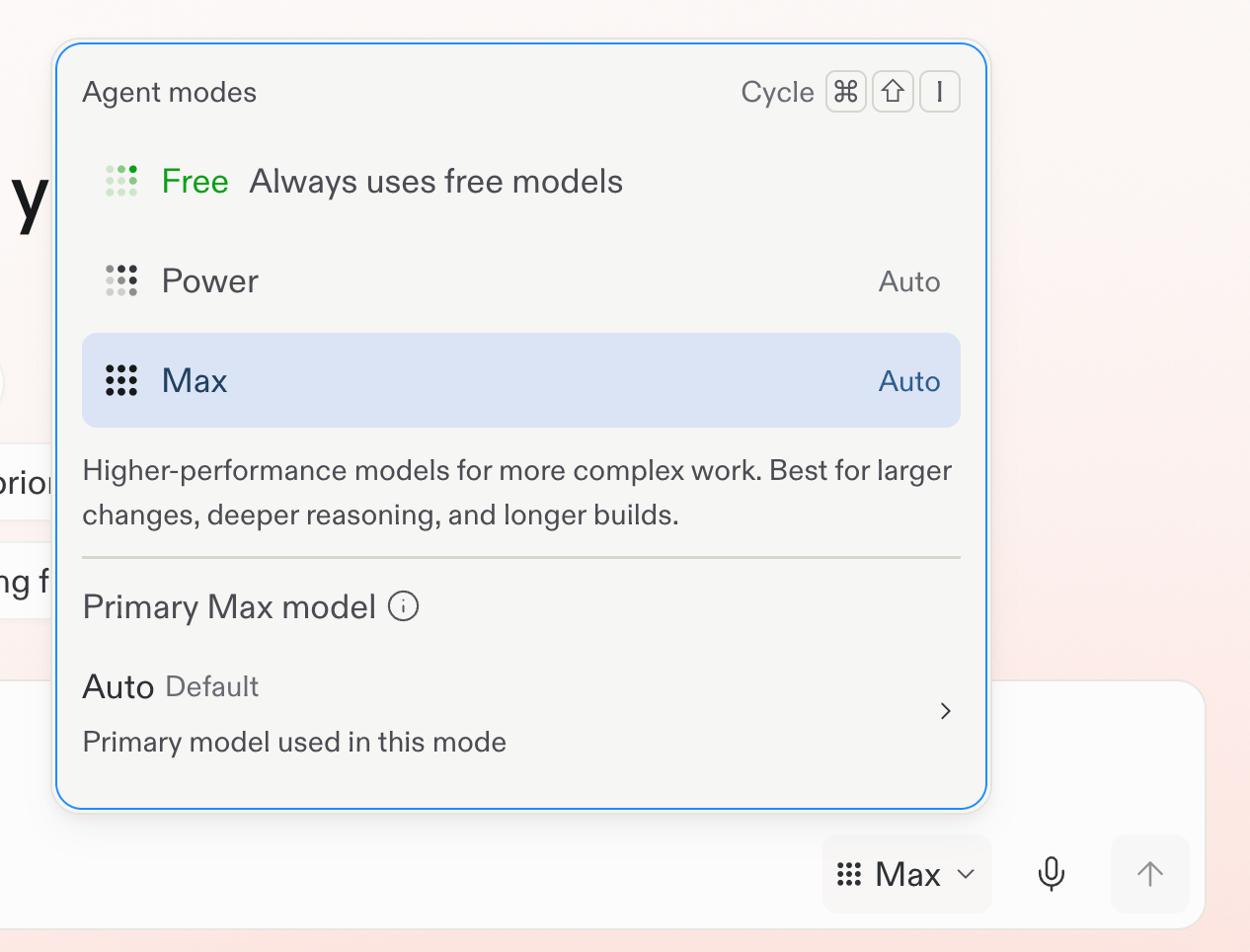
Choose Free Mode from the mode selector.
Choose a mode
- Free Mode: Explore ideas, ask questions, start building, and keep everyday work moving. Free Mode uses intelligent model routing to select the model.
- Power Mode: A smart balance of speed and capability for most work. Use it when you need more than your Free Mode allowance or want a stronger default for an existing project.
- Max Mode: The most capable option for complex, ambitious work, larger codebases, and harder problems.
Learn more
Agent Modes reference
Compare Free Mode, Power Mode, and Max Mode in detail.
Open the reference →
Get the most out of Free Mode
Use your included allowance for everyday chat, creation, and building.
Continue →
Check your allowance
Go to Usage in Settings to see how much of your Free Mode allowance remains and when it will refresh. For practical tips, see Get the most out of Free Mode.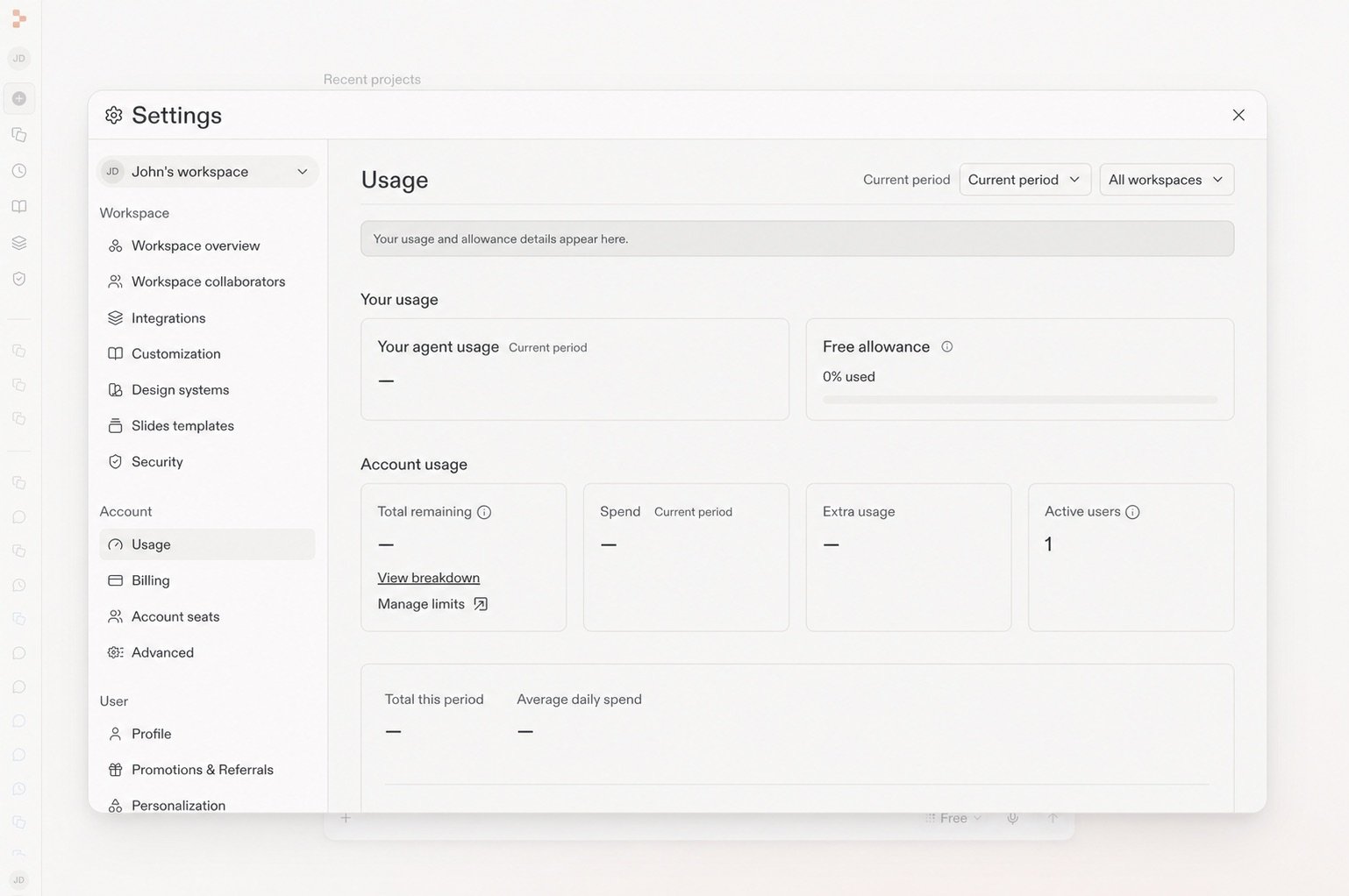
The Usage page shows your remaining Free allowance.