

- Slack lets Replit read Slack messages and threads.
- Google Drive gives Replit access to files and folders, while Google Slides supports presentations.
- Salesforce gives Replit access to CRM data and supported operations.
Connect an integration
1
Open Integrations
From your Workspace, select Integrations in the sidebar.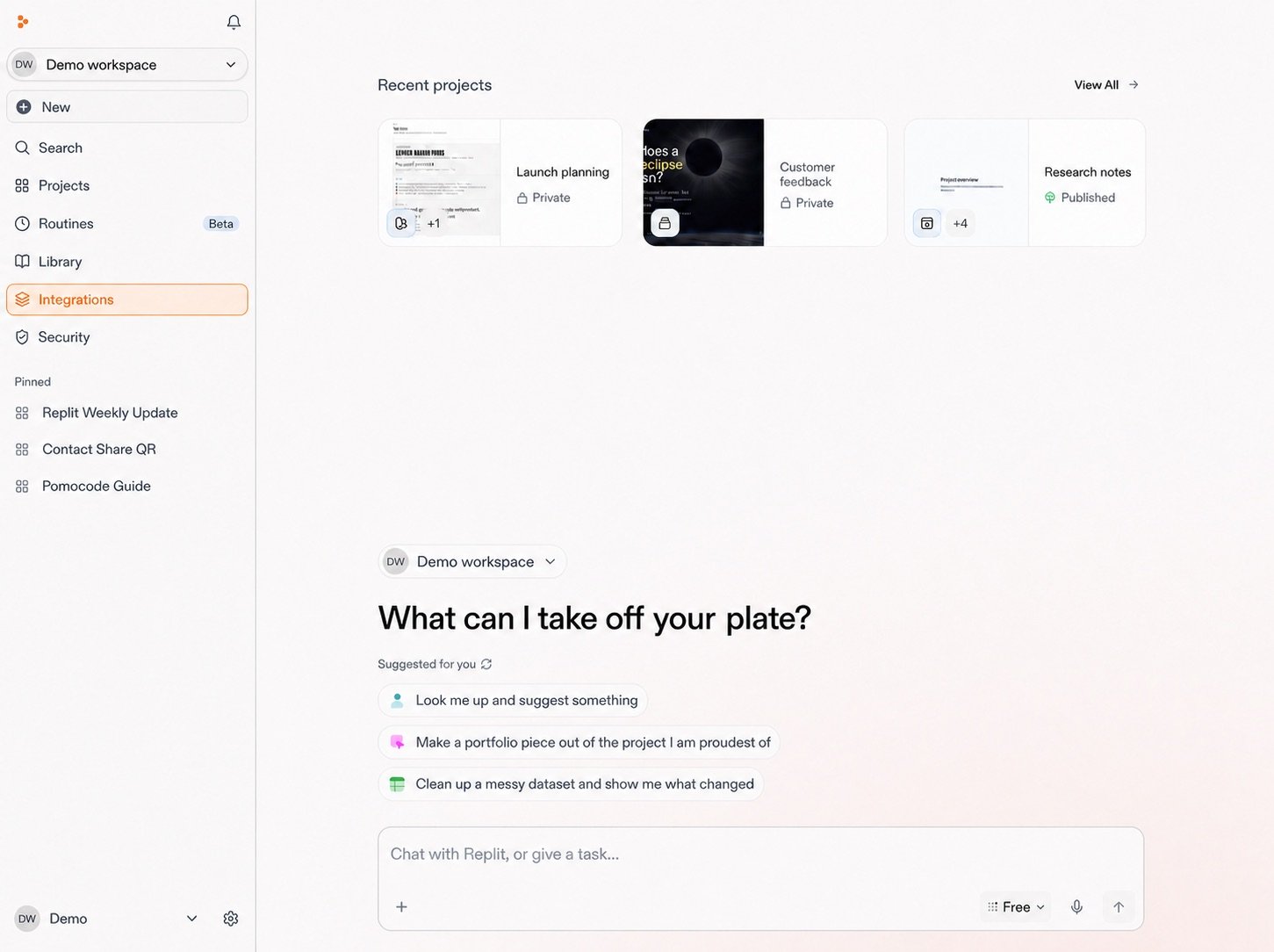
2
Select an integration
Browse or search the integrations library, then select the service you need.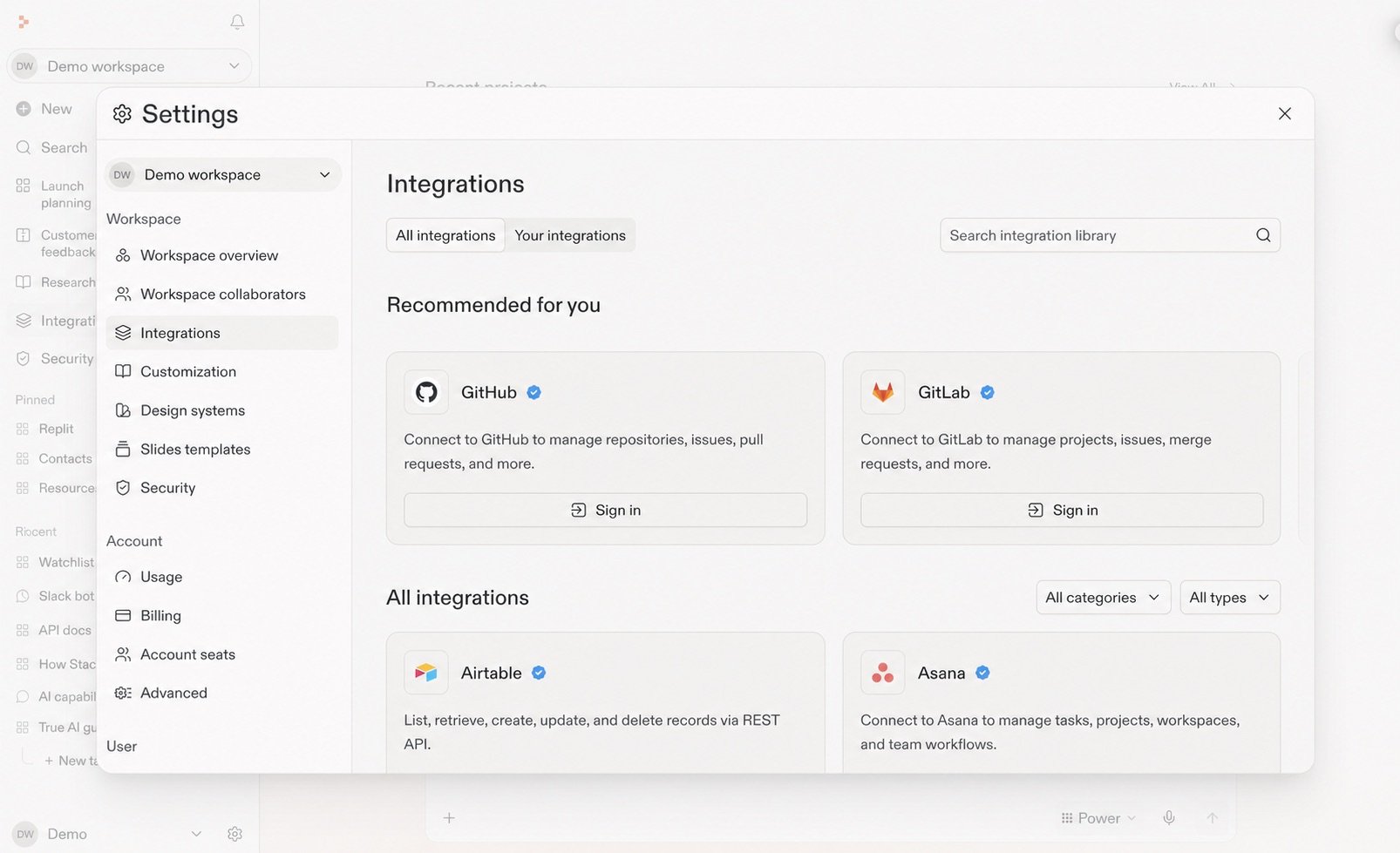
3
Connect it
Review what the integration can access, then continue through the provider’s sign-in and permissions flow. Salesforce is shown here. Other integrations may differ.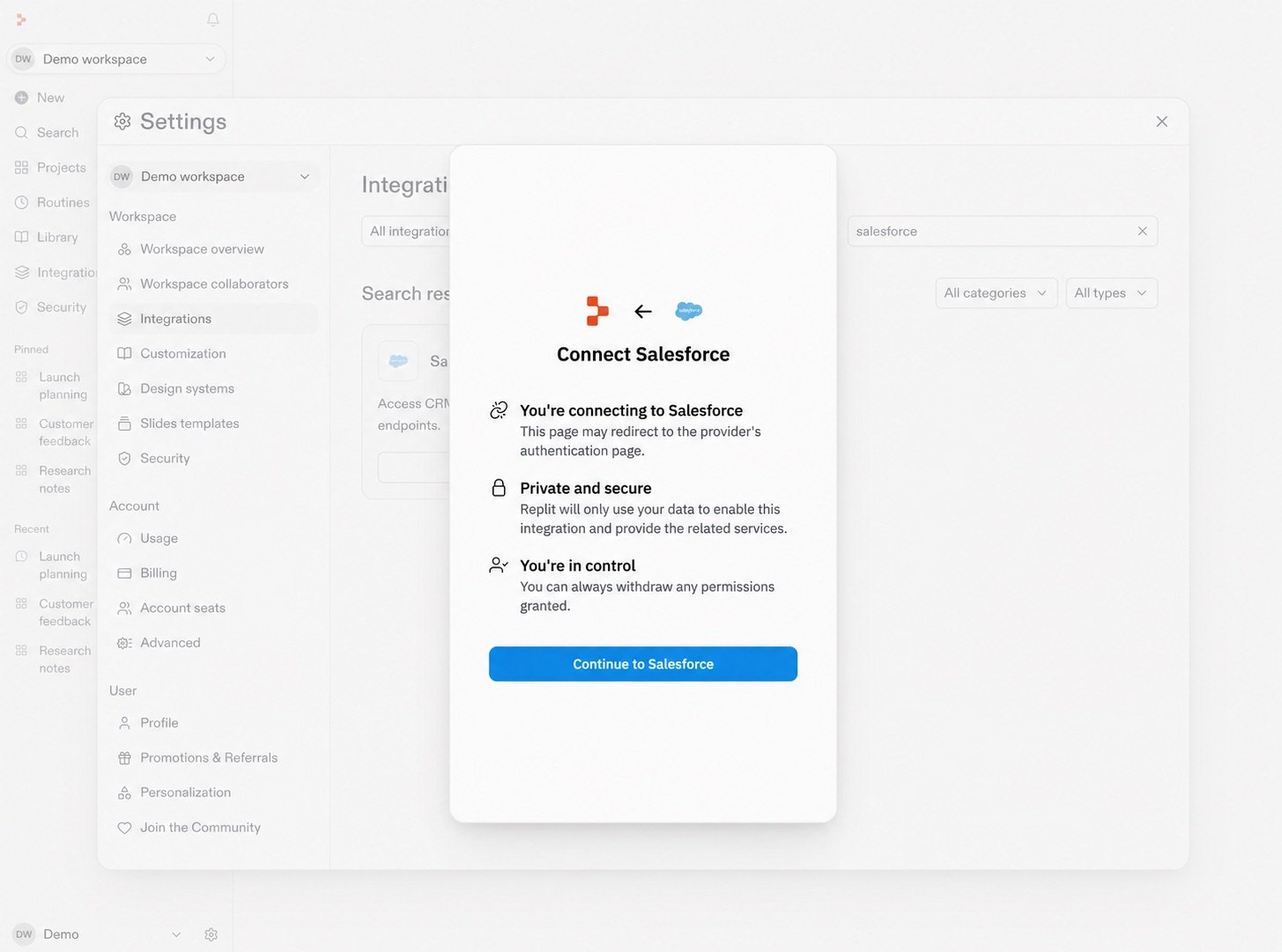
Start with a familiar tool

Slack
Search conversations and threads, then use that context in your work.
Explore connectors →
Google Drive
Bring relevant files and folders into the context for a chat.
Explore connectors →
Salesforce
Use relevant customer and account information in a chat.
Explore connectors →
See a connected workflow
Research and analyze
Prepare for a customer call
Bring together Salesforce, Slack, and Google Drive context.
Explore the use case →