Feedback collection can be activated on your published apps to gather insights directly from visitors and send directly to Agent. When feedback is enabled, visitors can submit feedback, including screenshots and files, which you can manage through your Inbox.
Enabling feedback
You can enable feedback on web apps only. You won’t be able to enable this for other kinds of apps, like automations or mobile apps.
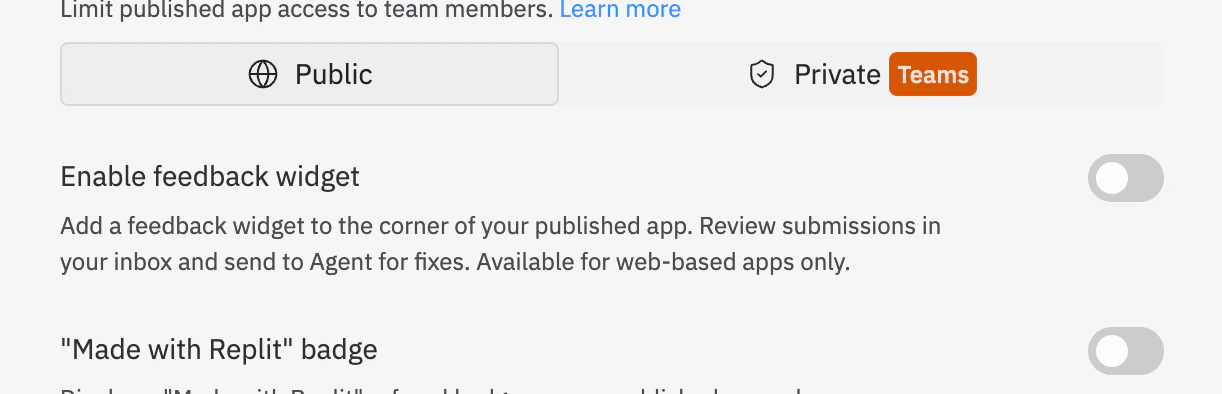
- Open the Publishing tool
- Select Advanced Settings
- Toggle on Enable Feedback
- Republish your app
If you don’t see the feedback widget in your published app, try refreshing the page
Submitting feedback
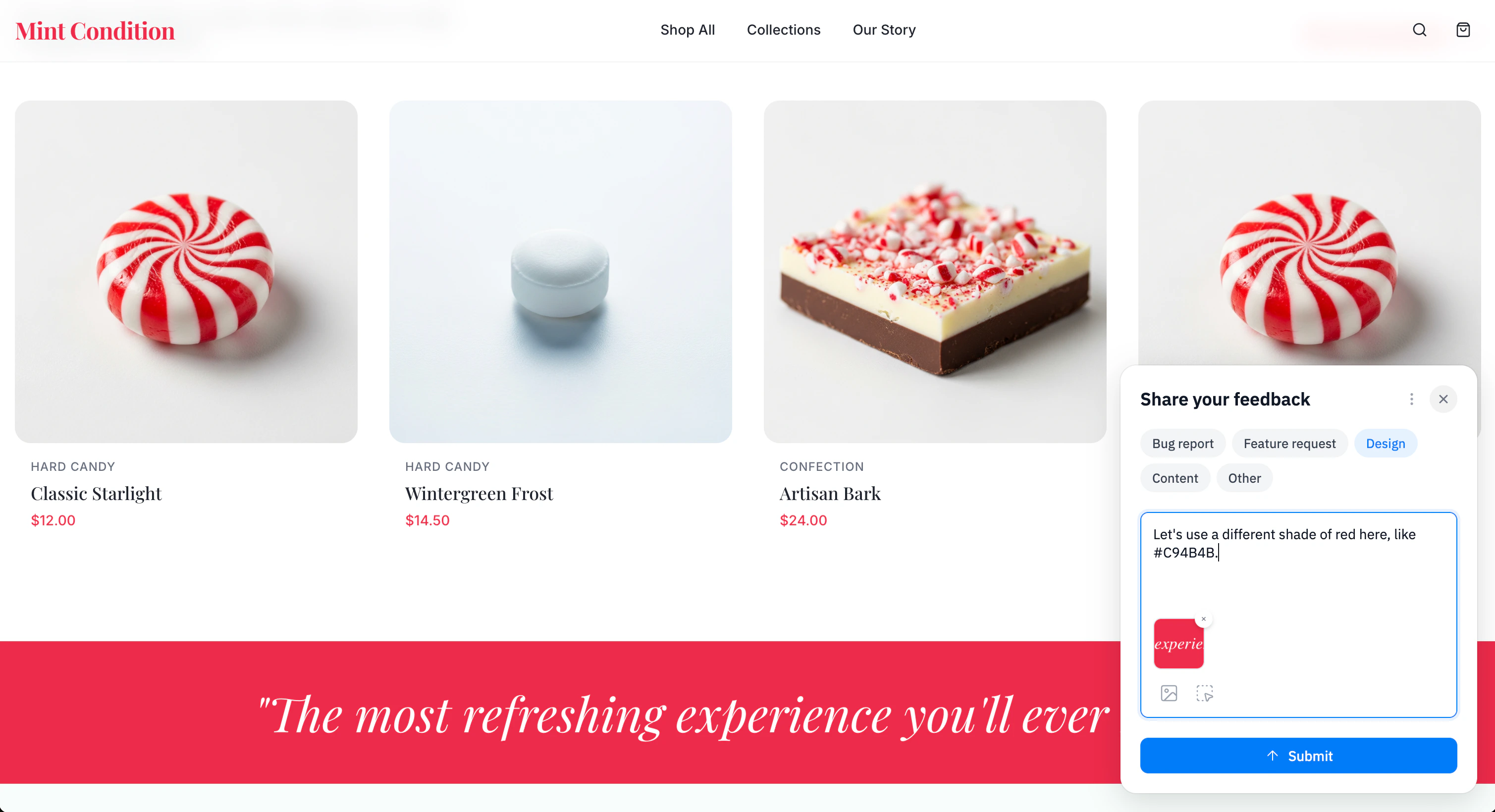
When feedback is enabled on a published app, visitors can submit feedback directly from the app. Users can:
- Sign in to leave feedback
- Leave text feedback describing their experience or suggestions
- Select elements to illustrate issues or features
- Upload files to provide additional context
Managing feedback in your Inbox
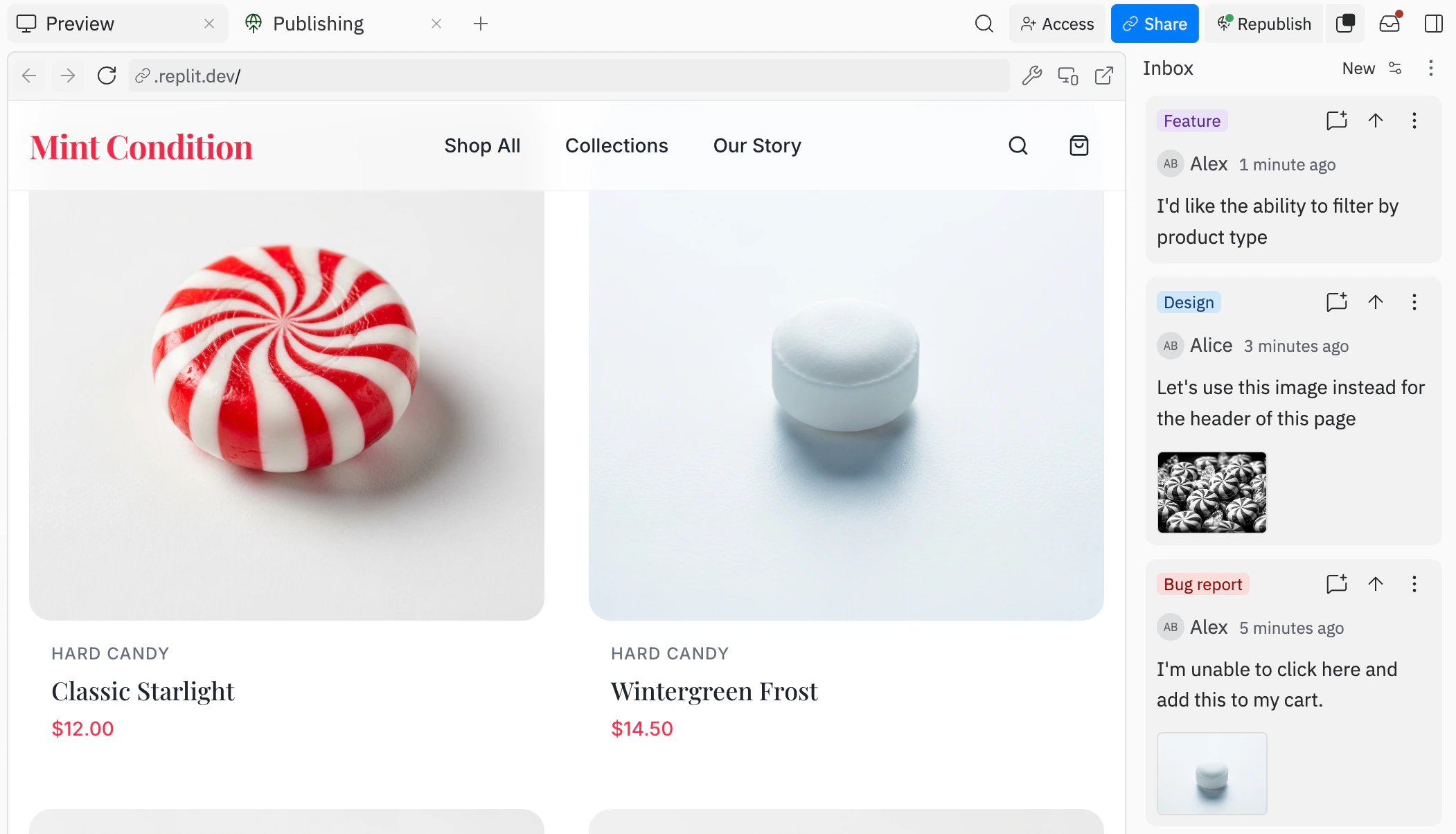
All feedback submitted by visitors appears in your Inbox, accessible from inside the Project Editor. From the Inbox, you can:
- Add to Chat: Send feedback to your chat with Agent, to add context before submitting
- Send to Agent: Immediately send feedback to Agent and start work right away
- Resolve: Mark feedback as resolved once it has been addressed
- Delete: Remove feedback that’s no longer needed
You can also use filters to organize and find specific feedback entries.
Republishing with updated feedback settings
After your app is published, you can enable or disable the feedback widget at any time by republishing with updated settings:
- Open the Overview tab on the Publishing tool
- Select Advanced Settings
- Toggle Enable Feedback on or off
- Republish your app to apply the changes
Any changes to the feedback setting take effect once the app is republished.
Next steps
To learn more about publishing your apps, see the following resources: