

What is RevenueCat
RevenueCat allows you to add in-app subscriptions to your native mobile app. To get started, ask Agent to set up a subscription, connect your RevenueCat account, and Agent handles the logic and provides a test environment.Prerequisites
Before you start, you need:- A Replit project created with a Mobile app
- A RevenueCat account (only an email and password are required—no bank account or additional setup needed)
Get started
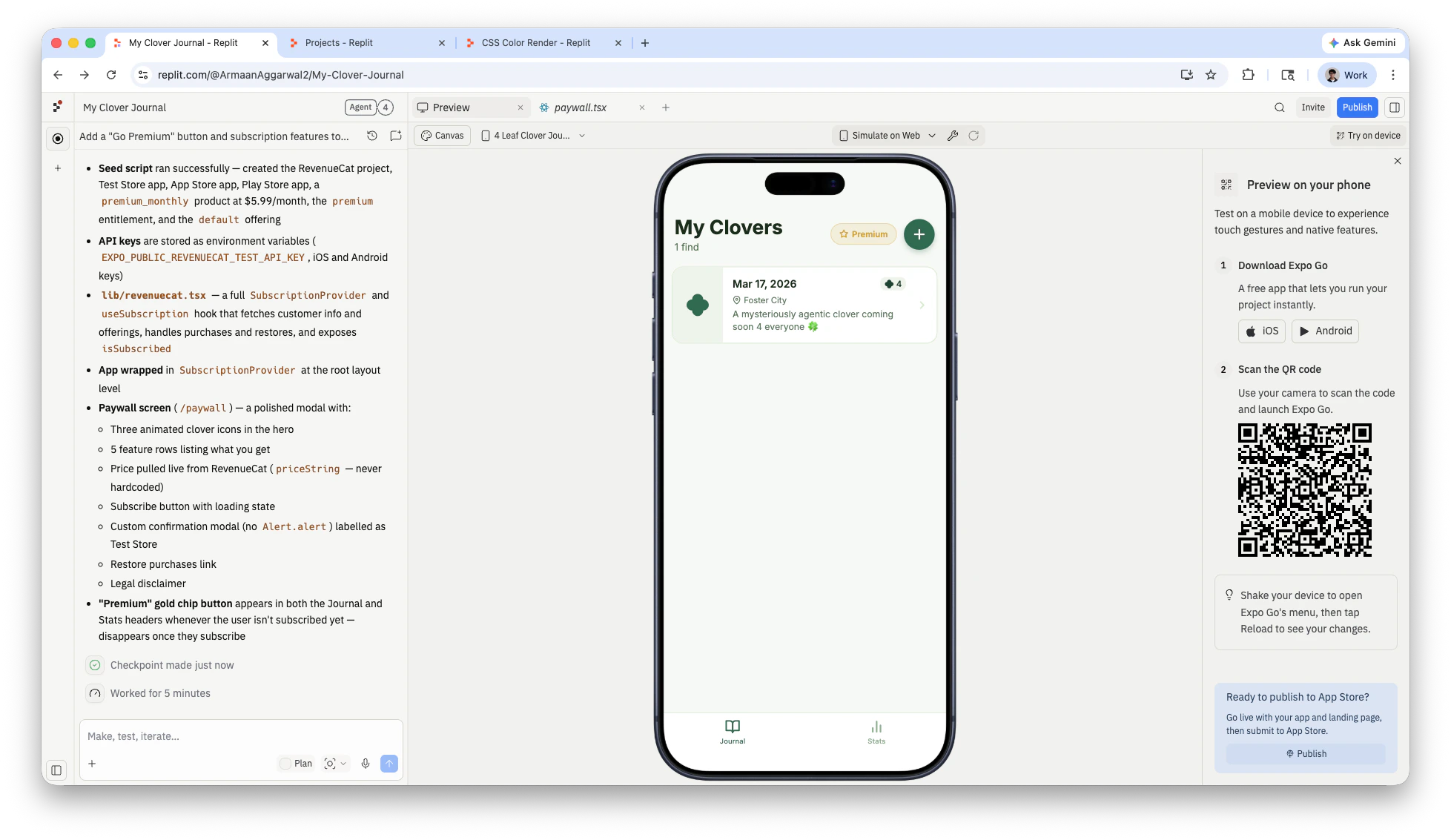
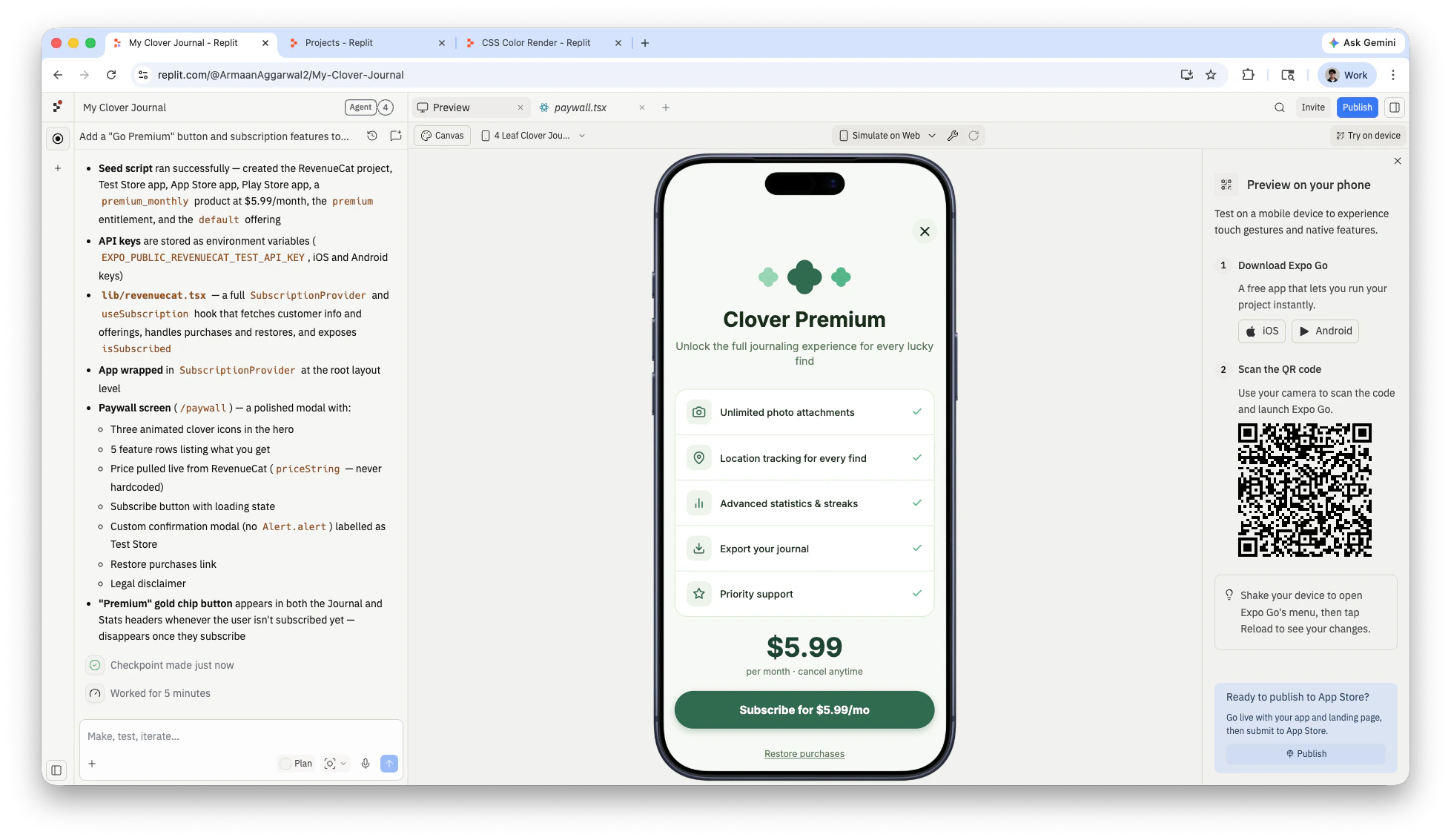
Ask Agent to add a subscription
Describe the subscription you want. Agent plans the integration, installs packages, and sets up RevenueCat.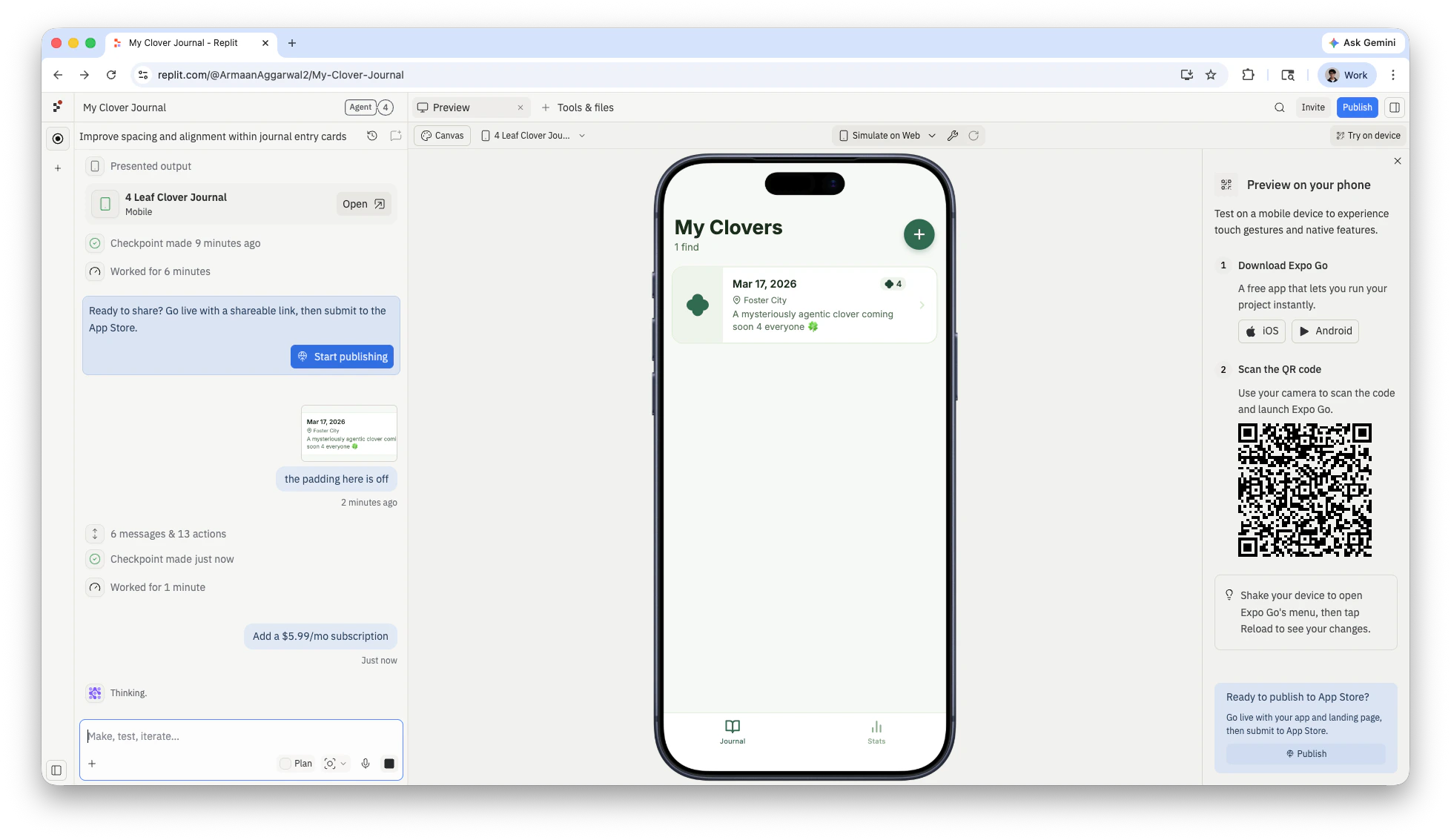
Connect your RevenueCat account
Agent prompts you to connect RevenueCat. Select Connect RevenueCat to begin the authorization flow.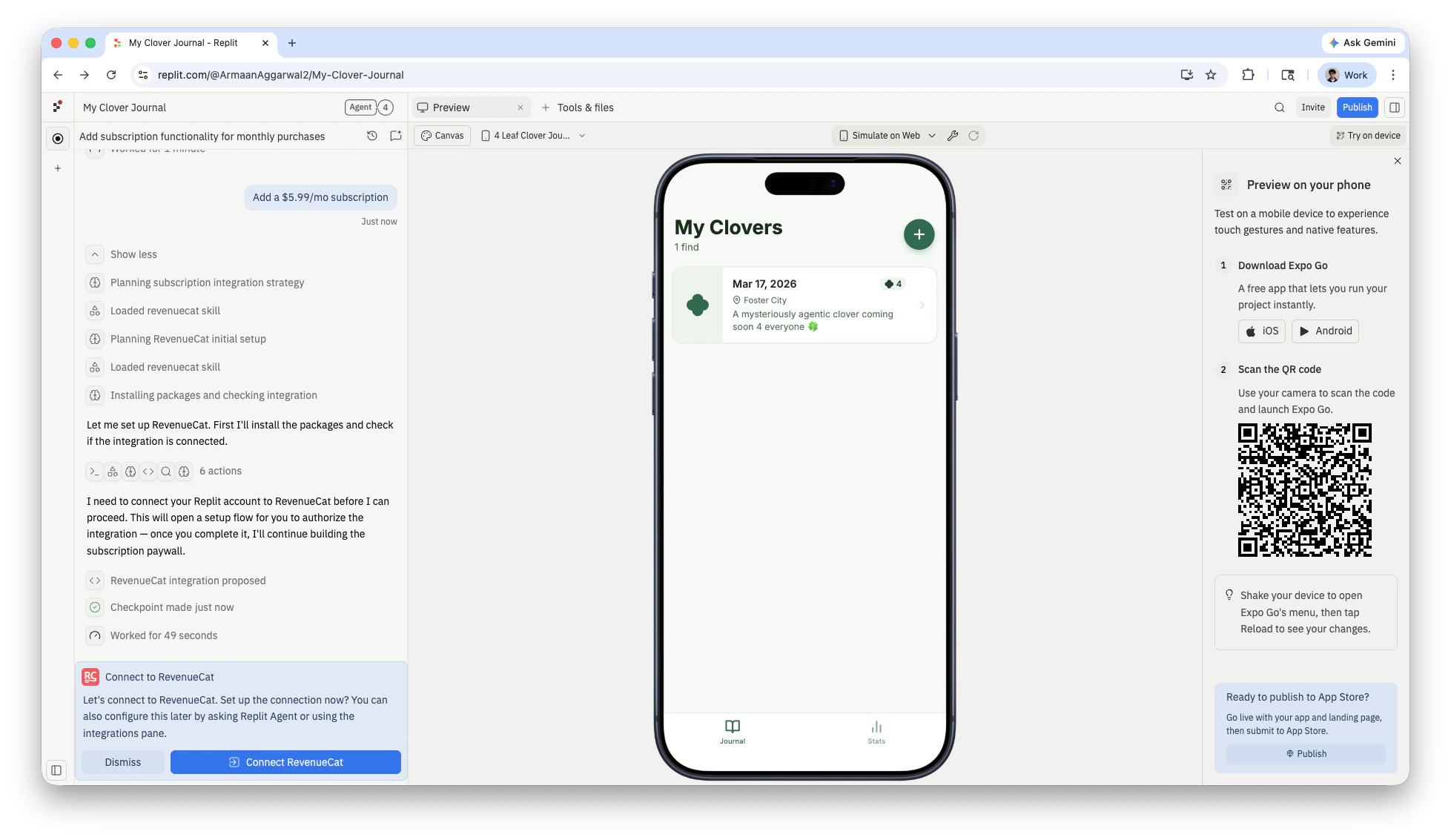
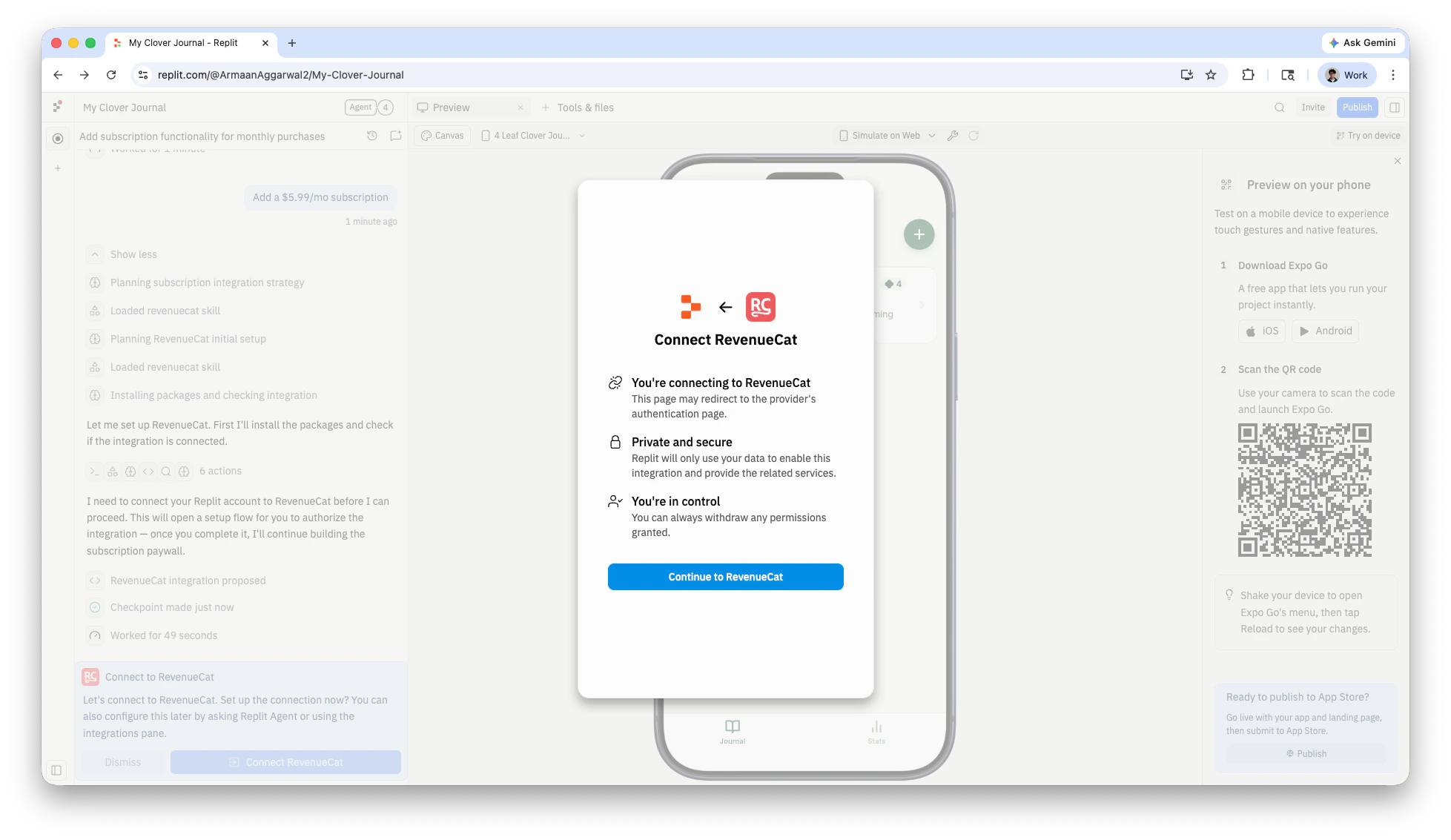
Authorize Replit
On the RevenueCat authorization page, select Read & Write access and then Authorize to grant Replit access to your RevenueCat account.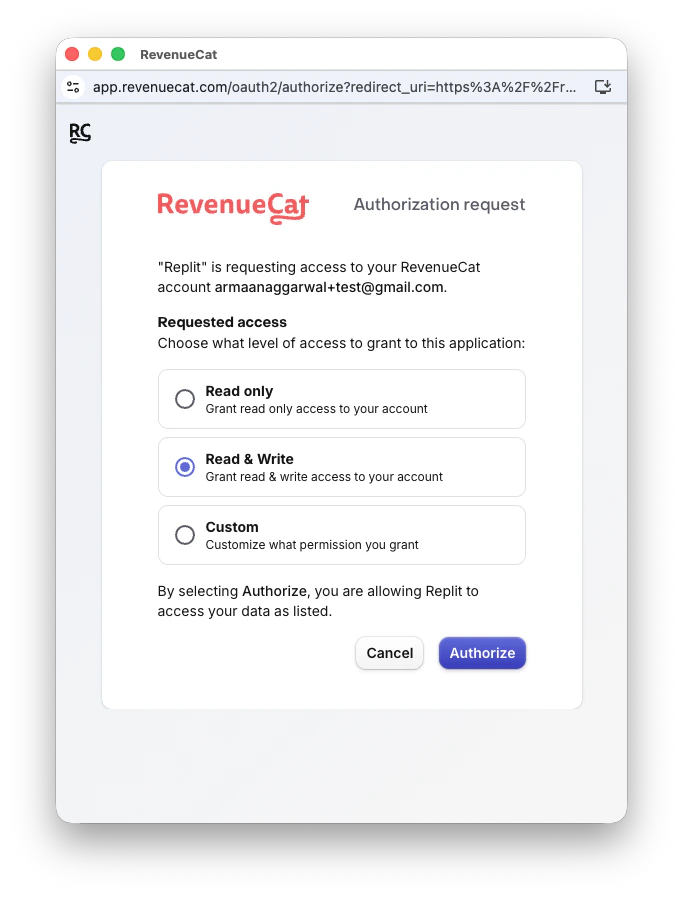
Test subscriptions
Replit previews use RevenueCat’s test mode. When you test a purchase in Expo Go, you see a test purchase dialog instead of a real payment flow. No money is charged.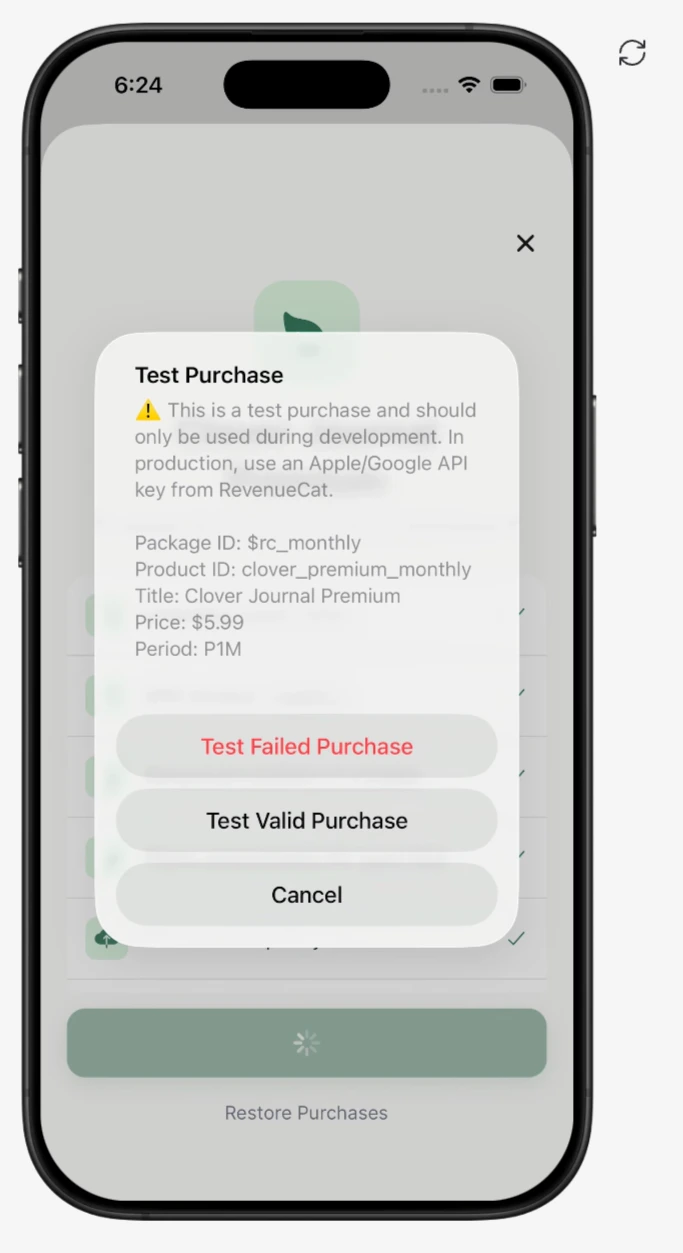
Manage subscriptions
To modify your subscription, ask Agent. For example: Agent updates your RevenueCat product configuration, paywall UI, and subscription logic to reflect the change.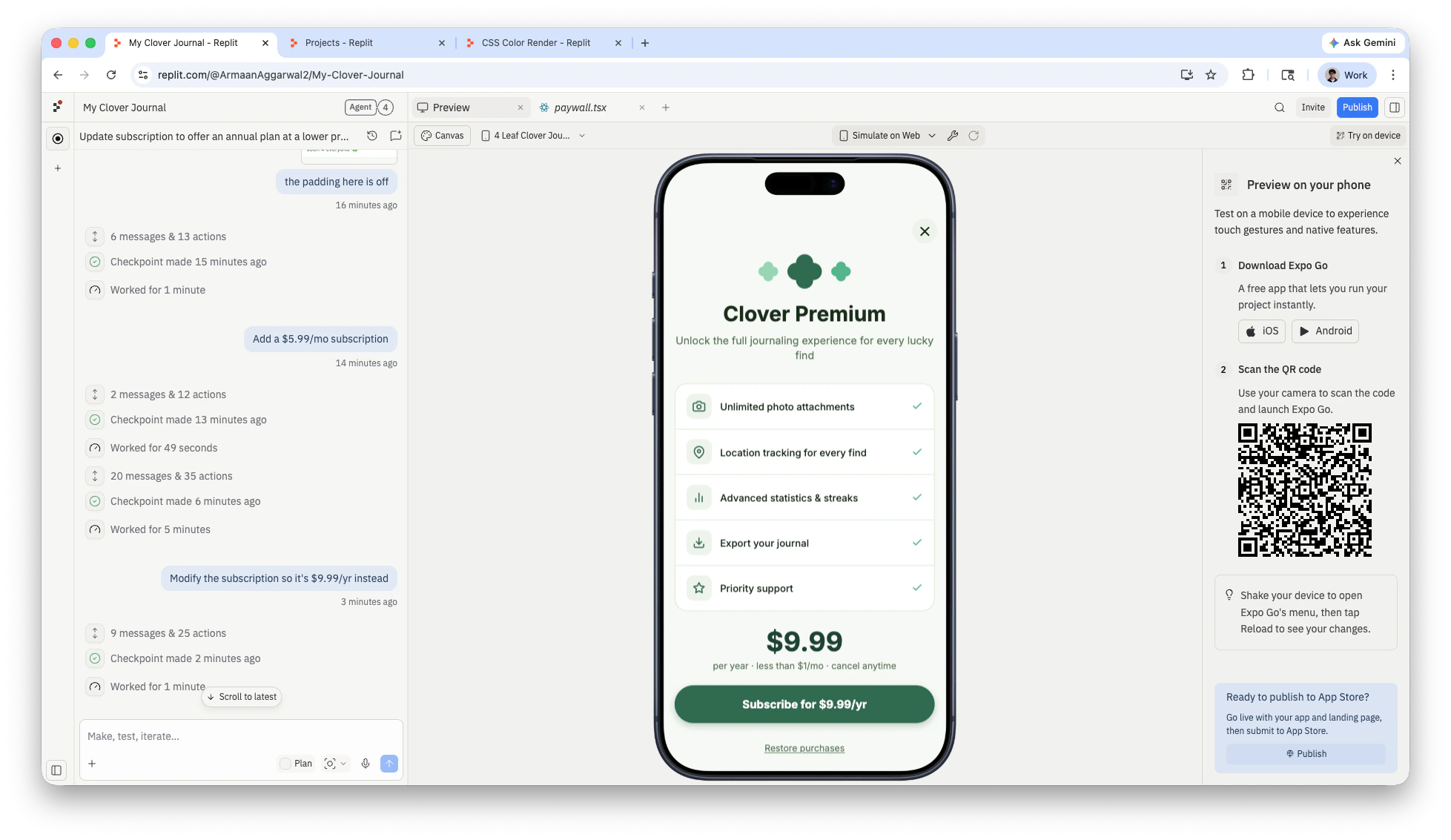
Frequently asked questions
Do I need a bank account to use RevenueCat?
Do I need a bank account to use RevenueCat?
No. You only need an email and password to create a RevenueCat account. Bank account setup is handled separately through Apple or Google when you are ready to receive payouts from the App Store or Google Play.
Are test purchases charged?
Are test purchases charged?
No. During development, Replit previews use RevenueCat’s test mode. Purchases are simulated and no real charges are made. Real charges only apply after your app is published to the App Store.
Can I use RevenueCat with a web app?
Can I use RevenueCat with a web app?
RevenueCat is designed for native mobile apps. To add subscriptions to a web app, use the Stripe integration instead.
What can I configure with RevenueCat?
What can I configure with RevenueCat?
You can set up monthly or yearly subscriptions, configure pricing, manage entitlements, and build paywalls. Ask Agent to make changes—it handles both the RevenueCat configuration and your app code.