

Documentation Index
Fetch the complete documentation index at: https://docs.replit.com/llms.txt
Use this file to discover all available pages before exploring further.
- Replit managed: Built-in integrations that work automatically. Create an app and your Agent can start using these right away.
- Connectors: First-party integrations Replit supports. Sign in once. Agent can read and write to these services directly from chat — pull data, create records, send messages — and build with them across your apps.
- External integrations: Trusted third-party services you can build with. Ask Agent to set them up; you’ll provide API keys.
- Agent services: Paid third-party APIs that Agent uses behind the scenes — no API keys required. Usage is billed to your Replit credits.
Getting started
To use an integration, mention the service or functionality you need. For example: Agent automatically detects these keywords and implements the necessary code and configuration.Replit managed integrations
These built-ins require no setup. Just ask Agent to use them.Replit Database
Replit Database
Replit App Storage
Replit App Storage
App Storage
App Storage
Replit Auth
Replit Auth
Replit Domains
Replit Domains
Connectors
Connectors let Agent read and write to your services directly. They are first-party integrations supported by Replit. Sign in once on the Connectors page in the Project Editor, then reuse those connections across apps.Available connectors
Google Workspace
Google Workspace
- Google Drive: Access and manage files and folders
- Google Docs: Create, read, and edit documents
- Google Sheets: Read and write spreadsheet data
- Google Slides: Create, read, and edit presentations
- Google Calendar: Read and write events and settings
- Gmail: Send, receive, and manage emails
Microsoft 365
Microsoft 365
- OneDrive: Access and manage files and folders
- Outlook: Send, receive emails and manage calendar events
- SharePoint: Read, write, and manage sites and documents
Developer tools
Developer tools
- Bitbucket: Access repositories, projects, and workspaces
- Bitbucket (Source Control): Connect Replit’s source control to Bitbucket
- GitHub: Access repositories, users, and organizations
- GitHub (Source Control): Connect Replit’s source control to GitHub
- GitLab (Source Control): Connect Replit’s source control to GitLab
- Linear: Create and manage issues, comments, and schedules
- Jira: Read users and manage work items and issues
- Asana: Read tasks and project data
- Confluence: Read users and groups, write content to spaces
Cloud storage
Cloud storage
- Dropbox: Read files, content, and metadata
- Box: Read and access files and folders
Communication
Communication
- AgentMail: Send and receive emails programmatically
- Discord: Access guild information and user profiles
- Resend: Send transactional emails
- SendGrid: Send transactional emails
- Slack: Send messages and interact with channels and workflows
- Slack Agent: Build Slack-native agents with deeper workspace integration
- Slack Agent Builder: Tooling for designing and configuring Slack Agents
- Twilio: Send SMS messages and make voice calls
- Zoom: Create and manage meetings, recordings, and contacts
CRM and sales
CRM and sales
- Salesforce: Access CRM data and perform operations via REST API
- HubSpot: Read CRM objects, contacts, and deals
- Zendesk: Read and write access to Ticket API for support workflows
HR and recruiting
HR and recruiting
- Ashby: Read candidate, job, and interview data
Payments and monetization
Payments and monetization
- RevenueCat: Manage in-app purchases and subscriptions
- Stripe: Process payments and manage subscriptions. See the Stripe payments guide.
- Plaid: Connect to bank accounts and access financial data
- Plaid: Access financial account balances, transactions, and investment data where supported. See the Plaid connector guide.
AI and media
AI and media
- ElevenLabs: Generate AI voice and audio content
- OpenAI: Use GPT models for text generation and assistants
Data and analytics
Data and analytics
- BigQuery: Query and analyze large datasets
- Databricks (U2M): Connect Databricks Apps with user-to-machine auth
- Databricks (M2M): Connect Databricks with machine-to-machine auth
- Snowflake: Query and manage Snowflake data warehouses
- Microsoft Fabric: Access analytics, data engineering, and BI services
- PostgreSQL: Connect to a PostgreSQL database
- Hex: Build and share data notebooks and apps
- Amplitude: Access product analytics and user behavior data
- Segment: Send customer events and traits to your data pipeline
Marketing and social
Marketing and social
Maps and location
Maps and location
- Mobile Maps: Embed map experiences in mobile apps
Productivity
Productivity
- Calendly: Read and manage scheduled events
- ClickUp: Read and manage tasks, lists, and spaces
- Monday.com: Access boards, items, and updates
- Notion: Read and write to workspaces and pages
- Spotify: Access and manage playlists and library
- Todoist: Create and manage tasks and projects
Accessing Connectors
You can access Connectors from the sidebar in the Project Editor: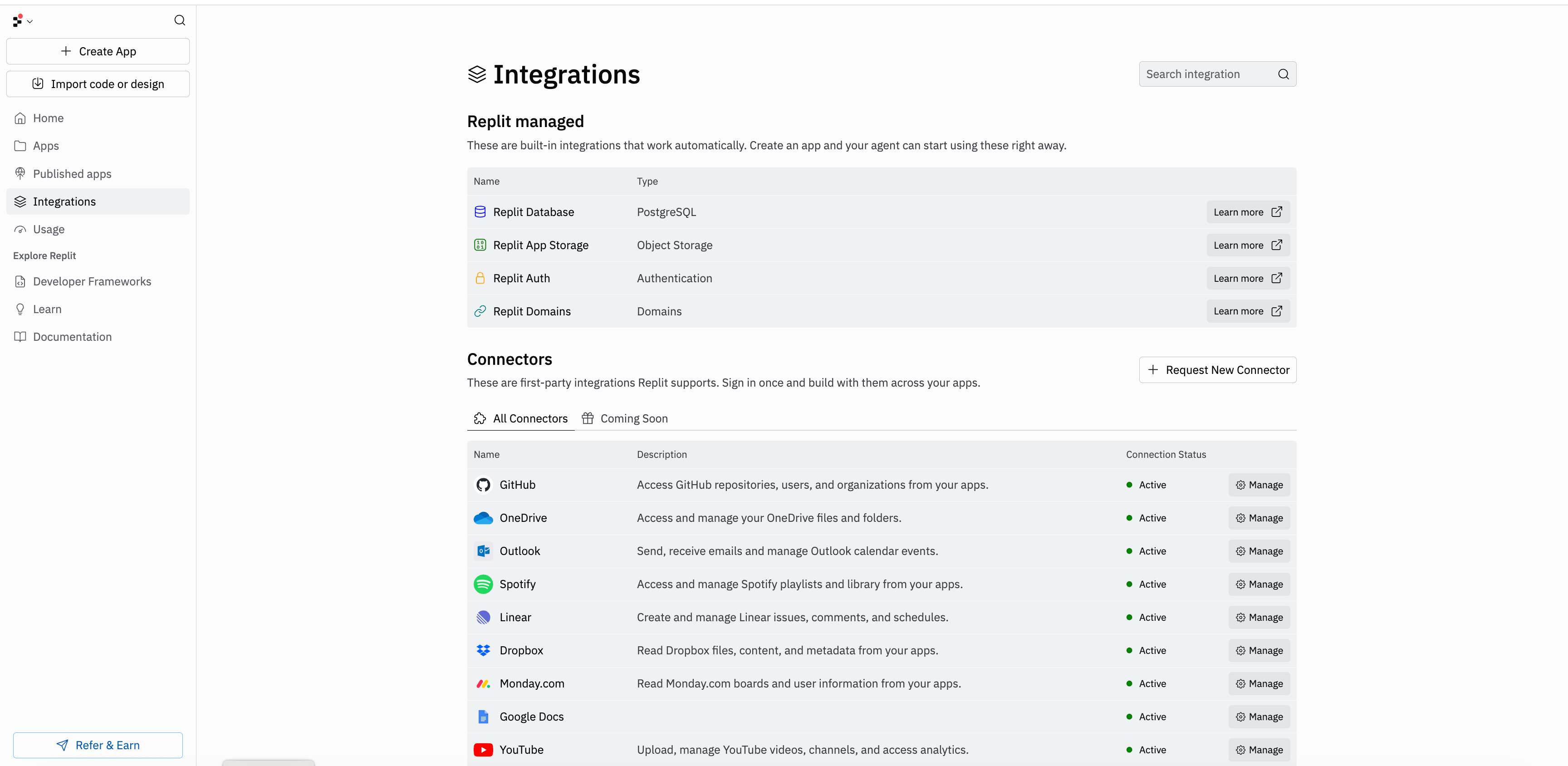
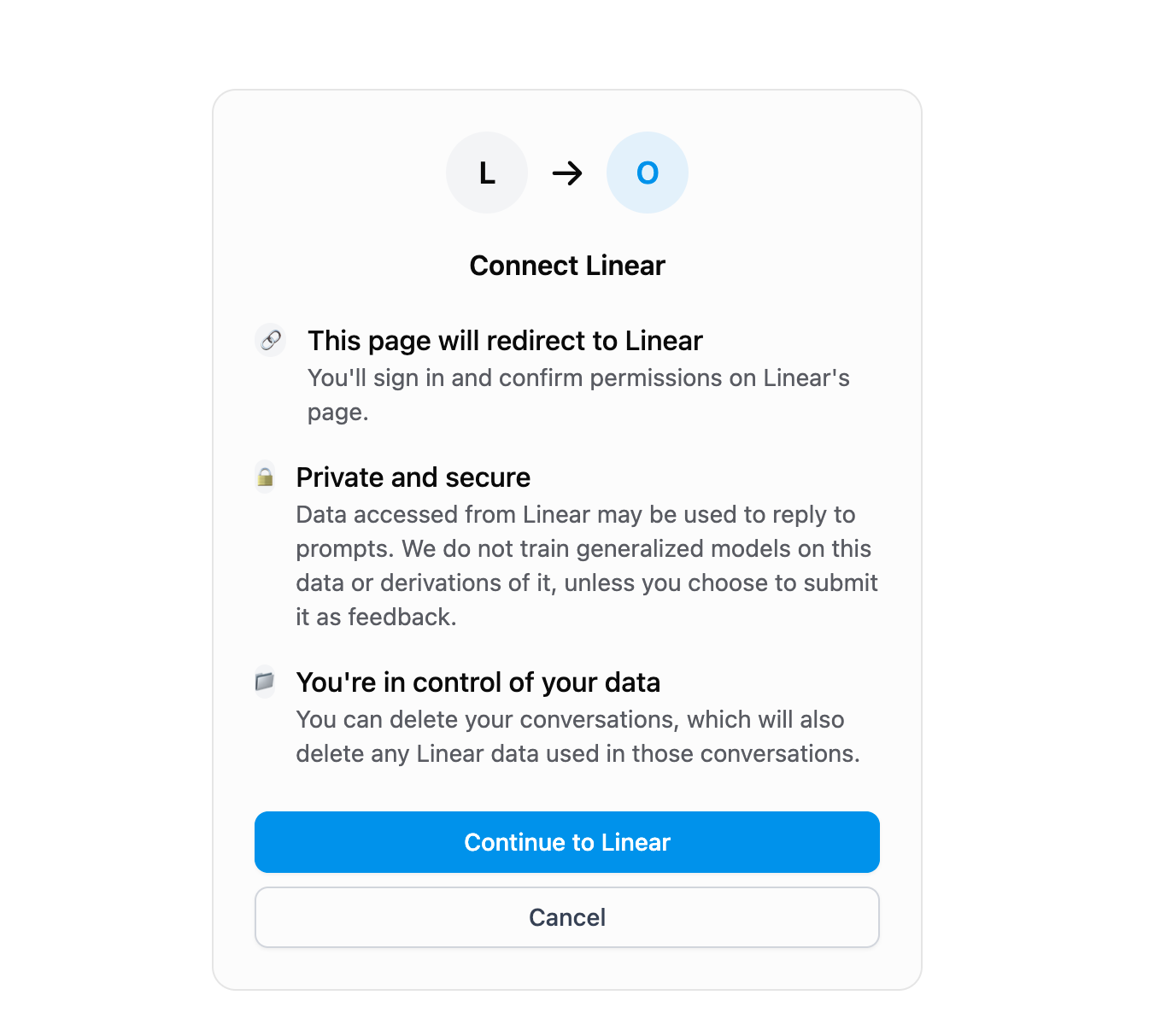
Configuring OAuth App with Replit

Create an OAuth app with your provider
Set the redirect URL
Copy the Client ID and Client Secret
- Client ID: A public identifier for your OAuth app. It’s safe to expose in URLs and client-side code.
- Client Secret: A confidential value that proves the request is coming from your app. Treat it like a password — never commit it to a repository or share it publicly. Replit stores it securely on your behalf.
Choose your scopes
- Missing the full URL prefix (for example,
https://www.googleapis.com/auth/drive.filevs.drive.file). - Extra whitespace or trailing commas.
- Requesting a scope in Replit that isn’t enabled on the provider’s app.
https://replit.com/connectors/oauth/callback exactly and that every scope you entered in Replit is also authorized on the provider’s app.Example prompts
- “Integrate with Outlook to create an email dashboard”
- “Build a GitHub repository manager using my connected GitHub account”
- “Create a Linear task tracker for my team”
- “Build a Notion-powered website using my connected Notion workspace”
- “Create a Monday.com project dashboard”
External integrations
Trusted third-party services. Ask Agent to set them up; you’ll provide API keys.AI providers
OpenAI
OpenAI
Google AI (Gemini)
Google AI (Gemini)
Anthropic (Claude)
Anthropic (Claude)
Perplexity
Perplexity
Mistral AI
Mistral AI
OpenRouter
OpenRouter
Business and automation
Workato
Workato
HubSpot
HubSpot
Communication and community
Discord
Discord
Agent services
Some capabilities use paid third-party APIs behind the scenes. Agent handles the integration automatically — no API keys or setup required. You’re billed at the provider’s rate, deducted from your Replit credits.Brave Image Search
Brave Image Search
ElevenLabs
ElevenLabs
Google Gemini image generation (Nano Banana)
Google Gemini image generation (Nano Banana)
Reconnecting integrations
If a connected service stops working — for example, if your login session expires or permissions change — Replit surfaces a reconnection alert in the Project Editor. Select the alert to reconnect the integration directly, without leaving the editor.Debugging connectors
Running into issues connecting a service? These guides walk you through common errors and how to fix them.Google Workspace: "This app is blocked"
Google Workspace: "This app is blocked"
Salesforce: "Connection Expired"
Salesforce: "Connection Expired"