

Replit Agent can connect to hundreds of external tools and data sources through the Model Context Protocol (MCP), an open standard for integrations between AI tooling providers. MCP servers let Agent leverage context and tools from external services, databases, and APIs. Use the MCP servers section in the Integrations pane to connect any remote MCP server. Once connected, Agent automatically loads the tools each server makes available and will use them when appropriate.Documentation Index
Fetch the complete documentation index at: https://docs.replit.com/llms.txt
Use this file to discover all available pages before exploring further.
MCP servers section
Open the MCP servers section
Go to Integrations Page, then scroll down to MCP Servers for Replit Agent to view existing servers or add a new one.
Add an MCP server
Click Add MCP server and provide a recognizable name so Agent can reference the server in chat logs.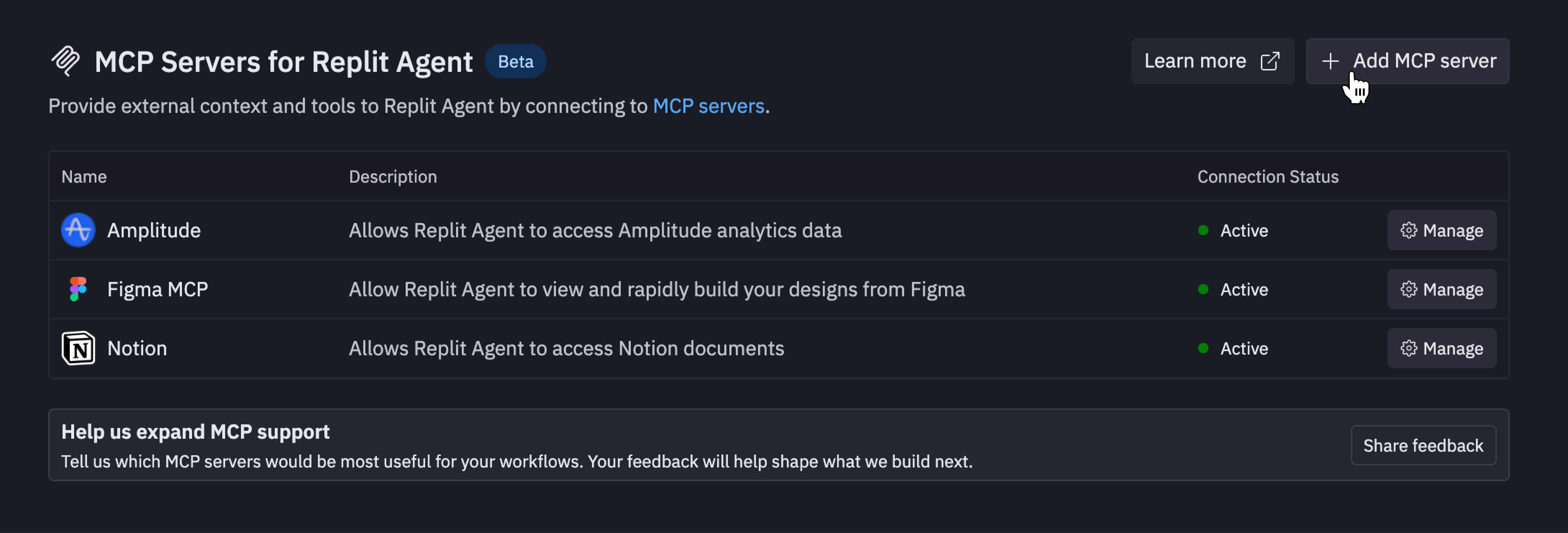
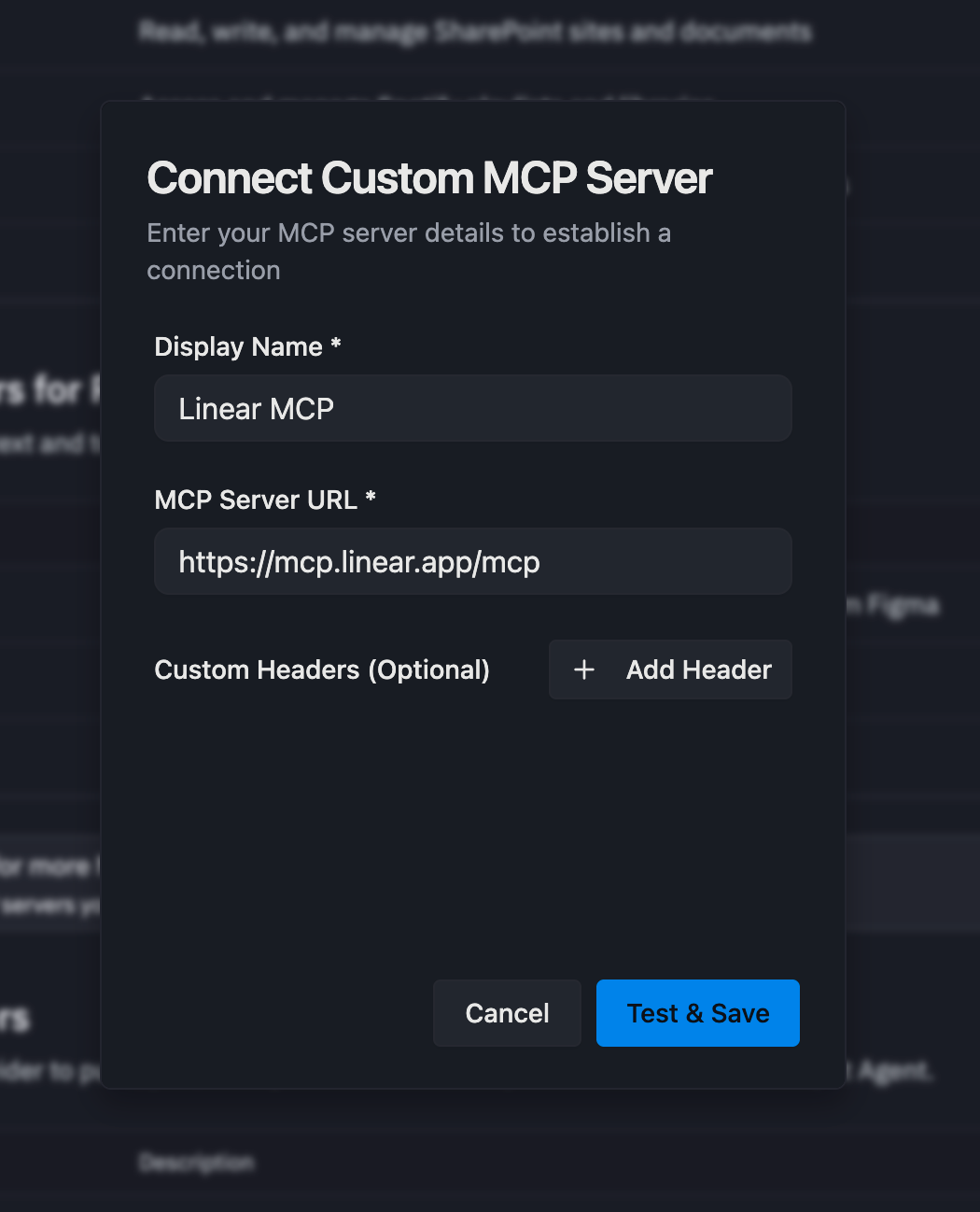
Use MCP tools in Agent
After a connection is active, Agent automatically fetches the server’s tool list and makes its capabilities available in chat for all your projects. To get started, just ask the agent to use the MCP server by mentioning the display name you configured during setup.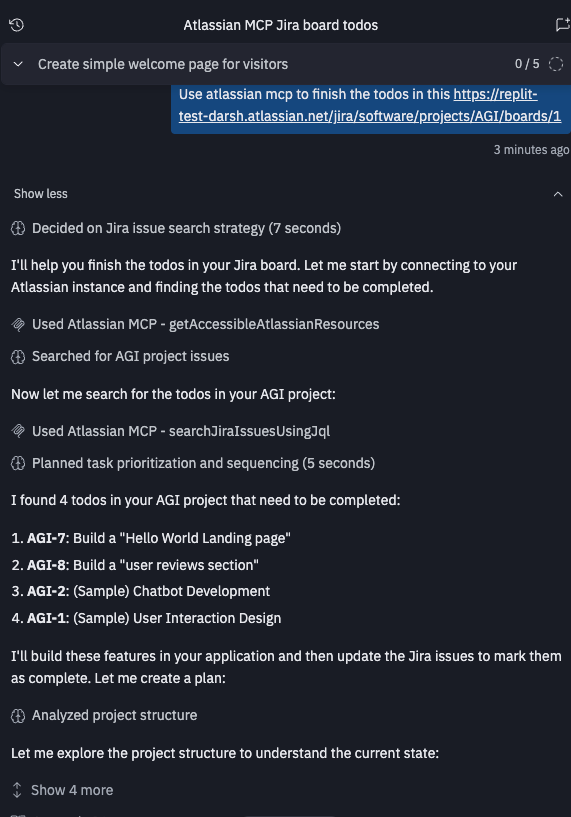
Security protections
All custom MCP traffic passes through Replit’s security scanner. The scanner evaluates tool definitions and planned executions, blocking suspicious or unsafe tools before they run. If a tool is rejected, Agent will inform you about it.Authentication options
- OAuth dynamic client registration: If the server supports OAuth DCR, Replit automatically detects and registers the client for you.
- Custom headers: Define one or more header name and value pairs (for example,
X-API-Key). Replit includes these headers in every MCP request so your server can verify the caller.
Explore MCP resources
- Browse the MCP directory for featured server integrations.
- Grab install links to quickly share tested MCP server connections.