

Quick examples
See the difference between vague and effective prompts:Fixing code
Fixing code
Vague: “Fix my code.”Effective: “The sign-in form fails even with the right password. Fix the login flow.”Start with the broken outcome. Then add the error or file if Agent needs more context.
Building features
Building features
Vague: “Make a website.”Effective: “Build a simple portfolio site with Home, About, and Contact pages.”Focus on the result you want, plus the few details that matter most.
Performance improvements
Performance improvements
Vague: “Don’t make it slow.”Effective: “Make the dashboard load faster when there are lots of orders.”Describe the improvement you want. Let Agent choose the implementation unless you have a strong preference.
UI changes
UI changes
Vague: “Add animation.”Effective: “Add a subtle fade-in to the hero image when the page loads.”Name the part of the app and the effect you want.
Complex systems
Complex systems
Vague: “Build the backend.”Effective: “Add sign-in, profiles, and a way for people to save their progress.”Ask for the product outcome first. Add technical details only if they are important.
Core principles
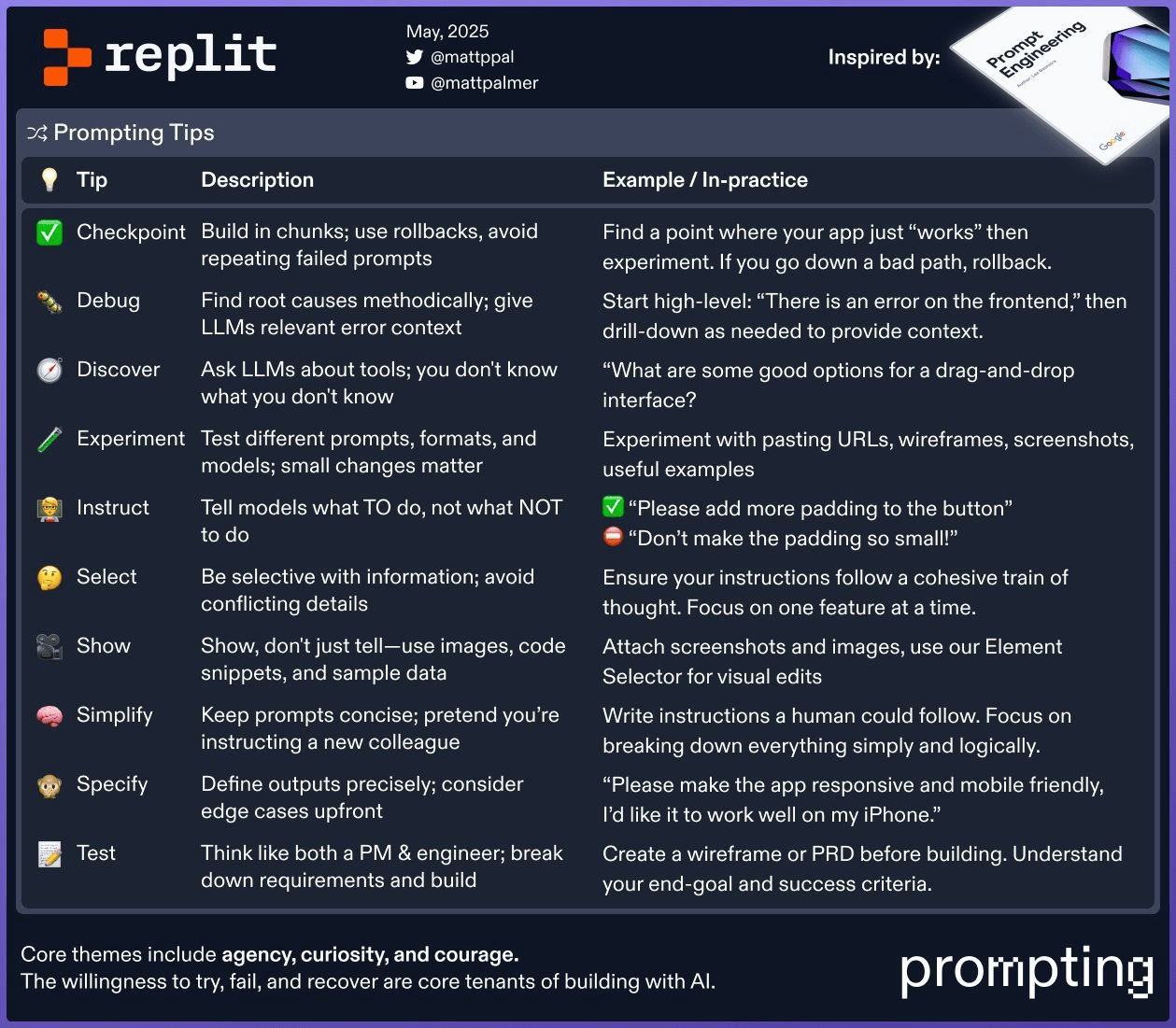
Plan first
Write down the main outcome, then the next few milestones. Instead of: “Build a task manager app.” Try: “Build a simple task manager where I can add, complete, and delete tasks.” Then use follow-up prompts to refine it.Build incrementally
Checkpoints happen automatically as Agent works. If something breaks, you can roll back and try a different approach. Instead of: “Build a complete e-commerce platform.” Try: “Start with a simple online store with sign-in and product pages.” Then add cart, checkout, and admin tools in follow-up prompts.Be specific
Say what you want to happen and include the details that change the result. Instead of: “Add a contact form.” Try: “Add a contact page with name, email, and message fields. Send submissions to my email.”Use positive language
State what you want, not what to avoid. Instead of: “Don’t make the user profile page confusing.” Try: “Make the profile page clean and easy to scan. Show the name, email, join date, and an Edit profile button.”Keep it simple
Use short, direct language. Add implementation details only when they matter. Instead of: “Implement the necessary server-side infrastructure to facilitate the dynamic generation and retrieval of user-generated content artifacts.” Try: “Let people write and publish blog posts.”Working with context
Provide relevant files
Share only the files or references Agent needs. Instead of: (Attaching everything) “Implement the user profile page based on our design system.” Try: “Create the user profile page and match this mockup: [attachprofile_mockup.jpg]. Use the colors from our design doc: [URL].”
Show examples
Reduce ambiguity with examples, screenshots, or sample data. Instead of: “Make the product cards look better.” Try: “Make the product cards look like this screenshot: image, name, price, and an Add to cart button.”Debugging effectively
When something breaks, include:- The exact error message
- Relevant code snippets
- File names where the error occurs
- What you were trying to achieve
- Steps you’ve already tried
/login. Please fix it.”
Ask for guidance
Instead of: “Add payments.” Try: “What’s the simplest way to add credit card payments to my app on Replit?”Iterate on your prompts
Your first prompt might not be perfect. If the result isn’t right:- Add more detail
- Provide an example
- Simplify the instruction
- Try a different way of explaining
Summary
Effective prompting comes down to:- Planning before you prompt
- Building incrementally — checkpoints happen automatically as Agent works
- Describing outcomes clearly
- Providing context through examples and relevant files
- Iterating when results aren’t quite right