

UUID.servername.replit.dev and provide a live preview of your app as you develop.
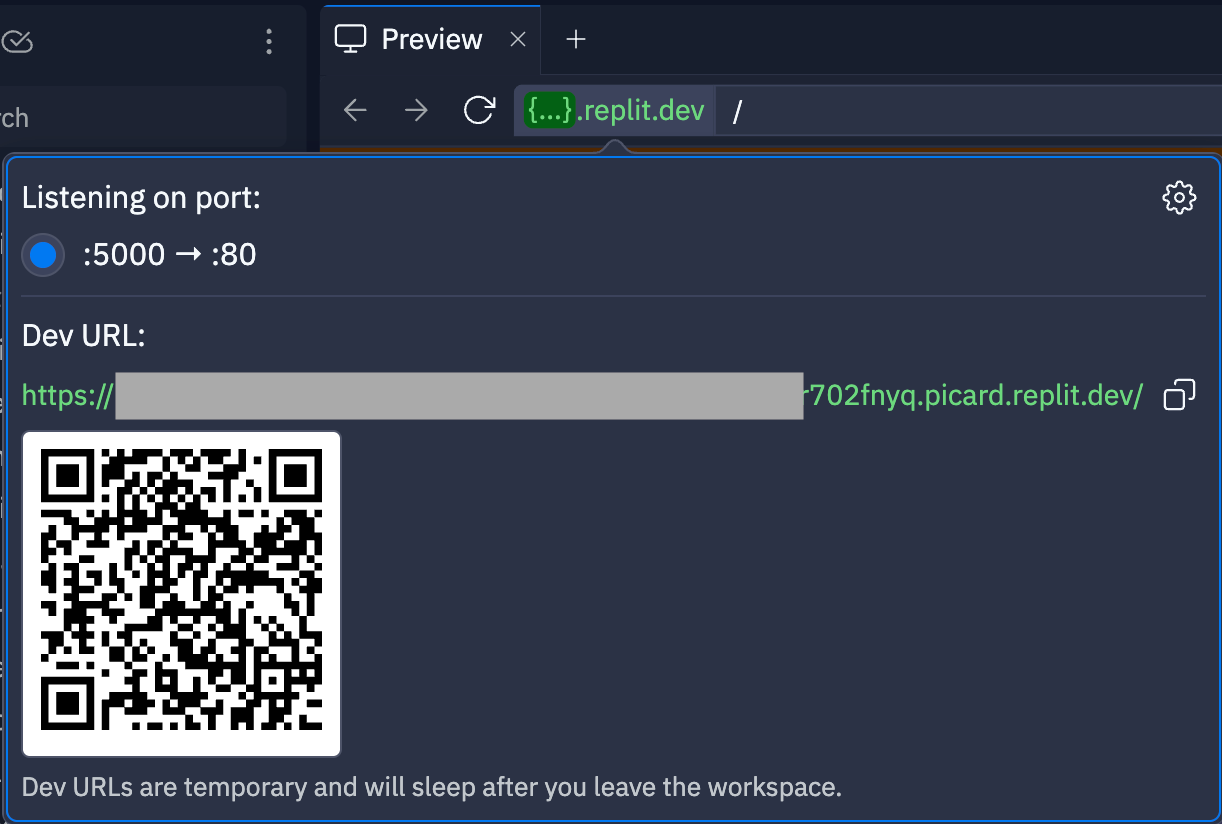
{...}.replit.dev text in the location bar.
Understanding development URLs
Development URLs are only live while you actively work on a Replit App. The URL can change each time you reopen the app. Development URLs allow you to view your work in a browser as you build and test. By default, development URLs are public to the web. Anyone with the URL can view your app while you’re building it. This makes it easy to share your work-in-progress with collaborators, testers, or stakeholders.Educational banner
When you open a development preview in a new tab, an educational banner appears at the top of the page. This banner helps you understand the purpose of.replit.dev URLs as you build and test your applications. The banner provides context about development URLs and their intended use during the development process.
Making development URLs private
You can restrict access to your development URL to keep your in-progress work secure. To make your development URL private:- Open Developer tools in your Workspace.
- Select the Networking tab.
- Enable the Private development URL toggle.
Enterprise customers can require private development URLs for all projects, enhancing security by ensuring development work remains protected within the organization’s environment.
Best practices
- Use private URLs for sensitive or proprietary applications during development
- Use public URLs to share your work with external stakeholders while you are actively building or when you want to test your app in a different browser