> ## Documentation Index
> Fetch the complete documentation index at: https://docs.replit.com/llms.txt
> Use this file to discover all available pages before exploring further.

# Conversations

> Use Conversations to ask questions, run routines, and turn ideas or information into useful outcomes.

export const PromptingCardVisual = () => <div className="chat-use-case-visual" aria-hidden="true" style={{
  background: "radial-gradient(circle at 48% -30%, rgba(255,255,255,.78), transparent 54%), linear-gradient(140deg, #ff764d, #ff3c00 60%, #c92d00)"
}}>
    <div style={{
  position: "relative",
  width: "72%",
  margin: "auto",
  padding: 12,
  border: "1px solid rgba(255,255,255,.56)",
  borderRadius: 14,
  background: "rgba(255,255,255,.2)"
}}>
      <span style={{
  display: "block",
  width: "66%",
  height: 7,
  borderRadius: 999,
  background: "rgba(255,255,255,.8)"
}} />
      <span style={{
  display: "block",
  width: "92%",
  height: 7,
  marginTop: 7,
  borderRadius: 999,
  background: "rgba(255,255,255,.38)"
}} />
      <span style={{
  display: "block",
  width: "82%",
  height: 22,
  marginTop: 12,
  border: "1px solid rgba(255,255,255,.62)",
  borderRadius: 8,
  background: "rgba(255,255,255,.16)"
}} />
    </div>
  </div>;

export const ChatConversationsCover = () => <div className="chat-mkt" role="img" aria-label="Replit Conversation window with a message thread and prompt box" style={{
  margin: "28px 0 42px",
  borderTop: 0,
  paddingTop: 0
}}>
    <div className="chat-use-case-visual" style={{
  aspectRatio: "auto",
  minHeight: "clamp(220px, 34vw, 320px)",
  overflow: "hidden",
  background: "radial-gradient(circle at 50% -18%, rgba(255,255,255,.82), transparent 42%), radial-gradient(circle at 4% 96%, rgba(255,184,146,.48), transparent 38%), linear-gradient(140deg, #ff764d, #ff3c00 60%, #c92d00)"
}}>
      <div aria-hidden="true" style={{
  position: "absolute",
  inset: 0,
  background: "linear-gradient(180deg, rgba(255,255,255,.14), rgba(255,255,255,0) 48%, rgba(111,24,0,.2))"
}} />
      <div aria-hidden="true" style={{
  position: "absolute",
  width: "clamp(280px, 72%, 780px)",
  maxWidth: "calc(100% - 12px)",
  height: "68%",
  left: "50%",
  top: "15%",
  transform: "translateX(-50%) rotate(3deg)",
  opacity: 0.46,
  border: "1px solid rgba(255,255,255,.34)",
  borderRadius: 28,
  background: "transparent"
}} />
      <div aria-hidden="true" style={{
  position: "relative",
  zIndex: 1,
  display: "flex",
  width: "100%",
  minHeight: "inherit",
  alignItems: "center",
  justifyContent: "center",
  padding: "clamp(10px, 2vw, 20px)"
}}>
        <div style={{
  width: "clamp(260px, 70%, 760px)",
  maxWidth: "calc(100% - 20px)",
  minWidth: 0,
  boxSizing: "border-box",
  padding: "clamp(16px, 3vw, 26px)",
  border: "1px solid rgba(255,255,255,.54)",
  borderRadius: 24,
  background: "linear-gradient(180deg, rgba(255,255,255,.27), rgba(255,255,255,.1))",
  boxShadow: "0 18px 36px rgba(55,27,18,.2)",
  backdropFilter: "blur(5px)"
}}>
          <div style={{
  display: "flex",
  alignItems: "center",
  gap: 7
}}>
            <span style={{
  width: 8,
  height: 8,
  borderRadius: 999,
  background: "rgba(255,255,255,.92)"
}} />
            <span style={{
  width: 8,
  height: 8,
  borderRadius: 999,
  background: "rgba(255,255,255,.52)"
}} />
            <span style={{
  width: 8,
  height: 8,
  borderRadius: 999,
  background: "rgba(255,255,255,.32)"
}} />
          </div>
          <div style={{
  display: "flex",
  gap: "clamp(12px, 3vw, 20px)",
  marginTop: "clamp(14px, 3vw, 22px)"
}}>
            <div style={{
  display: "grid",
  width: "clamp(34px, 7vw, 52px)",
  minWidth: "clamp(34px, 7vw, 52px)",
  alignContent: "start",
  gap: 10,
  padding: "8px 8px 8px 0",
  borderRight: "1px solid rgba(255,255,255,.32)"
}}>
              <span style={{
  width: 12,
  height: 12,
  borderRadius: 4,
  background: "rgba(255,255,255,.9)"
}} />
              <span style={{
  width: 12,
  height: 12,
  border: "1px solid rgba(255,255,255,.66)",
  borderRadius: 4,
  background: "rgba(255,255,255,.12)"
}} />
              <span style={{
  width: 12,
  height: 12,
  border: "1px solid rgba(255,255,255,.48)",
  borderRadius: 999
}} />
            </div>
            <div style={{
  display: "grid",
  minWidth: 0,
  flex: "1 1 auto",
  gap: 9,
  alignContent: "start"
}}>
              <span style={{
  width: "68%",
  height: 24,
  border: "1px solid rgba(255,255,255,.46)",
  borderRadius: "14px 14px 14px 4px",
  background: "rgba(255,255,255,.18)"
}} />
              <span style={{
  justifySelf: "end",
  width: "58%",
  height: 24,
  borderRadius: "14px 14px 4px 14px",
  background: "rgba(255,255,255,.78)"
}} />
              <span style={{
  width: "76%",
  height: 32,
  border: "1px solid rgba(255,255,255,.4)",
  borderRadius: "14px 14px 14px 4px",
  background: "rgba(255,255,255,.14)"
}} />
            </div>
          </div>
          <div style={{
  display: "flex",
  alignItems: "center",
  justifyContent: "space-between",
  gap: 10,
  marginTop: "clamp(14px, 3vw, 20px)",
  padding: "10px 11px 10px 13px",
  border: "1px solid rgba(255,255,255,.58)",
  borderRadius: 15,
  background: "rgba(255,255,255,.16)"
}}>
            <span style={{
  width: "64%",
  height: 7,
  borderRadius: 999,
  background: "rgba(255,255,255,.7)"
}} />
            <span style={{
  display: "grid",
  width: 24,
  height: 24,
  placeItems: "center",
  flex: "0 0 auto",
  borderRadius: 8,
  background: "rgba(255,255,255,.9)",
  color: "#4b5563",
  fontSize: 15,
  fontWeight: 700
}}>
              ↑
            </span>
          </div>
        </div>
      </div>
    </div>
  </div>;

<ChatConversationsCover />

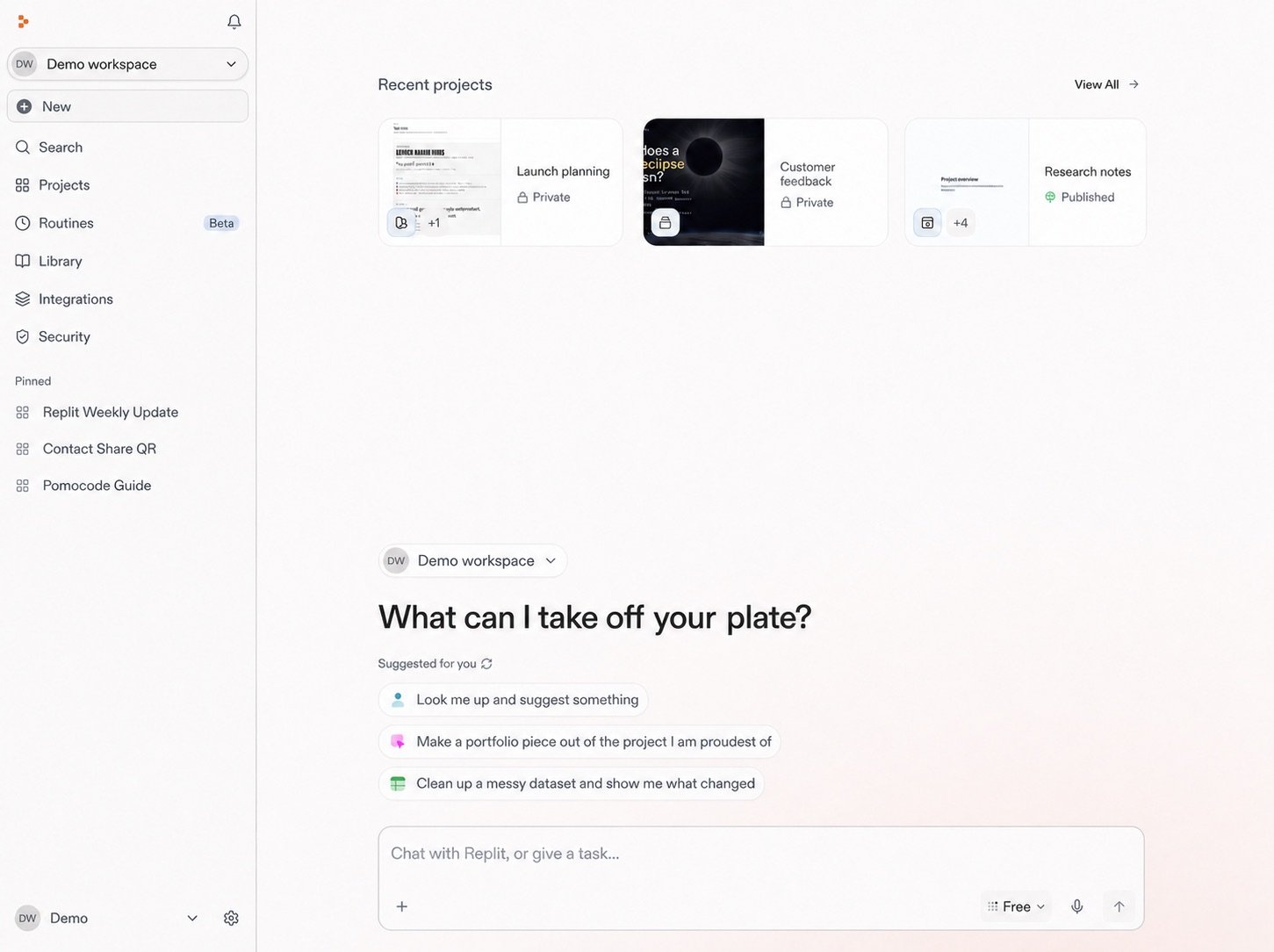
Every task in Replit starts with a conversation. From there, you can ask a question, explore information, schedule a Routine, or describe an outcome.

* Start building in a Conversation.
* Use it to ask questions and run Routines.
* Gather context, attach files, and clarify what you want to make.
* When the work becomes substantial, ask Replit to turn the Conversation into a Project. The context and files you gathered carry forward.

<Note>
  Conversations are private. Only you can access them in your Workspace. For
  collaboration, ask Replit to create a Project.
</Note>

Learn more: [Turn a conversation into a project](/chat/continue-or-create-a-project).

<Frame>
  <img src="https://mintcdn.com/replit/teDUL4A-lNO7dv1O/images/chat/start-new-conversation-home-sanitized-neutral.jpg?fit=max&auto=format&n=teDUL4A-lNO7dv1O&q=85&s=cf93f549696aff0eab748dd953aea0b6" alt="Sanitized Replit Workspace home with Projects, Conversations, Routines, suggested prompts, and the Conversation message box" width="1451" height="1084" data-path="images/chat/start-new-conversation-home-sanitized-neutral.jpg" />
</Frame>

## Start a new conversation

<Steps>
  <Step title="Select New">
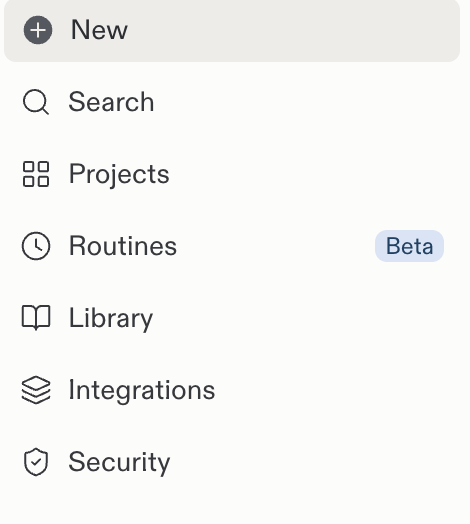
    Select **New** in the Replit sidebar.

    <Frame>
      <img src="https://mintcdn.com/replit/teDUL4A-lNO7dv1O/images/chat/start-new-conversation-sidebar.png?fit=max&auto=format&n=teDUL4A-lNO7dv1O&q=85&s=52b729bd549daddbde87f995c8f0b4b1" alt="Replit sidebar with the New button above Search, Projects, Routines, and other navigation entries" width="470" height="524" data-path="images/chat/start-new-conversation-sidebar.png" />
    </Frame>
  </Step>

  <Step title="Write your request">
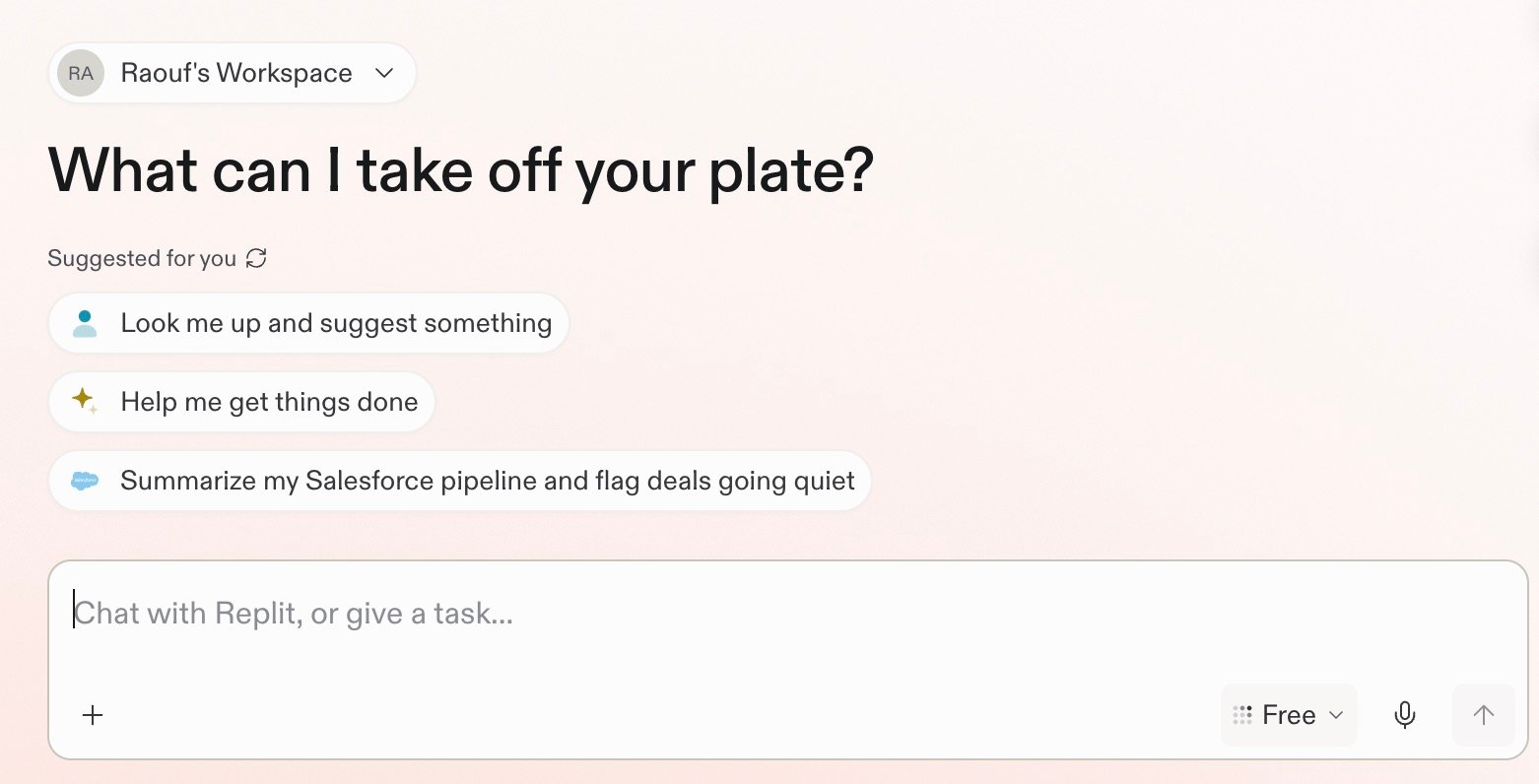
    Use the prompt box to write your request. For example, ask Replit:
    "Summarize our Slack activity from this week and flag messages that need my
    reply."

    <Frame>
      <img src="https://mintcdn.com/replit/teDUL4A-lNO7dv1O/images/chat/replit-conversation-home.jpg?fit=max&auto=format&n=teDUL4A-lNO7dv1O&q=85&s=ab82b3d581eb83c0d5f90c3e6fcd918e" alt="Replit conversation home screen with suggested prompts and a message box for chatting with Replit or giving it a task" width="1562" height="796" data-path="images/chat/replit-conversation-home.jpg" />
    </Frame>
  </Step>
</Steps>

## Start with what you want to do

### Ask a question

Replit can research and analyze information from the web, connected tools, and uploaded files. Ask a focused question or provide the context Replit should use.

For example, ask Replit to summarize your Slack activity from this week and flag
messages that need your reply.

### Run a routine

A Routine schedules recurring work inside a Conversation. Replit returns each result to the same Conversation, where you can review and continue the work. Learn more about [Routines](/chat/routines).

For example, ask Replit to review Slack every morning and return your priorities.

### Describe an outcome

A Conversation can turn an idea, research, or an insight into a concrete result, such as an app, presentation, or design.

For example, ask Replit to create a simple project tracker for your team.

### Learn more

Explore a focused example for each path.

<section className="chat-mkt chat-workflow-grid has-visuals catalog-three-up">
  <a className="chat-example has-visual" href="/use-cases/prepare-for-a-customer-call">
    <div className="chat-use-case-visual">
      <div className="customer-call-marks customer-call-marks-card" aria-hidden="true">
        <div className="customer-call-mark">
          <Icon icon="salesforce" iconType="brands" size={44} color="#ffffff" />
        </div>

        <div className="customer-call-mark">
          <Icon icon="slack" iconType="brands" size={44} color="#ffffff" />
        </div>

        <div className="customer-call-mark">
          <Icon icon="google-drive" iconType="brands" size={44} color="#ffffff" />
        </div>
      </div>
    </div>

    <div className="chat-example-tag">Ask questions</div>

    <div className="chat-card-title" style={{ marginTop: 16, fontSize: 20 }}>
      Prepare for a customer call
    </div>

    <p>Bring together connected sources and prepare a focused call brief.</p>
    <div className="chat-card-link">Explore →</div>
  </a>

  <a className="chat-example has-visual" href="/schedule-a-routine">
    <div className="chat-use-case-visual palette-ink">
      <div className="chat-use-case-window">
        <i />

        <i />

        <i />

        <b />

        <b />

        <b />
      </div>

      <em>
        <Icon icon="arrows-rotate" size={24} />
      </em>
    </div>

    <div className="chat-example-tag">Run a routine</div>

    <div className="chat-card-title" style={{ marginTop: 16, fontSize: 20 }}>
      Schedule a routine
    </div>

    <p>
      Schedule recurring work and review each result in the same Conversation.
    </p>

    <div className="chat-card-link">Explore →</div>
  </a>

  <a className="chat-example has-visual" href="/build/your-first-app">
    <div className="chat-use-case-visual">
      <div className="chat-use-case-window">
        <i />

        <i />

        <i />

        <b />

        <b />

        <b />
      </div>

      <em>
        <Icon icon="code" size={24} />
      </em>
    </div>

    <div className="chat-example-tag">Describe an outcome</div>

    <div className="chat-card-title" style={{ marginTop: 16, fontSize: 20 }}>
      Build on insight
    </div>

    <p>Create a dashboard, app, or tool around the information that matters.</p>
    <div className="chat-card-link">Explore →</div>
  </a>
</section>

## Next steps

Prompting helps you tell Replit what you need, point to useful context, and give clear direction. Start there, or follow a complete research example.

<section className="chat-mkt chat-workflow-grid has-visuals">
  <a className="chat-example has-visual" href="/chat/prompting">
    <PromptingCardVisual />

    <div className="chat-example-tag">Recommended next step</div>

    <div className="chat-card-title" style={{ marginTop: 11, fontSize: 20 }}>
      Prompting
    </div>

    <p>Learn how to give Replit useful direction and context.</p>
    <div className="chat-card-link">Continue →</div>
  </a>

  <a className="chat-example has-visual" href="/use-cases/prepare-for-a-customer-call">
    <div className="chat-use-case-visual">
      <div className="customer-call-marks customer-call-marks-card" aria-hidden="true">
        <div className="customer-call-mark">
          <Icon icon="salesforce" iconType="brands" size={44} color="#ffffff" />
        </div>

        <div className="customer-call-mark">
          <Icon icon="slack" iconType="brands" size={44} color="#ffffff" />
        </div>

        <div className="customer-call-mark">
          <Icon icon="google-drive" iconType="brands" size={44} color="#ffffff" />
        </div>
      </div>
    </div>

    <div className="chat-example-tag">Research and analyze</div>

    <div className="chat-card-title" style={{ marginTop: 11, fontSize: 20 }}>
      Prepare for a customer call
    </div>

    <p>Bring together connected sources and prepare a focused call brief.</p>
    <div className="chat-card-link">Explore the use case →</div>
  </a>
</section>

Continue with [Prompting](/chat/prompting) to learn how to turn an initial idea into a clear request for Replit.
