> ## Documentation Index
> Fetch the complete documentation index at: https://docs.replit.com/llms.txt
> Use this file to discover all available pages before exploring further.
# Prepare for a customer call
> Research a question across connected tools, compare the evidence, and prepare a clear answer.
export const AiPrompt = ({children}) => {
return
{children}
;
};
Use a Conversation to investigate one question across connected services and any files you add. Replit can gather relevant context, compare sources, and organize the findings around the outcome you need.
## Prepare for a customer call
Before a renewal call, review the customer record in Salesforce, relevant Slack threads, and the renewal brief in Google Drive. Ask Replit to surface risks, wins, unanswered questions, and five topics for the call.
## Research across your sources
Confirm that Salesforce, Slack, and Google Drive are connected. Connector
permissions determine which records, conversations, and files Replit can
access.
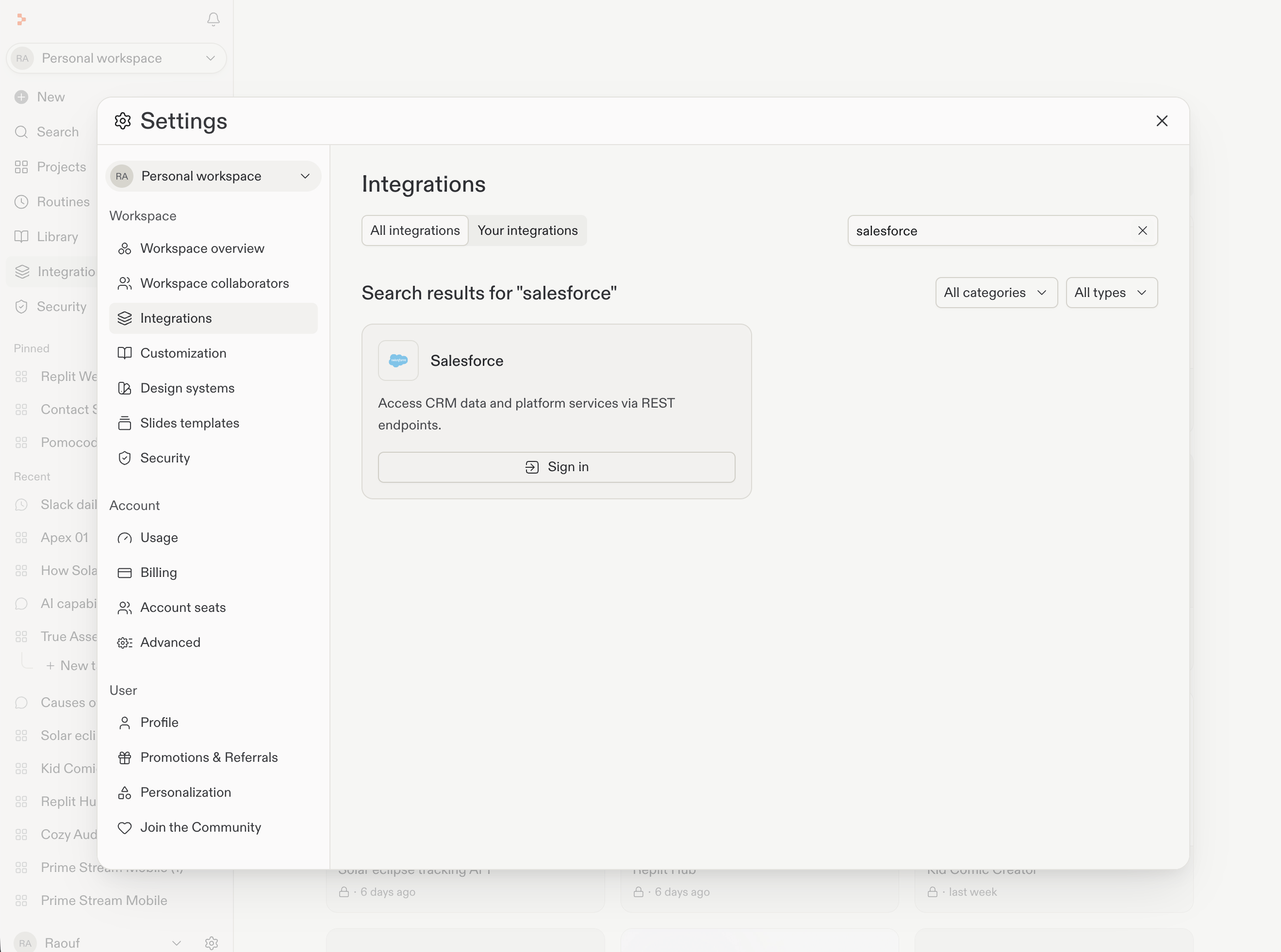
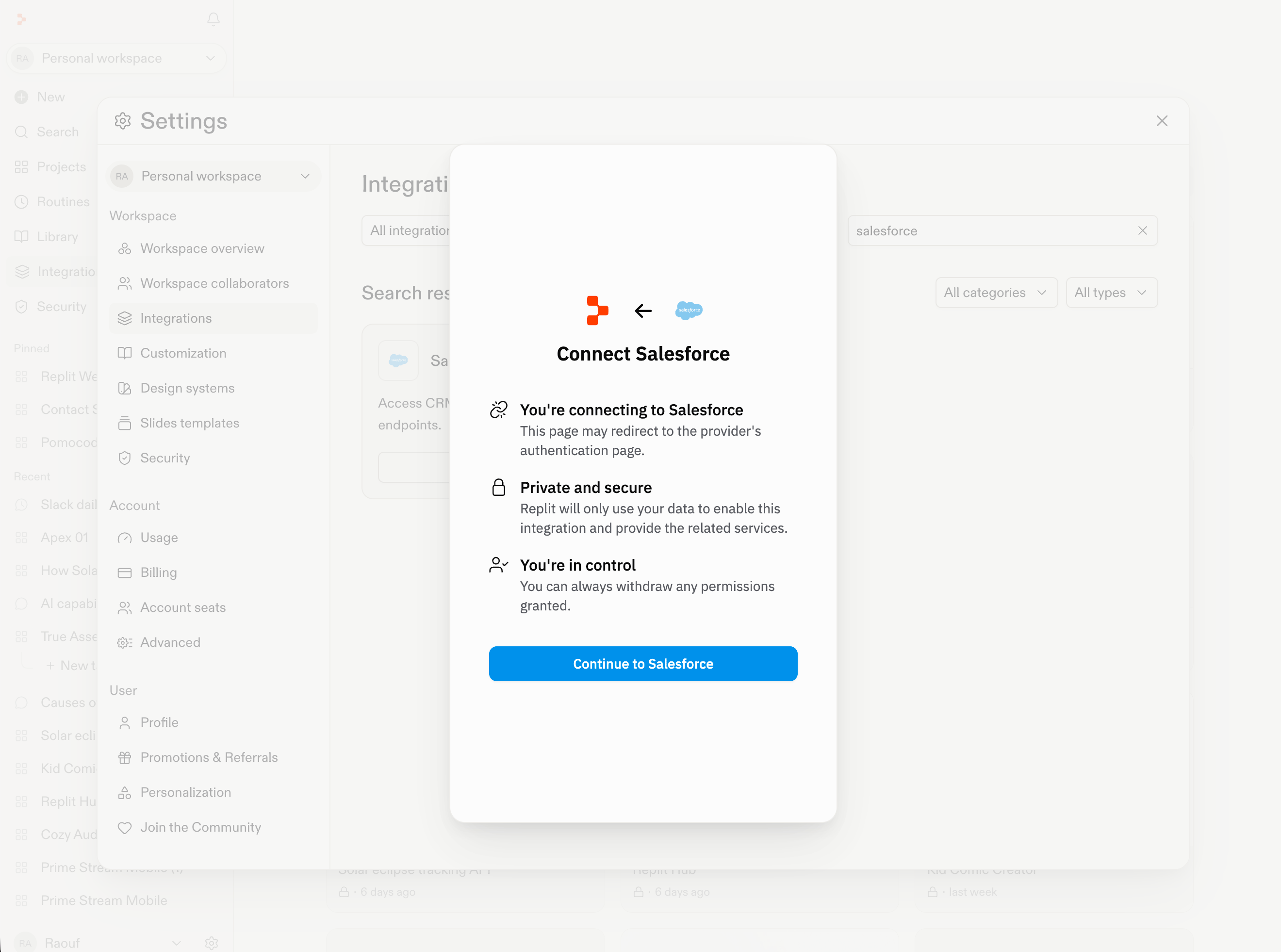
Salesforce is the example below. Other integrations can use different setup and permission screens.
1. Open **Settings > Integrations**.
2. Search for the tool you need.
3. Enable it when necessary, then select **Sign in**.
4. Complete the provider sign-in and permissions flow.
 Name the customer and the decision or call outcome you need to prepare for in one complete request.
Prepare me for the Northstar renewal call. Review the connected Salesforce
account and opportunity records, relevant Slack threads, and the renewal
brief in Google Drive. Summarize the customer’s recent wins, renewal risks,
and unanswered questions. Finish with five topics I should cover on the
call, and show which source supports each finding.
Check the source records, messages, and files behind important findings. Ask
Replit to separate confirmed facts from open questions or assumptions.
Ask follow-up questions, change the emphasis, or turn the findings into a
concise agenda for the call.
## Add context when needed
If the renewal brief is not in connected Google Drive, [upload it to the Conversation](/chat/upload-and-use-files). If current public information would improve the preparation, [you can search the web](/features/agent/web-search).
Keep follow-up questions in the same Conversation. Once the brief is accurate, you can turn the findings into an agenda, plan, or task list.
## Next steps
* [Connect Salesforce, Slack, and Google Drive](/features/integrations/overview)
* [Start and continue a Conversation](/chat/conversations)
* [Continue from a Conversation](/chat/conversations-and-projects)
Name the customer and the decision or call outcome you need to prepare for in one complete request.
Prepare me for the Northstar renewal call. Review the connected Salesforce
account and opportunity records, relevant Slack threads, and the renewal
brief in Google Drive. Summarize the customer’s recent wins, renewal risks,
and unanswered questions. Finish with five topics I should cover on the
call, and show which source supports each finding.
Check the source records, messages, and files behind important findings. Ask
Replit to separate confirmed facts from open questions or assumptions.
Ask follow-up questions, change the emphasis, or turn the findings into a
concise agenda for the call.
## Add context when needed
If the renewal brief is not in connected Google Drive, [upload it to the Conversation](/chat/upload-and-use-files). If current public information would improve the preparation, [you can search the web](/features/agent/web-search).
Keep follow-up questions in the same Conversation. Once the brief is accurate, you can turn the findings into an agenda, plan, or task list.
## Next steps
* [Connect Salesforce, Slack, and Google Drive](/features/integrations/overview)
* [Start and continue a Conversation](/chat/conversations)
* [Continue from a Conversation](/chat/conversations-and-projects)