> ## Documentation Index
> Fetch the complete documentation index at: https://docs.replit.com/llms.txt
> Use this file to discover all available pages before exploring further.
# September 25, 2026
> 1 min read
## What's new
* [Build apps for Meta devices](#build-apps-for-meta-devices)
* [Create Replit apps through Muse](#create-replit-apps-through-muse)
* [Explore data with inline charts](#explore-data-with-inline-charts)
* [Build and test Airwallex integrations](#build-and-test-airwallex-integrations)
* [Build with new OpenAI and Anthropic models](#build-with-new-openai-and-anthropic-models)
* [Request access without leaving your workflow](#request-access-without-leaving-your-workflow)
* [Control access to design systems and slide templates](#control-access-to-design-systems-and-slide-templates)
## Platform
### Build apps for Meta devices
Describe your idea, and Replit helps you build apps for Meta devices. Announced at Meta Connect, the new experience includes device-specific Agent instructions and QR-code previews to try your app on-device.
Get started on the [Replit and Meta partner page](https://replit.com/partners/meta).
### Create Replit apps through Muse
Muse can now create apps in Replit through the Replit integration. Turn your ideas into apps from your conversation with Muse.
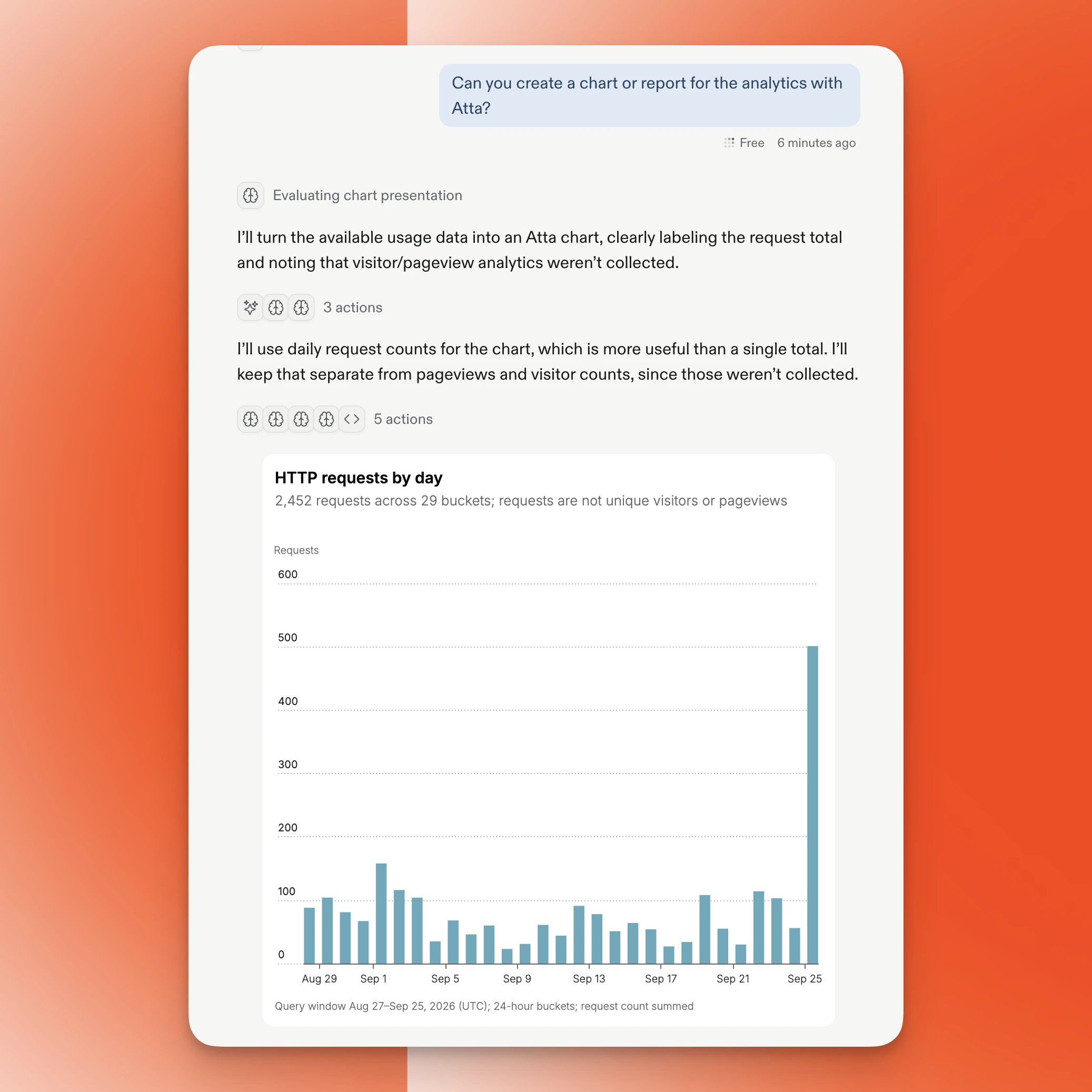
### Explore data with inline charts
Visualize your data directly in your Replit conversation with inline charts powered by Atta. Ask Replit to create charts and reports so you can explore your findings without leaving the conversation.
 Learn more about [Replit's acquisition of Atta](https://replit.com/blog/replit-acquires-atta).
### Build and test Airwallex integrations
Connect Agent to Airwallex through MCP to build payment integrations using its documentation and sandbox tools. Test integrations in the Airwallex sandbox without accessing your production account.
Find Airwallex Developer in the [MCP directory](/features/mcp/overview). Follow [Connect via MCP](/build/connect-via-mcp) and the [Airwallex setup guide](https://www.airwallex.com/docs/developer-tools/ai/developer-mcp) to get started.
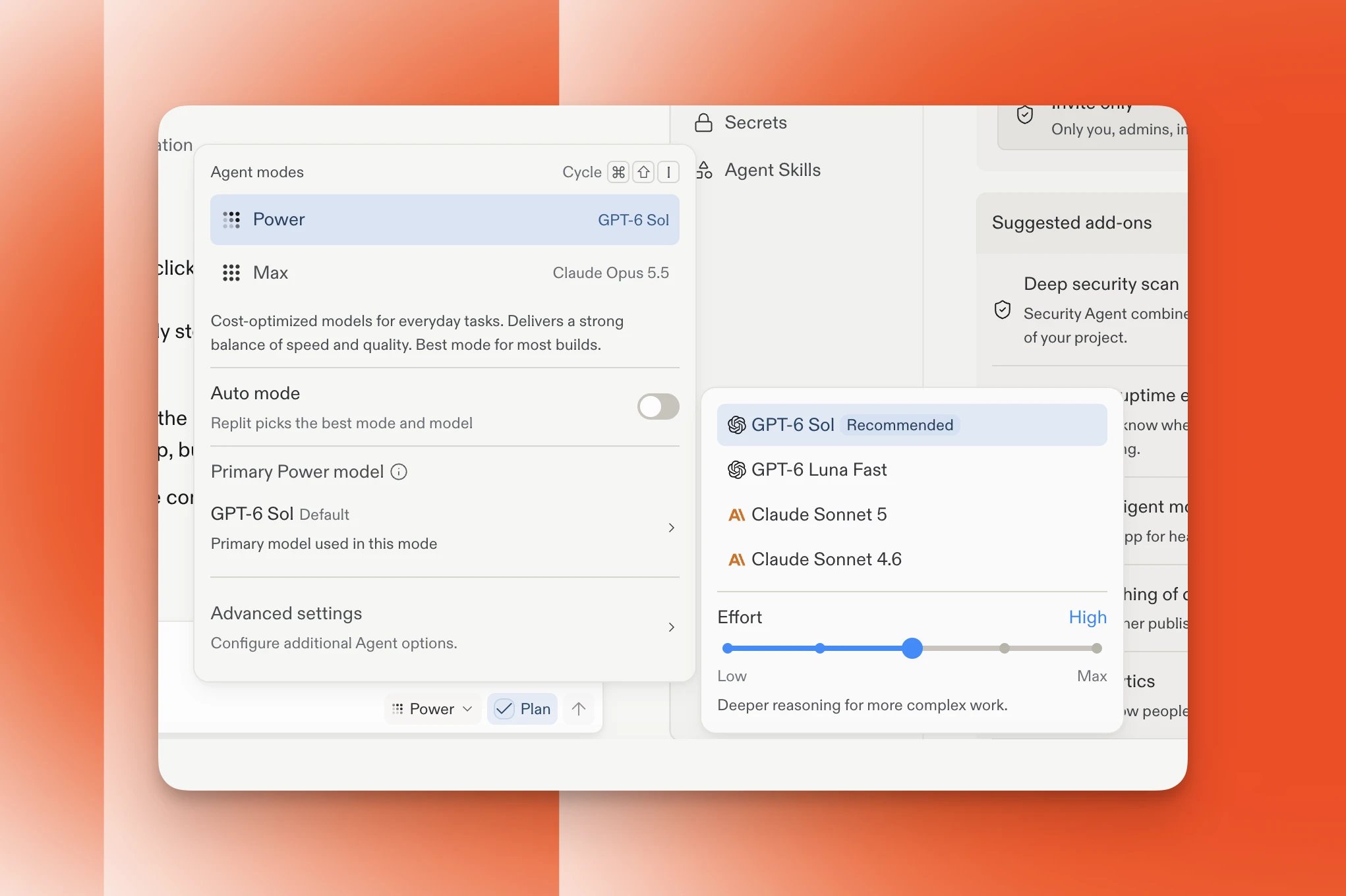
### Build with new OpenAI and Anthropic models
You can now choose GPT-6 Sol, GPT-6 Luna Fast, and Claude Opus 5.5 when building and designing with Agent. Model availability depends on your selected tier and your Workspace's model policies.
Learn more about [Replit's acquisition of Atta](https://replit.com/blog/replit-acquires-atta).
### Build and test Airwallex integrations
Connect Agent to Airwallex through MCP to build payment integrations using its documentation and sandbox tools. Test integrations in the Airwallex sandbox without accessing your production account.
Find Airwallex Developer in the [MCP directory](/features/mcp/overview). Follow [Connect via MCP](/build/connect-via-mcp) and the [Airwallex setup guide](https://www.airwallex.com/docs/developer-tools/ai/developer-mcp) to get started.
### Build with new OpenAI and Anthropic models
You can now choose GPT-6 Sol, GPT-6 Luna Fast, and Claude Opus 5.5 when building and designing with Agent. Model availability depends on your selected tier and your Workspace's model policies.
 Learn more about [choosing a model](/features/agent/model-selector).
## Enterprise
### Request access without leaving your workflow
When you reach a usage limit or encounter a Workspace restriction, you can now send an access request instead of coordinating approval separately. Supported requests include usage limit increases, public publishing enablement, and upgrades from viewer to member.
Access requests are off by default. Account admins can enable them for each Workspace in **Settings → Advanced → Access requests**. Admins can review, approve, or deny requests through the Admin API using a key with the appropriate permissions.
Learn more about [access requests](/teams/advanced-settings#access-requests) and the [Admin API](/teams/admin-api).
### Control access to design systems and slide templates
Design systems and slide templates now follow the same Workspace permission rules as custom skills. New design systems and slide templates are private by default, and Workspace members can use published items.
Learn more about [choosing a model](/features/agent/model-selector).
## Enterprise
### Request access without leaving your workflow
When you reach a usage limit or encounter a Workspace restriction, you can now send an access request instead of coordinating approval separately. Supported requests include usage limit increases, public publishing enablement, and upgrades from viewer to member.
Access requests are off by default. Account admins can enable them for each Workspace in **Settings → Advanced → Access requests**. Admins can review, approve, or deny requests through the Admin API using a key with the appropriate permissions.
Learn more about [access requests](/teams/advanced-settings#access-requests) and the [Admin API](/teams/admin-api).
### Control access to design systems and slide templates
Design systems and slide templates now follow the same Workspace permission rules as custom skills. New design systems and slide templates are private by default, and Workspace members can use published items.