> ## Documentation Index
> Fetch the complete documentation index at: https://docs.replit.com/llms.txt
> Use this file to discover all available pages before exploring further.
# August 28, 2026
> 1 min read
## What's new
* [Intelligent model routing](#intelligent-model-routing)
* [Find your first customers with Growth Skills](#find-your-first-customers-with-growth-skills)
* [Intelligent model routing for Enterprise](#intelligent-model-routing-for-enterprise)
* [Customize connectors](#customize-connectors)
## Agent
### Intelligent model routing
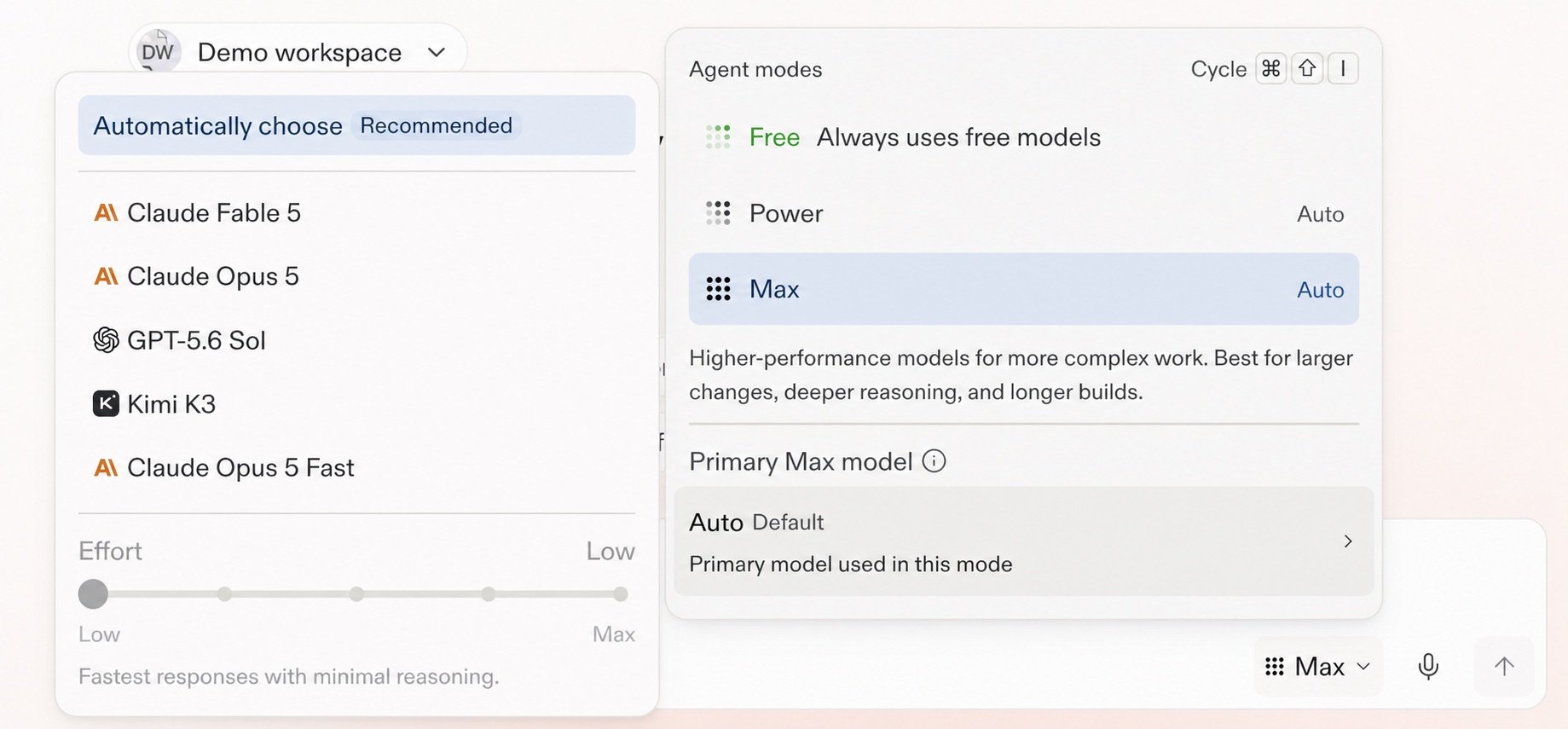
Intelligent model routing automatically selects the model and effort level that best fit your task, balancing quality and cost. In **Power** or **Max**, select **Auto** to let Replit route each part of your work as its complexity changes. You can also select a specific model and effort level when you want more control.
 Learn more about [Auto Mode](/chat/auto-mode).
### Find your first customers with Growth Skills
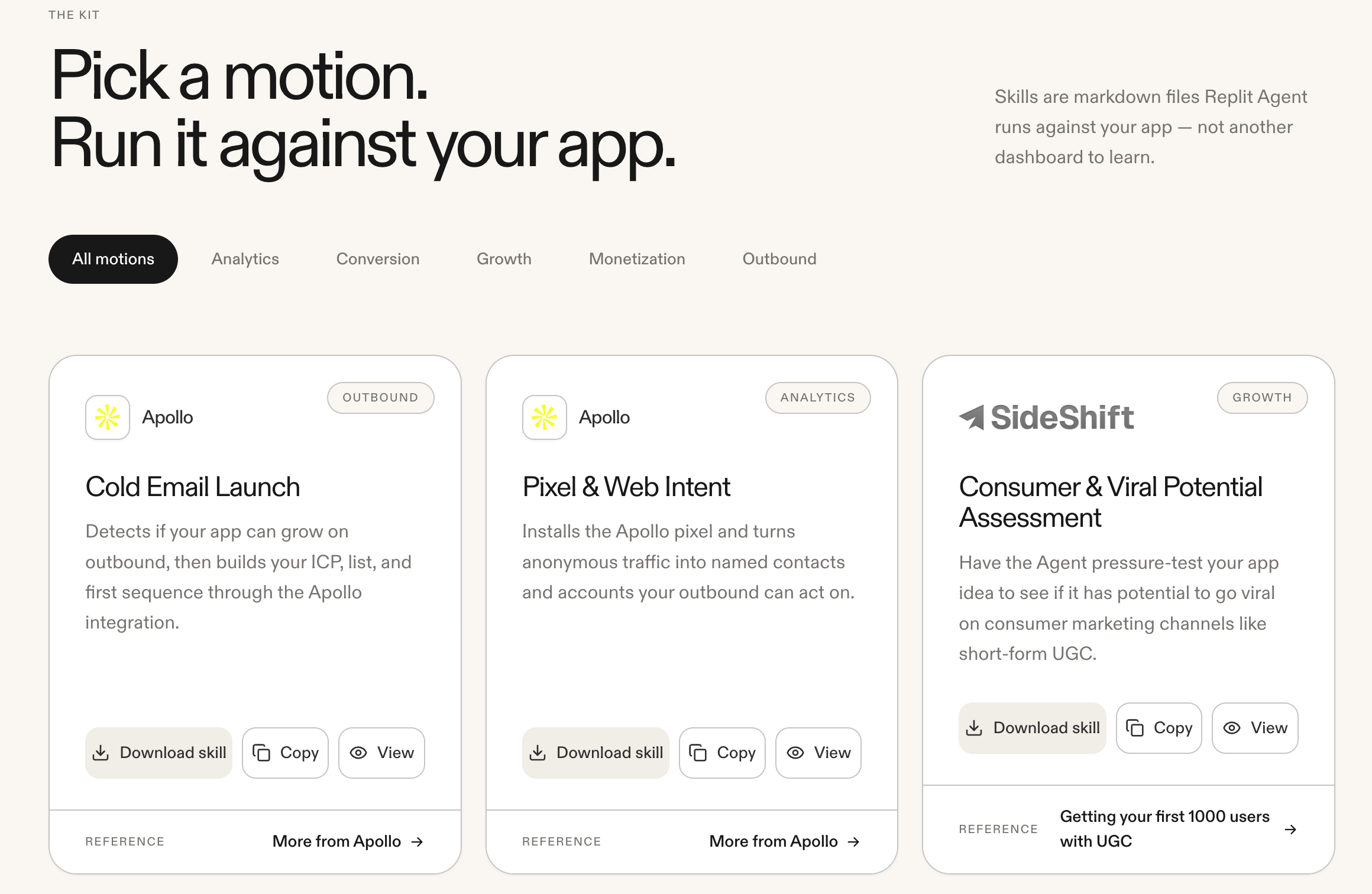
Run [Growth Skills](https://replit.com/growth-kit) with Agent to find your app's first customers. Available partner integrations include Apollo, Clay, SideShift, RevenueCat, Stripe, and PostHog.
Learn more about [Auto Mode](/chat/auto-mode).
### Find your first customers with Growth Skills
Run [Growth Skills](https://replit.com/growth-kit) with Agent to find your app's first customers. Available partner integrations include Apollo, Clay, SideShift, RevenueCat, Stripe, and PostHog.
 ### Intelligent model routing for Enterprise
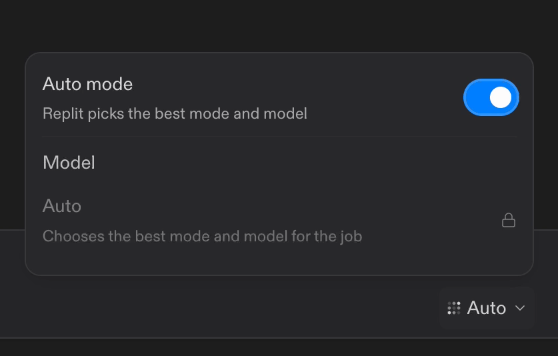
Intelligent Model Routing is now the default Agent mode for Enterprise Workspaces. With **Auto mode** turned on, Replit chooses the best mode and an allowed model for each task. Account admins can control model availability for each Workspace, and you can turn off **Auto mode** to select an enabled model. The Enterprise Agent mode menu now uses **Power** and **Max** and no longer includes **Lite**.
### Intelligent model routing for Enterprise
Intelligent Model Routing is now the default Agent mode for Enterprise Workspaces. With **Auto mode** turned on, Replit chooses the best mode and an allowed model for each task. Account admins can control model availability for each Workspace, and you can turn off **Auto mode** to select an enabled model. The Enterprise Agent mode menu now uses **Power** and **Max** and no longer includes **Lite**.
 Learn more about [Enterprise model controls](/features/collaboration/enterprise-model-controls).
## Integrations
### Customize connectors
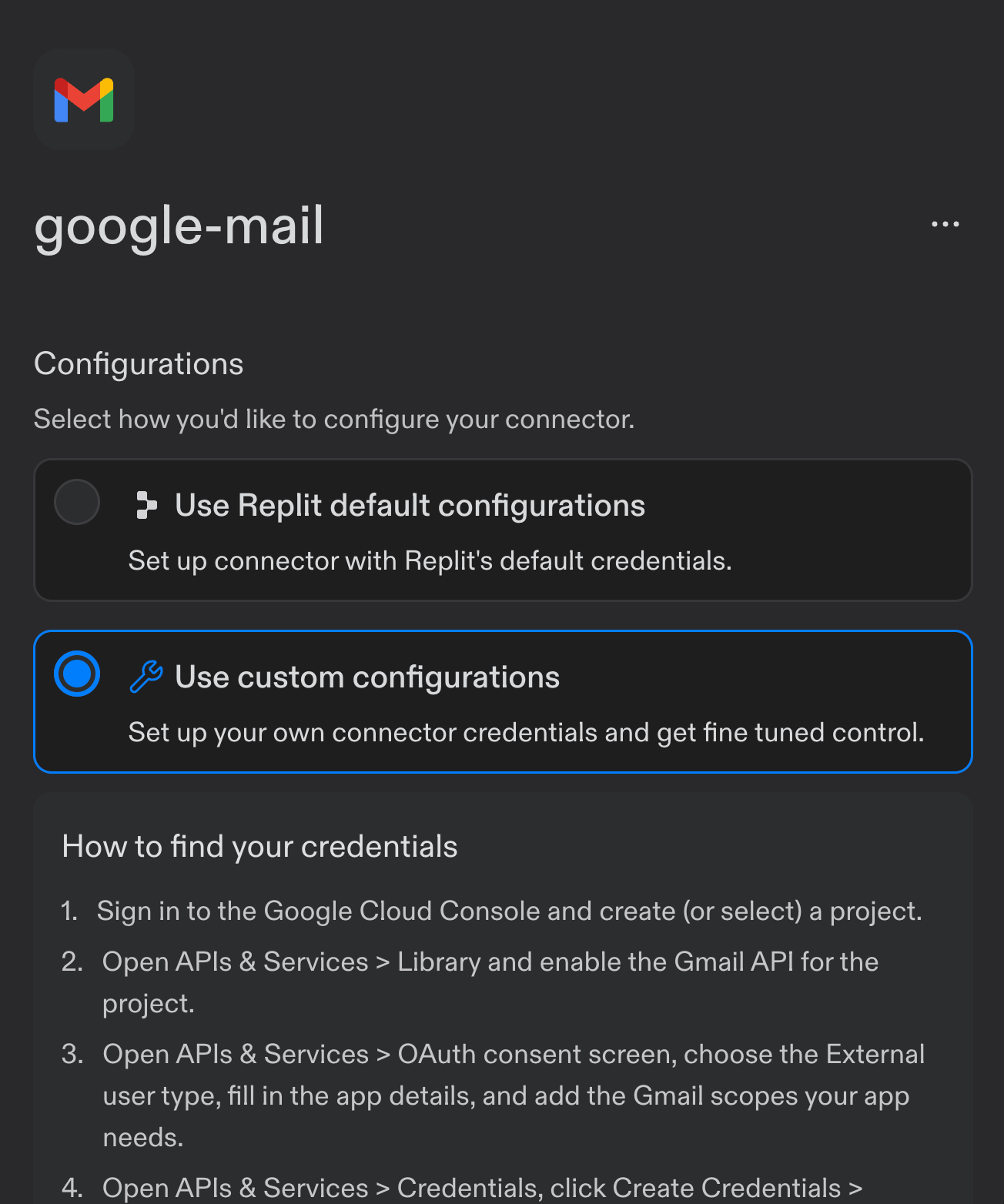
Enterprise organizations can now use custom OAuth configurations for connectors. For example, configure Gmail with your own **Client ID**, **Client Secret**, and **scopes** instead of Replit's defaults.
Learn more about [Enterprise model controls](/features/collaboration/enterprise-model-controls).
## Integrations
### Customize connectors
Enterprise organizations can now use custom OAuth configurations for connectors. For example, configure Gmail with your own **Client ID**, **Client Secret**, and **scopes** instead of Replit's defaults.
 Learn how to [configure a custom OAuth app for a connector](/features/integrations/overview#configuring-oauth-app-with-replit).