> ## Documentation Index
> Fetch the complete documentation index at: https://docs.replit.com/llms.txt
> Use this file to discover all available pages before exploring further.
# April 17, 2026
> 2 min read
## What's new
* [Claude Opus 4.7 powers Power mode](#claude-opus-4-7-powers-power-mode)
* [New Agent modes dropdown](#new-agent-modes-dropdown)
* [Agent suggests follow-up tasks](#agent-suggests-follow-up-tasks)
* [Projects page improvements](#projects-page-improvements)
* [Filter the Projects page by artifact — now including Slides](#filter-the-projects-page-by-artifact)
* [Replit Agent on Google Cloud Marketplace](#replit-agent-on-google-cloud-marketplace)
* [Custom groups for SCIM organizations](#custom-groups-for-scim-organizations)
## Agent
### Claude Opus 4.7 powers Power mode
Power mode now runs on Anthropic's Claude Opus 4.7. Select **Power** in the Agent modes dropdown and Agent routes your request to the new model automatically.
 Learn more about [Agent modes](/core-concepts/agent/agent-modes).
### New Agent modes dropdown
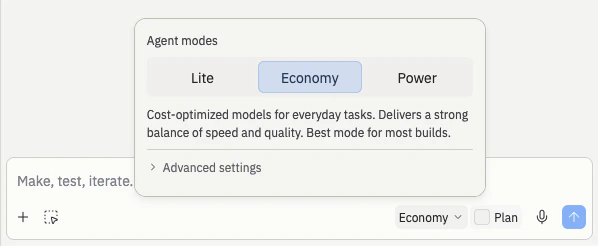
The Agent mode selector in the chat input is now a simpler segmented control. Pick between Lite, Economy, and Power right from the toolbar, and reach Turbo through Advanced settings when you need it..
What's new:
* **Segmented control in the toolbar.** Lite, Economy, and Power sit side-by-side so it's obvious which mode you're in and how to switch.
* **Keyboard shortcut.** Press **⌘+Shift+I** (Ctrl+Shift+I on Windows) to cycle through modes without reaching for your mouse.
* **Turbo highlighted in orange.** Turbo is the fastest mode but costs more, so it stands out in the UI to keep the cost tradeoff visible.
* **Advanced settings collapsed by default.** The controls for testing, code review, and Turbo live behind **Advanced settings** so the main view stays clean.
* **Max mode has been retired.** Use Power for the most capable builds, or turn on Turbo inside Advanced settings when you want the fastest response.
Learn more about [Agent modes](/core-concepts/agent/agent-modes).
### New Agent modes dropdown
The Agent mode selector in the chat input is now a simpler segmented control. Pick between Lite, Economy, and Power right from the toolbar, and reach Turbo through Advanced settings when you need it..
What's new:
* **Segmented control in the toolbar.** Lite, Economy, and Power sit side-by-side so it's obvious which mode you're in and how to switch.
* **Keyboard shortcut.** Press **⌘+Shift+I** (Ctrl+Shift+I on Windows) to cycle through modes without reaching for your mouse.
* **Turbo highlighted in orange.** Turbo is the fastest mode but costs more, so it stands out in the UI to keep the cost tradeoff visible.
* **Advanced settings collapsed by default.** The controls for testing, code review, and Turbo live behind **Advanced settings** so the main view stays clean.
* **Max mode has been retired.** Use Power for the most capable builds, or turn on Turbo inside Advanced settings when you want the fastest response.
 Learn more about [Agent modes](/core-concepts/agent/agent-modes).
### Agent suggests follow-up tasks
Agent now proposes **follow-up tasks** after it finishes work, using the full context of your project to suggest what to build next. Three kinds of suggestions show up under each completed task:
* **New features to build** — capabilities that pair naturally with what you just shipped
* **Performance improvements** — optimizations Agent noticed while working on the task
* **User experience enhancements** — polish that rounds out the feature
Review each suggestion, select **Accept** on the ones you want, and Agent runs them in the background while you keep building. Hide suggestions you don't need with **Hide suggested tasks** in the Done column, and bring them back anytime.
Learn more about [follow-up task suggestions](/references/agent/follow-up-tasks).
## Workspace
### Projects page improvements
Three quality-of-life improvements landed on the Projects page:
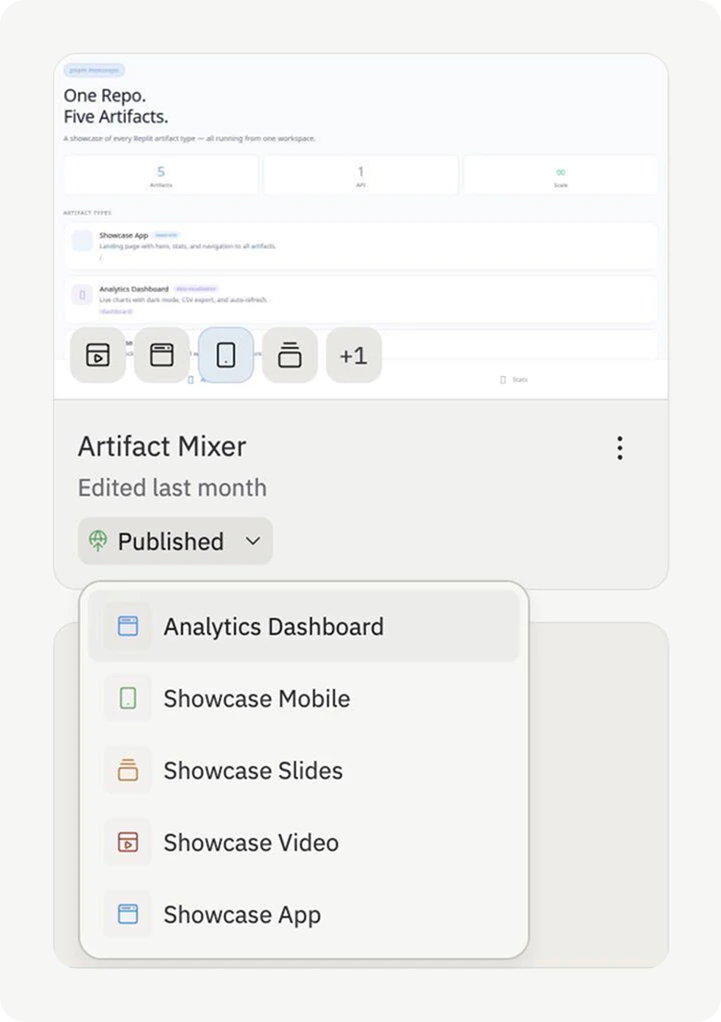
* **Artifact previews on every card.** Each project card now shows small icons for each artifact inside. Hover any icon to preview that artifact's screenshot without opening the project.
* **Default sort by last opened by you.** The page now puts the projects *you* worked on most recently at the top, so your current work stays front and center in busy team workspaces.
* **Personal pinning.** Pin the projects you return to often. Pins are private to you and don't affect what other members of your workspace see.
Learn more about [Agent modes](/core-concepts/agent/agent-modes).
### Agent suggests follow-up tasks
Agent now proposes **follow-up tasks** after it finishes work, using the full context of your project to suggest what to build next. Three kinds of suggestions show up under each completed task:
* **New features to build** — capabilities that pair naturally with what you just shipped
* **Performance improvements** — optimizations Agent noticed while working on the task
* **User experience enhancements** — polish that rounds out the feature
Review each suggestion, select **Accept** on the ones you want, and Agent runs them in the background while you keep building. Hide suggestions you don't need with **Hide suggested tasks** in the Done column, and bring them back anytime.
Learn more about [follow-up task suggestions](/references/agent/follow-up-tasks).
## Workspace
### Projects page improvements
Three quality-of-life improvements landed on the Projects page:
* **Artifact previews on every card.** Each project card now shows small icons for each artifact inside. Hover any icon to preview that artifact's screenshot without opening the project.
* **Default sort by last opened by you.** The page now puts the projects *you* worked on most recently at the top, so your current work stays front and center in busy team workspaces.
* **Personal pinning.** Pin the projects you return to often. Pins are private to you and don't affect what other members of your workspace see.
 Learn more about [managing your projects](/references/projects-and-artifacts/projects#managing-your-projects).
### Filter the Projects page by artifact
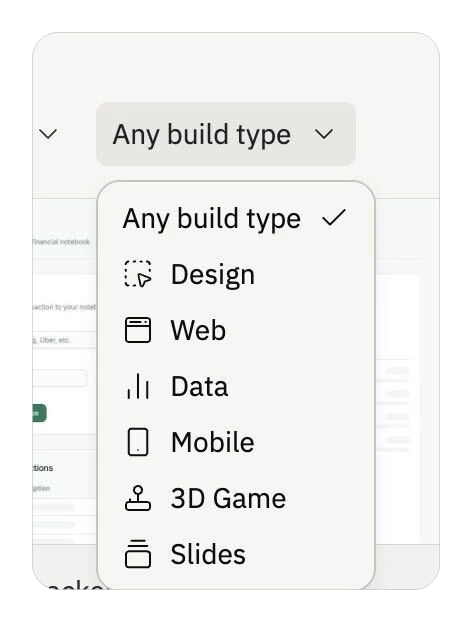
You can filter your Projects page by artifact using the **Build type** dropdown. Select the artifact type (for example, Slides) to see only the projects that contain it.
Learn more about [managing your projects](/references/projects-and-artifacts/projects#managing-your-projects).
### Filter the Projects page by artifact
You can filter your Projects page by artifact using the **Build type** dropdown. Select the artifact type (for example, Slides) to see only the projects that contain it.
 Learn more about [Slide Decks](/references/artifact-types/slide-decks#finding-your-slide-decks).
## Integrations
### Replit Agent on Google Cloud Marketplace
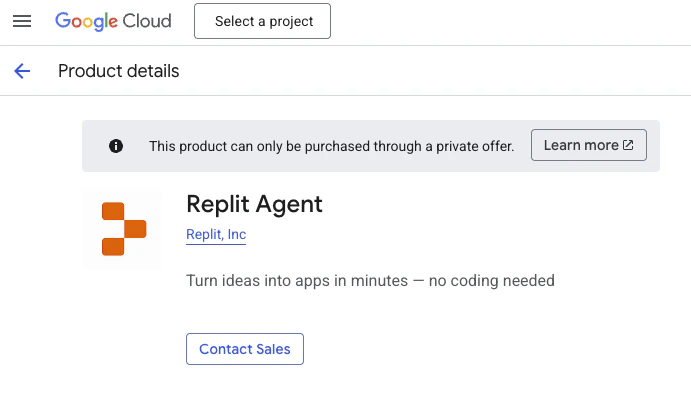
Replit Agent is now available as an MCP Server listing on [Google Cloud Marketplace](https://console.cloud.google.com/marketplace/product/replit-public/replit-agent4?pli=1). Enterprise teams using Google Cloud can provision Agent through their existing billing relationship and integrate it with Gemini Enterprise.
Learn more about [Slide Decks](/references/artifact-types/slide-decks#finding-your-slide-decks).
## Integrations
### Replit Agent on Google Cloud Marketplace
Replit Agent is now available as an MCP Server listing on [Google Cloud Marketplace](https://console.cloud.google.com/marketplace/product/replit-public/replit-agent4?pli=1). Enterprise teams using Google Cloud can provision Agent through their existing billing relationship and integrate it with Gemini Enterprise.
 ## Teams and Enterprise
### Custom groups for SCIM organizations
Organizations with SCIM provisioning enabled can now create custom groups in Replit alongside their IdP-synced groups. Use custom groups for project-based access, one-off permission grants, or any structure that isn't mirrored in your identity provider.
SCIM-synced groups remain managed through your identity provider — custom groups are managed directly in Replit by organization admins.
Learn more about [SCIM](/teams/identity-and-access-management/scim#creating-custom-groups-alongside-scim).
## Teams and Enterprise
### Custom groups for SCIM organizations
Organizations with SCIM provisioning enabled can now create custom groups in Replit alongside their IdP-synced groups. Use custom groups for project-based access, one-off permission grants, or any structure that isn't mirrored in your identity provider.
SCIM-synced groups remain managed through your identity provider — custom groups are managed directly in Replit by organization admins.
Learn more about [SCIM](/teams/identity-and-access-management/scim#creating-custom-groups-alongside-scim).