> ## Documentation Index
> Fetch the complete documentation index at: https://docs.replit.com/llms.txt
> Use this file to discover all available pages before exploring further.
# February 27, 2026
> 2 min read
## What's new
* [Password manager keyboard navigation](#password-manager-keyboard-navigation)
* [Agent performance improvements](#agent-performance-improvements)
* [System theme support](#system-theme-support)
* [Quick feedback widget improvements](#quick-feedback-widget-improvements)
## Platform
### Password manager keyboard navigation
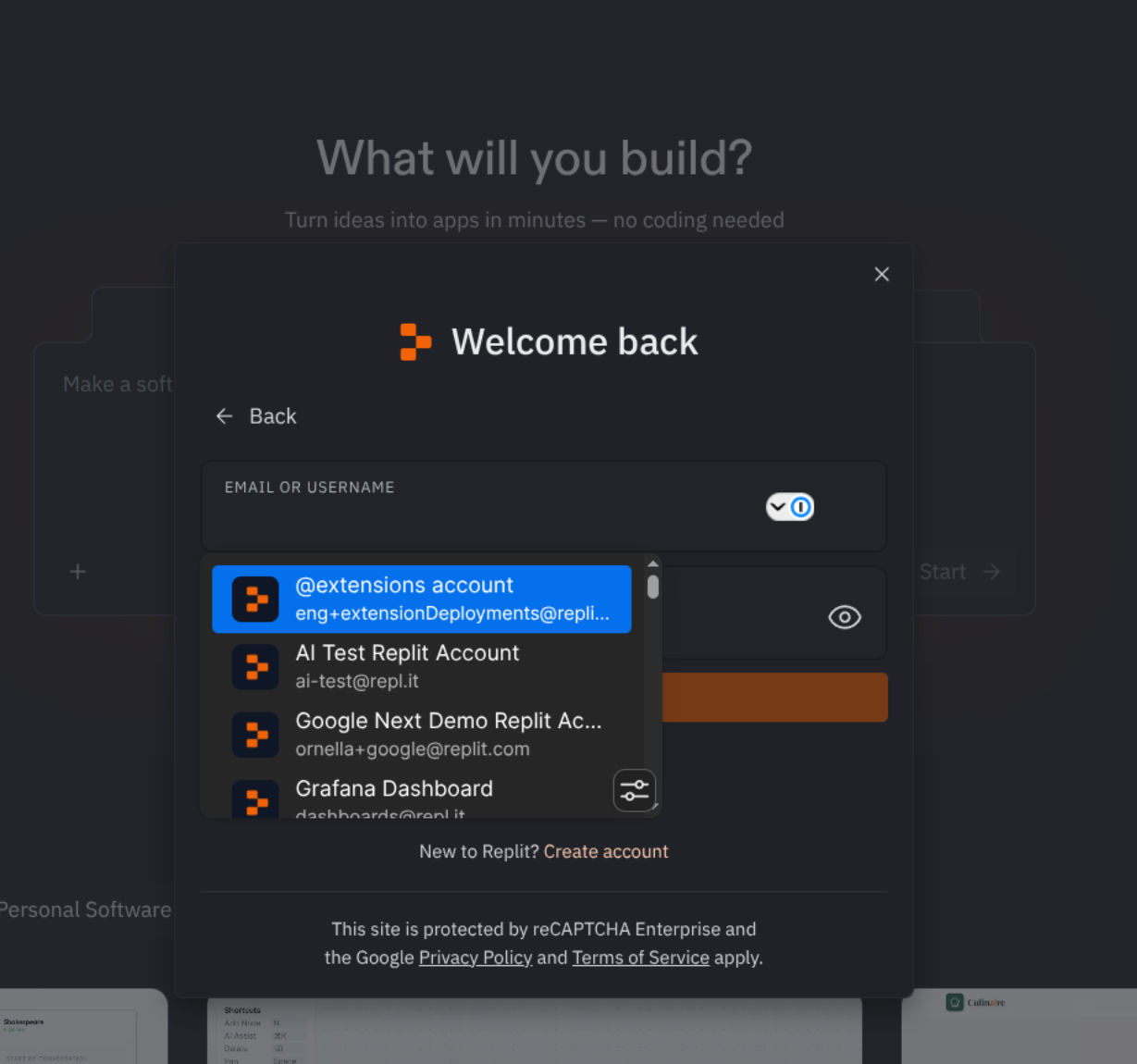 You can now log into Replit via your password manager extension using only the keyboard. Previously, pressing the down arrow to navigate to the email field would refocus on it, requiring you to use a mouse.
### Agent performance improvements
Agent performance has been improved with new optimizations and an improved architecture.
### System theme support
You can now log into Replit via your password manager extension using only the keyboard. Previously, pressing the down arrow to navigate to the email field would refocus on it, requiring you to use a mouse.
### Agent performance improvements
Agent performance has been improved with new optimizations and an improved architecture.
### System theme support
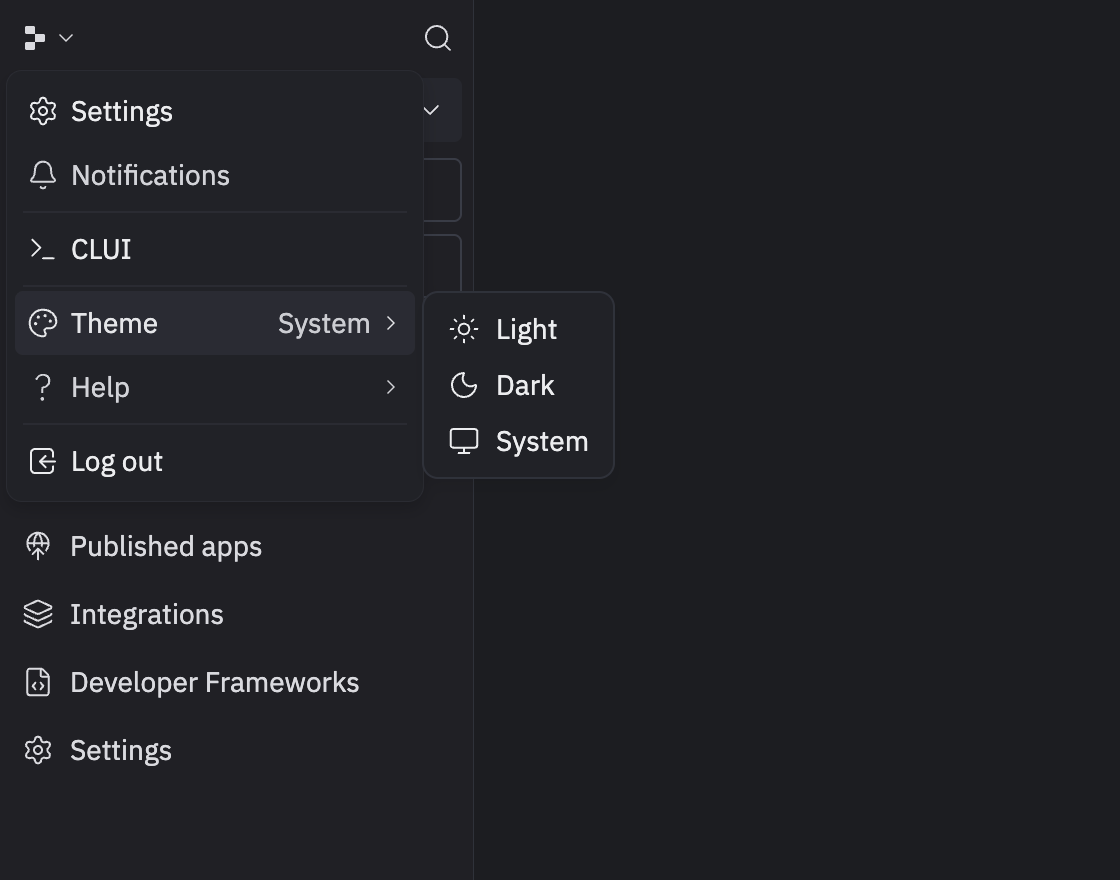 Replit now follows your system theme preference, or you can manually select light or dark mode from the quick menu, the Settings Pane, or the Workspace command palette.
### Feedback widget improvements
Replit now follows your system theme preference, or you can manually select light or dark mode from the quick menu, the Settings Pane, or the Workspace command palette.
### Feedback widget improvements
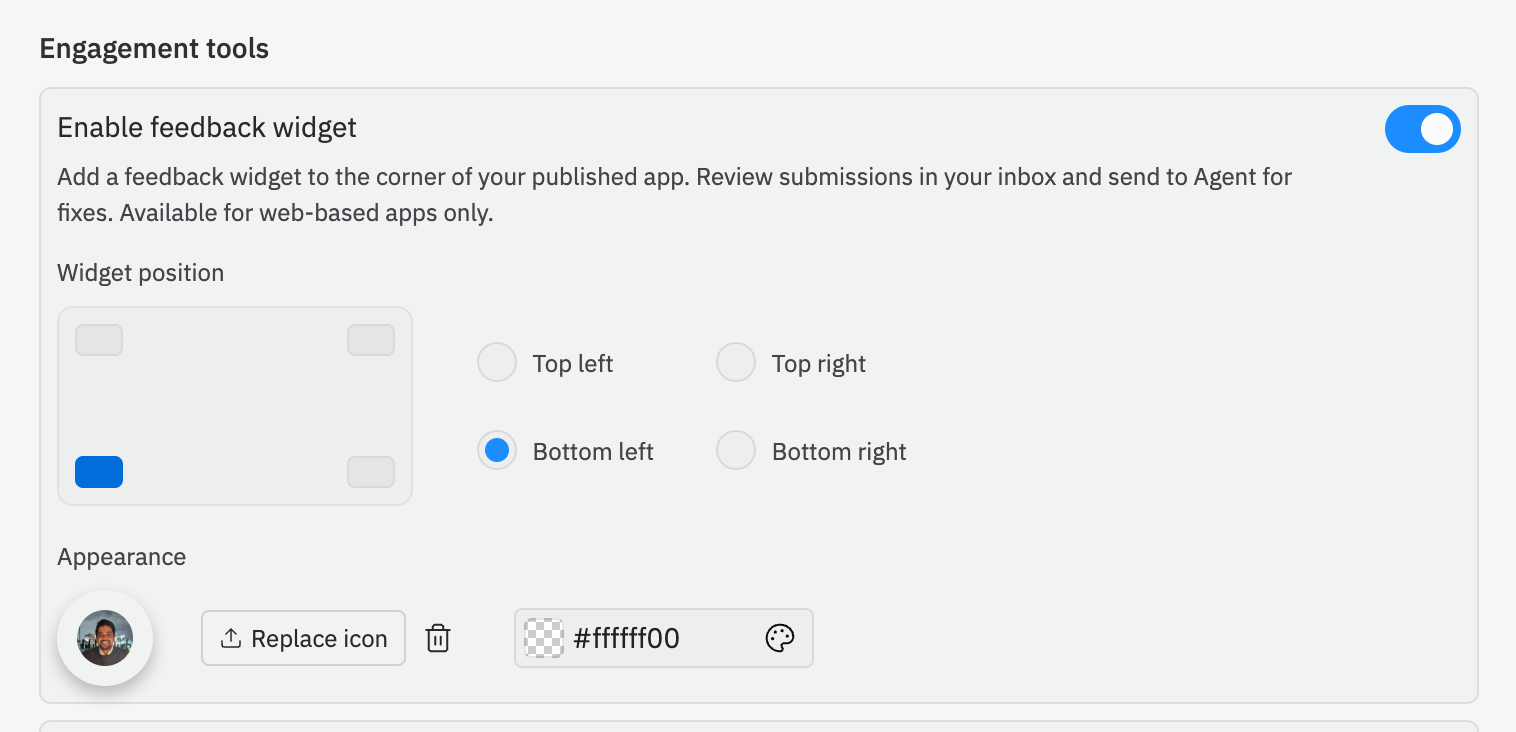 The feedback widget has shipped with improvements based on user feedback:
* Full i18n support so browser translation works in other languages
* Customize position, background color, and icon on widget
The feedback widget has shipped with improvements based on user feedback:
* Full i18n support so browser translation works in other languages
* Customize position, background color, and icon on widget