> ## Documentation Index
> Fetch the complete documentation index at: https://docs.replit.com/llms.txt
> Use this file to discover all available pages before exploring further.
# December 12, 2025
> 2 min read
## What's new
* [Agent now supports custom MCP servers](#agent-now-supports-custom-mcp-servers)
* [Plaid Connector for Enterprise (experimental)](#plaid-connector-for-enterprise-experimental)
## Platform
### Agent now supports custom MCP servers
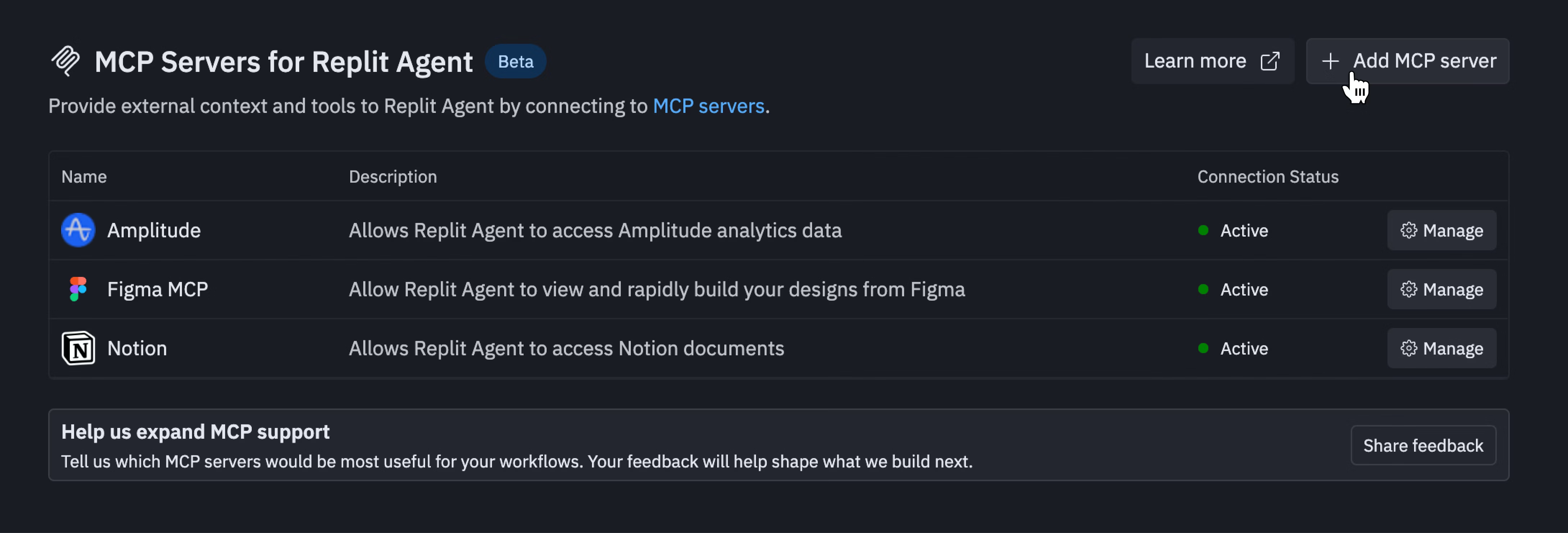
Agent can now connect to remote Model Context Protocol (MCP) servers, giving you access to new capabilities and tools with minimal setup. This unlocks the ability for Agent to call external tools and pull context from remote systems.
With custom MCP servers, you can:
* Connect to remote servers that pull context and take actions in external tools
* Access hundreds of tools and data sources through the MCP open standard
* Automatically load tools that each server makes available
Partners can integrate their services with Agent by exposing an MCP server—no additional integration work required.
 **Learn more:**
* [MCP servers overview](/replitai/mcp/overview)
* [MCP directory](/replitai/mcp/directory)
* [Learn about MCP in three minutes](/tutorials/mcp-in-3)
## Teams and Enterprise
### Plaid Connector for Enterprise
Enterprise customers can now enable the Plaid Connector to connect bank accounts and build apps with fintech primitives. This connector is in active development, with new features and improvements being added based on customer feedback.
With the Plaid Connector, you can:
* Connect bank accounts to your applications
* Access fintech primitives for building financial features
* Manage connectors centrally through the admin dashboard
**Learn more:**
* [Managing your connectors](/replitai/managing-connectors)
* [Agent integrations](/replitai/integrations)
**Learn more:**
* [MCP servers overview](/replitai/mcp/overview)
* [MCP directory](/replitai/mcp/directory)
* [Learn about MCP in three minutes](/tutorials/mcp-in-3)
## Teams and Enterprise
### Plaid Connector for Enterprise
Enterprise customers can now enable the Plaid Connector to connect bank accounts and build apps with fintech primitives. This connector is in active development, with new features and improvements being added based on customer feedback.
With the Plaid Connector, you can:
* Connect bank accounts to your applications
* Access fintech primitives for building financial features
* Manage connectors centrally through the admin dashboard
**Learn more:**
* [Managing your connectors](/replitai/managing-connectors)
* [Agent integrations](/replitai/integrations)