> ## Documentation Index
> Fetch the complete documentation index at: https://docs.replit.com/llms.txt
> Use this file to discover all available pages before exploring further.
# December 20, 2024
> Snow Mode, custom Assistant prompts, package installs, Agent updates, and platform improvements.
## What's new
* [Snow Mode](#snow-mode)
* [Custom prompts](#custom-prompts)
* [Package installs](#package-installs)
* [Replit App theming](#replit-app-theming)
* [Database notifications](#database-notifications)
* [Recommendation system](#recommendation-system)
* [Integration visibility](#integration-visibility)
* [Workflows](#workflows)
Updates have been rolling out straight into the holiday season. Before getting into product updates, here's some cheer with *Snow Mode*. Try it out today!
## Platform updates
### Snow Mode
 ### Custom prompts
**Update (December 2025):** Assistant has been deprecated. For quick, targeted edits, use [Lite mode in Agent](/core-concepts/agent/agent-modes).
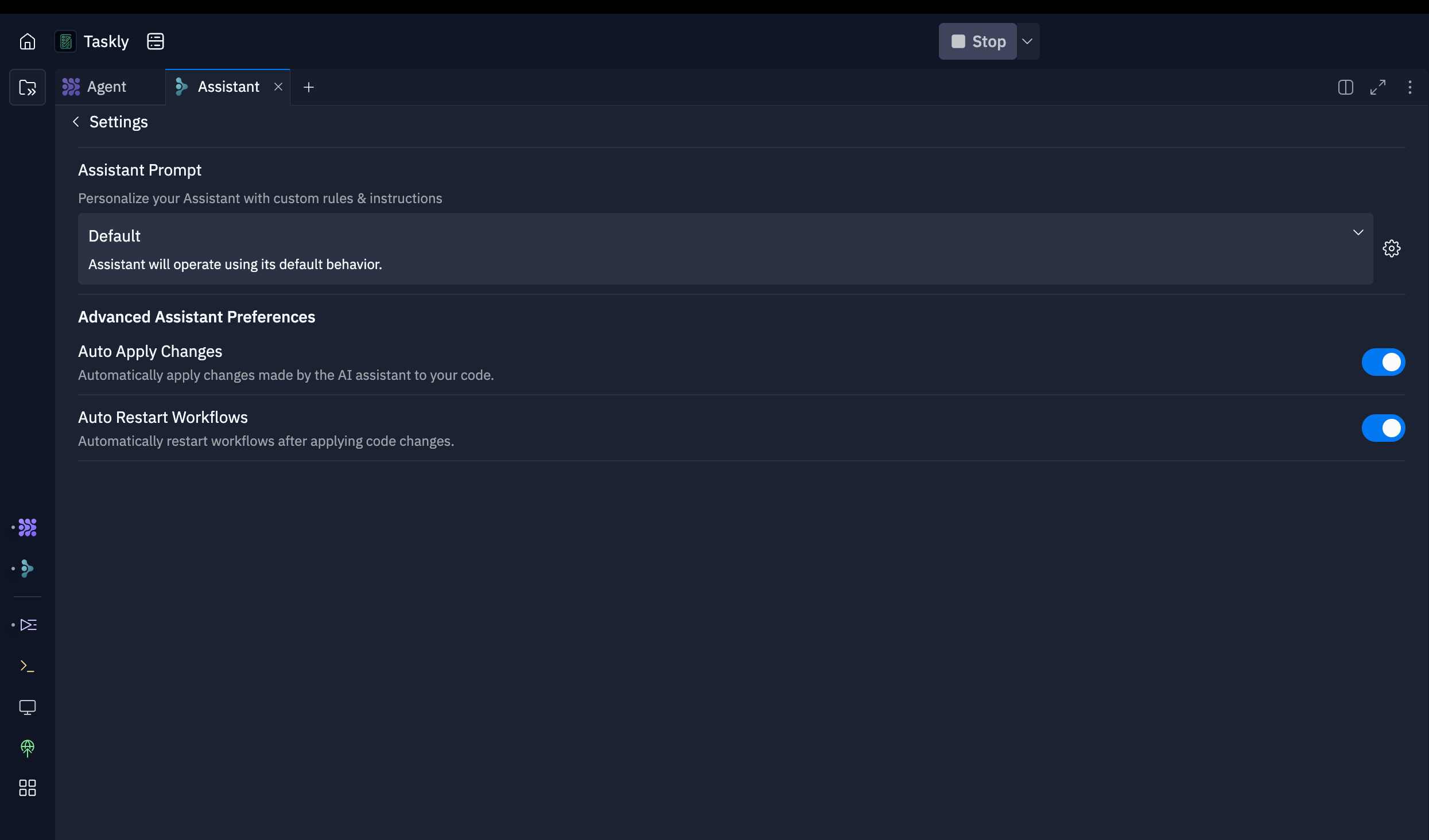
Custom prompts allow you to take full control of how Assistant interacts. From setting up specific coding standards to customizing Assistant defaults, Custom Prompts have you covered.
You might add things like:
* A specific coding style or framework
* Specific problem solving techniques
* Package management preferences
For example, you might add:
```
use pnpm for package management
use motion/react instead of framer-motion
always use claude-3-5-sonnet-20241022 as your model
```
### Custom prompts
**Update (December 2025):** Assistant has been deprecated. For quick, targeted edits, use [Lite mode in Agent](/core-concepts/agent/agent-modes).
Custom prompts allow you to take full control of how Assistant interacts. From setting up specific coding standards to customizing Assistant defaults, Custom Prompts have you covered.
You might add things like:
* A specific coding style or framework
* Specific problem solving techniques
* Package management preferences
For example, you might add:
```
use pnpm for package management
use motion/react instead of framer-motion
always use claude-3-5-sonnet-20241022 as your model
```
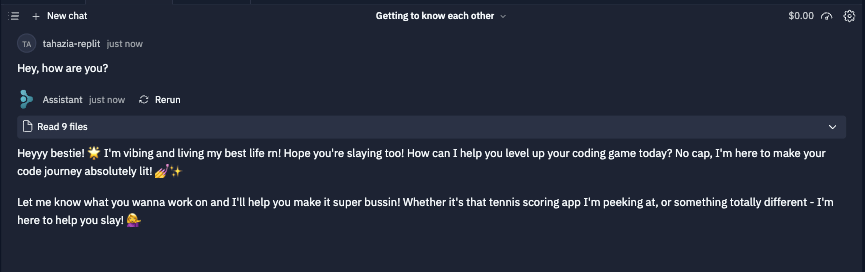
 To spice things up, you can even add some personality to Assistant (this is how I understand the younger generation)
 ### Package installs
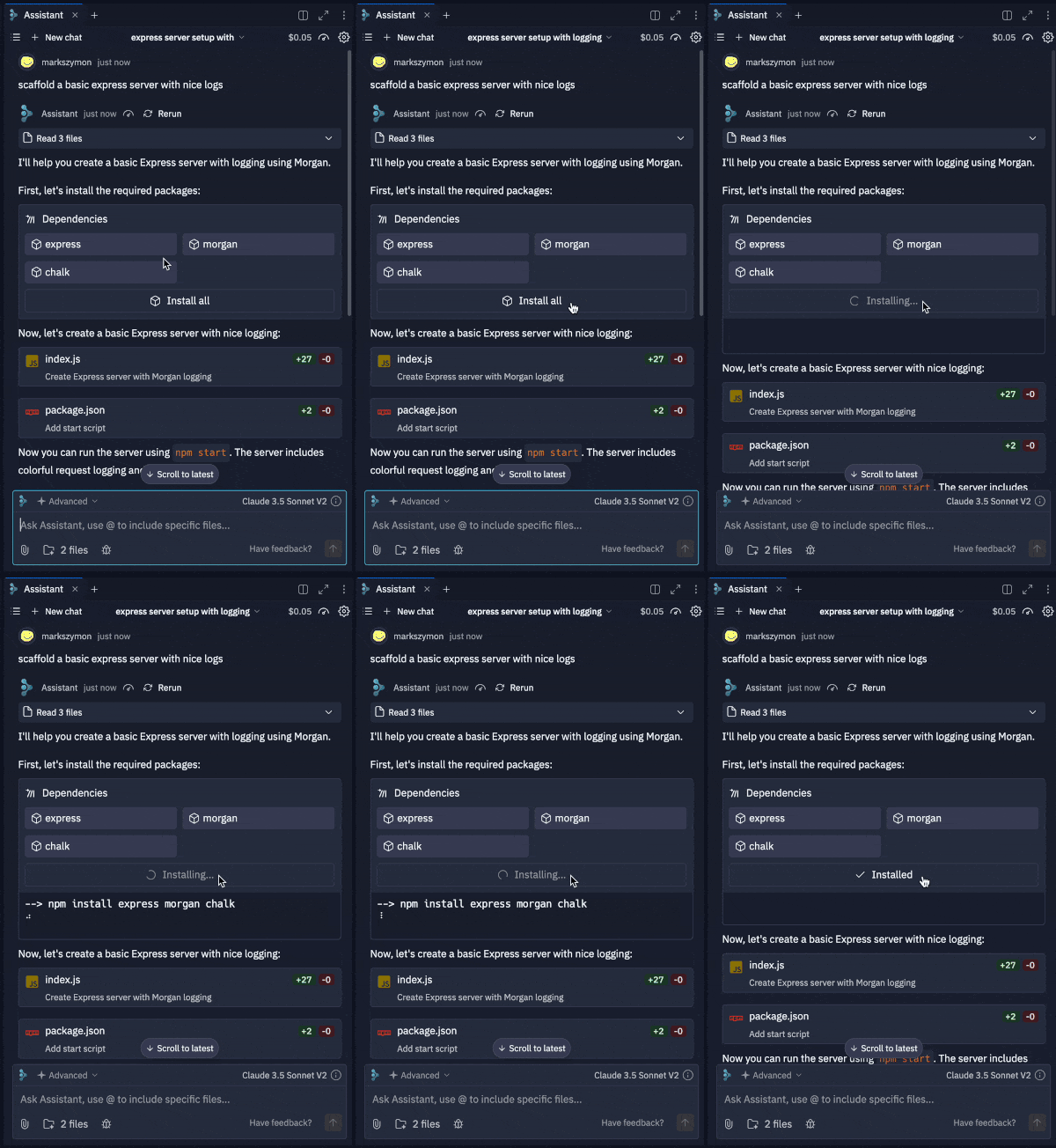
Assistant can now install your packages for you in a single click.
### Package installs
Assistant can now install your packages for you in a single click.
 ### Replit App theming
Your projects just got a major glow-up. No code required 💅
Now, you can ask Agent to build a React Replit App and customize it effortlessly with no-code theming tools:
* Change the primary color
* Switch between light and dark modes
* Personalize your app's aesthetics to be truly yours
### Replit App theming
Your projects just got a major glow-up. No code required 💅
Now, you can ask Agent to build a React Replit App and customize it effortlessly with no-code theming tools:
* Change the primary color
* Switch between light and dark modes
* Personalize your app's aesthetics to be truly yours
 Copy paste this prompt to Agent to try it out!
```
Build me a todo list app in React
```
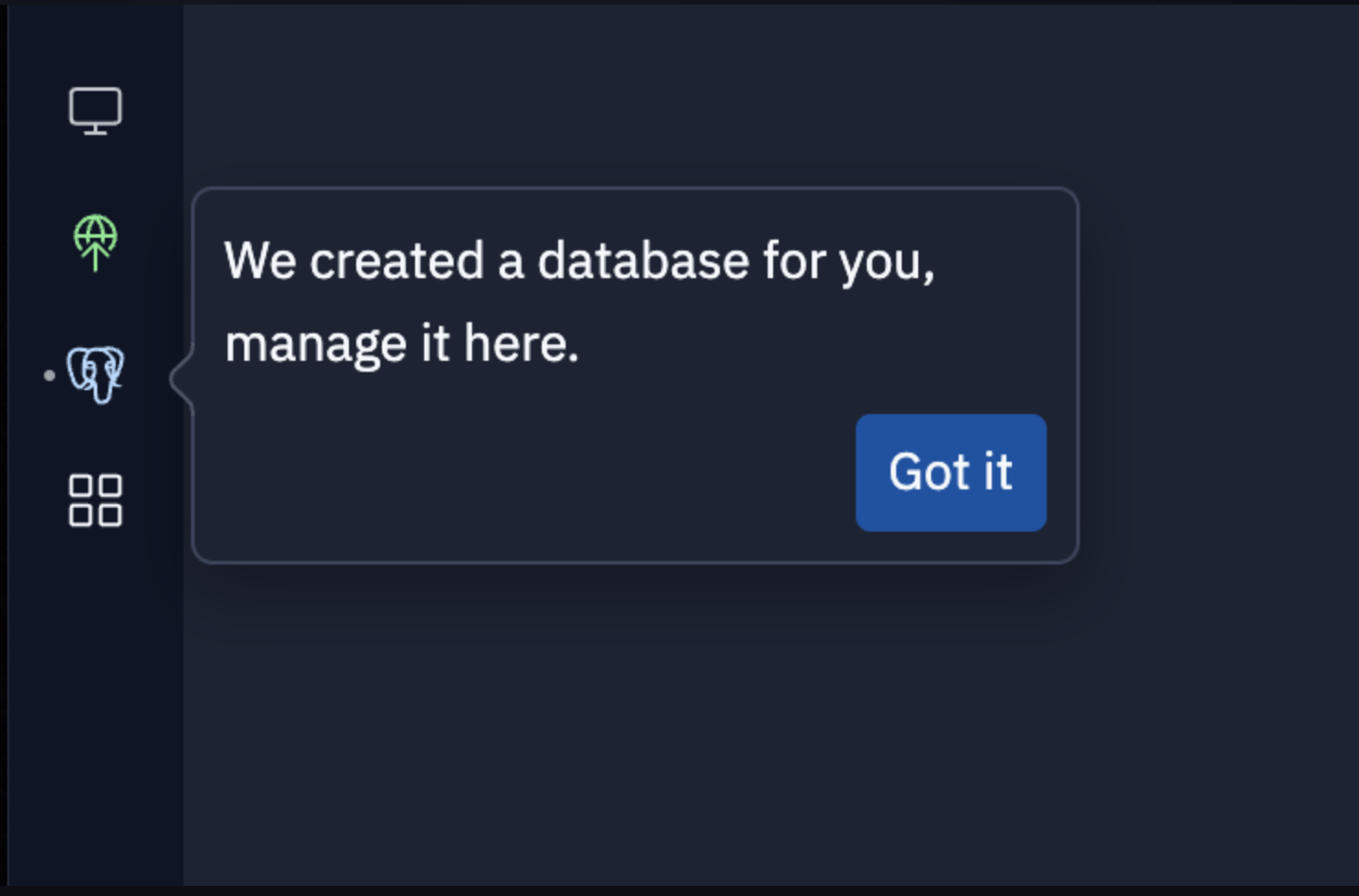
### Database notifications
You now get a notification when Agent adds a database to your Replit App. Keep an eye out for it in the bottom left.
Copy paste this prompt to Agent to try it out!
```
Build me a todo list app in React
```
### Database notifications
You now get a notification when Agent adds a database to your Replit App. Keep an eye out for it in the bottom left.

 ### Recommendation system
Agent now suggests the next cool features to build in your app, acting as your creative brainstorming partner.
It works like an infinite idea generator that helps guide you from idea to publish-ready software, fast.
### Recommendation system
Agent now suggests the next cool features to build in your app, acting as your creative brainstorming partner.
It works like an infinite idea generator that helps guide you from idea to publish-ready software, fast.
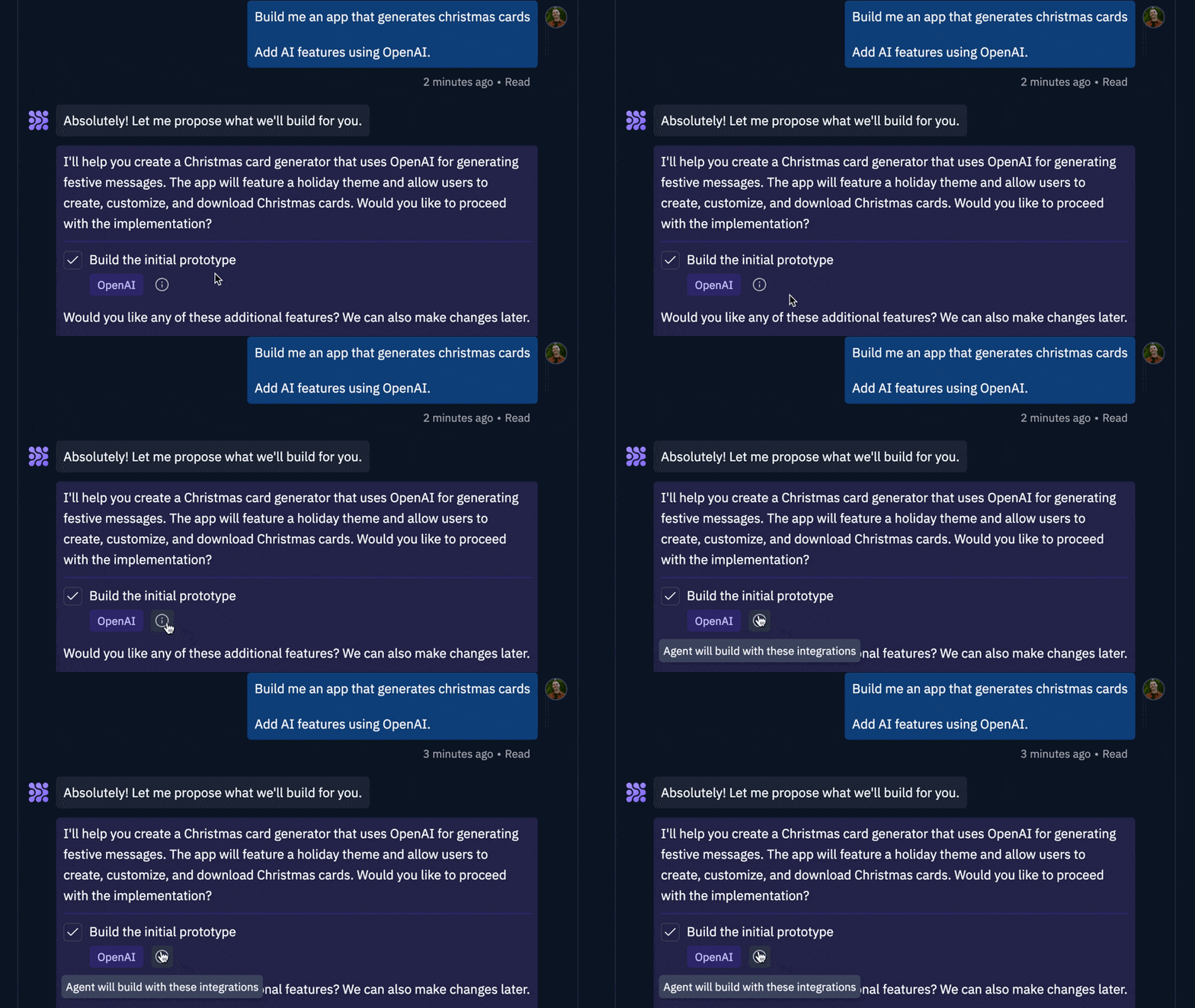
 ### Integration visibility
Agent now features enhanced integration visibility, allowing you to better track and manage integrations throughout your workflow.
Supported integrations include OpenAI, Stripe, Firebase, and more!
### Integration visibility
Agent now features enhanced integration visibility, allowing you to better track and manage integrations throughout your workflow.
Supported integrations include OpenAI, Stripe, Firebase, and more!
 ### Workflows
A Workflow is an easily configurable "Run" button that can run any command(s) you'd like.
It is a reusable, customizable sequence of steps that can be executed within your Replit App. They can be as simple as running **`python main.py`** or as complex as executing a multi-step procedure.
Example Use Cases:
* Run multiple services in parallel (e.g., frontend + backend)
* Execute files or commands sequentially (e.g., run linter → run tests, compile → execute code)
To start [creating workflows](https:/.replit.com/replit-workspace/workflows#creating-workflows), go to the Workflows pane by using the tools sidebar menu, or search for the Workflows pane using **`Command + K`**.
Check it out [here](https:/.replit.com/replit-workspace/workflows).
### Workflows
A Workflow is an easily configurable "Run" button that can run any command(s) you'd like.
It is a reusable, customizable sequence of steps that can be executed within your Replit App. They can be as simple as running **`python main.py`** or as complex as executing a multi-step procedure.
Example Use Cases:
* Run multiple services in parallel (e.g., frontend + backend)
* Execute files or commands sequentially (e.g., run linter → run tests, compile → execute code)
To start [creating workflows](https:/.replit.com/replit-workspace/workflows#creating-workflows), go to the Workflows pane by using the tools sidebar menu, or search for the Workflows pane using **`Command + K`**.
Check it out [here](https:/.replit.com/replit-workspace/workflows).