> ## Documentation Index
> Fetch the complete documentation index at: https://docs.replit.com/llms.txt
> Use this file to discover all available pages before exploring further.
# Privacy and deployment settings
> Control how your team publishes applications, protects development previews, and selects deployment geographies with Enterprise privacy and deployment settings.
Now that you have added collaborators and builders to your Workspace, decide how they can publish applications and who should be able to access them.
A **deployment** is a published version of your application running in a production environment, separate from the development preview you use while building. Depending on your organization's policies, builders can publish publicly, restrict access with a private deployment, or use password protection.
Open **Settings → Advanced** to find **Privacy settings** and **Deployment settings**. These administrator controls define the publishing choices available to your team.
## Control publishing privacy
Use **Privacy settings** to control published-app access and protect development URLs.
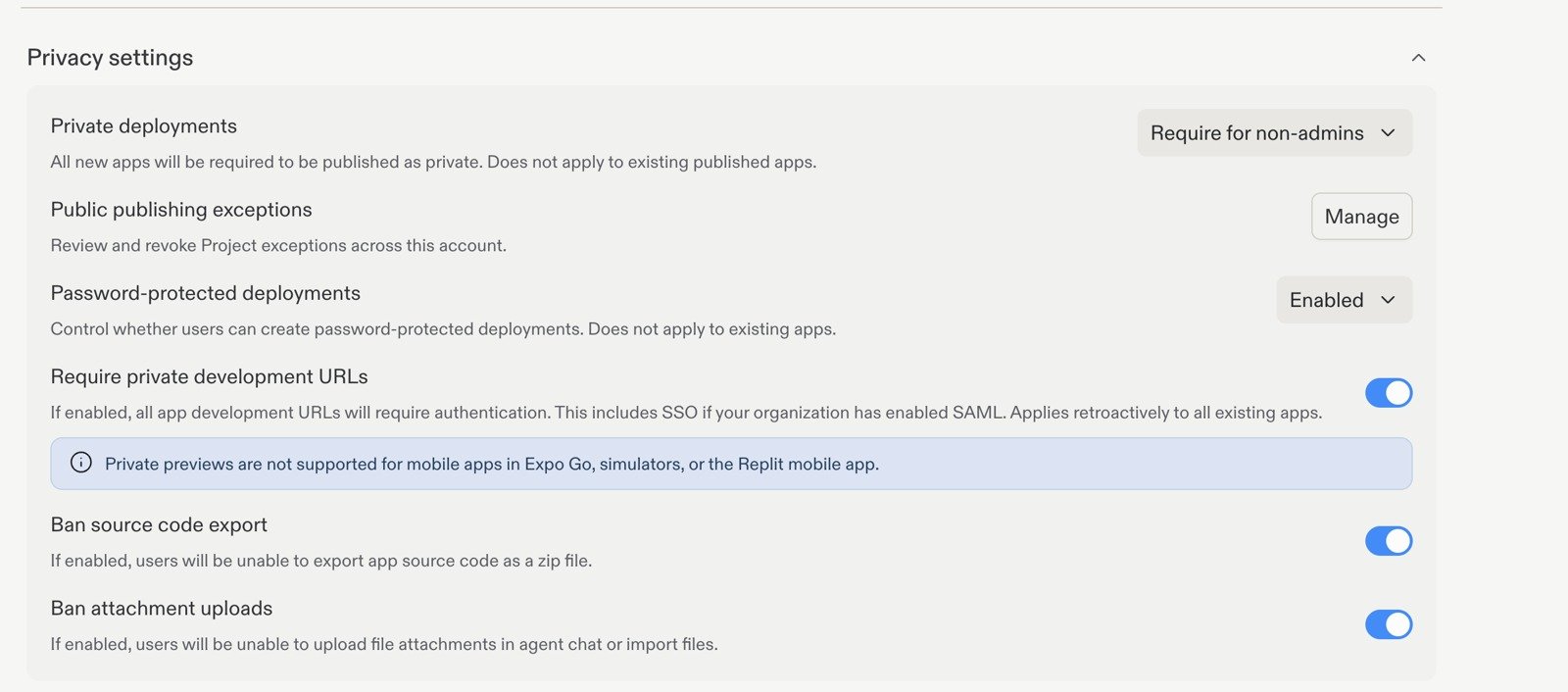 ### Private deployments
A public deployment is intended to be accessible to visitors outside your organization. A private deployment requires authorized access rather than exposing the app publicly.
Use **Private deployments** to choose your team's publishing policy:
| Option | Effect |
| ---------------------- | -------------------------------------------------- |
| Off | Builders can publish both public and private apps. |
| Require | All newly published apps must be private. |
| Require for non-admins | Only administrators can publish public apps. |
### Private deployments
A public deployment is intended to be accessible to visitors outside your organization. A private deployment requires authorized access rather than exposing the app publicly.
Use **Private deployments** to choose your team's publishing policy:
| Option | Effect |
| ---------------------- | -------------------------------------------------- |
| Off | Builders can publish both public and private apps. |
| Require | All newly published apps must be private. |
| Require for non-admins | Only administrators can publish public apps. |
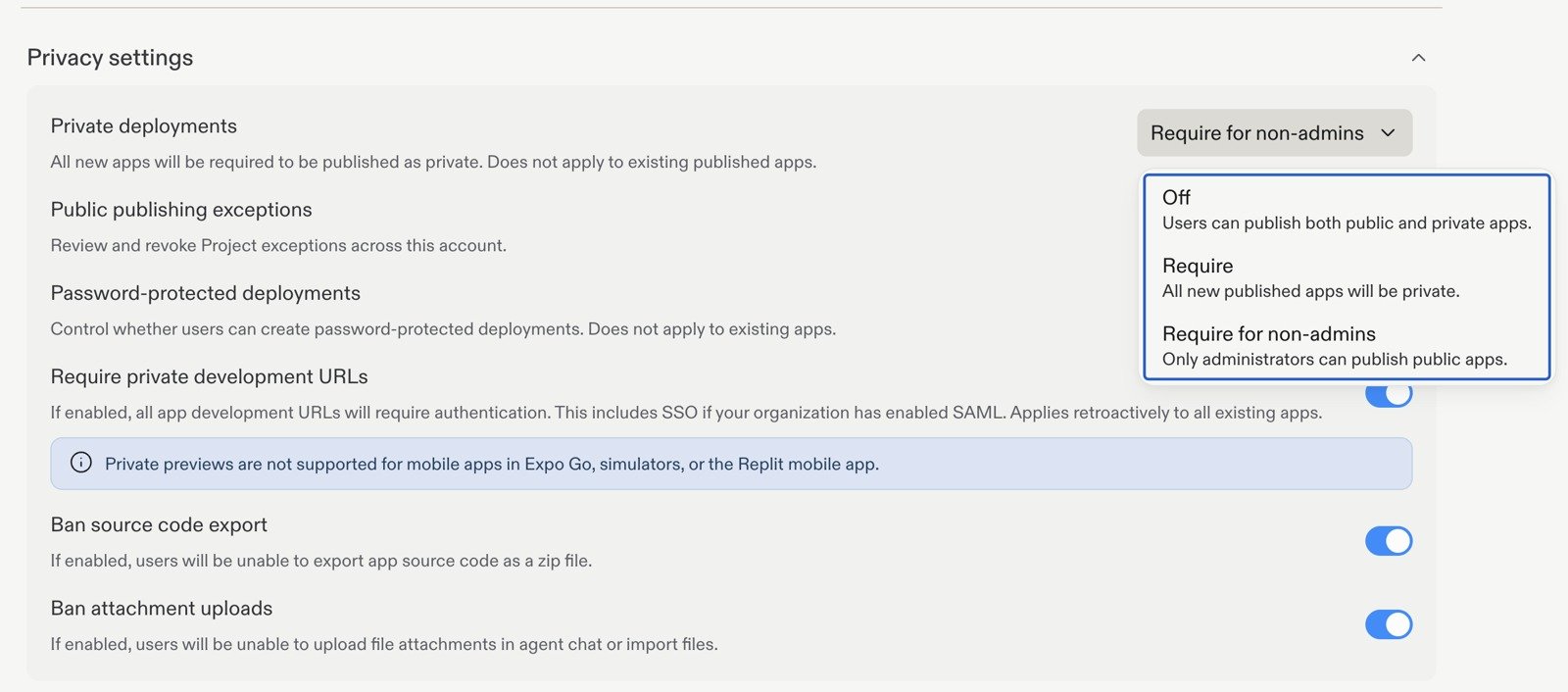 This policy applies to newly published apps. It does not change the visibility of apps that are already published. Review existing apps separately.
### Public publishing exceptions
Select **Manage** beside **Public publishing exceptions** to review and revoke project-specific exceptions across the account. This helps administrators track projects permitted to publish publicly without relaxing the policy for everyone.
### Password-protected deployments
Password protection lets builders share a published app with people who have its password. It is different from private access tied to an authenticated identity.
Use **Password-protected deployments** to control whether builders can create them:
| Option | Effect |
| ----------------------- | -------------------------------------------------------------- |
| Enabled | Builders can create password-protected deployments. |
| Disabled | Password-protected deployments are disabled for all builders. |
| Disabled for non-admins | Only administrators can create password-protected deployments. |
This policy applies to newly published apps. It does not change the visibility of apps that are already published. Review existing apps separately.
### Public publishing exceptions
Select **Manage** beside **Public publishing exceptions** to review and revoke project-specific exceptions across the account. This helps administrators track projects permitted to publish publicly without relaxing the policy for everyone.
### Password-protected deployments
Password protection lets builders share a published app with people who have its password. It is different from private access tied to an authenticated identity.
Use **Password-protected deployments** to control whether builders can create them:
| Option | Effect |
| ----------------------- | -------------------------------------------------------------- |
| Enabled | Builders can create password-protected deployments. |
| Disabled | Password-protected deployments are disabled for all builders. |
| Disabled for non-admins | Only administrators can create password-protected deployments. |
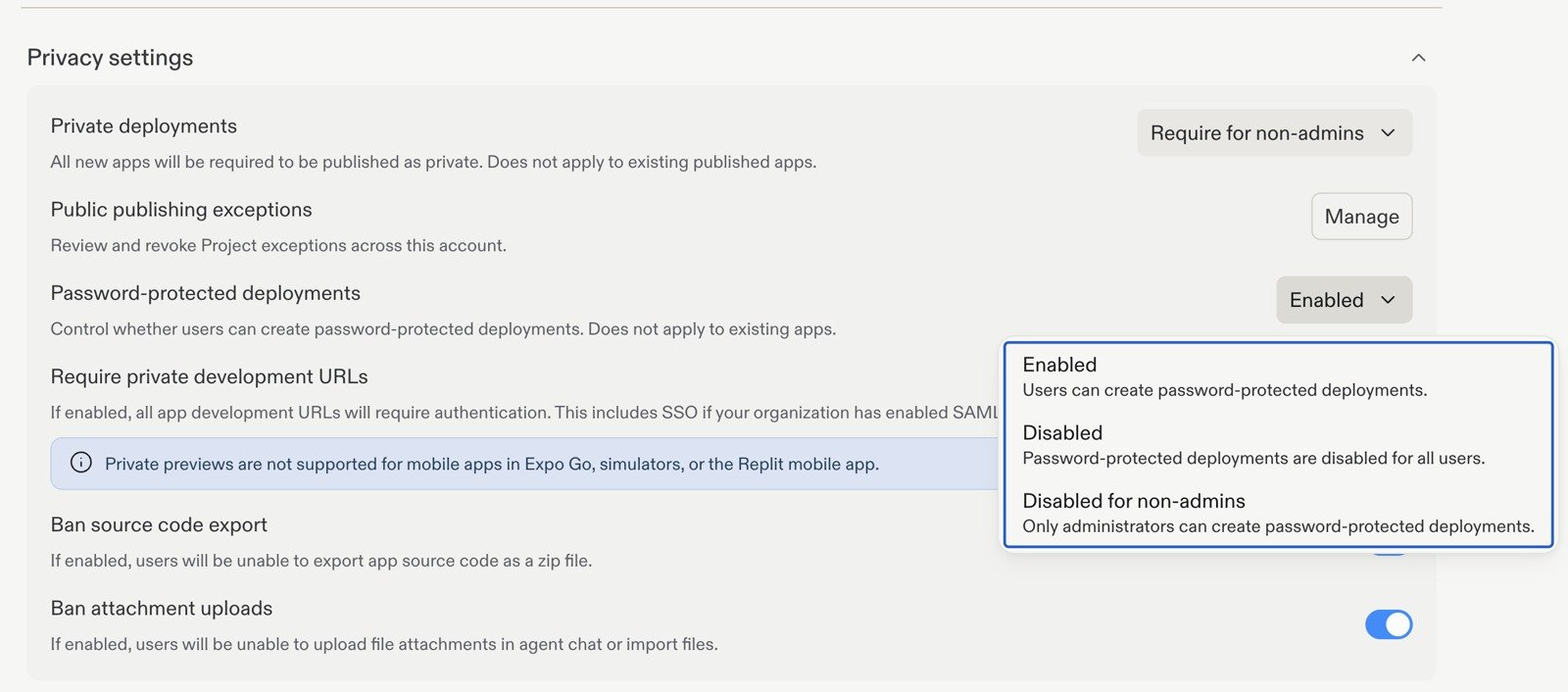 This setting does not apply to existing apps. Enabling it permits password protection; it does not automatically add a password to every deployment.
## Protect development previews
**Require private development URLs** controls access to apps while they are being built, rather than their published production deployments.
When enabled, all app development URLs require authentication. This includes SSO if your organization has enabled SAML.
Unlike the publishing policies above, private development URLs apply retroactively to existing apps. Private previews are not supported for mobile apps in Expo Go, simulators, or the Replit mobile app.
## Restrict exports and uploads
The same Privacy settings section includes two additional controls:
* **Ban source code export:** Prevents builders from exporting app source code as a ZIP file. This is an export control, not a guarantee that code cannot leave through another route.
* **Ban attachment uploads:** Prevents builders from uploading file attachments in Replit chat or importing files.
## Choose deployment geography
Under **Deployment settings**, use **Deployment geography** to control where members can publish projects. Choose **All geographies** to allow any available geography, or select a specific geography.
This setting does not apply to existing apps. Enabling it permits password protection; it does not automatically add a password to every deployment.
## Protect development previews
**Require private development URLs** controls access to apps while they are being built, rather than their published production deployments.
When enabled, all app development URLs require authentication. This includes SSO if your organization has enabled SAML.
Unlike the publishing policies above, private development URLs apply retroactively to existing apps. Private previews are not supported for mobile apps in Expo Go, simulators, or the Replit mobile app.
## Restrict exports and uploads
The same Privacy settings section includes two additional controls:
* **Ban source code export:** Prevents builders from exporting app source code as a ZIP file. This is an export control, not a guarantee that code cannot leave through another route.
* **Ban attachment uploads:** Prevents builders from uploading file attachments in Replit chat or importing files.
## Choose deployment geography
Under **Deployment settings**, use **Deployment geography** to control where members can publish projects. Choose **All geographies** to allow any available geography, or select a specific geography.
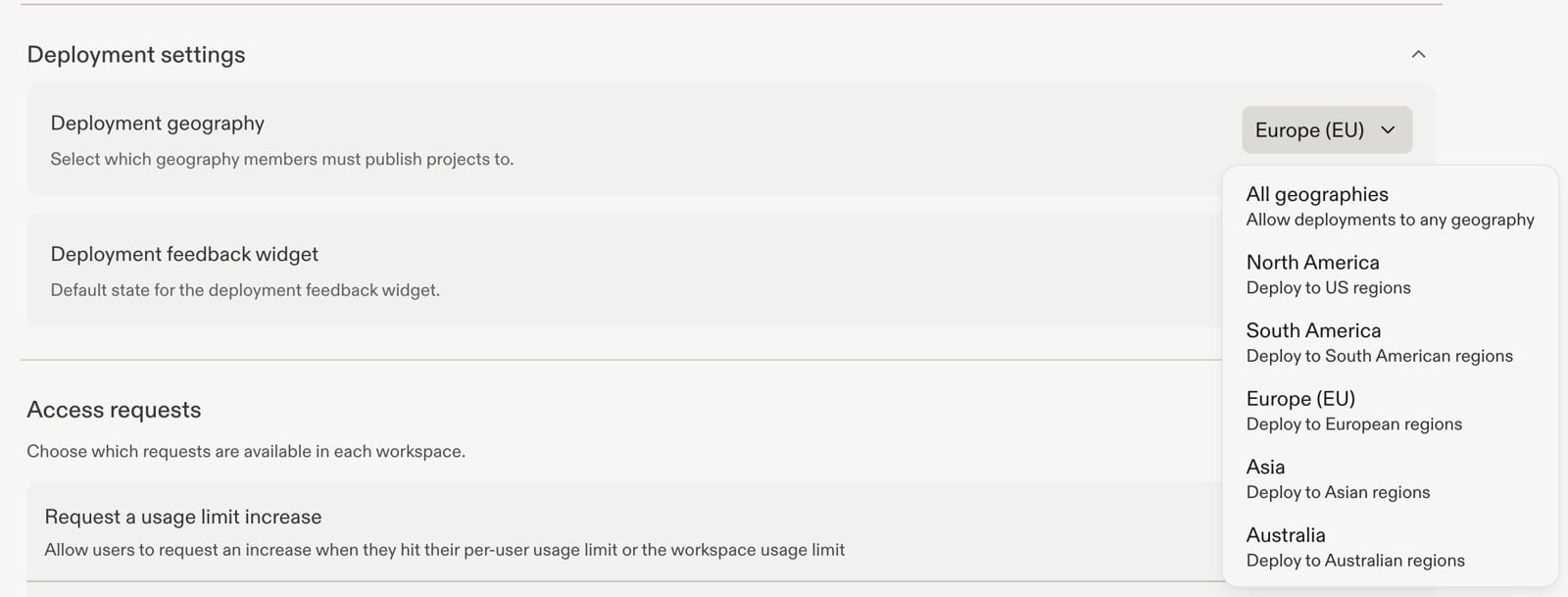 This setting governs deployment geography. It is not a promise that every service used by an app, such as an external database or API, stores or processes data in the same geography.
For available geographies, publishing restrictions, and how geography affects compute and storage, see [Project geography](/features/publishing/project-geography).
For Git remote requirements, see [Source control settings](/teams/enterprise-privacy-settings). To require vulnerability scans before publishing, see [Security](/teams/security#require-security-scans-before-publishing).
## Next step
Choose approved models and control access to higher effort levels.
This setting governs deployment geography. It is not a promise that every service used by an app, such as an external database or API, stores or processes data in the same geography.
For available geographies, publishing restrictions, and how geography affects compute and storage, see [Project geography](/features/publishing/project-geography).
For Git remote requirements, see [Source control settings](/teams/enterprise-privacy-settings). To require vulnerability scans before publishing, see [Security](/teams/security#require-security-scans-before-publishing).
## Next step
Choose approved models and control access to higher effort levels.