> ## Documentation Index
> Fetch the complete documentation index at: https://docs.replit.com/llms.txt
> Use this file to discover all available pages before exploring further.

# Schedule a routine

> Turn a recurring job into a routine that runs on a schedule and reports back to you.

<div className="chat-mkt" role="img" aria-label="Conversation bubble with clock hands set to 4:00, representing a scheduled Routine" style={{ margin: "28px 0 42px", borderTop: 0, paddingTop: 0 }}>
  <div className="chat-use-case-visual" style={{ aspectRatio: "auto", minHeight: "clamp(220px, 34vw, 320px)" }}>
    <div
      aria-hidden="true"
      style={{
    position: "relative",
    zIndex: 1,
    display: "grid",
    placeItems: "center",
    color: "#fff",
    filter: "drop-shadow(0 8px 18px rgba(73,18,0,.42))",
  }}
    >
      <svg width="96" height="96" viewBox="0 0 24 24" fill="currentColor">
        <path d="M12 6.25a.75.75 0 0 1 .75.75v4.932l3.666 2.443a.75.75 0 0 1-.833 1.248l-4-2.666a.75.75 0 0 1-.333-.624V7a.75.75 0 0 1 .75-.75" />

        <path fillRule="evenodd" d="M5.751 3.253a10.75 10.75 0 1 1 9.043 19.128 10.75 10.75 0 0 1-7.302-.623 1.25 1.25 0 0 0-.658-.056l-3.367.985-.018.005a1.753 1.753 0 0 1-2.118-1.165 1.75 1.75 0 0 1-.045-.88 1 1 0 0 1 .022-.08l1.049-3.242a1.25 1.25 0 0 0-.06-.702A10.75 10.75 0 0 1 5.75 3.253m6.984-.473a9.25 9.25 0 0 0-9.046 13.286c.202.51.248 1.069.13 1.604l-.02.07-1.046 3.229a.25.25 0 0 0 .075.213.25.25 0 0 0 .233.06l3.398-.993.065-.015c.442-.088.899-.066 1.329.064l.182.062.051.021A9.252 9.252 0 0 0 18.501 5.42a9.25 9.25 0 0 0-5.766-2.64" clipRule="evenodd" />
      </svg>
    </div>
  </div>
</div>

In this quickstart, you create a Routine that sends a daily calendar summary to Slack. [Read more about Routines](/chat/routines#whats-a-routine).

## Create a calendar summary Routine

<Steps>
  <Step title="Start a new Conversation">
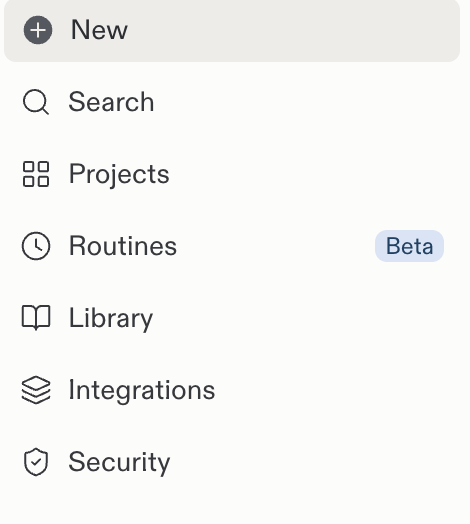
    Select **New** in the Replit sidebar.

    <Frame>
      <img src="https://mintcdn.com/replit/teDUL4A-lNO7dv1O/images/chat/start-new-conversation-sidebar.png?fit=max&auto=format&n=teDUL4A-lNO7dv1O&q=85&s=52b729bd549daddbde87f995c8f0b4b1" alt="Replit sidebar with the New button above Search, Projects, Routines, and other navigation entries" width="470" height="524" data-path="images/chat/start-new-conversation-sidebar.png" />
    </Frame>
  </Step>

  <Step title="Write your request">
    Enter: “Schedule a routine that sends me my daily calendar summary on Slack.”

    <Frame>
      <img src="https://mintcdn.com/replit/teDUL4A-lNO7dv1O/images/chat/routine-calendar-summary-request.png?fit=max&auto=format&n=teDUL4A-lNO7dv1O&q=85&s=917d4f62bbfd78f636527de7f723e285" alt="Replit prompt box with a request to schedule a daily calendar summary on Slack" width="1558" height="262" data-path="images/chat/routine-calendar-summary-request.png" />
    </Frame>
  </Step>

  <Step title="Clarify the details">
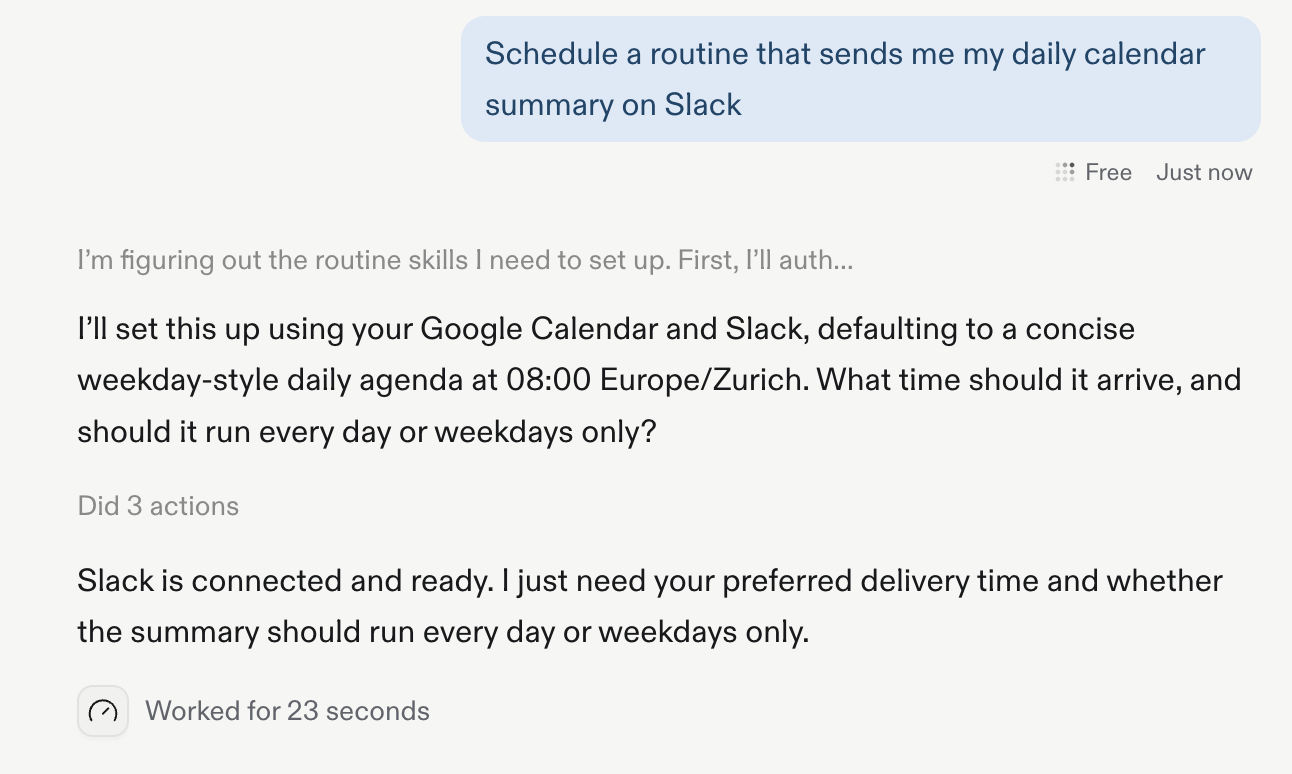
    Answer Replit's follow-up questions about the schedule. Specify a delivery time and whether the Routine should run every day or only on weekdays.
    <Frame>
      <img src="https://mintcdn.com/replit/teDUL4A-lNO7dv1O/images/chat/routine-follow-up-questions.png?fit=max&auto=format&n=teDUL4A-lNO7dv1O&q=85&s=ea5d3baaed5a04a54c7ab72955787010" alt="Replit asks what time the calendar summary should arrive and whether the Routine should run every day or on weekdays" width="1292" height="774" data-path="images/chat/routine-follow-up-questions.png" />
    </Frame>
  </Step>

  <Step title="Review and accept">
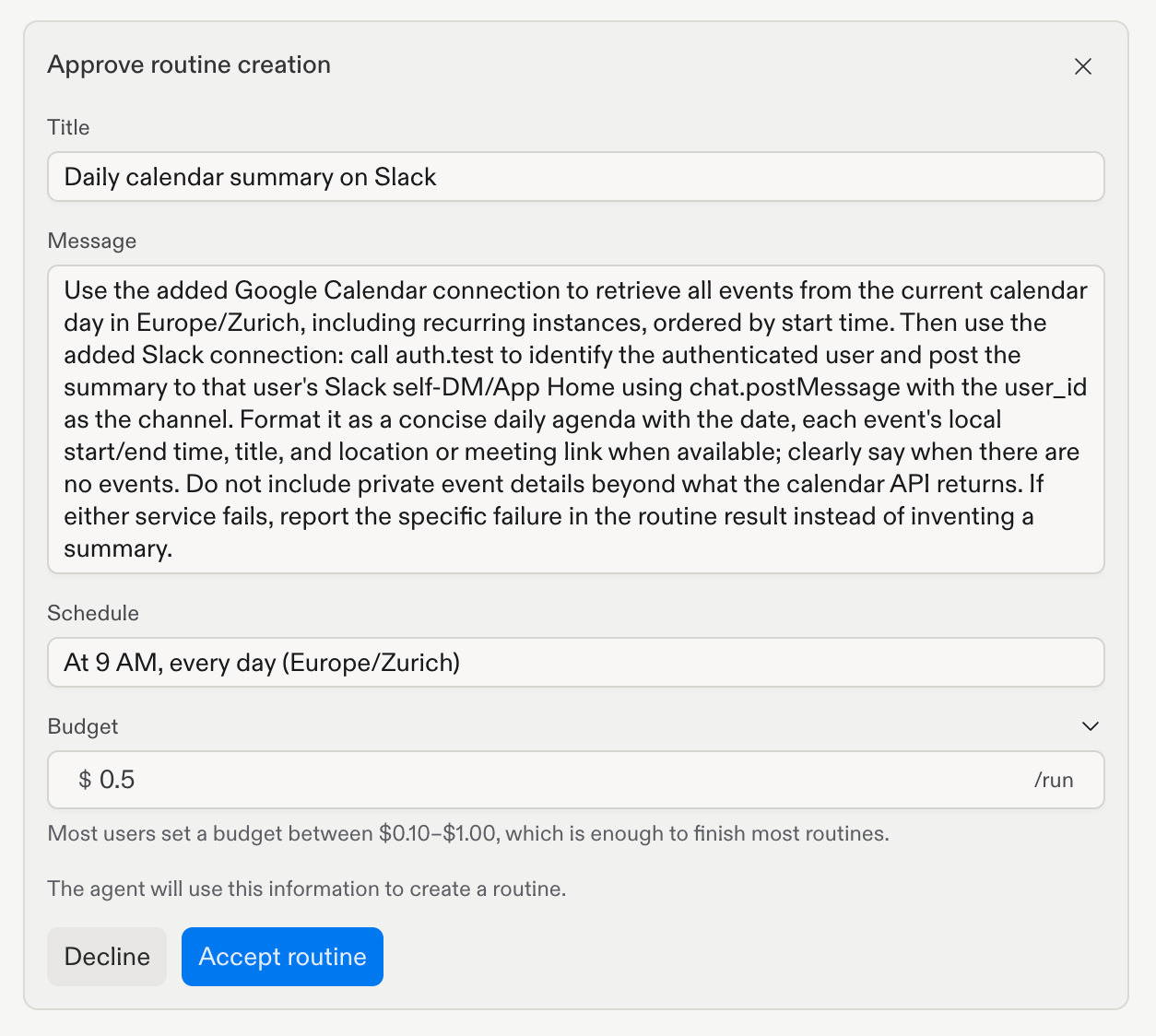
    Review the proposed Routine and schedule, then select **Accept routine**. Replit uses your device's time zone when you confirm it.

    To change the per-run budget, edit it in the **Budget** section or ask Replit to change it in the Conversation.
    <Frame>
      <img src="https://mintcdn.com/replit/teDUL4A-lNO7dv1O/images/chat/routine-approval.png?fit=max&auto=format&n=teDUL4A-lNO7dv1O&q=85&s=760759b1ba10d08d05fa4795dec76434" alt="Routine approval dialog showing the title, instructions, schedule, and Accept routine button" width="1254" height="1124" data-path="images/chat/routine-approval.png" />
    </Frame>
  </Step>

  <Step title="Confirm the Routine">
    Check the confirmation to verify that the Routine was created with the schedule you approved.
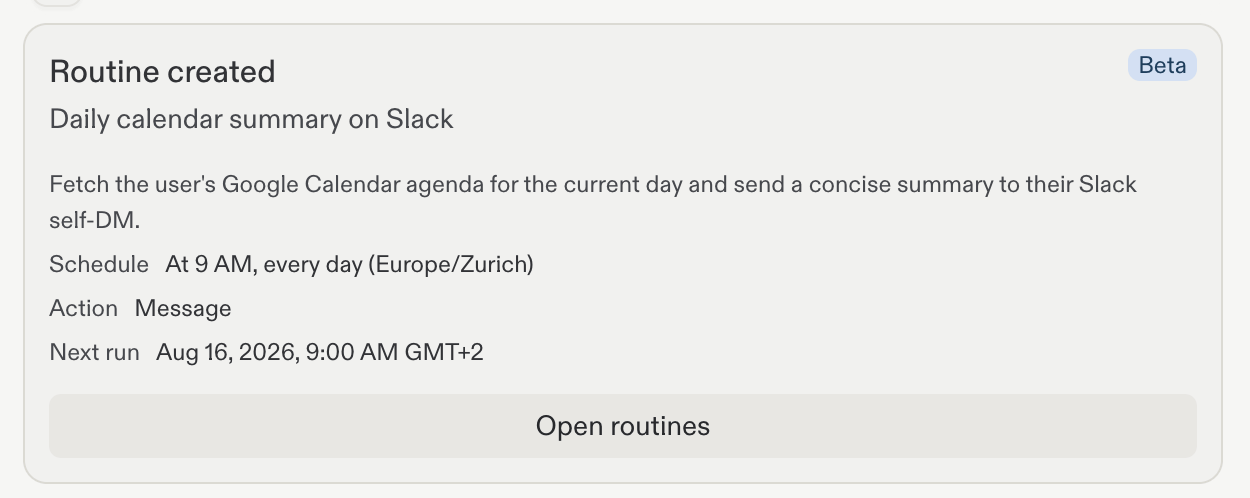
    <Frame>
      <img src="https://mintcdn.com/replit/teDUL4A-lNO7dv1O/images/chat/routine-created-confirmation.png?fit=max&auto=format&n=teDUL4A-lNO7dv1O&q=85&s=20eab974efa548363c520981cd880a5e" alt="Routine created confirmation for a daily calendar summary on Slack with its approved schedule" width="1250" height="498" data-path="images/chat/routine-created-confirmation.png" />
    </Frame>
  </Step>

  <Step title="Open Routines">
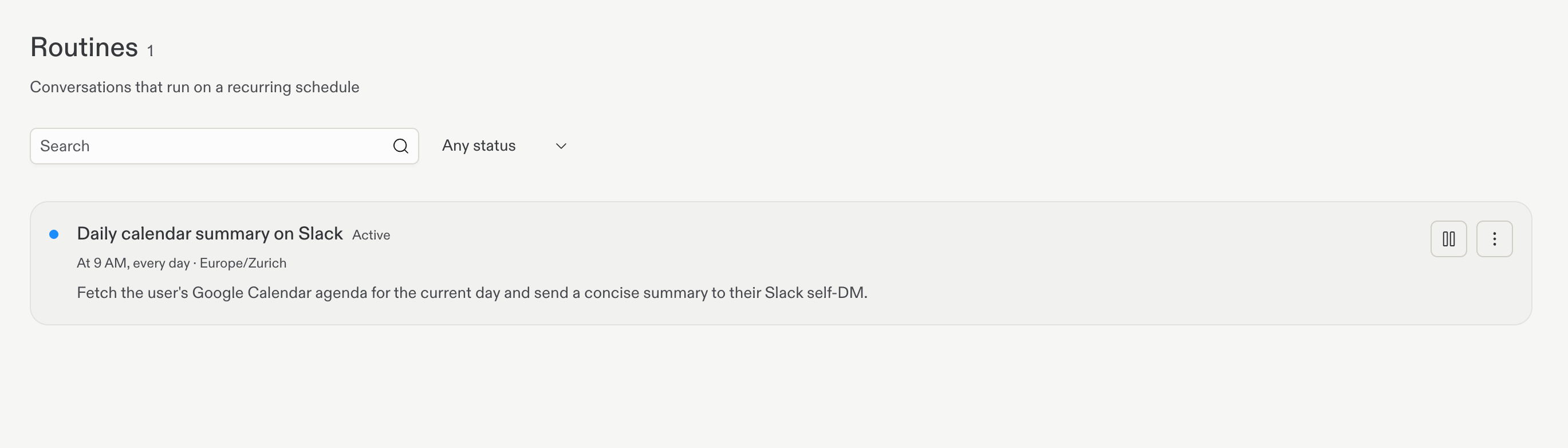
    Select **Routines** in the Replit sidebar to view your scheduled Routines.
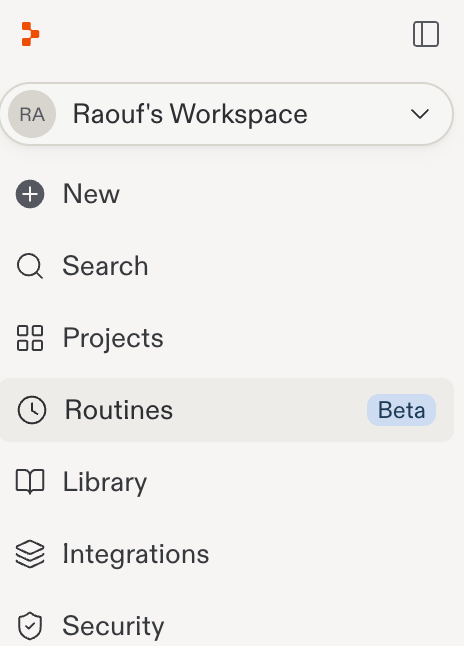
    <Frame>
      <img src="https://mintcdn.com/replit/teDUL4A-lNO7dv1O/images/chat/open-routines-sidebar.png?fit=max&auto=format&n=teDUL4A-lNO7dv1O&q=85&s=ce7e70b2818edbf8d584b8122421fc0f" alt="Replit sidebar with Routines selected" width="464" height="646" data-path="images/chat/open-routines-sidebar.png" />
    </Frame>

    <Frame>
      <img src="https://mintcdn.com/replit/teDUL4A-lNO7dv1O/images/chat/routines-management-page.png?fit=max&auto=format&n=teDUL4A-lNO7dv1O&q=85&s=5deba6a1bed0f65c81b60c626ceb7c0b" alt="Routines page listing the active daily calendar summary on Slack and its schedule" width="2738" height="782" data-path="images/chat/routines-management-page.png" />
    </Frame>
  </Step>

  <Step title="Manage the Routine">
    Open the Routine's action menu to run it now or delete it.
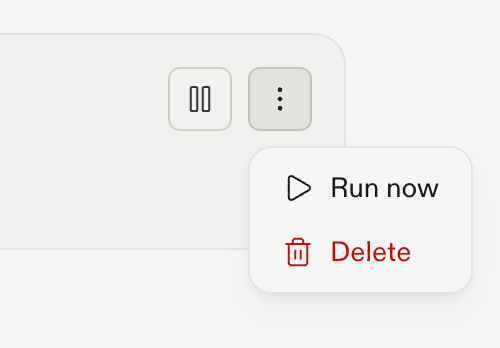
    <Frame>
      <img src="https://mintcdn.com/replit/teDUL4A-lNO7dv1O/images/chat/routine-action-menu.png?fit=max&auto=format&n=teDUL4A-lNO7dv1O&q=85&s=f602a4594363fbce5f759abb54d4a415" alt="Routine action menu with Run now and Delete options" width="500" height="348" data-path="images/chat/routine-action-menu.png" />
    </Frame>
  </Step>
</Steps>

Learn more about permissions, results, availability, and limits in [Routines](/chat/routines).

Next, compare [Conversations and projects](/home/conversations-and-projects) to decide where continuing work should live.