> ## Documentation Index
> Fetch the complete documentation index at: https://docs.replit.com/llms.txt
> Use this file to discover all available pages before exploring further.
# Replit in Slack
> Mention @Replit in Slack to turn a prompt into a working prototype — without leaving your team's workspace.
Add the **Replit** app to your Slack workspace, then mention **@Replit** with a prompt to go from idea to a working prototype — AI-powered development right in your team's conversations.
## What you can do
Mention **@Replit** with your idea in any channel, and Replit's Agent builds a working prototype you can use or iterate on right away:
* Generate prototypes and designs from a natural-language prompt.
* Get a working result back in seconds, then refine it in the thread.
* Collaborate with your team on the prototype without leaving Slack.
Try mentioning Replit with an idea, like "@Replit build a form that collects team lunch orders" or "@Replit make a landing page for our launch." Replit's Agent builds a prototype and posts it back in the conversation.
## Add Replit to Slack
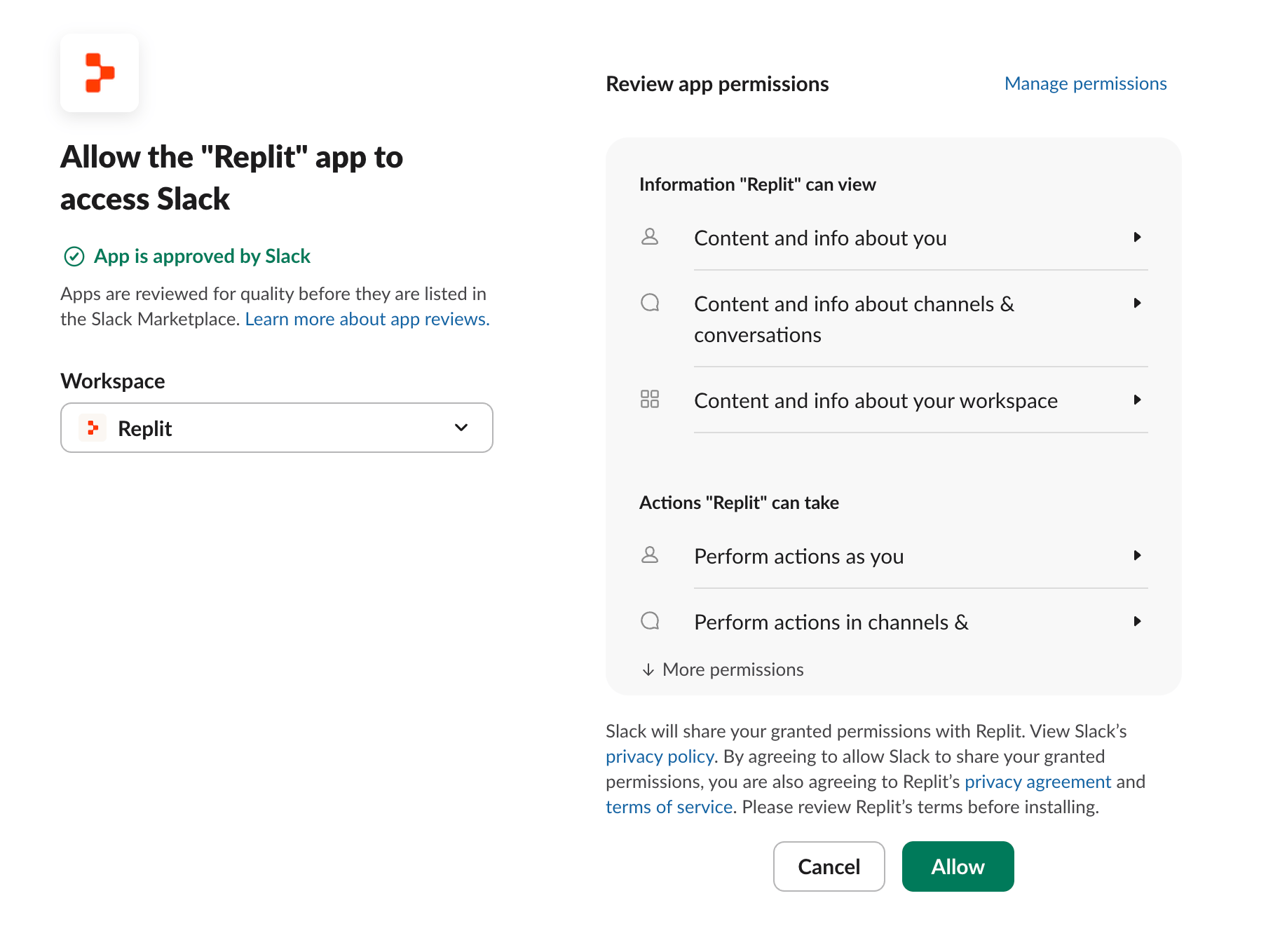
Install the app from [Replit for Slack](https://replit.com/partners/slack-app) and select **Add to Slack**. Choose the Slack workspace to connect, review the permissions, and select **Allow**. Once it's installed, mention **@Replit** in any channel to start building.
 Replit's Agent uses AI to generate responses, so outputs may occasionally be inaccurate or incomplete — verify important details independently.
## How it works
Mentioning **@Replit** drives Replit through the [Replit MCP Server](/platforms/mcp-server). Slack handles the connection for you.
## Related
* [Replit in ChatGPT](/references/platforms/chatgpt) — build Replit Apps from a ChatGPT conversation.
* [Replit in Claude](/references/platforms/claude) — use Replit as a connector inside Claude.
* [Replit MCP Server](/platforms/mcp-server) — the developer reference for the MCP server that powers these surfaces.
Replit's Agent uses AI to generate responses, so outputs may occasionally be inaccurate or incomplete — verify important details independently.
## How it works
Mentioning **@Replit** drives Replit through the [Replit MCP Server](/platforms/mcp-server). Slack handles the connection for you.
## Related
* [Replit in ChatGPT](/references/platforms/chatgpt) — build Replit Apps from a ChatGPT conversation.
* [Replit in Claude](/references/platforms/claude) — use Replit as a connector inside Claude.
* [Replit MCP Server](/platforms/mcp-server) — the developer reference for the MCP server that powers these surfaces.