> ## Documentation Index
> Fetch the complete documentation index at: https://docs.replit.com/llms.txt
> Use this file to discover all available pages before exploring further.
# Agent Skills
> Reference for Agent Skills — what they are, the pre-defined catalog, scope levels, and how Agent loads them.
Skills teach Agent how you want to build. They preserve patterns, conventions, and solutions across Agent sessions so output stays consistent.
For the hands-on guide, see [Use Agent Skills](/build/use-agent-skills). For when and how to use them effectively, see [Agent skills](/learn/agent-skills).
 ## What skills are
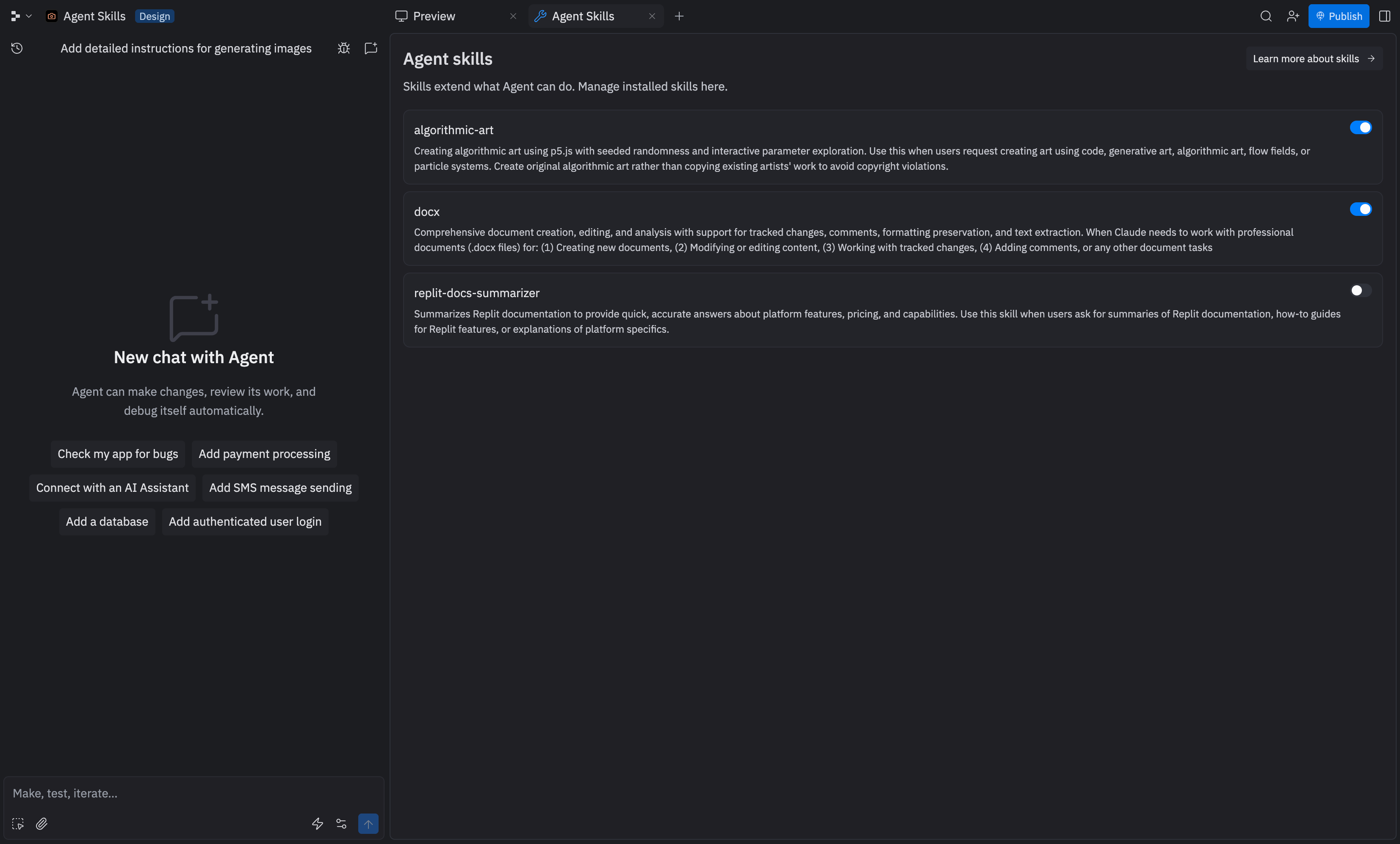
A skill is a Markdown file containing instructions Agent follows. Skills live in your project's `/.agents/skills` directory and conform to the [Agent Skills specification](https://agentskills.io/specification) — an open standard that works across agents.
Agent sees the name and description of every installed skill, but only loads the full content when relevant to the current task. This makes skills context-efficient: you can install many without degrading Agent's output.
## Pre-defined skills
Replit ships with 35 pre-defined skills available from the **Use a skill** picker in chat and from the new-project starting-point picker. These skills work in every project without installation. Descriptions appear inline when you open the picker.
### Sales & marketing
* Ad Creative
* AI SDR
* SEO Auditor
* Programmatic SEO
* GEO
* Content Machine
* Storyboard
### Career
* AI Recruiter
* Resume Maker
* Interview Prep
### Research & analysis
* Competitive Analysis
* Deep Research
* GitHub Solution Finder
* Supplier Research
### Business & finance
* Stock Analyzer
* Excel Generator
* Invoice Generator
* Tax Reviewer
### Documents & tools
* Website Cloner
* File Converter
* Flashcard Generator
* Legal Contract
* Infographic Builder
* Recreate Screenshot
### Creative
* Photo Editor
* Podcast Generator
* Podcast Marketing
* Branding Generator
* Video Editing
### Productivity
* AI Secretary
* Product Manager
* Design Thinker
* Skill Finder
* Skill Creator
### Personal
* Travel Assistant
This is the hardcoded catalog shown in the homepage create flow. Inside a workspace, the picker also discovers any additional skills installed in the project's `.local/secondary_skills/` directory.
## Skill scope
Skills can be scoped at three levels:
* **Project-level** — specific to one project, versioned with your files in `/.agents/skills`
* **User-level** — your personal toolkit that follows you across projects
* **Enterprise** — company-wide standards baked into [custom templates](/teams/custom-templates) and pinned to the Agent input box
## How Agent loads skills
Agent reads the metadata (name and description) of every installed skill on every chat. The full body of a skill loads only when Agent determines the skill is relevant to the current task. This keeps skill content out of the context window until needed.
Installed skills persist in your project across Agent sessions and can be committed to version control for team sharing.
## Working with other AI coding tools
If you work across multiple AI coding tools, [rulesync](https://github.com/dyoshikawa/rulesync) has Replit support and helps you maintain consistent configurations.
You can import skills from other AI coding assistants:
```bash theme={null}
npx rulesync init
npx rulesync import --targets claudecode --features skills
npx rulesync generate --targets replit --features skills
```
This allows you to maintain a single set of skills that work across different development environments.
## Next steps
* [Use Agent Skills](/build/use-agent-skills) — Hands-on guide for using skills in chat or installing them in a project
* [Agent skills](/learn/agent-skills) — When and how to use skills effectively
* [Agent Skills specification](https://agentskills.io/specification) — Open standard for writing skills
* Browse community skills at [skills.sh](https://skills.sh)
* **Enterprise**: include skills in [custom templates](/teams/custom-templates) and [design systems](/teams/custom-design-system) for your organization
## What skills are
A skill is a Markdown file containing instructions Agent follows. Skills live in your project's `/.agents/skills` directory and conform to the [Agent Skills specification](https://agentskills.io/specification) — an open standard that works across agents.
Agent sees the name and description of every installed skill, but only loads the full content when relevant to the current task. This makes skills context-efficient: you can install many without degrading Agent's output.
## Pre-defined skills
Replit ships with 35 pre-defined skills available from the **Use a skill** picker in chat and from the new-project starting-point picker. These skills work in every project without installation. Descriptions appear inline when you open the picker.
### Sales & marketing
* Ad Creative
* AI SDR
* SEO Auditor
* Programmatic SEO
* GEO
* Content Machine
* Storyboard
### Career
* AI Recruiter
* Resume Maker
* Interview Prep
### Research & analysis
* Competitive Analysis
* Deep Research
* GitHub Solution Finder
* Supplier Research
### Business & finance
* Stock Analyzer
* Excel Generator
* Invoice Generator
* Tax Reviewer
### Documents & tools
* Website Cloner
* File Converter
* Flashcard Generator
* Legal Contract
* Infographic Builder
* Recreate Screenshot
### Creative
* Photo Editor
* Podcast Generator
* Podcast Marketing
* Branding Generator
* Video Editing
### Productivity
* AI Secretary
* Product Manager
* Design Thinker
* Skill Finder
* Skill Creator
### Personal
* Travel Assistant
This is the hardcoded catalog shown in the homepage create flow. Inside a workspace, the picker also discovers any additional skills installed in the project's `.local/secondary_skills/` directory.
## Skill scope
Skills can be scoped at three levels:
* **Project-level** — specific to one project, versioned with your files in `/.agents/skills`
* **User-level** — your personal toolkit that follows you across projects
* **Enterprise** — company-wide standards baked into [custom templates](/teams/custom-templates) and pinned to the Agent input box
## How Agent loads skills
Agent reads the metadata (name and description) of every installed skill on every chat. The full body of a skill loads only when Agent determines the skill is relevant to the current task. This keeps skill content out of the context window until needed.
Installed skills persist in your project across Agent sessions and can be committed to version control for team sharing.
## Working with other AI coding tools
If you work across multiple AI coding tools, [rulesync](https://github.com/dyoshikawa/rulesync) has Replit support and helps you maintain consistent configurations.
You can import skills from other AI coding assistants:
```bash theme={null}
npx rulesync init
npx rulesync import --targets claudecode --features skills
npx rulesync generate --targets replit --features skills
```
This allows you to maintain a single set of skills that work across different development environments.
## Next steps
* [Use Agent Skills](/build/use-agent-skills) — Hands-on guide for using skills in chat or installing them in a project
* [Agent skills](/learn/agent-skills) — When and how to use skills effectively
* [Agent Skills specification](https://agentskills.io/specification) — Open standard for writing skills
* Browse community skills at [skills.sh](https://skills.sh)
* **Enterprise**: include skills in [custom templates](/teams/custom-templates) and [design systems](/teams/custom-design-system) for your organization