> ## Documentation Index
> Fetch the complete documentation index at: https://docs.replit.com/llms.txt
> Use this file to discover all available pages before exploring further.
# 2026년 9월 4일
> 읽는 시간 1분
## 새로운 기능
* [예약된 백업으로 프로덕션 데이터 복구하기](#recover-production-data-with-scheduled-backups)
* [프로젝트 분석으로 앱 사용 현황 파악하기](#understand-app-usage-with-project-analytics)
## 플랫폼
### 예약된 백업으로 프로덕션 데이터 복구하기
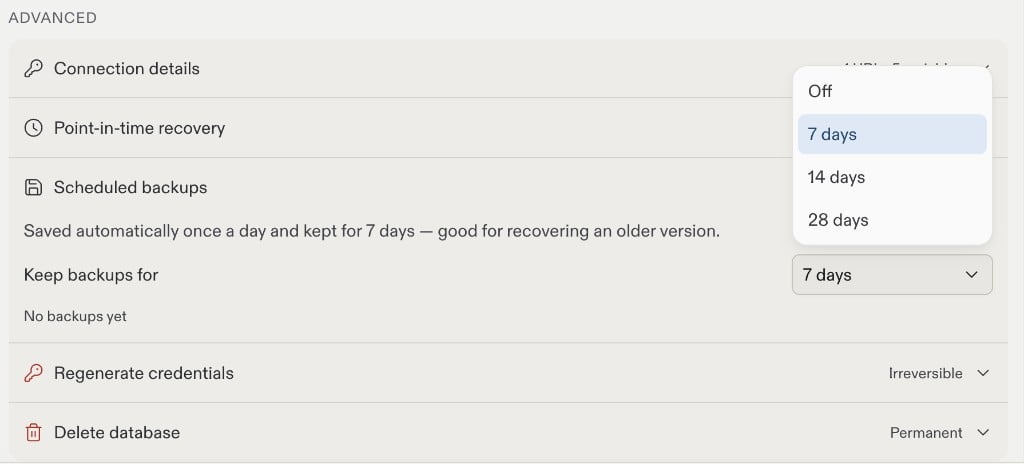
예약된 백업은 프로덕션 데이터베이스에 대해 매일 하나의 전체 복원 지점을 생성합니다. 이를 활성화하려면 프로덕션 데이터베이스 설정에서 **Keep backups for**(백업 보관 기간) 아래의 보관 기간을 선택하세요. 보관 기간 제한은 플랜에 따라 다릅니다.
 자세한 내용은 [데이터 복구](/ko/features/data-and-storage/data-recovery)를 참조하세요.
### 프로젝트 분석으로 앱 사용 현황 파악하기
프로젝트 분석은 사람들이 게시된 웹 앱을 찾고 사용하는 방식을 보여줍니다. **Growth**(성장) 패널에서 대략적인 방문자 트렌드, 인기 페이지, 트래픽 소스, 국가, 브라우저, 기기를 확인하세요. 데이터 수집을 시작하려면 **Enable analytics**(분석 활성화)를 켜고 앱을 다시 게시하세요. 유료 플랜에서는 Agent에게 사용자 가입 및 구매와 같은 작업에 대한 맞춤 이벤트를 추가하고 퍼널을 분석하도록 요청할 수 있습니다.
자세한 내용은 [데이터 복구](/ko/features/data-and-storage/data-recovery)를 참조하세요.
### 프로젝트 분석으로 앱 사용 현황 파악하기
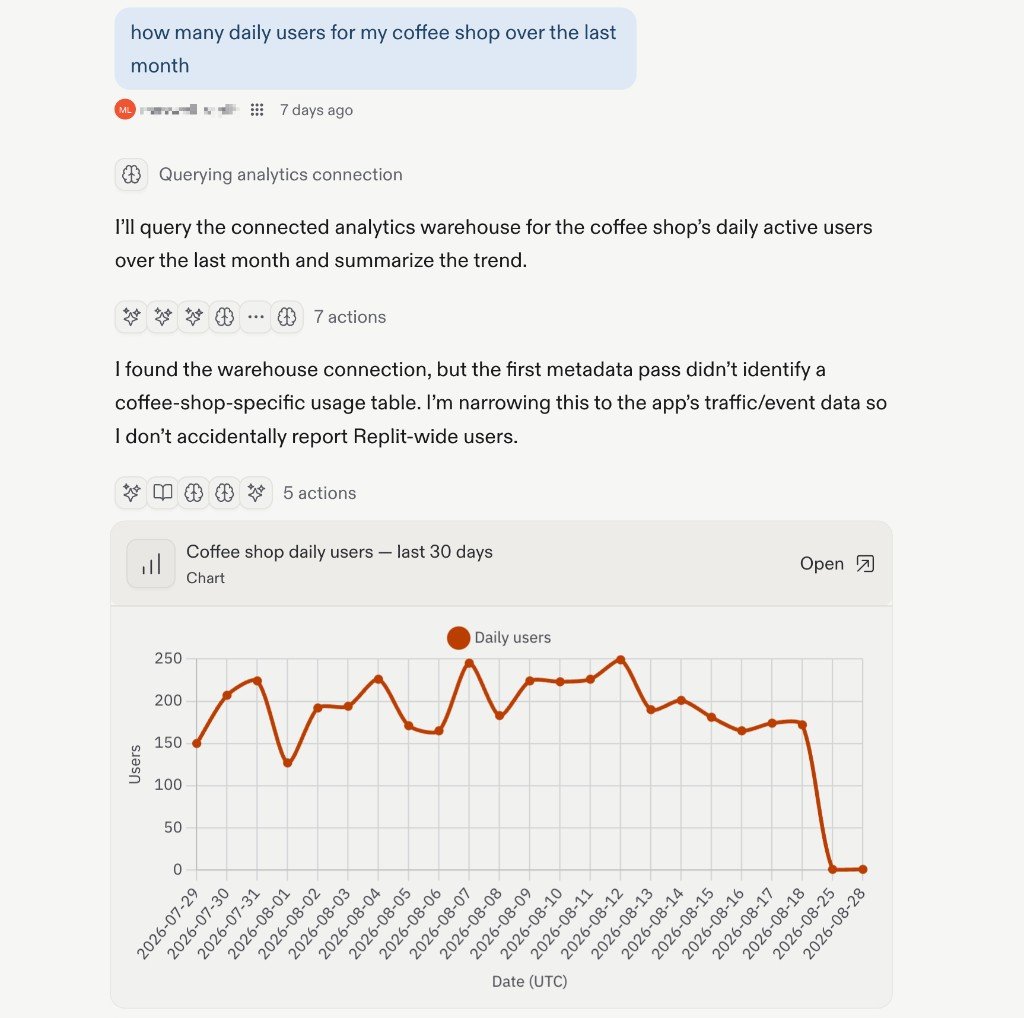
프로젝트 분석은 사람들이 게시된 웹 앱을 찾고 사용하는 방식을 보여줍니다. **Growth**(성장) 패널에서 대략적인 방문자 트렌드, 인기 페이지, 트래픽 소스, 국가, 브라우저, 기기를 확인하세요. 데이터 수집을 시작하려면 **Enable analytics**(분석 활성화)를 켜고 앱을 다시 게시하세요. 유료 플랜에서는 Agent에게 사용자 가입 및 구매와 같은 작업에 대한 맞춤 이벤트를 추가하고 퍼널을 분석하도록 요청할 수 있습니다.
 자세한 내용은 [프로젝트 분석](/ko/features/publishing/project-analytics)을 참조하세요.