> ## Documentation Index
> Fetch the complete documentation index at: https://docs.replit.com/llms.txt
> Use this file to discover all available pages before exploring further.
# 2026년 8월 7일
> 읽는 시간 1분
## 새로운 기능
* [빌드하는 동안 보안 스캔](#security-scan-while-you-build)
* [프로덕션 데이터베이스 자격 증명 재생성](#regenerate-production-database-credentials)
* [SSO로 빌드하기](#build-with-sso)
* [워크스페이스 간 프로젝트 이동](#move-projects-between-workspaces)
## Agent
### 빌드하는 동안 보안 스캔
이제 Agent는 코드 검토의 일환으로 변경한 파일에서 일반적인 보안 문제를 확인합니다. 이 자동 Semgrep 스캔은 위험한 패턴과 하드코딩된 시크릿을 찾아, Agent가 작업을 완료하기 전에 발견된 문제를 해결할 수 있도록 합니다.
자세한 내용은 [빌드하는 동안 보안 스캔](/ko/features/security/project-security-center#security-scan-while-you-build)을 참조하세요.
## 플랫폼
### 프로덕션 데이터베이스 자격 증명 재생성
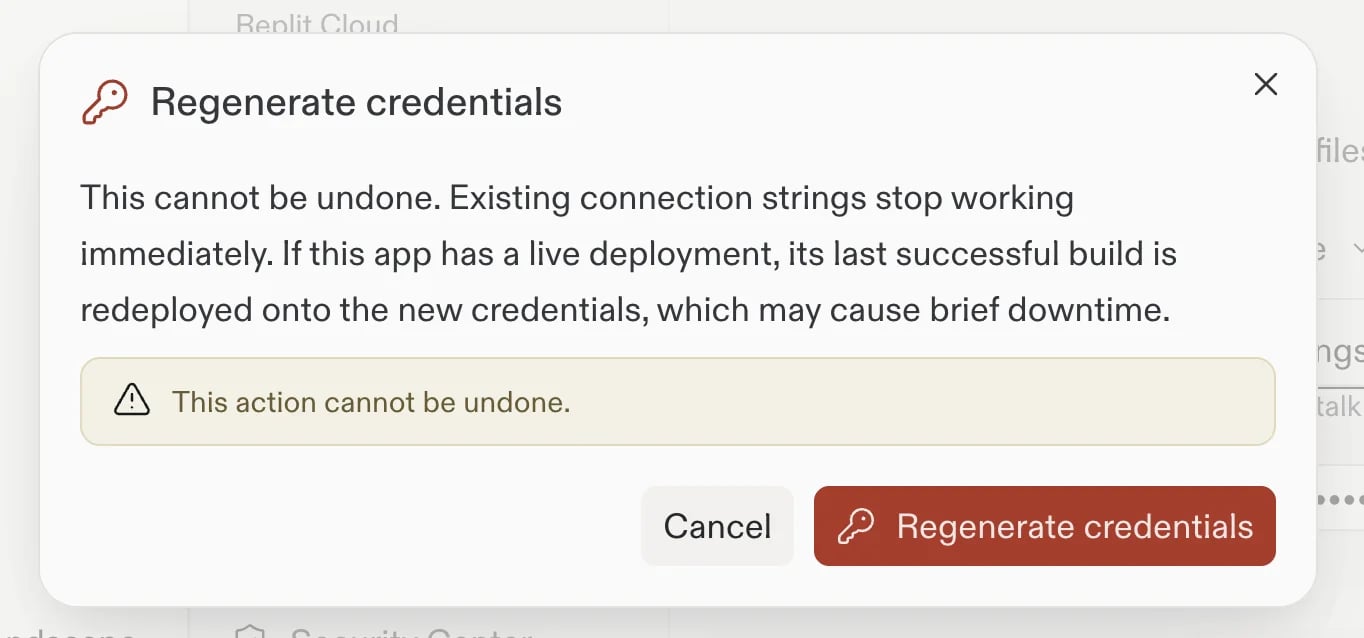
이제 **Database** 도구에서 적격한 프로덕션 데이터베이스의 자격 증명을 재생성할 수 있습니다. Replit은 자격 증명을 업데이트하고, 앱에 지원되는 라이브 배포가 있는 경우 새 자격 증명을 계속 사용할 수 있도록 재배포를 시작합니다. 이전 연결 문자열을 사용하는 외부 도구는 업데이트해야 합니다.
 자세한 내용은 [프로덕션 데이터베이스 자격 증명 재생성](/ko/features/data-and-storage/connection-details#regenerate-production-database-credentials)을 참조하세요.
## 팀 및 Enterprise
### SSO로 빌드하기
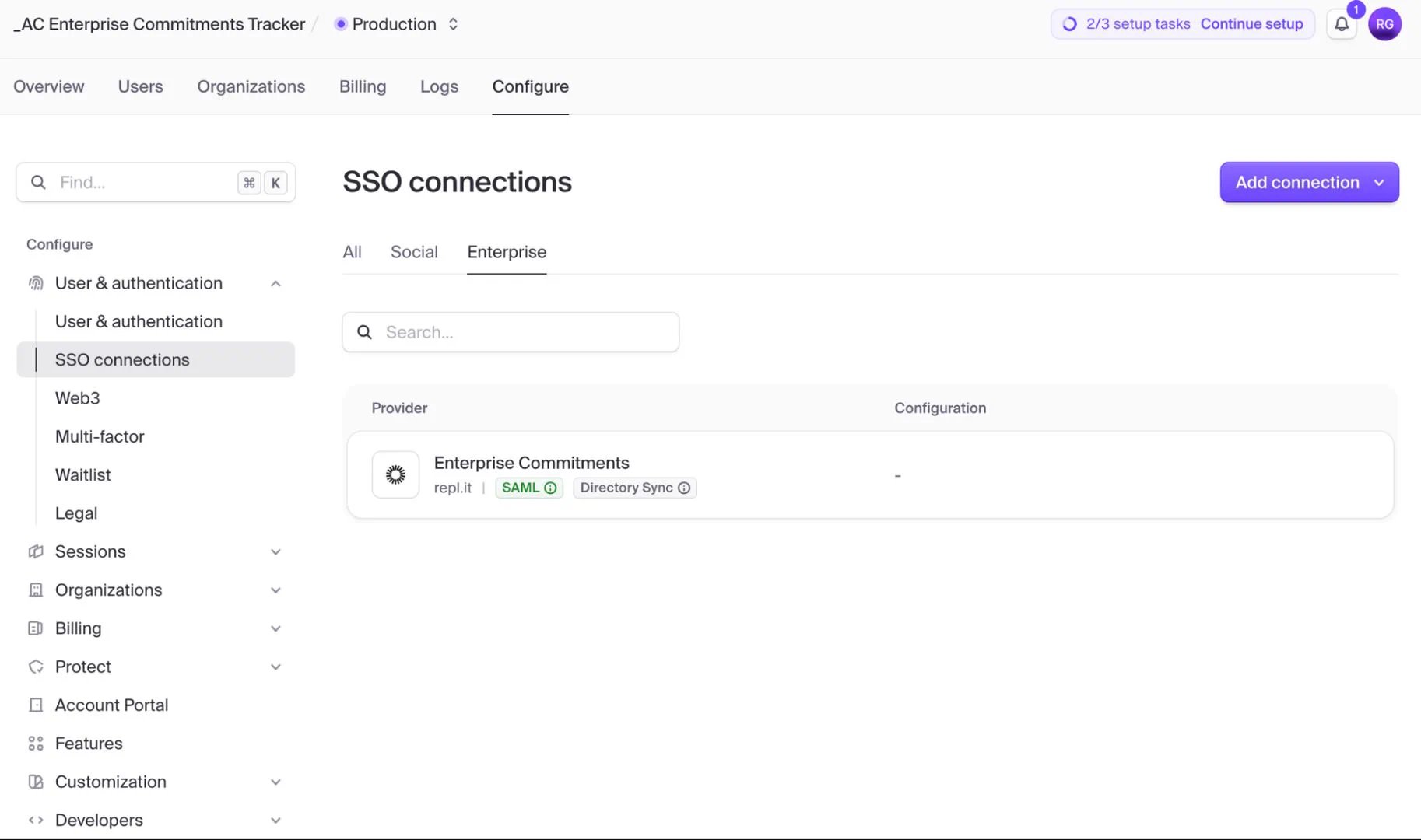
이제 Pro 빌더는 [Clerk Auth](/ko/features/auth-and-identity/clerk-auth)를 사용하는 Replit App에 대해 엔터프라이즈 SSO를 구성할 수 있습니다. Agent에게 필요한 인증 변경을 요청하면 Agent가 Clerk Dashboard로 안내합니다. 그곳에서 OIDC 또는 SAML을 통해 Okta 또는 Microsoft Entra ID를 연결하세요. 엔터프라이즈 SSO 연결은 2026년 10월 1일까지 무료입니다. 이후에는 Clerk 종량제 요금이 적용됩니다. 엔터프라이즈 지원은 곧 제공될 예정입니다.
자세한 내용은 [프로덕션 데이터베이스 자격 증명 재생성](/ko/features/data-and-storage/connection-details#regenerate-production-database-credentials)을 참조하세요.
## 팀 및 Enterprise
### SSO로 빌드하기
이제 Pro 빌더는 [Clerk Auth](/ko/features/auth-and-identity/clerk-auth)를 사용하는 Replit App에 대해 엔터프라이즈 SSO를 구성할 수 있습니다. Agent에게 필요한 인증 변경을 요청하면 Agent가 Clerk Dashboard로 안내합니다. 그곳에서 OIDC 또는 SAML을 통해 Okta 또는 Microsoft Entra ID를 연결하세요. 엔터프라이즈 SSO 연결은 2026년 10월 1일까지 무료입니다. 이후에는 Clerk 종량제 요금이 적용됩니다. 엔터프라이즈 지원은 곧 제공될 예정입니다.
 자세한 내용은 [SSO로 빌드하기](/features/auth-and-identity/single-sign-on)를 참조하세요.
### 워크스페이스 간 프로젝트 이동
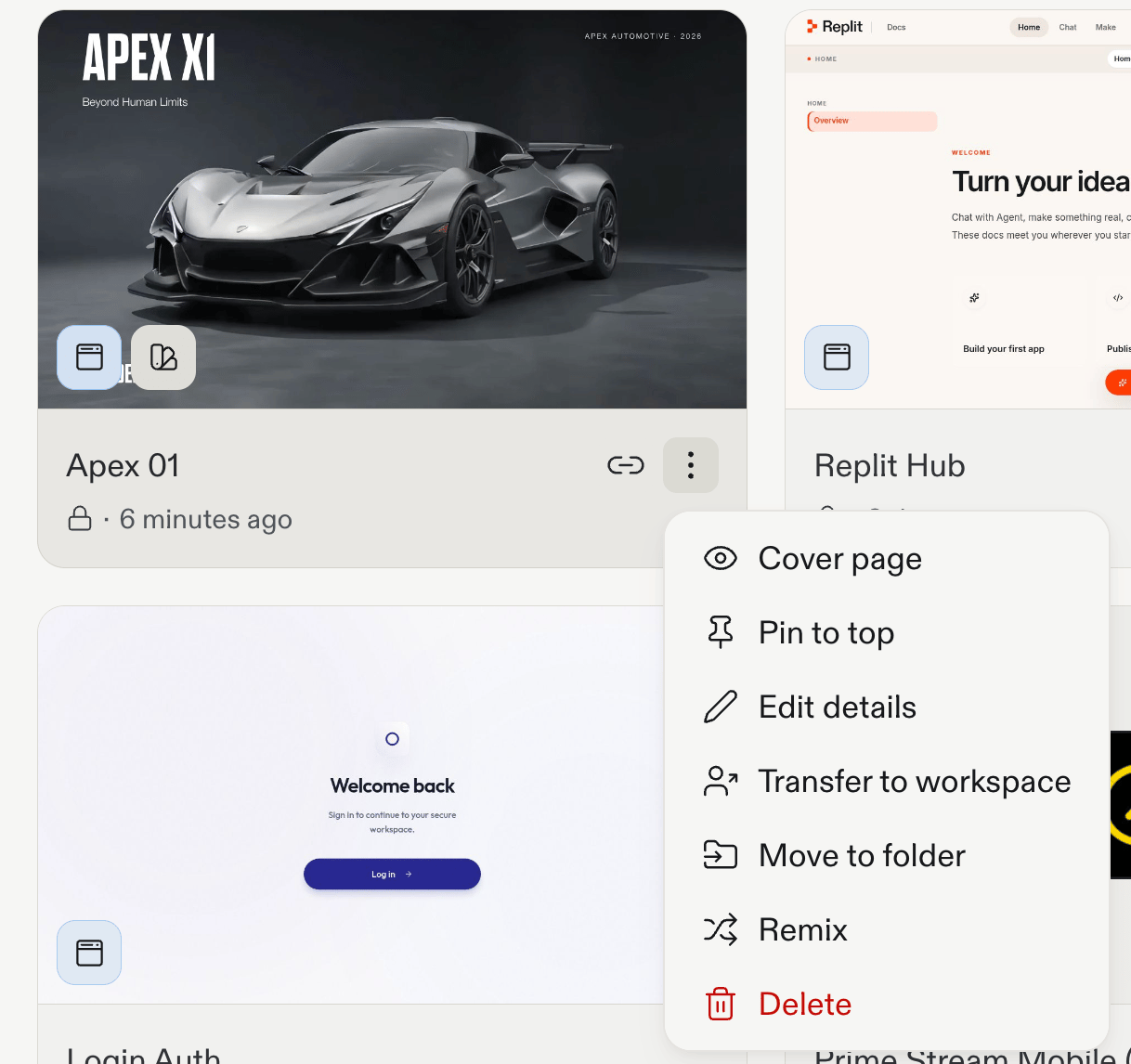
이제 **Projects** 목록에서 동일한 결제 계정 내 팀 워크스페이스 간에 프로젝트를 이동할 수 있습니다. 전송은 백그라운드에서 실행되며 취소할 수 없습니다. 연결된 계정 시크릿은 프로젝트와 함께 이동하지 않으므로 대상 워크스페이스에서 다시 연결해야 합니다.
자세한 내용은 [SSO로 빌드하기](/features/auth-and-identity/single-sign-on)를 참조하세요.
### 워크스페이스 간 프로젝트 이동
이제 **Projects** 목록에서 동일한 결제 계정 내 팀 워크스페이스 간에 프로젝트를 이동할 수 있습니다. 전송은 백그라운드에서 실행되며 취소할 수 없습니다. 연결된 계정 시크릿은 프로젝트와 함께 이동하지 않으므로 대상 워크스페이스에서 다시 연결해야 합니다.
 자세한 내용은 [팀 워크스페이스 간 프로젝트 전송](/ko/teams/identity-and-access-management/transfer-app-to-teams#transfer-between-team-workspaces)을 참조하세요.