> ## Documentation Index
> Fetch the complete documentation index at: https://docs.replit.com/llms.txt
> Use this file to discover all available pages before exploring further.
# 2026년 7월 17일
> 읽는 시간 1분
## 새로운 기능
* [여러 커넥터가 적합할 때 Agent가 제안합니다](#agent-suggests-connectors-when-several-fit)
* [새로운 Tools 패널을 소개합니다](#meet-the-new-tools-pane)
* [더 빨라진 작업 사이드바](#a-faster-task-sidebar)
## 통합
### 여러 커넥터가 적합할 때 Agent가 제안합니다
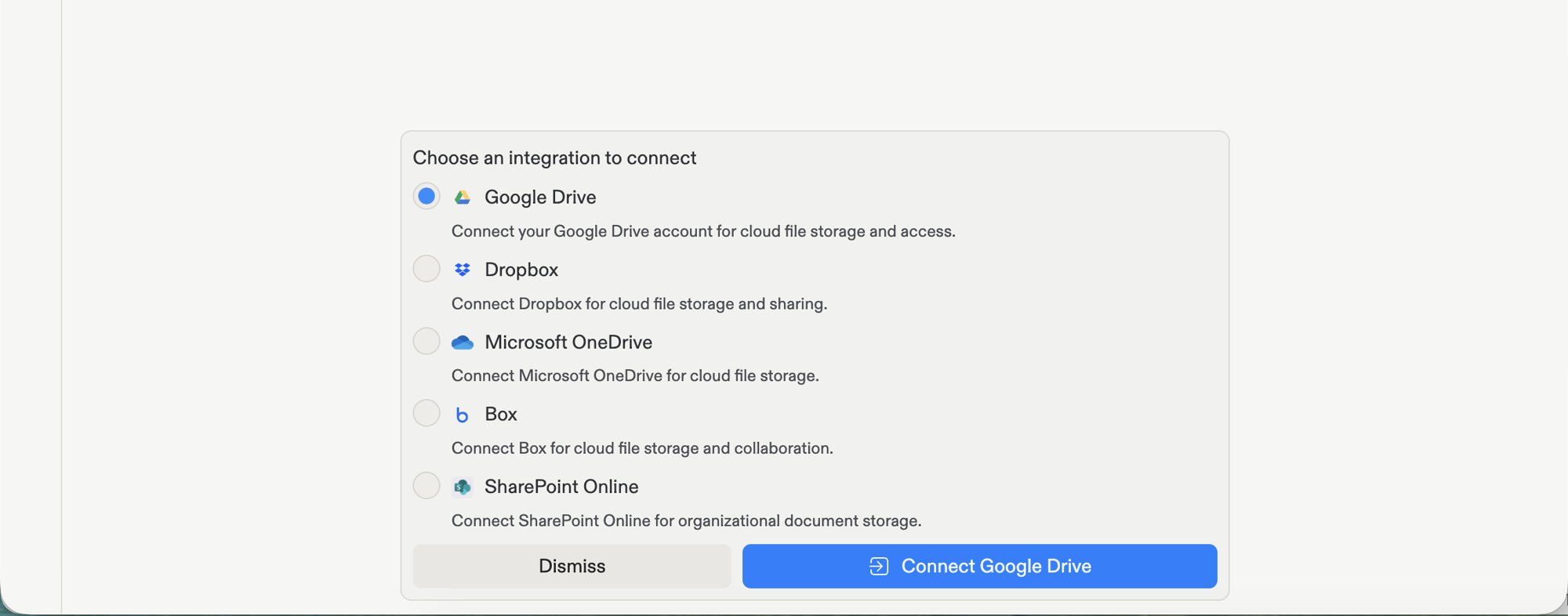
서비스 연결을 Agent에 요청했을 때 여러 제공업체가 사용 가능하다면, 이제 Agent가 짧은 목록을 보여주어 원하는 것을 선택할 수 있습니다. 이전에는 Agent가 먼저 후속 질문을 해야 했습니다. 제공업체를 선택하고 한 번 로그인하면, Agent는 계속해서 빌드를 진행합니다.
 [커넥터](/ko/features/integrations/overview#let-agent-suggest-a-connector)에 대해 자세히 알아보세요.
## 워크스페이스
### 새로운 Tools 패널을 소개합니다
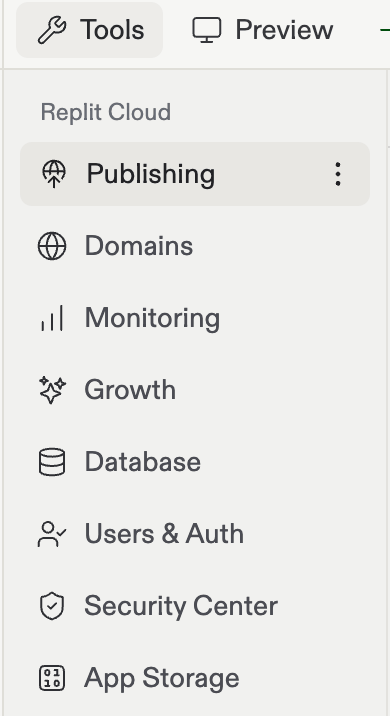
이제 앱에서 사용할 수 있는 모든 것이 워크스페이스 내 한 곳에 모여 있습니다. 새로 고정된 Tools 패널은 Database, Auth, Domains, Secrets 등을 한 곳에 모아둡니다. 이를 통해 전체 도구 세트를 한눈에 쉽게 찾을 수 있습니다. 도구 자체는 변경되지 않았습니다. 다만 더 명확한 위치를 갖게 되었을 뿐입니다.
[커넥터](/ko/features/integrations/overview#let-agent-suggest-a-connector)에 대해 자세히 알아보세요.
## 워크스페이스
### 새로운 Tools 패널을 소개합니다
이제 앱에서 사용할 수 있는 모든 것이 워크스페이스 내 한 곳에 모여 있습니다. 새로 고정된 Tools 패널은 Database, Auth, Domains, Secrets 등을 한 곳에 모아둡니다. 이를 통해 전체 도구 세트를 한눈에 쉽게 찾을 수 있습니다. 도구 자체는 변경되지 않았습니다. 다만 더 명확한 위치를 갖게 되었을 뿐입니다.
 [Tools 패널](/ko/features/editor/editor-and-tools)에 대해 자세히 알아보세요.
### 더 빨라진 작업 사이드바
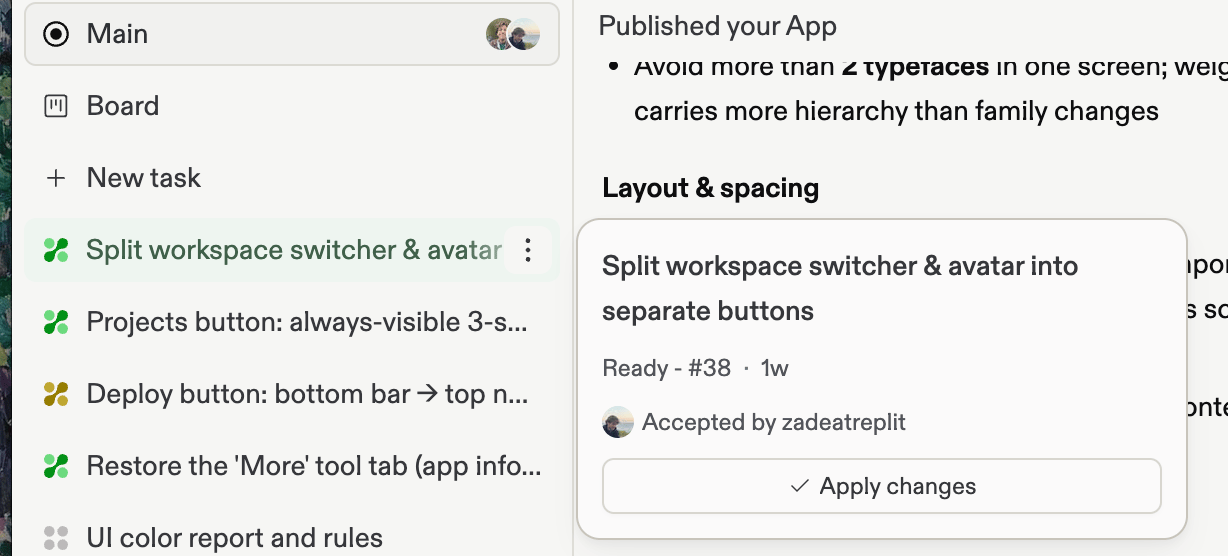
작업 사이드바가 더 조밀하고 한눈에 훑어보기 쉬운 작업 내비게이터가 되었습니다. 각 작업에는 빠른 작업과 세부 정보를 위한 자체 호버 카드가 있고, Task Board는 더 명확한 진입점을 갖게 되었으며, 사이드바를 펼치거나 접어도 작업 위치가 바뀌지 않고 그대로 유지됩니다.
[Tools 패널](/ko/features/editor/editor-and-tools)에 대해 자세히 알아보세요.
### 더 빨라진 작업 사이드바
작업 사이드바가 더 조밀하고 한눈에 훑어보기 쉬운 작업 내비게이터가 되었습니다. 각 작업에는 빠른 작업과 세부 정보를 위한 자체 호버 카드가 있고, Task Board는 더 명확한 진입점을 갖게 되었으며, 사이드바를 펼치거나 접어도 작업 위치가 바뀌지 않고 그대로 유지됩니다.
 [작업 라이프사이클](/ko/features/agent/task-lifecycle)에 대해 자세히 알아보세요.