> ## Documentation Index
> Fetch the complete documentation index at: https://docs.replit.com/llms.txt
> Use this file to discover all available pages before exploring further.
# February 20, 2026
> 2분 읽기
export const TeamsMigrationDate = 'March 6th, 2026';
## 새로운 기능
* [Pro 플랜 출시](#pro-plan-launch)
* [백그라운드 메모리 압축](#background-memory-compression)
* [프로덕션 배포 로그 접근](#production-deployment-logs-access)
* [스킬 검색](#skills-search)
* [Razorpay MCP 통합](#razorpay-mcp-integration)
* [기본 MCP 목록 확장](#expanded-default-mcp-list)
* [Video Stack](#video-stack)
* [배포 가시성 설정](#deployment-visibility-settings)
## Pro 플랜 출시
Replit Pro가 출시되었으며, Core는 이제 더욱 나은 가치를 제공합니다. 플랜을 더 명확하고 목적에 맞게 개선했습니다:
* **Replit Pro**: 진지한 빌더를 위한—Turbo 모드(2.5배 빠른 Agent, 별도 토글), 이월 기능이 있는 계층형 크레딧, 좌석당 요금 없이 최대 15명의 빌더, 우선 지원, 4배 데이터 보존. [Pro 알아보기](/billing/plans/replit-pro).
* **Core**: 추가 비용 없이 최대 5명의 협력자를 초대하세요. 현재 Core 요금은 [가격 페이지](https://replit.com/pricing)를 참조하세요.
* **Teams 플랜 종료**: Teams가 Pro로 대체됩니다. 기존 Teams 고객은 남은 기간 동안 추가 비용 없이 Pro로 업그레이드됩니다. 마이그레이션은 {TeamsMigrationDate}에 시작됩니다. [세부 사항 및 일정](https://blog.replit.com/pro-plan).
* **Agent 모드**: **Economy**(비용 최적화) 또는 **Power**(성능)를 선택하세요. **Turbo**는 별도 토글입니다(Pro/Enterprise 전용, 2.5배 빠름). [Agent 모드 가이드](/core-concepts/agent/agent-modes).
* **Fast 모드가 이제 Lite 모드로**: 동일한 빠르고 범위 지정된 변경사항—제품 및 문서에서 이름이 업데이트되었습니다. [Lite 모드](/core-concepts/agent/agent-modes).
* **Code Optimizations**: Agent가 자체 코드를 검토하는 방식을 제어하는 설정(이전 Autonomy Level)이 이제 Code Optimizations라고 불립니다. [코드 검토](/references/agent/agent-modes#code-review).
* **협업**: 모든 유료 플랜에서 더 나은 협업—무제한 워크스페이스, 간소화된 공유, 통합 설정, 워크스페이스별 사용량 추적. Core: 5명의 협력자, Pro: 15명의 빌더.
## 플랫폼
### 백그라운드 메모리 압축
Agent가 더 이상 메모리 최적화를 위해 워크플로우를 중단하지 않습니다. 이전에는 "Optimized Agent memory" 메시지가 30초 이상 진행을 차단했습니다. 이제 이 작업이 백그라운드에서 원활하게 이루어지므로 작업 중에도 Agent가 반응적으로 유지됩니다.
 ### 프로덕션 배포 로그 접근
Agent가 이제 프로덕션 배포 로그에 액세스할 수 있어 실제 프로덕션 데이터를 기반으로 오류를 찾고 수정할 수 있습니다. 곧 더 많은 프로덕션 디버깅 개선이 예정되어 있습니다.
### 스킬 검색
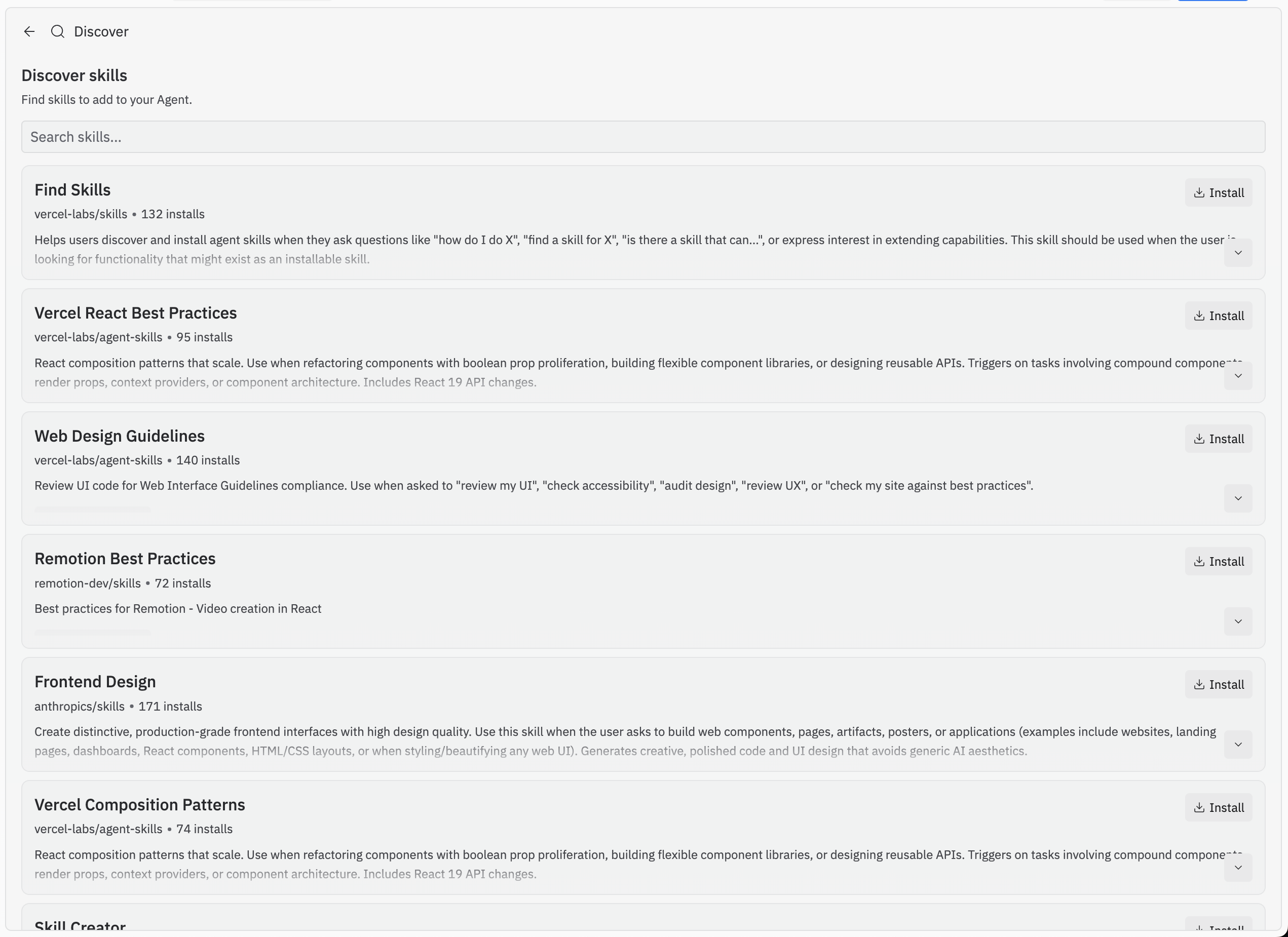
스킬 검색을 통해 Agent에게 프롬프트를 입력하거나 파일을 수동으로 업로드하지 않고도 Replit 내에서 직접 인기 스킬을 탐색하고 설치할 수 있습니다.
### 프로덕션 배포 로그 접근
Agent가 이제 프로덕션 배포 로그에 액세스할 수 있어 실제 프로덕션 데이터를 기반으로 오류를 찾고 수정할 수 있습니다. 곧 더 많은 프로덕션 디버깅 개선이 예정되어 있습니다.
### 스킬 검색
스킬 검색을 통해 Agent에게 프롬프트를 입력하거나 파일을 수동으로 업로드하지 않고도 Replit 내에서 직접 인기 스킬을 탐색하고 설치할 수 있습니다.
 ### Razorpay MCP 통합
Razorpay MCP 통합이 이제 사용 가능하여 인도 빌더의 결제 기능이 확장됩니다. Razorpay를 Replit 프로젝트에 연결하여 Agent를 통해 직접 결제를 수락하고, 주문을 관리하고, 환불을 처리하세요.
### Razorpay MCP 통합
Razorpay MCP 통합이 이제 사용 가능하여 인도 빌더의 결제 기능이 확장됩니다. Razorpay를 Replit 프로젝트에 연결하여 Agent를 통해 직접 결제를 수락하고, 주문을 관리하고, 환불을 처리하세요.
 ### 기본 MCP 목록 확장
[replit.com/integrations](https://replit.com/integrations)의 기본 MCP 목록이 확장되어 한 번의 클릭으로 새로운 통합을 연결할 수 있습니다.
### Video Stack
Video Stack을 사용하면 생성된 이미지와 비디오를 활용하여 코드로 애니메이션 비디오를 만들 수 있습니다. Replit 프로젝트에서 직접 코드만으로 완전한 애니메이션 비디오를 빌드하세요.
## 팀 및 엔터프라이즈
### 배포 가시성 설정
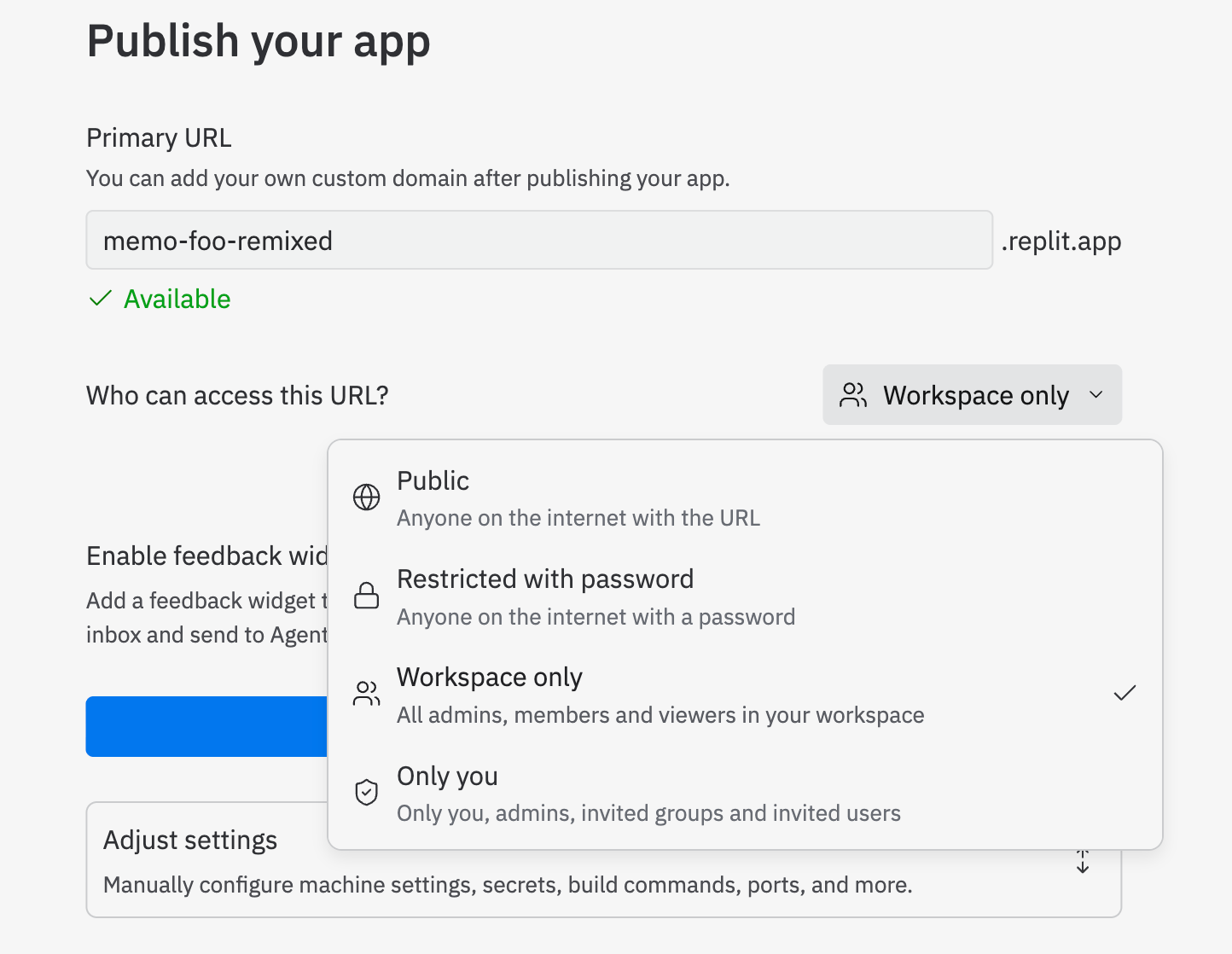
배포 가시성 설정을 통해 조직에서 팀의 관리자, 구성원 또는 뷰어로 범위가 지정된 가시성으로 앱을 배포할 수 있습니다. 조직 내에서 배포된 애플리케이션에 접근할 수 있는 사람을 정확하게 제어하세요.
### 기본 MCP 목록 확장
[replit.com/integrations](https://replit.com/integrations)의 기본 MCP 목록이 확장되어 한 번의 클릭으로 새로운 통합을 연결할 수 있습니다.
### Video Stack
Video Stack을 사용하면 생성된 이미지와 비디오를 활용하여 코드로 애니메이션 비디오를 만들 수 있습니다. Replit 프로젝트에서 직접 코드만으로 완전한 애니메이션 비디오를 빌드하세요.
## 팀 및 엔터프라이즈
### 배포 가시성 설정
배포 가시성 설정을 통해 조직에서 팀의 관리자, 구성원 또는 뷰어로 범위가 지정된 가시성으로 앱을 배포할 수 있습니다. 조직 내에서 배포된 애플리케이션에 접근할 수 있는 사람을 정확하게 제어하세요.