> ## Documentation Index
> Fetch the complete documentation index at: https://docs.replit.com/llms.txt
> Use this file to discover all available pages before exploring further.
# June 6, 2025
> 2분 읽기
## 새로운 기능
* [Visual Editor 이미지 관리](#visual-editor-image-management)
* [워크스페이스의 새로운 Agent 진입점](#new-agent-entrypoints-in-workspace)
* [Teams 관리자를 위한 CSV 내보내기](#csv-export-for-teams-admins)
* [Teams 뷰어 시트 관리](#teams-viewer-seat-management)
## 플랫폼 업데이트
### Visual Editor 이미지 관리
Visual Editor에서의 이미지 관리가 이제 손쉬워졌습니다. 이미지를 선택하고 URL을 교체하거나 새 파일을 직접 업로드하여 즉시 업데이트하세요. 즉각적인 미리보기와 원활한 업데이트로 시각적으로 매력적인 콘텐츠를 그 어느 때보다 빠르게 만들 수 있습니다. 새로워진 인터페이스는 더 원활한 편집 경험을 위해 향상된 반응성을 제공합니다.
### 워크스페이스의 새로운 Agent 진입점
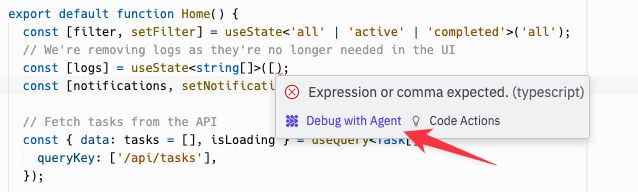
디버깅과 문제 해결을 가속화하기 위해 워크스페이스 전체에 상황별 Agent 진입점을 도입했습니다. Agent는 이제 도움이 가장 필요한 곳에 정확히 나타나 도구 간 컨텍스트 전환의 번거로움을 없애줍니다.
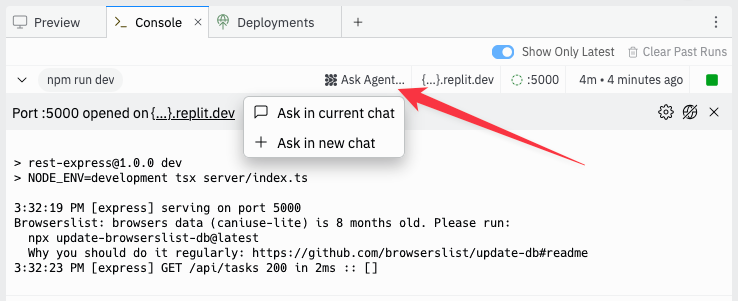 코드 디버깅, 콘솔 오류, 배포 문제에 대한 즉각적인 지원을 컨텍스트 내에서 직접 받으세요. 런타임 오류를 해결하거나 복잡한 함수를 이해하는 데 도움이 필요하든, Agent는 워크플로우를 방해하지 않고 맞춤형 지원을 제공합니다.
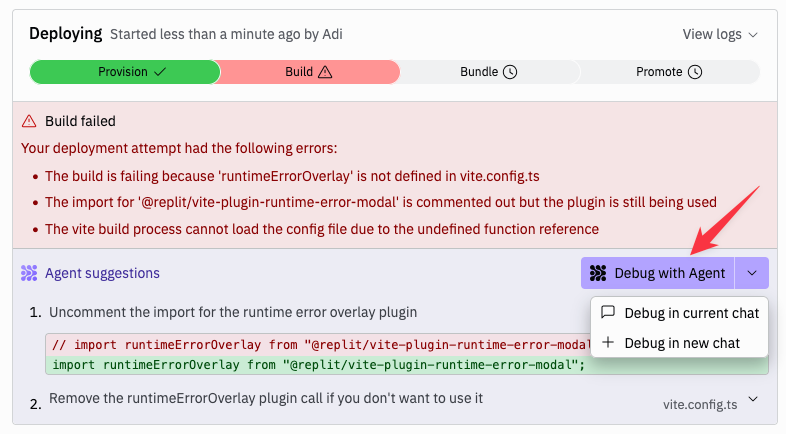 통합된 채팅 기록은 디버깅 세션 전반에 걸쳐 연속성을 보장하므로 이전 대화를 바탕으로 하고 복잡한 문제를 해결하는 동안 컨텍스트를 유지할 수 있습니다.
 ## Teams 및 엔터프라이즈
### Teams 관리자를 위한 CSV 내보내기
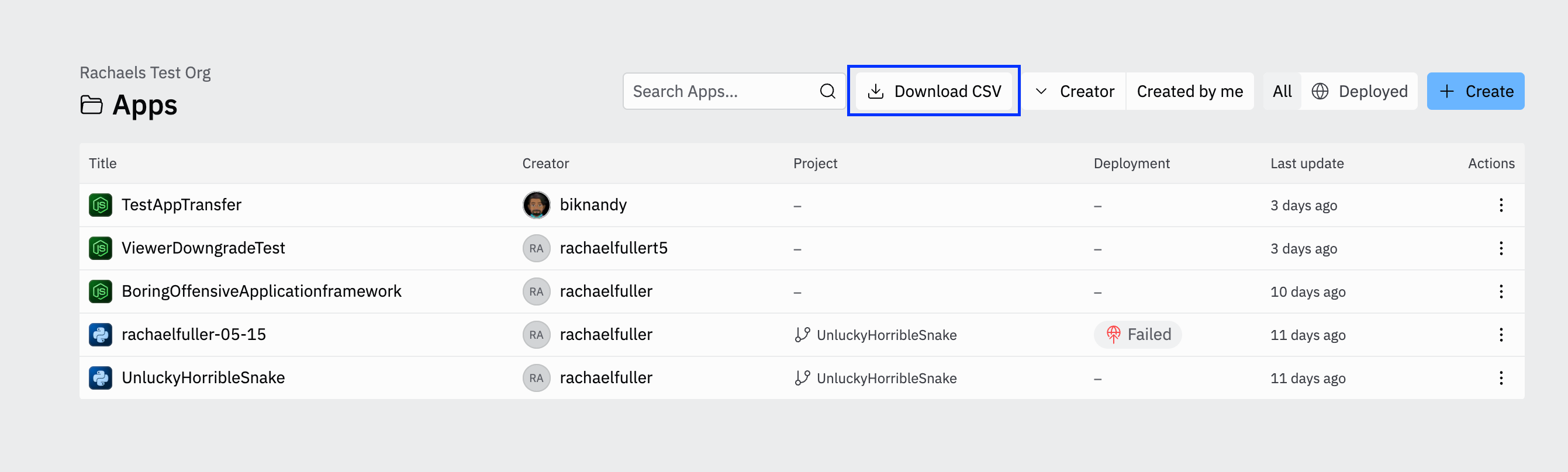
조직 관리자는 이제 전체 앱 테이블을 CSV 파일로 내보낼 수 있습니다. 이를 통해 앱 공개 상태 및 주요 사용 지표를 포함한 전체 메타데이터와 함께 조직의 Repl 사용량에 대한 추적, 분석, 보고가 간소화됩니다.
## Teams 및 엔터프라이즈
### Teams 관리자를 위한 CSV 내보내기
조직 관리자는 이제 전체 앱 테이블을 CSV 파일로 내보낼 수 있습니다. 이를 통해 앱 공개 상태 및 주요 사용 지표를 포함한 전체 메타데이터와 함께 조직의 Repl 사용량에 대한 추적, 분석, 보고가 간소화됩니다.
 ### Teams 뷰어 시트 관리
Teams는 이제 간소화된 업그레이드 워크플로우로 더 유연한 시트 관리를 제공합니다. 뷰어는 멤버 시트 업그레이드를 요청할 수 있으며, 관리자는 멤버 페이지에서 직접 이러한 요청을 검토하고 승인할 수 있습니다. 멤버 역할 편집을 위한 향상된 인터페이스로 팀 관리가 더욱 직관적이고 효율적입니다.
### Teams 뷰어 시트 관리
Teams는 이제 간소화된 업그레이드 워크플로우로 더 유연한 시트 관리를 제공합니다. 뷰어는 멤버 시트 업그레이드를 요청할 수 있으며, 관리자는 멤버 페이지에서 직접 이러한 요청을 검토하고 승인할 수 있습니다. 멤버 역할 편집을 위한 향상된 인터페이스로 팀 관리가 더욱 직관적이고 효율적입니다.