> ## Documentation Index
> Fetch the complete documentation index at: https://docs.replit.com/llms.txt
> Use this file to discover all available pages before exploring further.

# Replit Design으로 웹사이트 가져오기

> 실제 운영 중인 웹사이트를 Replit Design의 디자인 프레임으로 재현한 다음, 제안과 채팅으로 다듬고 앱으로 빌드하세요.

⏰ *예상 시간: 10분*

시작하고 싶은 디자인이 이미 웹에 공개되어 있는 경우도 있습니다. 현재 사이트이거나, 룩을 다시 만들고 싶은 페이지일 수 있습니다. Import from URL은 웹사이트를 탐색하고 다듬고 대화형 앱으로 빌드할 수 있는 디자인 프레임으로 재현합니다.

예제로 Replit이 만든 크리에이티브 스튜디오 랜딩 페이지인 [creative-studio-landing.replit.app](https://creative-studio-landing.replit.app)을 사용합니다.

## 시작하기 전에

다음이 필요합니다:

* [Replit 계정](https://replit.com).
* 공개 웹사이트의 URL 또는 위 예제.

## 웹사이트 가져오기

<Steps>
  <Step title="사이트 URL 복사하기">
    직접 만든 사이트를 사용하거나 예제 URL을 복사하세요: `https://creative-studio-landing.replit.app`.
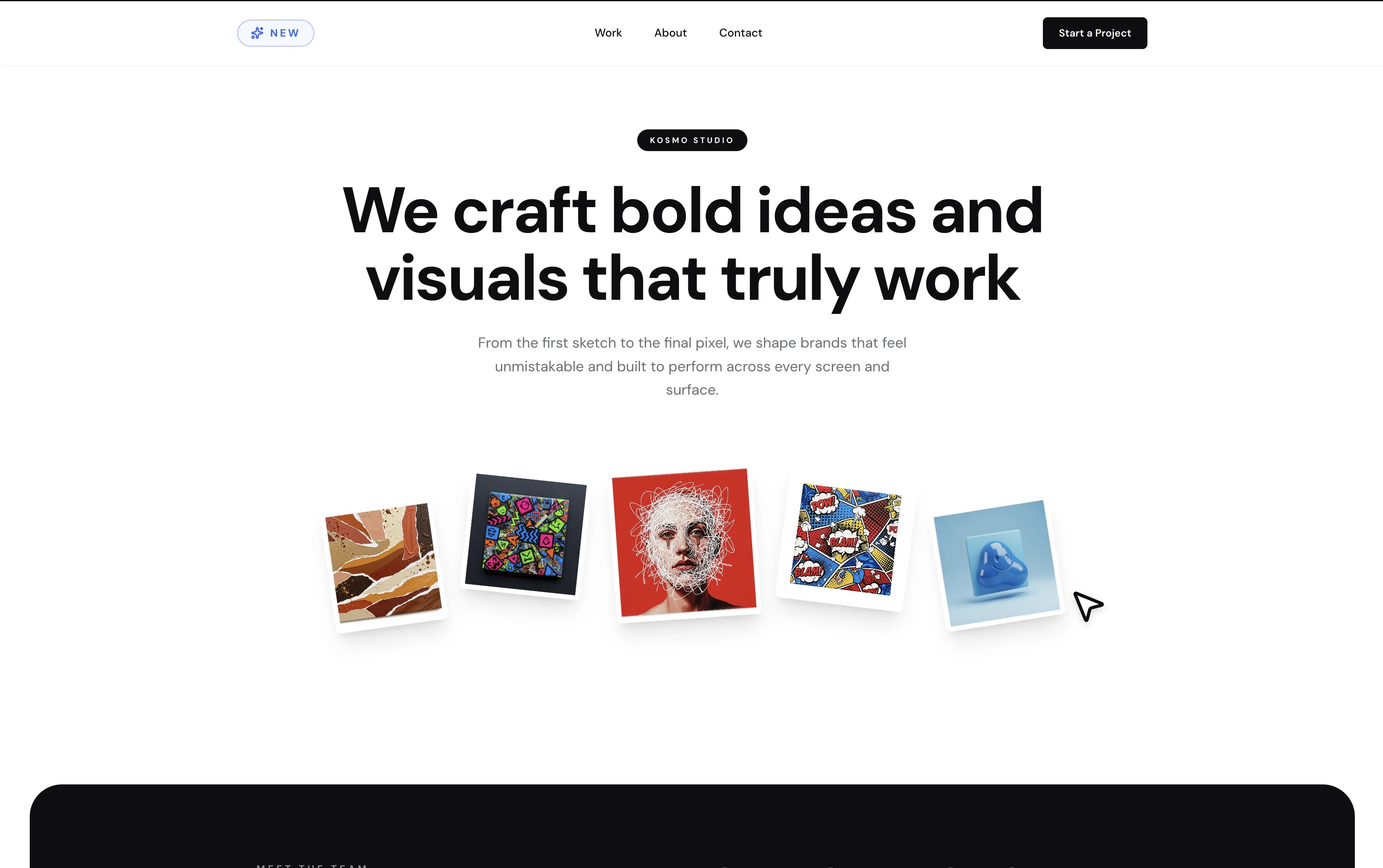
    <Frame caption="예제 사이트: 크리에이티브 스튜디오 랜딩 페이지인 Kosmo Studio.">
      <img src="https://mintcdn.com/replit/9Q_lVrxG2Dh35jz1/images/design/import-from-url/url-example-site.webp?fit=max&auto=format&n=9Q_lVrxG2Dh35jz1&q=85&s=267942c299f996750150594e6b48b55d" alt="'We craft bold ideas and visuals that truly work'라는 헤드라인과 그 아래 부채꼴로 펼쳐진 아트워크 카드들이 있는 Kosmo Studio 랜딩 페이지" width="3440" height="2160" data-path="images/design/import-from-url/url-example-site.webp" />
    </Frame>
  </Step>

  <Step title="Replit Design 열기">
    [replit.com/design](https://replit.com/design)로 이동해 프롬프트 박스 아래에서 **Import URL**을 선택하세요. Agent가 사이트의 룩앤필을 시작점으로 재현합니다.
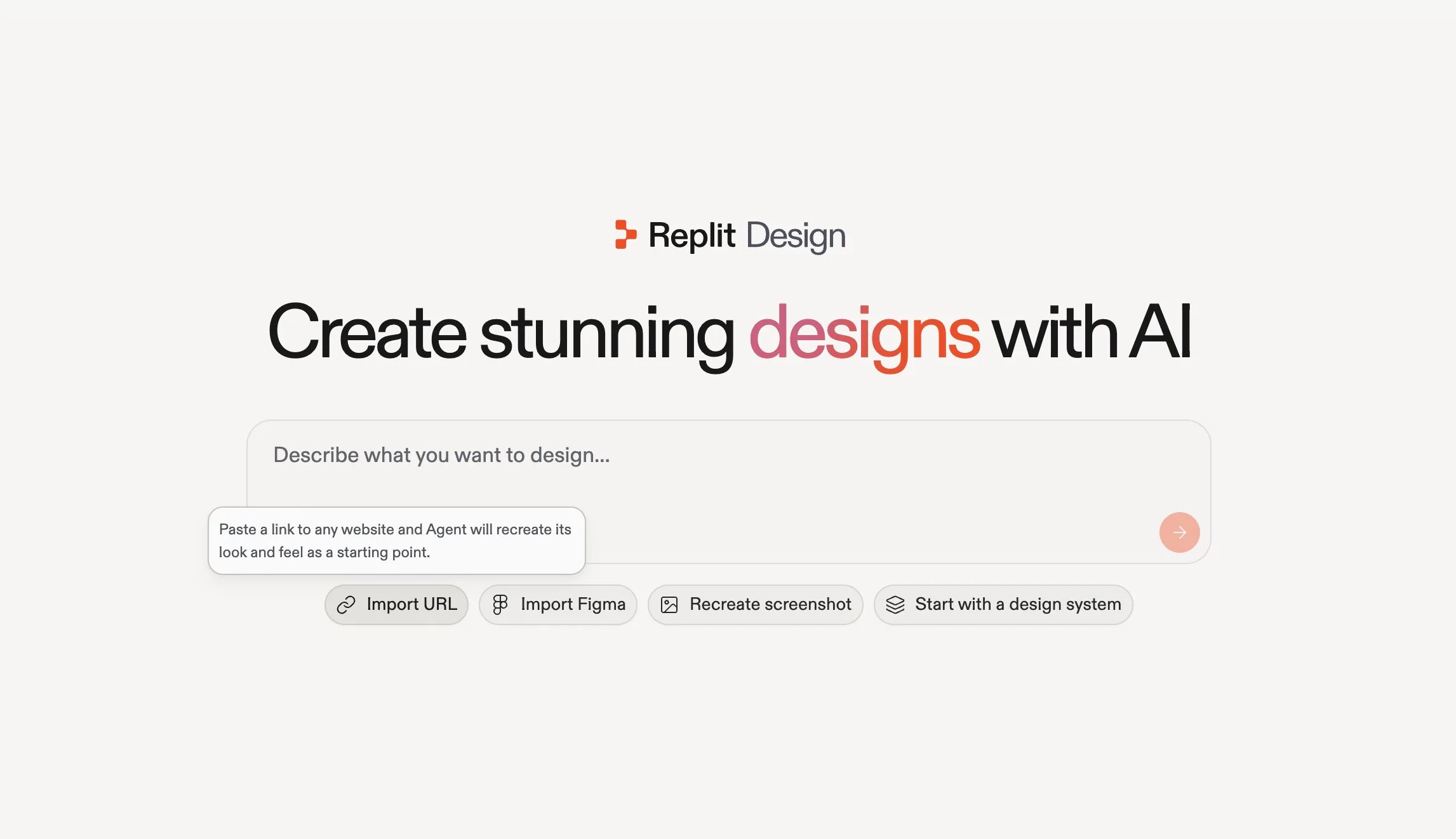
    <Frame caption="Replit Design 홈의 Import URL: 어떤 웹사이트든 링크를 붙여넣으세요.">
      <img src="https://mintcdn.com/replit/9Q_lVrxG2Dh35jz1/images/design/import-from-url/design-import-url.webp?fit=max&auto=format&n=9Q_lVrxG2Dh35jz1&q=85&s=e4cbc39f9f040bcb1b4950984d27bcd2" alt="Import URL 옵션이 선택된 Replit Design 홈 화면과 'Paste a link to any website and Agent will recreate its look and feel as a starting point'라는 툴팁" width="2293" height="1322" data-path="images/design/import-from-url/design-import-url.webp" />
    </Frame>
  </Step>

  <Step title="URL 붙여넣고 빌드 시작하기">
    **Import URL**을 선택하면 프롬프트에 \*"Recreate the look and feel of this website:"\*가 미리 입력됩니다. 그 뒤에 URL을 붙여넣고 **Start**를 선택하세요.
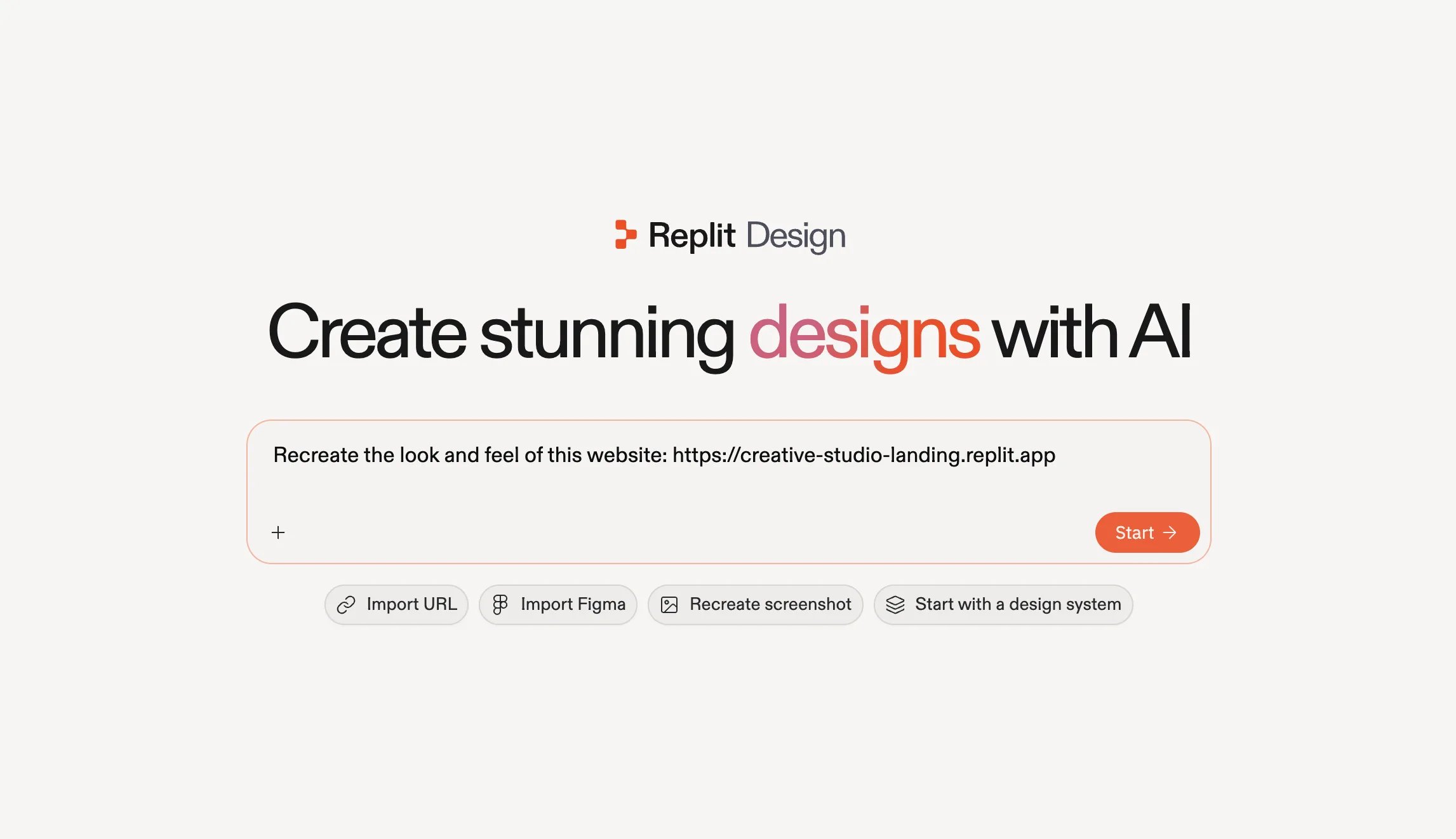
    <Frame caption="예제 URL이 포함된 채로 미리 채워진 재현 프롬프트, 시작할 준비가 된 상태.">
      <img src="https://mintcdn.com/replit/9Q_lVrxG2Dh35jz1/images/design/import-from-url/design-url-prompt.webp?fit=max&auto=format&n=9Q_lVrxG2Dh35jz1&q=85&s=ed6fcfa2a942facfe2d4ede695445926" alt="'Recreate the look and feel of this website'라는 문구 뒤에 예제 URL이 이어지는 Replit Design 프롬프트 박스와 Start 버튼" width="2293" height="1322" data-path="images/design/import-from-url/design-url-prompt.webp" />
    </Frame>
  </Step>
</Steps>

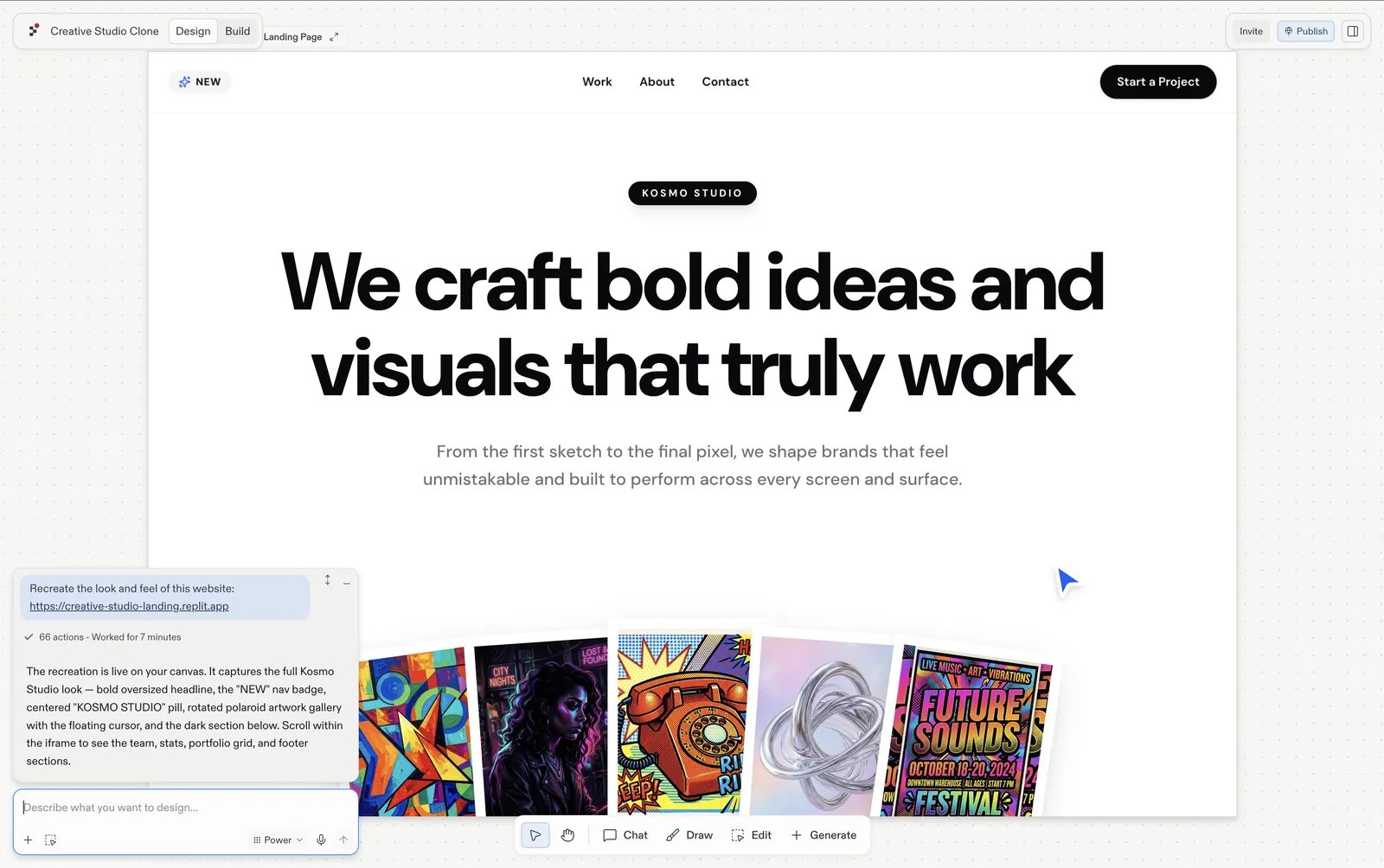
Agent가 사이트를 프로젝트의 디자인 프레임으로 재현합니다.

<Frame caption="Replit Design의 디자인 프레임으로 재현된 Kosmo Studio 랜딩 페이지.">
  <img src="https://mintcdn.com/replit/9Q_lVrxG2Dh35jz1/images/design/import-from-url/url-import-result.webp?fit=max&auto=format&n=9Q_lVrxG2Dh35jz1&q=85&s=25c050750522f9306c84091ccb147e86" alt="Replit Design의 디자인 프레임으로 재현된 Kosmo Studio 랜딩 페이지, 채팅 패널에 실행 완료로 표시됨" width="1600" height="1004" data-path="images/design/import-from-url/url-import-result.webp" />
</Frame>

## 내 것으로 만들기

가져온 프레임을 선택하고 형태를 바꿔보세요:

* **[제안](/ko/design/explore-suggestions)을 따라가기**: 가져오기 결과에는 다크 에디토리얼 변형, 모바일 뷰포트, 문의 페이지 같은 제안된 다음 단계가 함께 제공됩니다. 각각 새로운 프레임으로 생성되므로 원본은 비교를 위해 그대로 남습니다.
* **[채팅으로 이야기하기](/ko/design/chat-about-your-design)**: 프레임 아래 입력창을 사용해 원하는 내용을 직접 말로 전달하세요. *"포트폴리오 사진을 바꿔줘"*, *"히어로 텍스트를 더 두껍게 해줘"* 같은 식으로요.
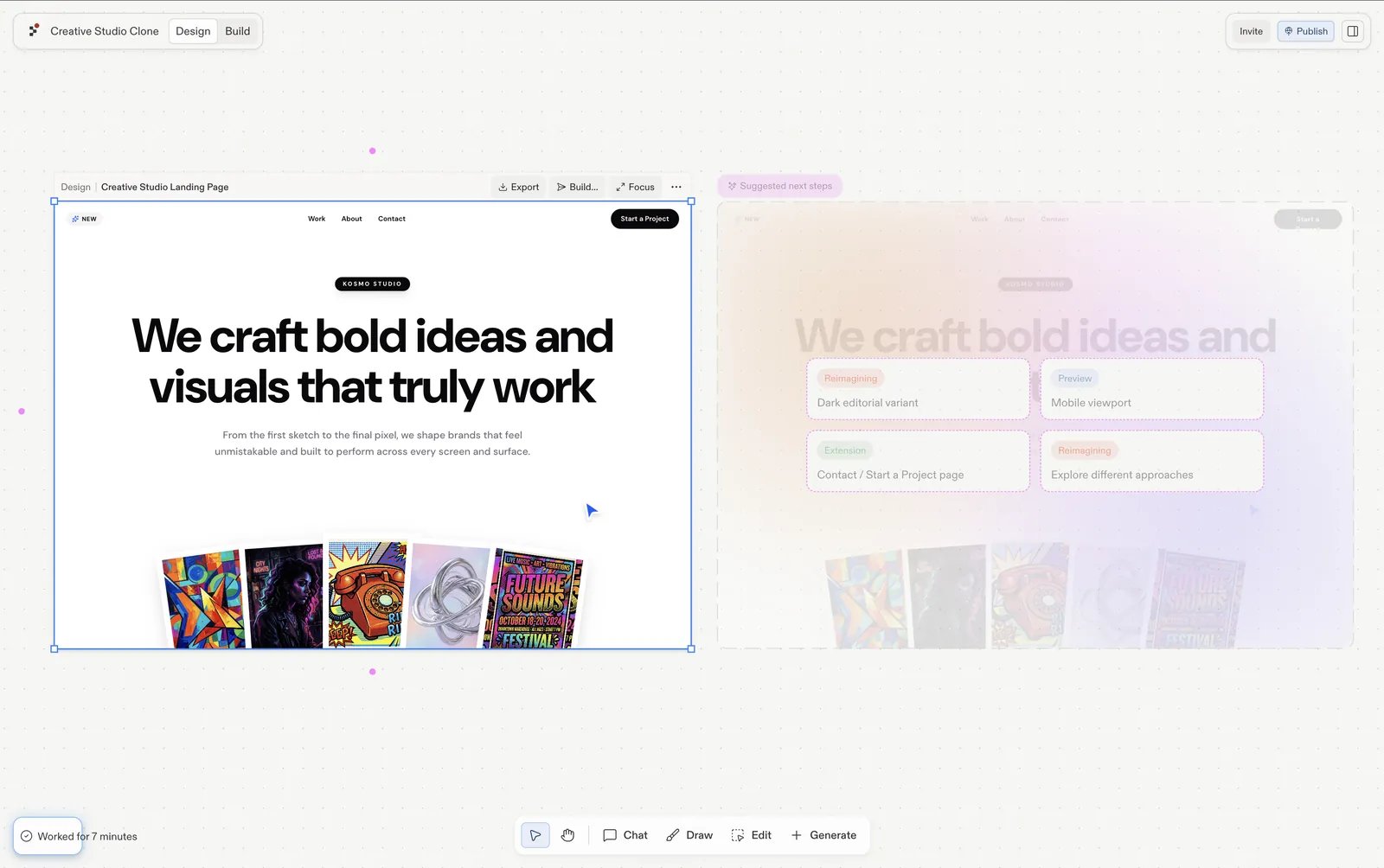
<Frame caption="가져온 프레임이 선택된 상태이며, 다크 에디토리얼 변형, 모바일 뷰포트, 문의 페이지를 제안하는 다음 단계가 표시됨.">
  <img src="https://mintcdn.com/replit/9Q_lVrxG2Dh35jz1/images/design/import-from-url/url-make-it-yours.webp?fit=max&auto=format&n=9Q_lVrxG2Dh35jz1&q=85&s=d0ec30760d7803f73c8edd1a4427dcbd" alt="Replit Design에서 선택된 재현된 Creative Studio 프레임과 그 옆에 다크 에디토리얼 변형, 모바일 뷰포트, 문의 페이지, 다양한 접근 방식을 제안하는 Suggested next steps 패널" width="1600" height="1004" data-path="images/design/import-from-url/url-make-it-yours.webp" />
</Frame>

## 다음 단계

<CardGroup cols={3}>
  <Card title="제안 살펴보기" icon="lightbulb" href="/ko/design/explore-suggestions">
    클릭 한 번으로 다음에 무엇을 디자인할지 살펴보세요.
  </Card>

  <Card title="Visual Editor" icon="pen-to-square" href="/ko/design/visual-editor">
    텍스트, 색상, 간격, 이미지를 직접 다듬으세요.
  </Card>

  <Card title="디자인 빌드하기" icon="hammer" href="/ko/design/build-your-design">
    완성된 프레임을 동작하는 앱으로 만드세요.
  </Card>
</CardGroup>